The Largest Curatorial Library
With Templates Source Code

Pocket Sorting Games - Unity Sorting Puzzle Pack

Pocket Sorting Games - Unity Sorting Puzzle Pack

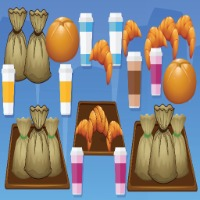
Five sorting puzzles on one editable foundation. Pocket Sorting Games gives you five playable templates and a shared C# base for Unity 6 URP. Each game has its own saved scene, prefab, presentation assets, audio and twelve authored levels. FIVE GAMES • Marble Grove - move matching groups of marbles between containers, with lifted transfers and rising landing pitches. • Mood Tubes - sort expressive emoji balls with animated faces and elastic movement. • Color Lab - sort coloured layers between laboratory tubes using animated pours and masked liquid surfaces. • Shelf Party - drag, swap and match three goods on shelves. Later levels put items behind the front row, and progression unlocks four extra item appearances. • Garden Pour - a bottle-based liquid sorting presentation with its own layout and atmosphere. TWENTY-FIVE THEMES Switch between 25 visual themes, from minimal, neon and glass to comic and warm decorative treatments. Both liquid games include varied vessel and water rendering profiles. These are stylised 2D UI and shader effects with a 2.5D look - not a physical fluid simulation and not a collection of 3D bottle meshes. WHAT THE TEMPLATES INCLUDE • Action-driven introductory guidance with a pointer that responds to real moves. • Undo, Extra Space and Hint boosters, with coin purchases when stock runs out. Hint shows a move; it does not solve the board. • Level selection, star ratings, saved progress and resumable runs. • Animated coin rewards, container celebrations, confetti, per-game sound effects and music. • Shelf Party adds animated unlock progress after completed levels. CONTENT YOU CAN EDIT Use the included setup window and the demo scenes to get started, then edit ScriptableObject levels, palettes, sprites and audio. A level validator checks solutions and reversible moves. Full source is included. The five games share systems and some mechanics - they are one foundation with five presentations, not five unrelated engines. HONEST ABOUT THE SCOPE • Universal Render Pipeline 17.0.4 and Unity UI 2.0.0, installed through Package Manager. Built-in and HDRP compatibility is not promised. • Legacy Input Manager: set Active Input Handling to Input Manager (Old) or Both. • Desktop mouse and browser gameplay are tested. Touch input and responsive layouts are implemented, but native Android and iOS builds and physical-device compatibility are not certified by this release. • Local PlayerPrefs persistence only. No cloud save, accounts, multiplayer, analytics or IAP. Ads and vibration are supported as described above; Google's SDK is not bundled. • In-game coins are a local gameplay system, not real-money purchases. • The package contains generated raster art and AI-assisted code - see the AI disclosure. No AI service is called at runtime. REQUIREMENTS Unity 6000.0.62f1 or newer with Universal Render Pipeline 17.0.4 and Unity UI 2.0.0. ADMOB ADS AND MOBILE HAPTICS • AdMob placements - rewarded, interstitial and banner ads are wired into the five games, with a Mobile Services setup and diagnostics window for your ad-unit IDs. • Google's SDK is not included. The integration resolves the Google Mobile Ads SDK at runtime if you have installed it; you add the plugin yourself and keep it on whatever version you want. Nothing from Google is redistributed here. • Test mode and a safe fallback. Test IDs let you try rewards immediately. The Editor, Windows and WebGL use a clearly labelled simulation, and phones fall back to it when the SDK is absent - a real SDK failure never turns into a fake reward. • Native vibration on Android and iOS. Android uses waveform patterns with per-step durations and amplitudes; iOS uses Apple's semantic feedback. Haptics run in Off, Simulation or Native mode, and every pattern is an editable asset. • Desktop previews cannot reproduce vibration - test haptics on a physical phone. THIRD-PARTY CONTENT Asset uses Bangers, Boogaloo, Lilita One, Marcellus, Nunito, Patrick Hand, Rajdhani, Righteous, VT323 and Varela Round under the SIL Open Font License 1.1; see Third-Party Notices.txt file in package for details, along with the OFL file in each font directory. No other third-party images, audio, icons, shaders, DLLs or native binaries are included. AI-GENERATED CONTENT DISCLOSURE OpenAI image generation (image-gen) was used to create game UI artwork, emoji facial animation frames and sorting vessels, theme atlases, backgrounds, sorting goods and unlockable illustrations, booster artwork, the tutorial pointer and the paper-confetti atlas. OpenAI Codex assisted with C# gameplay/editor code, procedural audio tooling, documentation and integration. The generated artwork was organized into twenty-five selectable themes, imported and sliced as Unity sprites, assigned to saved game prefabs and connected to responsive UI, tutorial targets, booster effects and particles. Layout, readability, gameplay and theme switching were iteratively tested and revised. Sound clips were synthesized by project code rather than recorded from third-party games. No font files are bundled; text uses Unity's built-in font. The submission screenshots are direct captures of the functioning built demo. They are not image-generated mockups. There is no AI service or external AI dependency at runtime.

Created Oct 11, 2026

Pocket Numbers - Unity Number Puzzle Games Pack

Pocket Numbers - Unity Number Puzzle Games Pack

Five number puzzles, one shared world. Pocket Numbers is an editable Unity 6 URP template pack with five different rule sets and twenty-five selectable visual themes, sharing one progression, currency and feedback system. FIVE DIFFERENT GAMES • PAIR - find equal values, or pairs that total ten. Clear supported lines, work around gaps and extend the board with Add when you need to. • DOUBLE - select adjacent groups of equal numbers, combine them into a doubled tile and work through gravity and refill toward larger milestones. • TEN - drag rectangular selections that total ten. Plan around empty spaces and clear authored challenge boards. • CHAIN - connect adjacent values using equal and doubling rules, and combine the path into a power-of-two result. • THIRTEEN - connect at least three equal tokens to upgrade their value, then build longer-term strategies toward thirteen. TWENTY-FIVE LOOKS, ONE LIBRARY Start with Jelly Pop's soft presentation or move to neon arcade, paper garden, wood-and-toy, comic, pixel, underwater, gold-and-velvet, frosted-glass and other distinct styles. Themes update the interface, number tiles, palette, typography, backgrounds and collectible illustrations through a shared theme library, and players can change their look while keeping their progress. A SHARED PLAYER EXPERIENCE Each game has an interactive tutorial with instructions, an animated pointer and steps that advance only when the player performs the required action. Boosters offer direct activation, targeted selection feedback and in-game coin purchases when stock runs out. Hints show a valid move rather than solving the board; Magic Wand supplies automatic help in the games that include it. Local progression ties together currency, booster inventory, saved runs, challenge access and collectible rewards. Collectible illustrations reveal gradually as progress is earned, then celebrate their unlock. Scoring streaks add animated feedback and coin rewards fly toward the currency display. CONTENT YOU CAN EDIT The five games sit in individual folders with saved scenes, game prefabs, rule scripts, tutorial data, campaign data and post-processing settings; shared systems and art are grouped separately. PAIR and TEN each supply six authored challenge boards, while DOUBLE, CHAIN and THIRTEEN each supply six selectable checkpoints with ongoing refill and milestone progression - 30 challenge entries in total, plus five interactive tutorials. Alter the challenge data and balancing, replace a theme's art, or extend the C# systems for your own project. The offline guide covers installation, controls, organisation, rendering, saves and customisation. HONEST ABOUT THE SCOPE • Universal Render Pipeline 17.0.4 only. Built-in RP and HDRP are not supported. • Desktop Windows and desktop WebGL are tested. Touch-aware input and responsive layouts are included, but physical Android and iOS builds have not been certified. • The supplied demo is locked to 1920x1080 landscape and scales by letterboxing. • No real-money purchases, cloud save or multiplayer. Google's advertising SDK is not bundled - you install it yourself to enable the AdMob placements described above. The currency store is a local gameplay system and progress is saved with PlayerPrefs. • No AI service is called at runtime. REQUIREMENTS Unity 6000.0.62f1, Universal Render Pipeline 17.0.4 and Unity UI 2.0.0. The legacy Input Manager is required, and a setup menu is included for a fresh URP project. Unity Registry dependencies are installed separately before import. ADMOB ADS AND MOBILE HAPTICS • AdMob placements - rewarded, interstitial and banner ads are wired into the five games, with a Mobile Services setup and diagnostics window for your ad-unit IDs. • Google's SDK is not included. The integration resolves the Google Mobile Ads SDK at runtime if you have installed it; you add the plugin yourself and keep it on whatever version you want. Nothing from Google is redistributed here. • Test mode and a safe fallback. Test IDs let you try rewards immediately. The Editor, Windows and WebGL use a clearly labelled simulation, and phones fall back to it when the SDK is absent - a real SDK failure never turns into a fake reward. • Native vibration on Android and iOS. Android uses waveform patterns with per-step durations and amplitudes; iOS uses Apple's semantic feedback. Haptics run in Off, Simulation or Native mode, and every pattern is an editable asset. • Desktop previews cannot reproduce vibration - test haptics on a physical phone. THIRD-PARTY CONTENT Asset uses fonts under the SIL Open Font License 1.1; see Third-Party Notices.txt file in package for details, along with the OFL file included beside each theme's font. No other third-party images, audio, icons, shaders, DLLs or native binaries are included. AI-GENERATED CONTENT DISCLOSURE OpenAI image generation (image-gen) was used to create game UI artwork, theme atlases, backgrounds, collectible illustrations, booster artwork, the tutorial pointer and the paper-confetti atlas. OpenAI Codex assisted with C# gameplay/editor code, procedural audio tooling, documentation and integration. The generated artwork was organized into twenty-five selectable themes, imported and sliced as Unity sprites, assigned to saved game prefabs and connected to responsive UI, tutorial targets, booster effects and particles. Layout, readability, gameplay and theme switching were iteratively tested and revised. Sound clips were synthesized by project code rather than recorded from third-party games. Fonts are third-party OFL assets; see their notices. The submission screenshots are direct captures of the functioning built demo. They are not image-generated mockups. There is no AI service or external AI dependency at runtime.

Created Oct 11, 2026

Pocket Puzzle Collection - Unity Puzzle Games

Pocket Puzzle Collection - Unity Puzzle Games

Five puzzle games that already feel finished. Pocket Puzzle Collection gives you five distinct games, 18 authored gameplay scenes and 20 switchable visual themes for Unity 6 URP, sharing one presentation and progression system. FIVE GAMEPLAY TEMPLATES • Triple Garden - collect exposed tiles into a seven-slot tray and clear matching trios with a stacking animation. • Pair Parade - match unobstructed pairs and slide groups to open new paths against a timer. • Number Bloom - drag and merge equal number blocks, including adjacent collision merges, with a tutorial board and a rising-row endless mode. • Little Links - connect matching tiles using routes with limited turns and clear the board. • Stretchy - swipe to extend a character to the wall, fill the room and avoid trapping yourself. Points are awarded only for completed rooms. SHARED PRESENTATION AND PROGRESSION Switch between 20 looks, from Jelly Pop and Neon Circuit to Toybox, Pixel Quest and Monochrome Studio. Each game has its own earnable collection of 19 alternate piece looks drawn from the shared theme library. A masked colour reveal shows progress toward the next reward, then an unlock celebration and an equip-or-keep choice. The interface includes tutorial guidance with a pointing hand, level selection, pause, music and sound controls, a persistent coin wallet and game-specific boosters. Stocked boosters activate directly; targeted actions highlight selectable pieces; empty boosters show their coin cost. Coins, score flights, combo captions, particles, camera feedback and 33 synthesised sound effects plus a music loop carry the gameplay events. EDITABLE SOURCE AND AUTHORED CONTENT Game scenes, boards, tiles, UI, effects and level prefabs are saved in the project. Each game has its own folder, with common C# systems and presentation assets in Shared. Customise themes through PuzzleSkin assets, tune rewards and boosters in source, or duplicate an existing level scene or prefab and edit its board data. Offline documentation explains setup, folder structure, controls and customisation. HONEST ABOUT THE SCOPE • 17 finite levels and one endless-mode scene. This is a reusable template collection, not a large campaign, and there is no dedicated visual level-editor tool. • Universal Render Pipeline 17.0.4 only - the included particle materials do not support Built-in or HDRP. • Runtime interfaces use Unity UI and C# meshes and sprites, including 3D-style shading rather than rigged 3D models. • Windows and desktop WebGL are the verified targets; native Android and iOS builds are not included. • Real-money IAP, multiplayer, cloud saves and analytics are not included. Progress is saved locally with PlayerPrefs, so it is not a secure online economy. Ads are supported through your own AdMob account, as described above. REQUIREMENTS Unity 6000.0.62f1 or newer with Universal Render Pipeline 17.0.4. Uses Unity UI, URP and 2D Sprite from Package Manager. Legacy Input Manager; no Input System action-map dependency. No paid third-party dependencies, no external backend, no runtime API credentials. ADMOB ADS AND MOBILE HAPTICS • AdMob placements - rewarded, interstitial and banner ads are wired into the five games, with a Mobile Services setup and diagnostics window for your ad-unit IDs. • Google's SDK is not included. The integration resolves the Google Mobile Ads SDK at runtime if you have installed it; you add the plugin yourself and keep it on whatever version you want. Nothing from Google is redistributed here. • Test mode and a safe fallback. Test IDs let you try rewards immediately. The Editor, Windows and WebGL use a clearly labelled simulation, and phones fall back to it when the SDK is absent - a real SDK failure never turns into a fake reward. • Native vibration on Android and iOS. Android uses waveform patterns with per-step durations and amplitudes; iOS uses Apple's semantic feedback. Haptics run in Off, Simulation or Native mode, and every pattern is an editable asset. • Desktop previews cannot reproduce vibration - test haptics on a physical phone. THIRD-PARTY CONTENT Asset uses Nunito under the SIL Open Font License 1.1; see Third-Party Notices.txt file in package for details. No other third-party fonts, images, audio, icons, shaders, DLLs or native binaries are included. AI-GENERATED CONTENT DISCLOSURE OpenAI imagegen was used for alternate theme symbol sheets and backdrops, coin and tutorial-hand artwork, and the paper-confetti atlas. The images were prepared as game atlases/sprites and integrated with theme palettes, masks, materials, authored prefabs and UI layouts. OpenAI Codex assisted with C# implementation, editor tooling, documentation and Python-based audio synthesis. Sound effects and the music loop were synthesized from code rather than copied from other games. The package includes playable mechanics, persistence, boosters, tutorials, animations and tested Unity integration beyond the generated images. Screenshots are captures of the working asset.

Created Oct 11, 2026

CozyCrate - Unity Packing Game Template

CozyCrate - Unity Packing Game Template

Build a polished cozy packing game from a complete, playable Unity template. CozyCrate combines tactile parcel preparation with progression, customer management, supply planning, upgrades, bank actions, bills, and a guided campaign. The included starter game moves each order through a clear hands-on loop: inspect the request, organize incoming goods, clean or repair damaged items, choose a carton, arrange items freely, add protection and handling labels, enter the address, fold and tape the box, then ship it for a scored payout. The project is data-driven and source-included. Starter content lives in ScriptableObjects, gameplay rules live in focused C# services, and the interface is assembled from event-driven uGUI views. Replace the art, rebalance the economy, extend the campaign, or use the systems as a foundation for a different packing, sorting, fulfillment, or light-management game. A COMPLETE PACKING LOOP • Intake and organization: move incoming items freely so overlapping orders remain readable. • Condition tasks: clean dirty goods and repair broken goods through focused mini-game interactions. • Free-form packing: position and rotate items continuously inside four visually distinct carton sizes. • Shape-aware validation: alpha-aware silhouettes and logical footprints prevent invalid overlaps without treating every sprite as a full rectangle. • Protection choices: use bubble wrap and packing peanuts when an order needs additional care. • Parcel finishing: fold carton flaps, drag tape across the seam, place handling stickers freely, enter the required address, and move the finished parcel to the conveyor. ORDERS, VALIDATION & FEEDBACK • Order requirements: item lists, quantities, client identity, address, handling rules, and condition states drive each parcel. • Hard shipping checks: missing items, a wrong address, an unsealed box, or no selected carton blocks delivery. • Soft scoring checks: packaging quality and handling mistakes reduce payout and appear in the shift report. • Three play styles: Chill, Normal, and Rush adjust timing, penalties, bills, and campaign pressure. • Clear daily reports: earnings, bonuses, penalties, costs, reputation, and progression are summarized between shifts. PROGRESSION & MANAGEMENT • Eight guided days: the opening curriculum introduces mechanics in context instead of exposing every tool at once. • Procedural continuation: deterministic order progression keeps the game playable after the authored campaign days. • Tablet applications: manage clients, shop upgrades, restock supplies, review bills and authorities, use bank deposits and withdrawals, handle loans, and change settings. • Fourteen upgrades: workspace, storage, tool, automation, comfort, and cosmetic improvements use prerequisites and live effects. • Six starter clients: category pools, reputation gates, purchase gates, payout multipliers, and distinct visual branding support a growing business. DEVELOPER-FRIENDLY FOUNDATION • Editable C# source: runtime, UI, editor tooling, content generators, and tests are included. • ScriptableObject content: items, boxes, clients, consumables, stickers, upgrades, footprint shapes, difficulty profiles, localization strings, and tuning are separated from runtime logic. • Content Wizard: create common content types from guided editor forms and register them with the master catalog. • Validation tools: scan catalog references, IDs, content relationships, build setup, and common configuration mistakes. • First-open welcome window: jump directly to the Boot scene, customer guide, content tools, and setup checks, with hide and disable options. • Single HTML manual: searchable, responsive documentation explains setup, architecture, reskinning, balancing, new levels, content creation, testing, builds, licensing, and extension recipes. STARTER CONTENT INCLUDED • 30 categorized item definitions with authored sprites and varied visual sizes. • 4 carton definitions with distinct open and closed artwork. • 6 client definitions with progression and payout settings. • 14 upgrade definitions with prerequisites and typed effects. • 8 guided curriculum days plus procedural progression. • 3 difficulty profiles. • Handling labels, consumables, item-care interactions, tablet apps, reports, tutorials, generated fallback visuals, and procedural fallback audio. • Boot, Main Menu, and Workshop scenes. TYPICAL WORKFLOW • Open the included Boot scene and play the starter game. • Use the Content Wizard or duplicate an existing definition to add items, clients, boxes, upgrades, or other content. • Register new definitions in the central catalog. • Replace sprites, colors, text, sounds, and balancing values with your own production content. • Add authored day definitions or tune procedural progression. • Run content validation and the included test suites before exporting your game. IMPORTANT BOUNDARIES • The included presentation is a complete starter game and template, not a hosted backend service or multiplayer framework. • CozyCrate is designed around desktop pointer controls; projects targeting touch, consoles, or accessibility-specific input should adapt and verify those interactions. • The package provides editable starter art and procedural fallbacks, not a general-purpose art library for unrelated products. • New third-party art, audio, fonts, services, or packages added by customers remain subject to their own licenses and platform requirements. AI-GENERATED CONTENT DISCLOSURE • Tools used: OpenAI's built-in image generation system (GPT image generation) was used to create original 2D source art for CozyCrate. Claude Code and GPT-based models through Codex also assisted with portions of the C# development. • Affected visual content: the 30 item sprites; carton source art and derived carton variants; menu and workbench backgrounds; panel/button and cat art; packing-peanut textures; tray icons; tutorial-hand art; feature-lock art; and their retained generated source textures. • Post-generation modifications: outputs were selected, chroma-key/background processed where applicable, transparency and edges cleaned, cropped, resized, split into atlases or derived variants, configured as Unity sprites, and integrated into the gameplay and UI systems. • Package notice: a detailed affected-content list is included at Assets/CozyCrate/Third Party Notices.txt.

Created Oct 11, 2026

FoxGames Mega Puzzle Bundle - 15 Unity Games

FoxGames Mega Puzzle Bundle - 15 Unity Games

FoxGames Mega Puzzle Bundle is a collection of 15 complete Unity game source codes packed into one powerful bundle. This collection brings together a wide variety of popular and trending puzzle game mechanics, including sorting puzzles, physics puzzles, block puzzles, card games, word games, Match-3 games and more. Instead of purchasing each project separately, you can get all 15 complete Unity projects together in one package at a significantly better value. Each game is provided as an independent and complete Unity project with full C# source code, gameplay systems, UI, graphics, sounds, levels and other required game assets. Most projects include hundreds to thousands of ready-made levels, while selected projects also include integrated Level Editors that allow you to create and customize additional levels. All games include Booster systems and are integrated with Google AdMob for monetization. The projects are designed to be easy to customize and reskin. Graphics, UI, sounds and other assets can be easily modified or replaced to create your own versions.

Created Aug 27, 2026 · Updated Sep 30, 2026 · 1 like