The Largest Curatorial Library
With Ios Map

AroundMe | iOS Universal Geolocated Questions App Template (Swift)

AroundMe | iOS Universal Geolocated Questions App Template (Swift)

AroundMe is a Universal App Template where you can post geolocated questions by choosing the location on a map, comment other users’ questions and award Thank you’s points and badges, as well as say thanks to other user’s comments. This app is useful for all those ones who need to find help nearby, lost something, looking for places around their area or just socialize and find new friends while you’re on vacation in a certain place. Users can comment, favorite and share questions, as well as report inappropriate/offensive comments/posts. AroundMe includes a Settings screen where you can edit your own Profile, rate the app on the App Store and follow your social networks pages, as well as read the terms of Use and contact the Admin of the app. There’s also a nice set of Badges that will be shown on the top of the Profile screens based on the Thank You’s you’ve received for your own comments. This app includes a Report inappropriate content feature, embedded iOS Map and Terms of User HTML file.

Created Sep 1, 2017 · Updated Mar 13, 2021 · ★ 5.00 (8) · 62 sales

Finder | iOS Universal Points of Interest App (Swift)

Finder | iOS Universal Points of Interest App (Swift)

Finder is a Universal App template for you to build your own Points of Interest app. mostly dedicated to a city. You can easily add POI’s data directly on your Parse Dashboard on back4app.com or on adminca.com. Once you’ll create a new POI row, you will have to manually type its category, just make sure it matches the uppercase and lowercase characters of the names stored in the Categories class, otherwise, the app won’t recognize them.

Created Dec 5, 2015 · Updated May 16, 2020 · ★ 5.00 (6) · 50 sales

MapNavi - Maps & Navigation UI KIT for Sketch

MapNavi - Maps & Navigation UI KIT for Sketch

How To Use Sketch Files You just need to download some appropriate images from the image bank or given below links (www.shutterstock.com or www.pexels.com ). Just place the images into sketch file. You can also edit any text, Navigation Menu, color or any font file by double click and change the same. Make sure your image sizes are as per the mentioned sizes in the sketch file. You can also download the trial version of sketch from here. https://www.sketchapp.com/ Sketch Version 40+ Graphic Used Many thanks for these great images to: www.shutterstock.com Note: All images are just used for Preview Purpose Only. They are not part of the website template and NOT included in the final purchase files.

Created Mar 22, 2018 · 20 sales

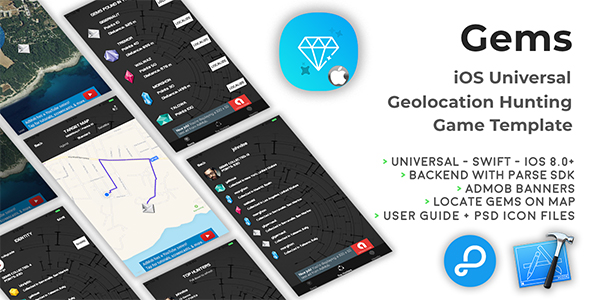
Gems | iOS Universal Geolocation Hunting Game Template (Swift)

Gems | iOS Universal Geolocation Hunting Game Template (Swift)

Gems is a Universal Game Template with geolocation where you have to collect as many gems as you can around your area. The app gets your current location when you sign up for the first time and randomly generates a few new Gems around your area, so you can walk or drive around to get closer and get them. once you’ve collected all gems of a round, the app gets your current location again and generates other Gems, so you don’t have to manually insert them into your own parse Dashboard. This game has a built-in Top Hunters leaderboard where you can see scores from all users around the world and where they got their Gems. You can edit your Identity (username and avatar image)m check and share your Statistics on social networks, Mail and SMS.

Created Dec 23, 2025