The Largest Curatorial Library
With Expenses

QuickPro - Advancce Billing & Accounting Software

QuickPro - Advancce Billing & Accounting Software

QuickPro – QuickPro is application software that records and processes accounting transactions within functional modules such as accounts payable, accounts receivable, banking, stock management, payroll,manafacture and trial balance. It functions as an accounting information system. The software can be used to record transactions, maintain account balances, and prepare financial statements and reports. QuickPro is a system of recording financial transactions on a computer across a full range of accounting options almost invariably dependent upon the size of business being catered for.

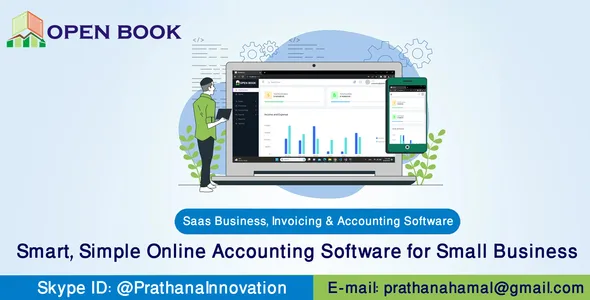
Openbook - SaaS-based Accounting & Inventory Software

Openbook - SaaS-based Accounting & Inventory Software

Openbook is a complete SaaS-based Accounting & Inventory Software that gives your customers the ability to create and manage businesses, invoices, estimates, customers, income , expenses , receiable, payable. we can create multiple businesses with different currencies so they can easily keep track of their businesses in one platform. Smart, simple online accounting software for small business Get the most efficient way to manage accounting & finance for modern businesses. Openbook is built with C#, .NET 7, Blazor Server.

Universal Budget, Currency Converter, Notes & Reminders

Universal Budget, Currency Converter, Notes & Reminders

3 in 1 app for budget, currency convert and keeping notes. Simple design and easy navigation will help you to watch over your financial position and information about currency rates any time you need. Budget: - one balance for all transactions - income and expenses - comfortable adding of new transactions - filter of transactions according to date Currency converter: - the main world currencies - realtime conversions Notes: - keeping notes - easy-to-use - system of reminders

Flutter Expenses Manager Complete App with Admob

Flutter Expenses Manager Complete App with Admob

Expense Manager is a simple, intuitive, stable, and feature-rich app that is just designed for you. Everything you need at your fingertips to manage your income and spending with beautiful charts. Get the full source code of the complete app, change the theme, modify it with extra functionality, and publish it as your own. As it builds with Flutter you can generate apps for both platforms: Android and iOS! It is simple, It is cheap and It works!

Complete Inventory and Sales Management Software

Complete Inventory and Sales Management Software

VisualStores helps in managing the daily operation of a business venture by digitally manages stock inventory, sales, accounting, receipt issuance and documentation, product expiration warning, low stock notification, wholesales management, drug usage and interaction notification (for pharmacies), live remote monitoring of the store via internet and online backup of operational data for data security with little human effort This software solution tailored after the standard windows Graphic User Interface helps to drive flexibility, acceptability and ease of use and is a one stop solution for the Business organization conscious of solving her customer’s challenge as well as proit maximization through digitalization. This robust digital solution helps to drive productivity though the maximization of staff strength in areas so important like the customer satisfaction through great interpersonal relationship which could be compromised by stressed and worn out staff. The software solution is distinctive in that it brought into one piece all the requisite tools to help a 21 century organization perform optimally.

BoomPOS - Desktop POS System

BoomPOS - Desktop POS System

BoomPOS is a simple and robust Point of Sale system that helps you manage your business easily and straightforwardly. With a modern and clean design, BoomPOS was specifically made to be simple to use yet at the same time provide powerful features to manage your business’s every need. BoomPOS’s navigation can be split into two things, pages, and tabs. You can access the various pages from the side menu, and various tabs from within those pages.