The Largest Curatorial Library
With Store Social

Wally | iOS Universal Wallpapers App Template (Swift)

Wally | iOS Universal Wallpapers App Template (Swift)

Wally is a Universal app template for wallpapers where users can save them into their photo library and then set them as wallpapers to their devices, they can also submit new wallpapers to the admin of the app for approval. You, as the Admin of the app, will just have to switch a isPending variable into False in the Parse Dashboard or Adminca.com CMS panel to make the submitted wallpapers visible in the app, it’s super easy.

Created Aug 6, 2015 · Updated Jun 10, 2024 · ★ 5.00 (8) · 66 sales

Shoppy | iOS Universal eCommerce App Template (Swift)

Shoppy | iOS Universal eCommerce App Template (Swift)

Shoppy is a great eCommerce iOS App template for you to build your mobile store for any item, from clothes to accessories, electronic stuff, etc. You can manage all your data via your Parse Dashboard (hosted on back4app.com) from inserting/editing Products and Categories to get Orders and Users details. Everything is explained in the User Guide.

Created Oct 5, 2016 · Updated Aug 9, 2024 · ★ 4.64 (11) · 77 sales

Recipes | iOS Universal Social Recipes App Template (Swift)

Recipes | iOS Universal Social Recipes App Template (Swift)

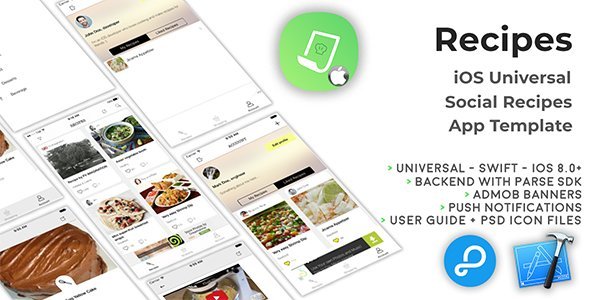
Recipes is a Universal App template where you can post your own recipes in details, attach a video from YouTube and get involved in a funny community. You can also browse recipes from other users, see their profiles, share their and your recipes to popular social networks, build a Shopping list of ingredients with a single tap (useful to go to the market and check the items you’ve bought), filter recipes by category or text search.

Created Dec 24, 2025

iRestaurant | iOS Universal Restaurant App Template (Swift)

iRestaurant | iOS Universal Restaurant App Template (Swift)

iRestaurant is a Universal App Template where you can show info about your Restaurant and send Push Notifications to all registered devices without having to update the app on the App Store, after applying a few configurations in the code (the User Guide explains what to do) you’ll be able to edit Menu, Gallery, Restaurant name and description, Events and so on via your own Parse Dashboard on back4app.com or via the Adminca CMS panel for Parse apps (it’s all free).

Created Jul 13, 2017 · Updated May 16, 2020 · ★ 0.00 (2) · 17 sales