The Largest Curatorial Library
With Puzzle Words

FIVES | iOS Multi Language Word Game Template (Swift)

FIVES | iOS Multi Language Word Game Template (Swift)

FIVES is a 5-letter word game where you have rush and make as many words as you can within the game timer. Every time you match a word the timer decreases its time. It has the possibility to add multiple languages, the User Guide explains how to localize the game and set up lists of words for different languages. The device will detect its current language and show the words accordingly. Words are stored into a single .plist file in XCode.

Created Apr 27, 2015 · Updated Jun 25, 2024 · ★ 4.88 (26) · 254 sales

Wordzy | iOS Universal Multi-Language Word Game Template  (Swift)

Wordzy | iOS Universal Multi-Language Word Game Template (Swift)

Wordzy is a Universal Game Template where you have to unscramble 4, 6 and 9-letter words in a nice interface as a grid of buttons. You can insert your words into a simple .plist file, start by inserting the 4-letter words, then the 6-letter ones and lastly the 9-letter ones. If you get stuck on a word, you can ask for help to your friends on social networks, email, and SMS.

Created Apr 18, 2016 · Updated Jun 25, 2024 · ★ 4.71 (7) · 59 sales

4 Math & Pics Quiz - Android Games Bundle

4 Math & Pics Quiz - Android Games Bundle

In matches puzzle game, you move 1 or 2 matches to fix the equation. You have 3 helps for using to fix the equation (solution, facebook, twitter). Matches puzzle is an easy application for customize and you will get the admin panel with downloaded files to add new equations without needing to upload new version on google play and also you will get a handy documentation with video tutorials to show you how install and customize this game and how to use its admin panel.

Created Mar 17, 2020 · 23 sales

Guess The Place - Android Game

Guess The Place - Android Game

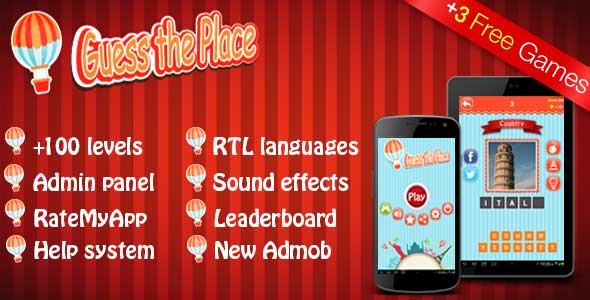
One of the nice features of this app, its ability to be converted to RTL language if you want like Arabic and you can do that in one step by changing langDirection in strings.xml file to rtl. After that the app will be ready to use any RTL language, you need just to change alphabet with your language alphabet. Also for making your life easy, we collect all texts in the app in strings.xml file to change them easily without having to catch them in whole project.

Created Dec 24, 2025