The Largest Curatorial Library
With Instagram Share

FS Poster - WordPress Social Auto Poster & Scheduler

FS Poster - WordPress Social Auto Poster & Scheduler

Social media auto poster and scheduler gives marketers an opportunity to auto-publish their blogs, repost old content, bulk schedule multiple posts and directly share individual posts on the most popular social networks. It allows users to share blog photos, infographics, or videos on visual sharing platforms from WordPress. Social media scheduler supports 20 social networks helping to widen your reach and improve your SEO through increased website visitors. Third-party integration tools help to create custom posts for each account. With unlimited post sharing, you will achieve consistency in online presence and reach social media marketing goals. Real-time analytics assess your social media strategy with platform-based performance comparison, post engagements, and click counts.

Created Jul 9, 2018 · Updated Jul 28, 2026 · ★ 4.91 (656) · 17K sales

CamFun | iOS Universal Social Photo App Template (Swift)

CamFun | iOS Universal Social Photo App Template (Swift)

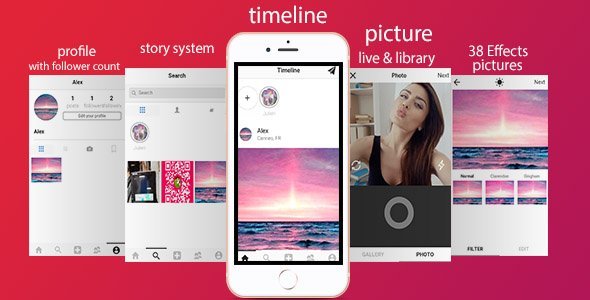
CamFun is a Universal full app template with custom camera controller, collage frames and editing tools to enhance your pictures as you wish. Plus, it has a nice feature called Wall Of Fame, which works with Parse Server and may get your app popular on the App Store because of its challenging original system. Pictures that get more likes on the Wall Of Fame will move automatically on the top of it, and all users can check received likes on their own Profile screen, log in, sign up for a new account and have fun by showcasing their works to the other subscribed people!

Created May 24, 2015 · Updated Jul 11, 2024 · ★ 4.93 (14) · 143 sales

Sharinger – Share Buttons for Elementor

Sharinger – Share Buttons for Elementor

The Sharinger is a simple and lightweight WordPress plugin for Elementor adding Share Buttons. It lets you place unlimited social buttons anywhere on your pages. The plugin supports all popular networks: Facebook, Twitter, LinkedIn, Reddit, Tumblr, Digg, Skype, StumbleUpon, Telegram, Pocket, XING, WhatsApp, Email, and Print. Share your top posts to get even more people to read your content.

Created Feb 2, 2023 · Updated Jan 22, 2026 · 12 sales

Snapchat-like video story sharing network Snapshare [Android, Admob]

Snapchat-like video story sharing network Snapshare [Android, Admob]

Instagram, Snapchat, Tiktok, and other video services are rising. Take this wave and create your own app with a video sharing service where you can create using Firebase and start creating a community that can share a video quickly and without authorization from the public. A simple dashboard allows exploring new videos by tags that users select on onboarding.

Created Nov 8, 2021 · Updated May 16, 2022 · ★ 0.00 (1) · 4 sales

Filters | iOS Universal Photo Filters App Template (Swift)

Filters | iOS Universal Photo Filters App Template (Swift)

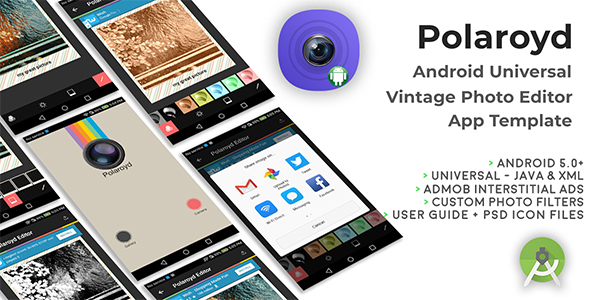
FILTERS is a Universal App Template that showcases 39 custom iOS filters (from Apple CoreImage Filters), it’s easy to customize and the included pdf User Guide explains how to edit filters or add a new one. You can also share your edited image to social networks or Mail and Message. FILTERS is a native XCode project, Storyboard, Swift, very easy to customize, it works with Apple Core Image filters.

Created Oct 11, 2014 · Updated Jul 25, 2024 · ★ 0.00 (2) · 78 sales

Snapchat-like video story sharing network Snapshare [iOS, Admob]

Snapchat-like video story sharing network Snapshare [iOS, Admob]

Instagram, Snapchat, Tiktok, and other video services are rising. Take this wave and create your own app with a video sharing service where you can create using Firebase and start creating a community that can share a video quickly and without authorization for the public. A simple dashboard allows exploring new videos by tags that users select on onboarding.

Created Aug 31, 2020 · Updated Mar 28, 2021 · ★ 0.00 (2) · 20 sales

Video and GIF Creator

Video and GIF Creator

The app is a Universal (iOS 10+) App Template (Swift) for you to build your next outstanding GIF and Video loop app, full of features and sharing options, including live filter rendering, timelapse recording mode, slow motion recording mode, camera timer. Using this new project you will submit your reskined app to the App Store a lot easier. A tool to create new filter is included in the zip. Using this App Template, you can submit your app to the App Store in less than few hours! You can easily customize this App Template to any theme of your choice by just changing 2D Graphics, icons and Default images. Download from App Store The source code is outstanding and is implemented with last version of Swift. It’s already optimized for latest version of iOS. Features and Requirements - Easy to understand and update - In-app purchases to buy premium filters pack, remove watermark - Universal app (runs on all iPhones and iPads) - 64bit – Support 3D Touch quick actions - Accessing camera from Notification Center Widget - Different video recording modes (time-lapse, slow motion) - Self timer mode (3, 5 or 10 seconds) - Supports Portrait and Landscape orientation - Xcode 11 project – iOS 10.x+ – Swift 4.2 - Storyboard & XIB - Awesome set of Filters, like Instant, Chrome, Process, Sepia, Transfer, Roseate and many others - Multiple sharing options: Save to Photo Library, Instagram, Mail, Twitter, Facebook and others - Nice modern User Interface - Automatically save video/GIF into camera roll (after you record it with camera) - Rate Us button (rate the app on iTunes App Store) - Send feedback button: send an email to the developer (like a support link) How to Setup and Reskin It’s very easy to reskin it, most of the UI graphic elements are into Storyboard and Asset file. In order to reskin the project, you need to change the design of ~20 images(buttons), icon and splash screen. Download Demo Reskin steps: 1. Create in-app purchase id’s 2. Create new video filters with filter maker tool, which is attached in the project folder 3. Add new filters to the project 4. Update “AppConfig.swift” with all your app configuration, like: in-app ID’s, contact us email, video watermark string, rate us app id, filters name 5. Change project name and widget name 6. Publish the application to AppStore All other configurations you can find in “Code Documentation.pdf” file included in the package, which explains how to change In App Purchase ID’s, change the app’s name and layout, change titles of 3D Touch actions etc.

Created Nov 11, 2016 · Updated Jul 7, 2020 · ★ 0.00 (2) · 30 sales

Instagram video  downloader  tiktok  facebook  image and video downloader 1.5

Instagram video downloader tiktok facebook image and video downloader 1.5

Important: Please, check all the available features, supported networks and feed options before purchase. Unfortunately, according to CodeCanyon policy, we cannot accept refund requests regarding to the features that are not listed here. How to Download Instagram Photos and videos? light weight php script to download Instagram pictures and videos to your PC, Mac, Phone. The script is so simple to use.

Created Jul 4, 2016 · Updated Mar 25, 2023 · ★ 3.44 (9) · 107 sales