
Video and GIF Creator

Description

 Featured By Apple US
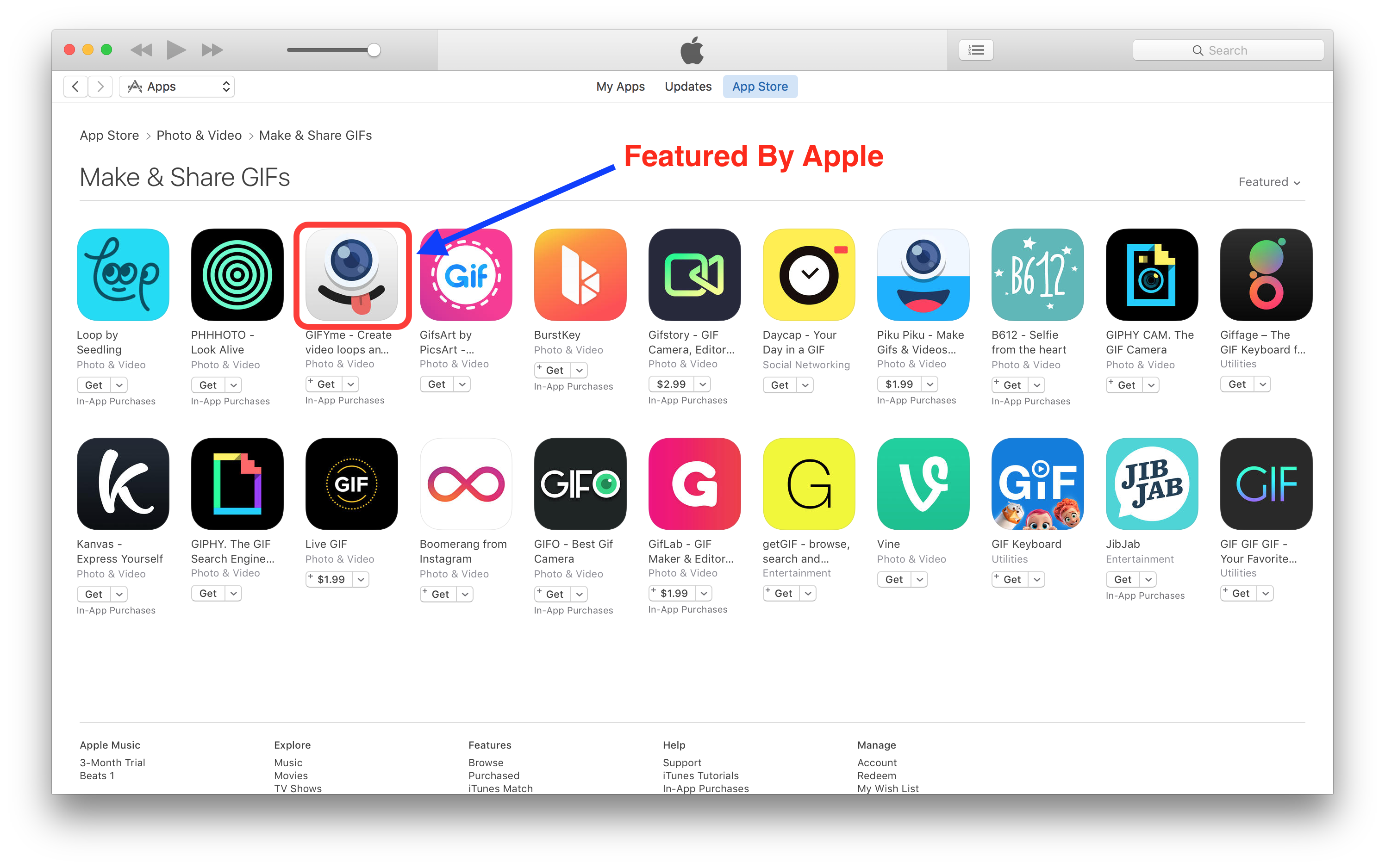
The app is a Universal (iOS 10+) App Template (Swift) for you to build your next outstanding GIF and Video loop app, full of features and sharing options, including live filter rendering, timelapse recording mode, slow motion recording mode, camera timer. Using this new project you will submit your reskined app to the App Store a lot easier. A tool to create new filter is included in the zip. Using this App Template, you can submit your app to the App Store in less than few hours! You can easily customize this App Template to any theme of your choice by just changing 2D Graphics, icons and Default images. Download from App Store The source code is outstanding and is implemented with last version of Swift. It’s already optimized for latest version of iOS. Features and Requirements - Easy to understand and update - In-app purchases to buy premium filters pack, remove watermark - Universal app (runs on all iPhones and iPads) - 64bit – Support 3D Touch quick actions - Accessing camera from Notification Center Widget - Different video recording modes (time-lapse, slow motion) - Self timer mode (3, 5 or 10 seconds) - Supports Portrait and Landscape orientation - Xcode 11 project – iOS 10.x+ – Swift 4.2 - Storyboard & XIB - Awesome set of Filters, like Instant, Chrome, Process, Sepia, Transfer, Roseate and many others - Multiple sharing options: Save to Photo Library, Instagram, Mail, Twitter, Facebook and others - Nice modern User Interface - Automatically save video/GIF into camera roll (after you record it with camera) - Rate Us button (rate the app on iTunes App Store) - Send feedback button: send an email to the developer (like a support link) How to Setup and Reskin It’s very easy to reskin it, most of the UI graphic elements are into Storyboard and Asset file. In order to reskin the project, you need to change the design of ~20 images(buttons), icon and splash screen. Download Demo Reskin steps: 1. Create in-app purchase id’s 2. Create new video filters with filter maker tool, which is attached in the project folder 3. Add new filters to the project 4. Update “AppConfig.swift” with all your app configuration, like: in-app ID’s, contact us email, video watermark string, rate us app id, filters name 5. Change project name and widget name 6. Publish the application to AppStore All other configurations you can find in “Code Documentation.pdf” file included in the package, which explains how to change In App Purchase ID’s, change the app’s name and layout, change titles of 3D Touch actions etc.
Versions:
2020-07-08
  - Improve quality of video and GIFs
  - Fix issue when share a video or gif
  - Add support last for Xcode version

2020-04-10
  - Add support for Swift 4.2
  - Add support for iPhone X models

2016-12-11
  - Initial Release
| Type | iOS App |
|---|---|
| Author | allzone |
| Category | Mobile / Ios / Full Applications |
| Price | $99 |
| Sales | 30 |
| Rating | 0.00 from 2 ratings |
| Published | Nov 11, 2016 |
| Last Update | Jul 7, 2020 |
| Compatible Software | iOS 12, iOS 11 |
| Compatible With | Swift |
| Mobile Files Included | .h, .m, .pch, .xib/.nib, Layered PNG |
Categories
Tags
External listing. code.market does not sell this product and does not process payment for it. Pricing, payment, delivery, licensing, refunds, and support are handled by the third-party merchant on its own website. We may earn an affiliate commission from a referral. Details.
Products of the Week.
Submit🥇

STOP GUESSING WHAT TO POST
AI that learns your brand voice and builds a month of consistent, on-brand social content: carousels, posts and hooks that sound like you, not like everyone else's AI.
SaaS · 4,717 views · 45 clicksSaaS · Week 45 · 4,717 views · 45 clicks
🥈

Conversational Backlinks for Busy Founders
Place Backlink Relevant Conversation for your domain across Forums and Conversations
Website · 42,619 views · 225 clicksWebsite · Week 45 · 42,619 views · 225 clicks
🥉

upvote.club
Free Social Media Engagement that Helps Boost Your Content. Upvote Club supports 19 social networks with 100+ engagement actions in one dashboard. Add links to your posts and get free engagement from real users.
SaaS · 40,663 views · 120 clicksSaaS · Week 45 · 40,663 views · 120 clicks
#4

Substack Posting API
Onboard your Agent to Substack. Write Publish on Substack via API
SaaS · 59,620 views · 200 clicksSaaS · Week 45 · 59,620 views · 200 clicks
#5

Seenshot App
Free, Fast, MacOS Screenshot app. Make Screenshot cmd+shift+2 and send it via link
Desktop App · 28,997 views · 124 clicksDesktop App · Week 45 · 28,997 views · 124 clicks
#6

Hand-Placed Backlinks $9.99 per link. Flat rate.
Buy hand-placed forum, Q-A and directory backlinks. Flat $9.99 per link, no subscriptions — you only pay for approved listings.
Website · 4,790 views · 19 clicksWebsite · Week 45 · 4,790 views · 19 clicks
#7

Free Invoice Generator - PDF Invoices in Your Browser, No Sign-Up
A free invoice maker for freelancers and small businesses: fill in the invoice, check the live preview, and download a PDF that looks exactly like it. Any currency, tax per item, three templates, no sign-up, and nothing leaves your device.
3,448 views · 17 clicksWeek 45 · 3,448 views · 17 clicks
#8

Merge PDF Files Free - Combine PDFs in Your Browser, No Upload
A free PDF merger for office workers, students, and freelancers: combine PDFs and images into one file in the browser, reorder files and pages, pick page ranges, keep bookmarks, and open password-protected PDFs. Nothing is uploaded, no sign-up, no watermark.
3,185 views · 14 clicksWeek 45 · 3,185 views · 14 clicks