YouTube Vimeo Animated Popup Player for Wordpress Shortcode icon

YouTube Vimeo Animated Popup Player for Wordpress Shortcode

Hot or Not
YouTube Vimeo Animated Popup Player for Wordpress Shortcode

Description

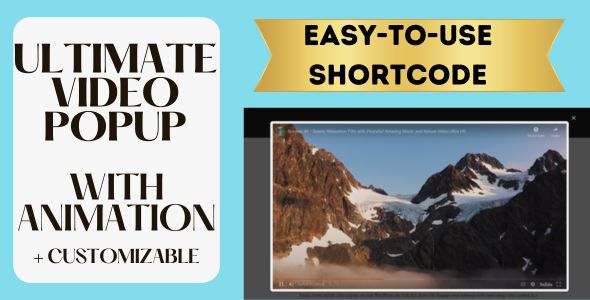
Easily create stylish video popups on your WordPress site with this shortcode. Engage your audience with captivating video content in a centered and visually appealing popup. Works with YouTube and Vimeo, as well as local videos.

How to Use the Video Popup Shortcode

Follow these steps to use the video popup shortcode:
  1. Basic Usage:

Note: If your video doesn't play properly, make sure you are passing an embed URL from Youtube or Vimeo.
  1. Parameters and Examples:

url (required): Replace "YOUR_VIDEO_URL" with the embed URL of your YouTube or Vimeo video. type (optional): Choose between a link or button to trigger the popup. Default is a button. autoplay (optional): Enable autoplay by setting it to "true." Default is autoplay "false," off. controls (optional): Show video controls by setting it to "true" (default). Hide controls by setting it to "false." text (optional): Customize the text on the link or button. Default is "Watch Video." background_color (optional): Customize the background color of the popup using CSS color codes. padding (optional): Customize the padding inside the popup. shadow (optional): Customize the shadow of the popup. The shadow parameters, in order:
  • 0: Horizontal offset (the shadow's position on the x-axis).
  • 8px: Vertical offset (the shadow's position on the y-axis).
  • 12px: Blur radius (the blurriness of the shadow).
  • rgba(0, 0, 0, 0.3): Color (Red, Green, Blue) and transparency of the shadow. In this example, the shadow is black (rgba(0, 0, 0)) with an opacity of 0.3, creating a semi-transparent shadow.

border_radius (optional): Set the corner radius of the popup. show_close_button (optional): Hide the close button by setting it to "false." Note: Close button may not be visible on mobile even if this parameter is set to "true". User can always exit video by tapping outside. animation_direction (optional): Choose the slide-in animation direction. button_border_radius (optional): Specify the corner radius of the button. button_color (optional): Set the background color of the button. button_width (optional): Define the width of the button. button_height (optional): Specify the height of the button. font_size (optional): Customize the font size of the button/link text. font_family (optional): Set the font family for the button/link text. font_color (optional): Define the font color of the button/link text.

Example with Multiple Parameters:

Customize your video popup to match your website's style and preferences. Enjoy engaging your audience with captivating video content in a centered and visually appealing popup!