
YouTube Plugin – WordPress YouTube Gallery

Description

Prepare your website for showing YouTube videos in the best way. Yottie is a powerful WordPress plugin for YouTube, which your website deserves. It allows selecting the desired channels and even single videos for creating your own playlist right on your website.
Download 100+ Adjustable Parameters, 4 color schemes and 16 languages support. In short, you will get tons of things to customize. Our WordPress YouTube video gallery is fully responsive so that you will be able to cover the wide audience with any type of browsing device.
Let it play on your site!


Yottie Amazubed Features
Okay, you’ve already checked out main features of our YouTube Video Gallery plugin. But there is a lot more to come! All in all, Yottie has more than 100 parameters for individual customization.
Source
- Attach your official profile or organize a list of desired videos
- Show any YouTube feed in gallery plugin on your WordPress website
- Share as many content as you want
- Add widget for YouTube website translation by using different combinations of channels, playlists and single recordings
- Just insert URL of the needed source
- Sort your videotapes with one of 6 available order fields: date, views, likes, dislikes, position, comments
- Display your YouTube videos in a random order
- Define how long data from the specified sources will be cached in a browser
Groups
- Divide content into custom groups
- Unlimited number of sources in each group
- Name each group yourself
Sizes
- Set width of your WordPress YouTube video plugin
- Yottie is responsive and retina ready on any device
- Choose the number of columns and rows in the WordPress YouTube video gallery
- Settle the gutter between each video preview
Header
- Show or hide the header of your WordPress plugin
- Customize fully header’s appearance
- Choose 1 of 3 header layouts in your player: Classic, Accent, Minimal
- 8 info elements to turn on/off: Logo, Banner, Channel name and description, Recordings counter, Subscribers counter, Views counter, Subscribe button
- Add custom YouTube channel name
- Embed custom description about the chosen profile
- Select custom channel logo by pointing its URL
- Paste URL of custom header banner
User Interface
- 3 navigation controls for easy pagination in WordPress YouTube widget for website: Arrows, Scroll, Drag
- Turn on/off Free Mode of video gallery scrolling
- Choose one of 5 available effects of content sliding: slide, fade, coverflow, cube, flip
- Adjust the animation speed of sliding
- Set horizontal or vertical direction of scrolling in YouTube embed plugin for WordPress
- Specify the time of automatic feed scroll by using the auto option
- Adjust the grid size depending on the window width
- Our WordPress YouTube widget supports 16 languages
Video Preview
- 3 preview layouts are at your service in YouTube plugin for website: Classic, Cinema, Horizontal
- 8 info elements to turn on/off: Play icon, Duration, Title, Date, Description, Views counter, Likes counter, Comments counter
- Choose 1 of 3 ways to watch videotapes: in popup, in the WordPress widget and directly on YouTube
Popup
- Switch on/off autoplay while opening in popup
- 12 info elements to turn on/off: Title, Account logo and its name, Subscribe button, Views counter, Likes counter, Dislikes counter, Likes ratio, Date, Description, Description more button, Comments
Style
- Choose any color for Header, Groups, Content and Popup of YouTube video Gallery on your website
- In total Yottie has customizable color of 60 UI elements
- Don’t want to spend time painting the WordPress gallery yourself? Use one of our ready-made color Schemes: default, dark, red and deep blue
WordPress
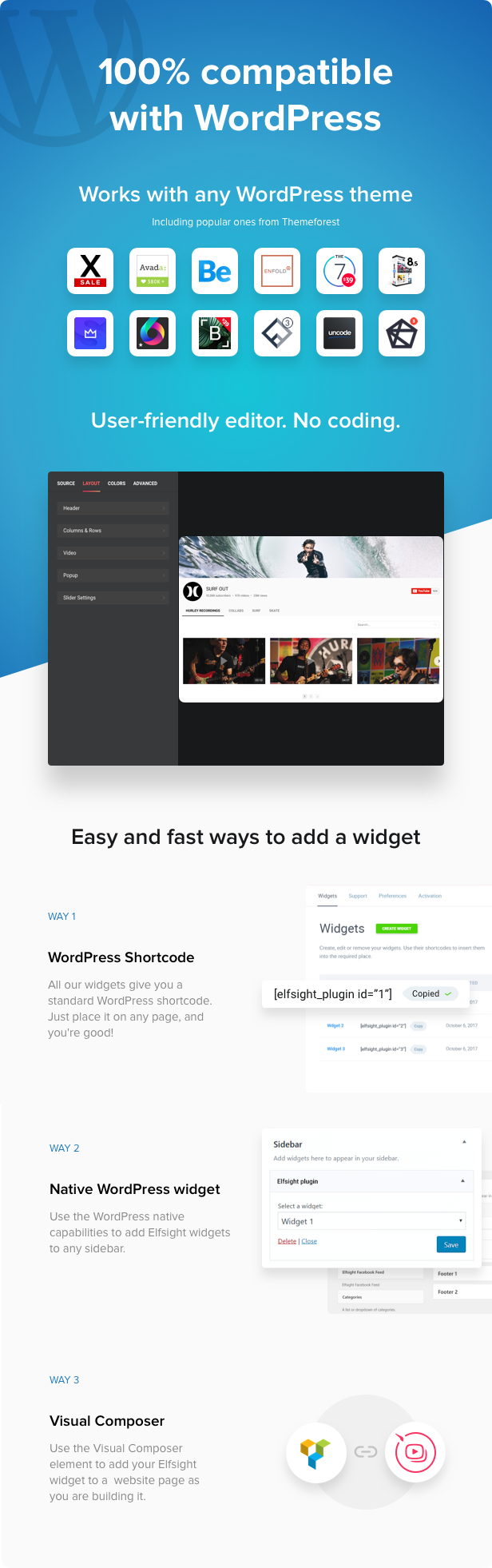
- Feel the comfort of using the new admin UI while customizing your plugin for YouTube
- Use the power of our online builder for editing options, seeing a live preview and receiving a special html shortcode
- Use Yottie with one of the most popular page-builders for WordPress – WPBakery Page Builder (Visual Composer). VC Yottie element is available with all customization opportunities
- YouTube video WordPress widget checks automatically new updates. You will be notified and able to update the plugin in WordPress admin panel if a new version is available.
Showcases
Yottie has so many parameters that it takes time to think out values of all YouTube plugin’s parameters. We’ve prepared several examples of how YouTube widget for WordPress can be used on a website.
- Custom Color Gallery – choose the desired channel, show its header and video slider with any color scheme you want. This variant is more likely what you can see on YouTube. Furthermore, web visitors can subscribe the account right on your website.
- Shutter Video Playlist – download the plugin, and then use a tight video grid with a vertical scroll for a compact position on your web page. Shutter animation effect will add an entertaining effect.
- • Loony Carousel – just want to show cool videos from YouTube? Add YouTube gallery plugin to your admin panel, disable header and show only the most interesting content. Use horizontal scroll and carousel animation effect for the best user experience.
- Single Video – maybe you want to embed YouTube video presentations of your product on its web page? Display one video easily using 100+ customizable parameters of Yottie.
- Cinema Video Gallery – show YouTube channel gallery for WordPress without any description or additional text. Just show what everyone is looking for – videos! While aiming at any video in the grid, its description will appear on hover by turning on such function.
- Simple Video Grid – install Yottie and exclude any disturbing elements of the video player. Turn off the header, all info elements, adjust animation and colors and here you are! The grid is ready.
- Structured Video Channel – your YouTube channel has a great number of different videos and you’d like to upload them on your site by subject groups? Use YouTube gallery for website and create a feed, which will include any existing or custom group. That is the closest case to the original YouTube UI.
How to Embed WordPress YouTube video Gallery on your Website?
Embedding our WordPress YouTube plugin will only take a couple of minutes and ill not require any developing skills. Here’s a brief installation guide:
- Purchase the plugin
- Add the plugin to your admin panel
- Set the sources and customize the look
- Add plugin code to the required page
Ready!
More plugins by Elfsight

Change Log – new version 3.5.0 is available for download
December 25, 2020 – Version 3.5.0
### Added
 * Greek language

### Fixed
 * WordPress 5.6 compatibility issue
May 08, 2020 – Version 3.4.2
### Added
 * New Support Form

### Fixed
 * Fix issue with video without comments
April 27, 2020 – Version 3.4.1
### Fixed
 * API Cache issue
December 10, 2019 – Version 3.4.0
### Changed
 * Your own YouTube API key is now required.
 * Plugin performance and reliability optimization
October 23, 2019 – Version 3.3.1
### Fixed
 * API issue
October 07, 2019 – Version 3.3.0
### Added
 * Server cache
May 15, 2019 – Version 3.2.0
### Added
 * Translation files for the plugin admin panel
March 22, 2019 – Version 3.1.0
### Added
* The field for adding your API key
* Korean, Romanian, Hebrew, Hungarian languages

### Fixed
* Header problem on mobile devices fixed
* Localization errors corrected
* Phrases missing in several languages added
* Popup settings problem solved
* Likes and comments displaying problem fixed
* The problem with widget loading with restricted videos set in the sources
* The issue with doubled tab opening when setting play mode “YouTube”| Type | WordPress Plugin |
|---|---|
| Author | Elfsight |
| Category | Wordpress / Social Networking |
| Price | $49 |
| Sales | 5,773 |
| Rating | 4.77 from 276 ratings |
| Published | Dec 18, 2015 |
| Last Update | Dec 25, 2020 |
| Compatible Browsers | Firefox, Safari, Opera, Chrome, Edge |
| Compatible Software | WordPress 5.7.x, WordPress 5.6.x, WordPress 5.5.x, WordPress 5.4.x, WordPress 5.3.x, WordPress 5.2.x, WordPress 5.1.x, WordPress 5.0.x, WordPress 4.9.x |
| Compatible With | Elementor, Jigoshop 1.17.x, Jigoshop 1.16.x, Layers WP, WooCommerce 4.3.x, WooCommerce 4.2.x, WP e-Commerce 3.10.x, WPBakery Page Builder 6.1.x, WPBakery Page Builder 6.0.x, Cornerstone |
| Gutenberg Optimized | Yes |
| Source Files Included | JavaScript JS, HTML, CSS, PHP |
Categories
Tags
External listing. code.market does not sell this product and does not process payment for it. Pricing, payment, delivery, licensing, refunds, and support are handled by the third-party merchant on its own website. We may earn an affiliate commission from a referral. Details.
Products of the Week.
Submit🥇

STOP GUESSING WHAT TO POST
AI that learns your brand voice and builds a month of consistent, on-brand social content: carousels, posts and hooks that sound like you, not like everyone else's AI.
SaaS · 4,277 views · 38 clicksSaaS · Week 45 · 4,277 views · 38 clicks
🥈

Conversational Backlinks for Busy Founders
Place Backlink Relevant Conversation for your domain across Forums and Conversations
Website · 41,987 views · 223 clicksWebsite · Week 45 · 41,987 views · 223 clicks
🥉

upvote.club
Free Social Media Engagement that Helps Boost Your Content. Upvote Club supports 19 social networks with 100+ engagement actions in one dashboard. Add links to your posts and get free engagement from real users.
SaaS · 40,029 views · 117 clicksSaaS · Week 45 · 40,029 views · 117 clicks
#4

Substack Posting API
Onboard your Agent to Substack. Write Publish on Substack via API
SaaS · 59,040 views · 198 clicksSaaS · Week 45 · 59,040 views · 198 clicks
#5

Seenshot App
Free, Fast, MacOS Screenshot app. Make Screenshot cmd+shift+2 and send it via link
Desktop App · 28,411 views · 122 clicksDesktop App · Week 45 · 28,411 views · 122 clicks
#6

Hand-Placed Backlinks $9.99 per link. Flat rate.
Buy hand-placed forum, Q-A and directory backlinks. Flat $9.99 per link, no subscriptions — you only pay for approved listings.
Website · 4,248 views · 19 clicksWebsite · Week 45 · 4,248 views · 19 clicks
#7

Free Invoice Generator - PDF Invoices in Your Browser, No Sign-Up
A free invoice maker for freelancers and small businesses: fill in the invoice, check the live preview, and download a PDF that looks exactly like it. Any currency, tax per item, three templates, no sign-up, and nothing leaves your device.
2,928 views · 17 clicksWeek 45 · 2,928 views · 17 clicks
#8

Merge PDF Files Free - Combine PDFs in Your Browser, No Upload
A free PDF merger for office workers, students, and freelancers: combine PDFs and images into one file in the browser, reorder files and pages, pick page ranges, keep bookmarks, and open password-protected PDFs. Nothing is uploaded, no sign-up, no watermark.
2,704 views · 13 clicksWeek 45 · 2,704 views · 13 clicks