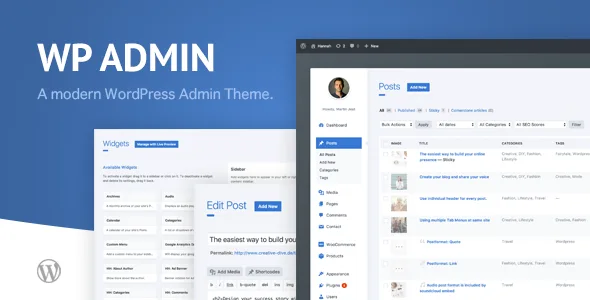
wphave Admin - A clean and modern WordPress Admin Theme
Description
A WordPress Premium Admin Theme for everyone
Designed for all the people, who loves to create websites with WordPress. A clean, beautiful and modern admin theme. This theme plugin is very easy to customize and packed with useful features such as wp memory usage, custom login page, custom theme colors and many more. Look behind the scenes. See more at our online documentation.

1. Choose your favorite Theme color
Easy to change color of the admin theme. Customize the main color and background gradient.

2. A custom WordPress Login Page
A clean and modern designed login page. Change the logo, the title and upload a custom background image for your login page.
3. Useful informations about your WordPress Installation
Let’s output the WordPress Memory Usage, WP Memory Limit, PHP Version, WP Version or IP Address at the admin footer.

4. Additional features for your WordPress Admin Pages
Show or hide a user box before the left WordPress Admin menu, thumbnails before the title at posts / pages table list or add a column which showing their IDs.

And there are more …
A really lightweight plugin and professional quality in code and design. Rated with 5 Stars from our customers.- Unlimited color options
- Custom background color
- White Label for WordPress backend
- White Label Branding for login
- Upload custom logo for login
- Custom toolbar icon
- Custom login theme
- Embed custom Google Web Fonts
- Simple Options page
- Add custom css styles for login and admin pages
- Add custom background image
- Image / thumbnail + ID column for post and page table list
- Allow upload from SVG and ICO files
- Multisite Support
- Multisite Snychronization with other network blogs
- System Information about WordPress and Server
- JSON Import / Export of all options
- Included Dashboard Widgets
- Recent Posts Dashboard Widget
- Recent Pages Dashboard Widget
- Recent Comments Dashboard Widget
- Posts Count Dashboard Widget
- Pages Count Dashboard Widget
- Comments Count Dashboard Widget
- WP Memory Usage Dashboard Widget
- User Activity Dashboard Widget
- System Info Dashboard Widget
- Additional WordPress optimization and security options
- Remove WP Version Meta-Tag
- Remove WP Emoji
- Remove WP RSS Feed
- Remove WP RSD
- Remove WP Wlwmanifest
- Remove WP Shortlink
- Disable WP REST API
- Disable WP oEmbed
- Disable WP XML-RPC / X-Pingback
- Disable WP Heartbeat
- Remove WP Rel Links
- Disable Self-Pingbacks
- Additional WordPress options
- Remove WordPress Meta Boxes
- Remove WordPress Dashboard Widgets
- Remove WordPress Widgets
- Translation ready (english and german is included)
- RTL language support
- Tested for Compatibility with popular plugins:
- WooCommerce
- Advanced Custom Fields Pro
- Visual Composer (WPBakery Page Builder)
- Avia Layout Builder (Enfold)
- Flatsome UX Builder
- Yoast SEO
- Contact form 7
- MailChimp
- WP Super cache
- Autoptimize
- WP Total cache
- Brute Force Login Protection
- Theme Check
- Antispam Bee
- WP Debug Bar
- WP Query Monitor
- WPML
- Polylang
- Content Aware Sidebars
- etc.
Changelogs:
Version 2.7 – February, 04 2022
+ NEW: Possibilty to enable/disable auto updates
+ UPDATE: WordPress 5.6 style improvements
Version 2.5 – August, 10 2021
+ FIX: Issues while the activation process with WordPress Multisite
Version 2.4 – August, 10 2021
+ FIX: Google Fonts dosen't work
+ FIX: Range field dosen't show the current saved value
+ UPDATE: License activation process
+ UPDATE: Translations
+ UPDATE: WordPress 5.8 style improvements
Version 2.3 – April, 07 2021
+ FIX: Accordion Menu dosen't work
+ FIX: Range field dosen't work
+ FIX: Javascript errors
+ UPDATE: Allow HTML in footer credits
+ UPDATE: Change from wpless to global variables to apply custom style options
+ NEW: Duplicate Posts and Pages
+ NEW: Auto-Update
Version 2.2 – August, 12 2020
* UPDATE: WordPress 5.5 style improvements
* UPDATE: WordPress 5.5 block editor style improvements
Version 2.1 – March, 27 2020
+ NEW: Now you can use this plugin on local environments without entering the purchase code
+ FIX: Escaped quotes in custom css fields
+ UPDATE: Featured Image column for custom post types on the post type list screen
* UPDATE: WordPress 5.4 style improvements
* UPDATE: WordPress 5.4 block editor style improvements
* UPDATE: Without a purchase code entered, your custom settings will no longer apply
Version 2.0 – November, 10 2019
++++++++++++++++++++++++++++++++++++++
IMPORTANT: Plugin name has been renamed to "wphave - Admin"
Please deactivate and unistall the deprecated "WP Admin Theme CD" plugin.
++++++++++++++++++++++++++++++++++++++

+ NEW: Transient Manager page
+ NEW: .htaccess file page
+ NEW: robots.txt file page
+ NEW: php.ini file page
+ NEW: Error log page
+ NEW: Option to deny the full access to the plugin for multisite sub sites
+ NEW: Option to change the footer credit text
+ NEW: Option to disable the howdy greeting
+ NEW: Option to change the howdy greeting
+ UPDATE: Code refactoring
+ UPDATE: Compatibility improvements with for WordPress 5.3 and Block Editor
+ UPDATE: Design improvements
+ UPDATE: User activities dashboard widget - Add pagination to the user list
+ FIX: Purchase code will not displayed on plugin activation page
+ FIX: Purchase details will not displayed on plugin activation page
+ FIX: Permission issue for multisite sub sites
+ FIX: Footer displays the WP version after all footer widgets have been disabled
+ FIX: Rating notice is not dismissable
+ FIX: Custom WP icon for upper toolbar on frontend was not displayed
Version 1.9 – June, 11 2019
+ UPDATE: Improvements for unlock the purchase code process
+ NEW: Now only one license (purchase code) is necessary, to use this plugin for other subpages (only for multisite!)
+ NEW: Added note about updating the plugin to install the "Envato Market Plugin" and use automatic updates
+ NEW: Multisite Sync - Now you can sync only specific network blogs
+ FIX: Export/Import options for multisite
Version 1.8 – May, 29 2019
+ FIX: Undefined index issue on initial plugin load
+ FIX: Style issues with the "Select2" form field
+ FIX: Style issues with "Quick Edit" of post type items
+ FIX: Style issues with "Left Admin Menu"
+ UPDATE: Multisite-Snyc -> Set default limit of 100 subsites to unlimited
+ UPDATE: Left Admin Menu is now sticky (with the ecxeption of activated "Spacing" option)
+ UPDATE: WP LESS variables improvement
Version 1.7 – March, 12 2019
+ NEW: Purchase Code Verification to enable options
+ NEW: Option to change toolbar background color
+ UPDATE: Compatibility improvements with for WordPress 5.x / Block Editor
+ UPDATE: Change plugin core method to interpret user variables with WP LESS
+ UPDATE: Disable "Spacing Option" by default (for better compatibility with other plugins)
+ UPDATE: Change "Left Menu Width" to 160px by default (for better compatibility with other plugins)
+ UPDATE: Change "Toolbar Height" to default height (for better compatibility with other plugins)
+ UPDATE: Design improvements
+ UPDATE: Mobile View improvements
+ UPDATE: RTL improvements
+ FIX: SVG / ICO Upload fix for WP 5.1
Version 1.6 – Dezember, 6 2018
+ UPDATE: Compatibility check for WordPress 5.0
+ NEW: Option to expand the submenu of the left menu
+ NEW: Option to change the width of the left menu
Version 1.5 – July, 13 2018
+ NEW: System Information Page
+ NEW: System Info Dashboard Widget
+ NEW: User Activity Dashboard Widget
+ NEW: WP Memory Usage Dashboard Widget
+ NEW: Recent Posts Dashboard Widget
+ NEW: Recent Pages Dashboard Widget
+ NEW: Recent Comments Dashboard Widget
+ NEW: Posts Count Dashboard Widget
+ NEW: Pages Count Dashboard Widget
+ NEW: Comments Count Dashboard Widget
+ NEW: Add option to the WordPress contextual help
+ NEW: Add options to remove WordPress Meta Boxes
+ NEW: Add options to remove WordPress Dashboard Widgets
+ NEW: Add options to remove WordPress Widgets
+ UPDATE: Move Admin menu items from Appereance to Tools
+ UPDATE: Performance optimization
+ FIX: Remove WP icon or add custom icon for frontend admin toolbar
Version 1.4 – March, 22 2018
+ NEW: Add theme support for the new Gutenberg Editor
+ NEW: Add option to customize the max width of the backend block with activated spacing option
+ UPDATE: Add a version number for plugin stylesheet files (Cache busting)
+ FIX: Style issue with the Content Aware Sidebars plugin
+ FIX: Style issues Avia Layout Builder (Enfold theme)
Version 1.3 – September, 27 2017
+ NEW: Option to disable the customized login page
+ NEW: Option to show a company box with logo instead of the user box
+ FIX: Style issue with query monitor plugin
+ FIX: Style issues with mobile view
Version 1.2 – August, 28 2017
+ NEW: Option to remove the footer credits
+ NEW: Option to disable the spacing
+ NEW: Option to hide the toolbar
+ NEW: Option to hide WordPress icon from the toolbar
+ NEW: Option to add a custom toolbar icon
+ NEW: Embed custom Google Web Fonts
+ NEW: Import / Export of all options
+ FIX: Style issue with left menu height
+ FIX: Style issue with Visual Composer
+ FIX: Style issue with Flatsome UX Builder
+ FIX: Multisite issues
+ UPDATE: Remove the WordPress logo at the bottom right side
+ UPDATE: Language file
Version 1.1 – July, 23 2017
+ NEW: RTL language support
+ NEW: Multisite support
+ NEW: WordPress optimization and security options
+ NEW: Allow SVG / ICO file upload
+ UPDATE: Language file
Categories
Tags
External listing. code.market does not sell this product and does not process payment for it. Pricing, payment, delivery, licensing, refunds, and support are handled by the third-party merchant on its own website. We may earn an affiliate commission from a referral. Details.
Products of the Week.
Submit🥇

STOP GUESSING WHAT TO POST
AI that learns your brand voice and builds a month of consistent, on-brand social content: carousels, posts and hooks that sound like you, not like everyone else's AI.
SaaS · 3,993 views · 35 clicksSaaS · Week 45 · 3,993 views · 35 clicks
🥈

Conversational Backlinks for Busy Founders
Place Backlink Relevant Conversation for your domain across Forums and Conversations
Website · 41,644 views · 222 clicksWebsite · Week 45 · 41,644 views · 222 clicks
🥉

upvote.club
Free Social Media Engagement that Helps Boost Your Content. Upvote Club supports 19 social networks with 100+ engagement actions in one dashboard. Add links to your posts and get free engagement from real users.
SaaS · 39,670 views · 114 clicksSaaS · Week 45 · 39,670 views · 114 clicks
#4

Substack Posting API
Onboard your Agent to Substack. Write Publish on Substack via API
SaaS · 58,698 views · 198 clicksSaaS · Week 45 · 58,698 views · 198 clicks
#5

Seenshot App
Free, Fast, MacOS Screenshot app. Make Screenshot cmd+shift+2 and send it via link
Desktop App · 28,081 views · 122 clicksDesktop App · Week 45 · 28,081 views · 122 clicks
#6

Hand-Placed Backlinks $9.99 per link. Flat rate.
Buy hand-placed forum, Q-A and directory backlinks. Flat $9.99 per link, no subscriptions — you only pay for approved listings.
Website · 3,940 views · 19 clicksWebsite · Week 45 · 3,940 views · 19 clicks
#7

Free Invoice Generator - PDF Invoices in Your Browser, No Sign-Up
A free invoice maker for freelancers and small businesses: fill in the invoice, check the live preview, and download a PDF that looks exactly like it. Any currency, tax per item, three templates, no sign-up, and nothing leaves your device.
2,617 views · 17 clicksWeek 45 · 2,617 views · 17 clicks
#8

Merge PDF Files Free - Combine PDFs in Your Browser, No Upload
A free PDF merger for office workers, students, and freelancers: combine PDFs and images into one file in the browser, reorder files and pages, pick page ranges, keep bookmarks, and open password-protected PDFs. Nothing is uploaded, no sign-up, no watermark.
2,436 views · 13 clicksWeek 45 · 2,436 views · 13 clicks