
Workflow Rules and Automation Module for Perfex

Description
Note: This is not a standalone application. This is a plugin for Perfex CRM. You have to install the Perfex – Powerful Open Source CRM to use this plugin.
Are you wondering how you can Empower your team to deliver the best work consistently? You can now Automate repetitive Actions in your Workflow using Workflow Automation Module.
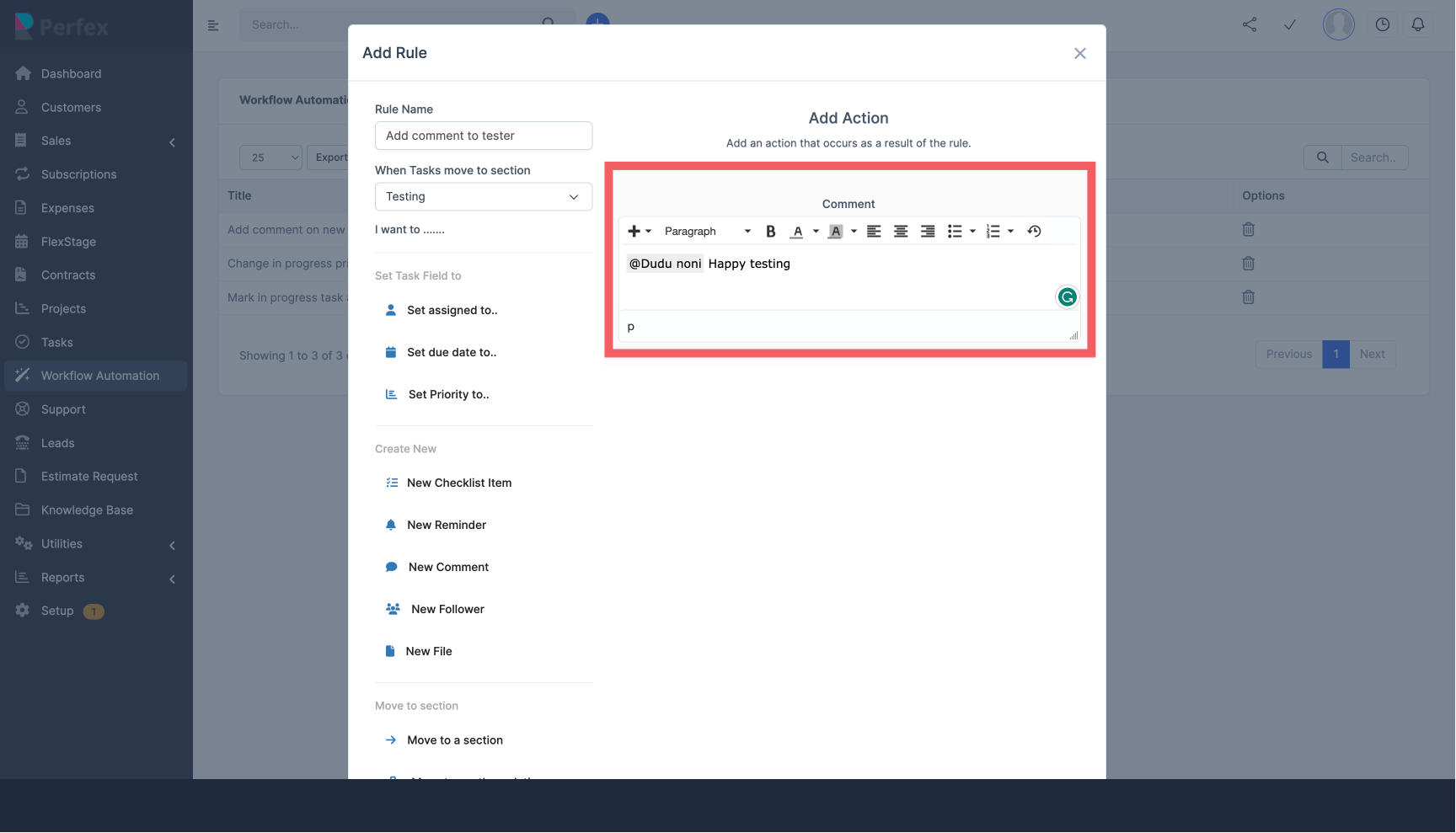
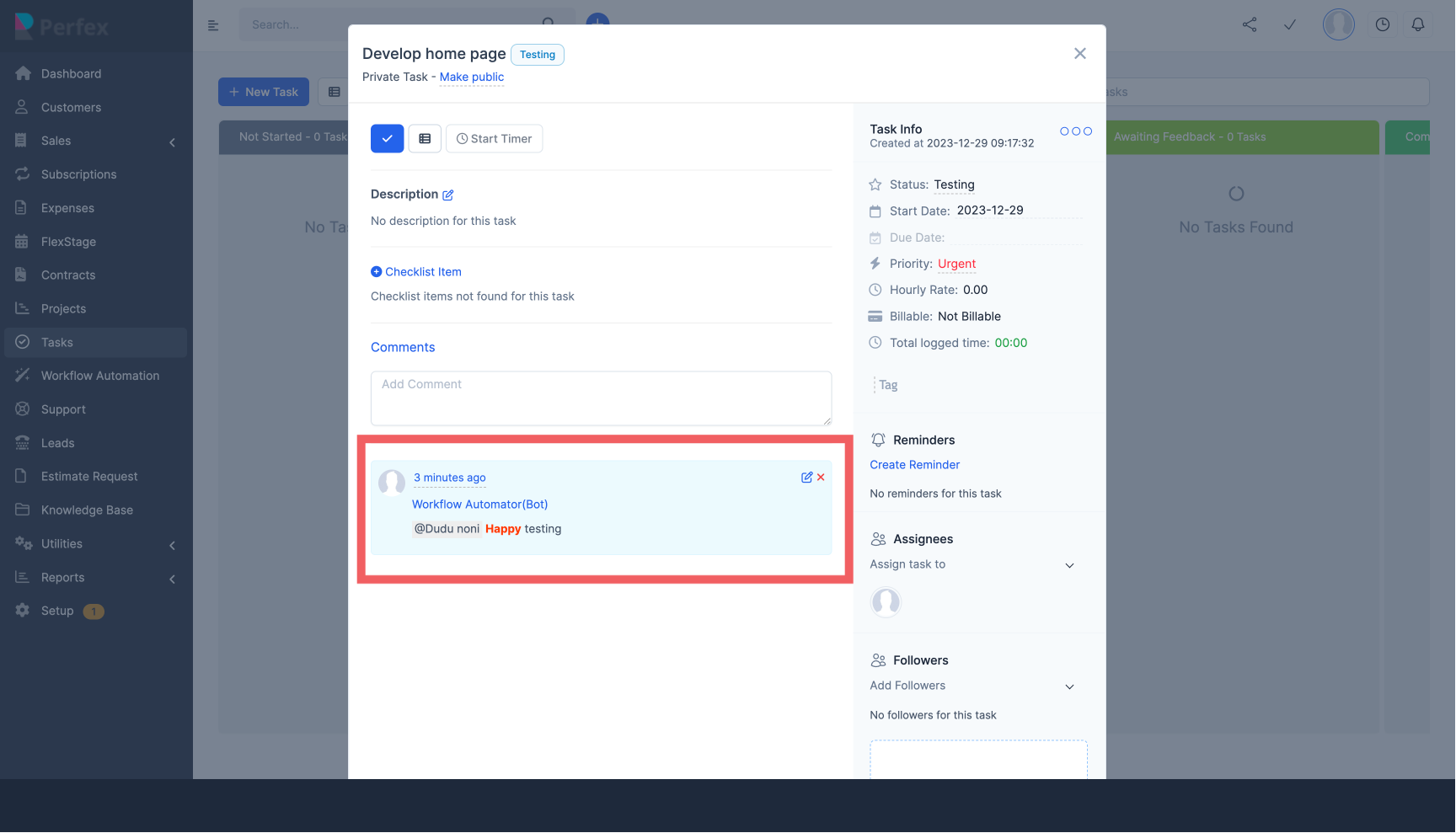
As Tasks transition from one Section of your Kanban board to Another, you most times want to perform some tasks such as Assigning Task in Testing Section to Tester, or append a Comment to the task or change Task Priority. This can become a daunting task when you have to do this same Action on 50s/100s of Tasks.
This is why we have build this module to empowers you and your team to go beyond traditional task management, putting the power of intelligent automation at your fingertips.
Beyond Tasks Management, You can now Automate Leads and Project Workflows as well.
You can Create Unlimited Rules and Actions for Any Section in your Workflow
What’s NEW
Lead Automation – New Features
Automate actions based on Leads status and ensure consistent follow up actions based on different Events such as (NEW LEAD IS ADDED, LEAD STATUS CHANGE, LEAD IS MARKED AS LOST, LEAD IS MARKED AS JUNK, OR WHEN LEAD IS CONVERTED TO CUSTOMER).

You can then perform some actions such as CREATE A NEW TASK, ADD A NOTE, ADD A NEW REMINDER or SEND A CUSTOM EMAIL.

Example 1: New Lead Welcome Trigger: New Lead Added Action: Send Email Value: Welcome email template with company information
Example 2: Status Change Notification Trigger: Lead Status Changes to “Qualified” Action: Send Email Value: Notification to sales team about qualified lead
Example 3: Lost Lead Follow-up Trigger: Lead Marked as Lost Action: Add New Task Value: “Schedule follow-up call with lost lead” task
Project Automation – New Features
Automate actions based on your project status and ensure consistent Action across your projects
You can Automate actions when (NEW PROJECT IS CREATED or PROJECT IS ON HOLD, PROJECT IS IN PROGRESS OR WHEN PROJECT IS FINISHED)
You can then perform some actions such as CREATE A NEW TASK, START A NEW DISCUSSION, ADD A NEW MILESTONE or SEND A CUSTOM EMAIL.

Example 1: New Project Setup Trigger: New Project Added Action: Add New Milestone Value: Initial project setup milestone with 30-day timeline
Example 2: Status Change Notification Trigger: Project Status Changes to “In Progress” Action: Send Email Value: Notification to project team about project start
Example 3: Project Milestone Creation Trigger: Project Status Changes to “Planning” Action: Add New Milestone Value: Project planning phase milestone with specific dates
Key Features
- Create custom Workflow Automation Rules
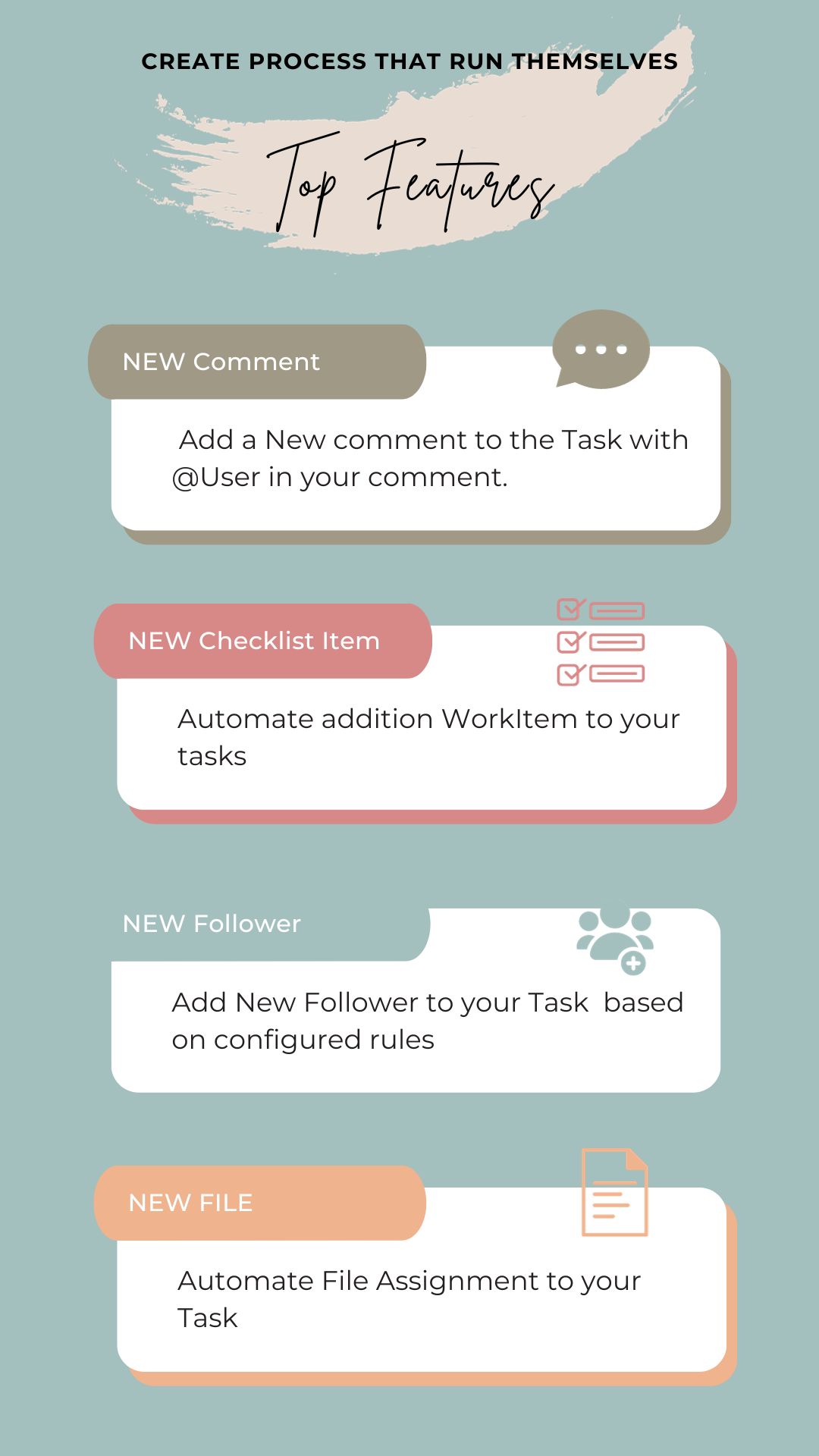
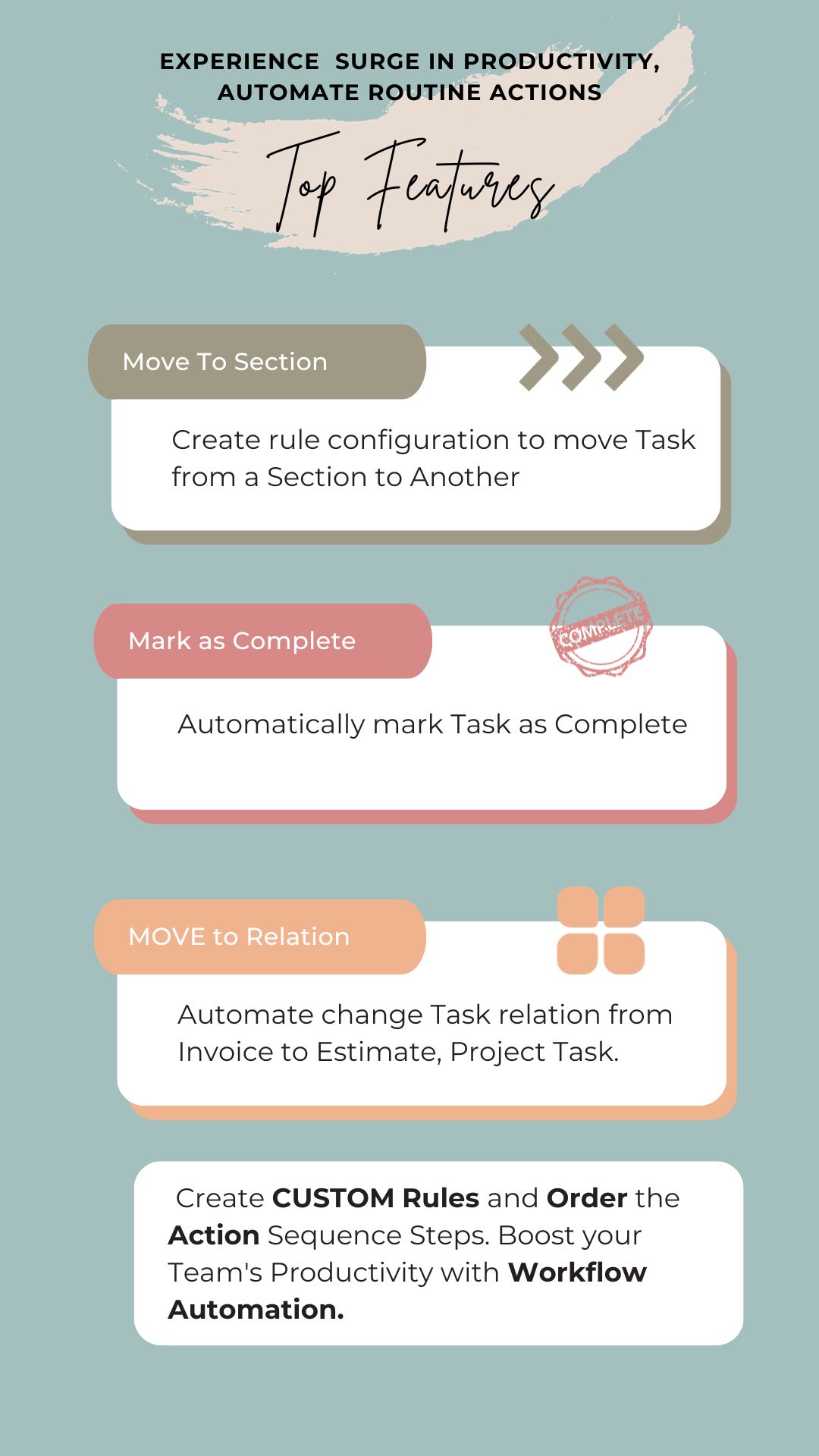
- Create process that run themselves with automated actions on Task as they move from one section to another
- Because you can create Unlimited Rules for a SECTION, You can Control what actions are triggered and in what order/sequence
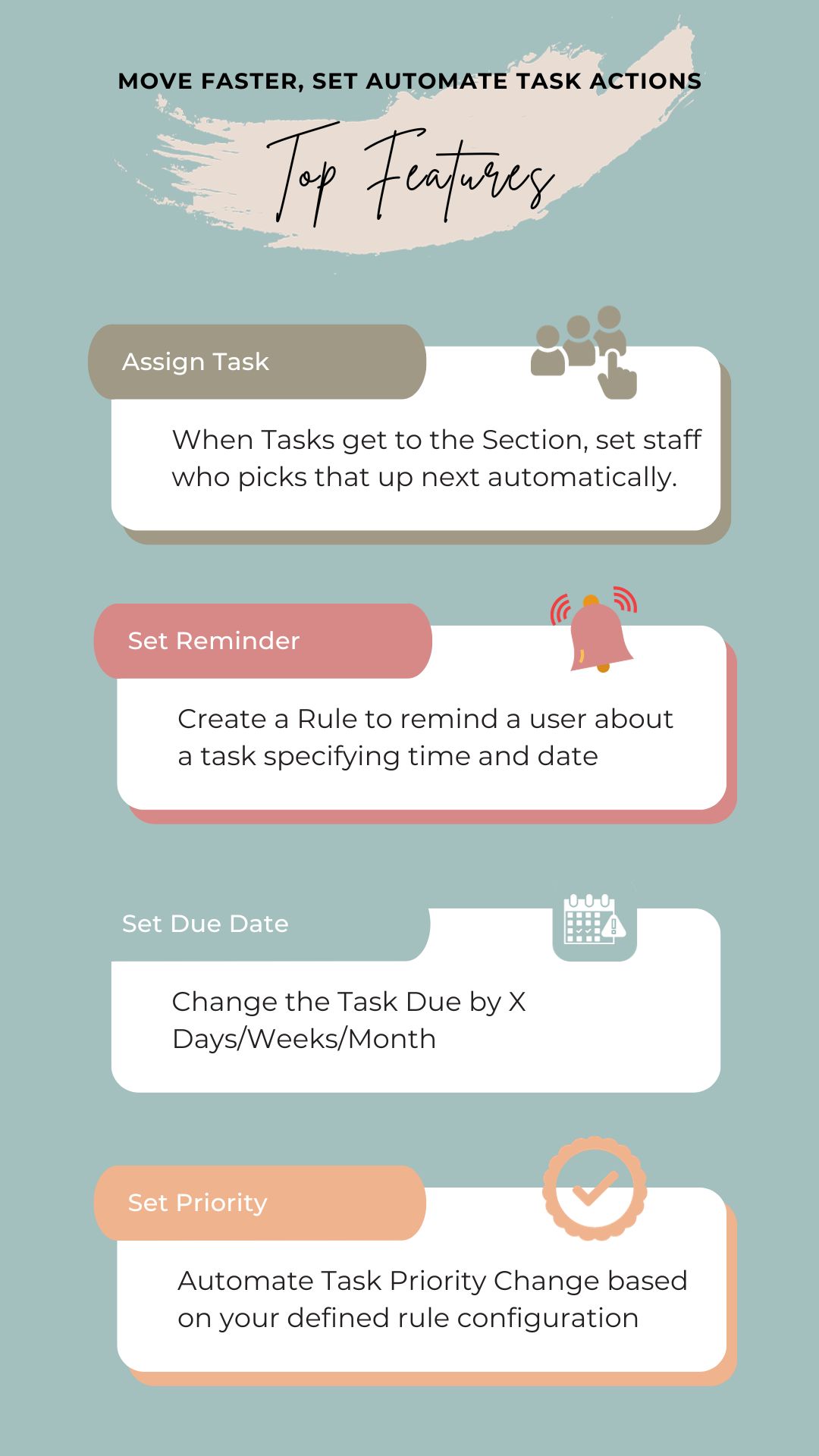
- Keep working going : performs unlimited instant actions on tasks at the same time such as Task Assignment, Comments with @User, Reminder, Checklist Item, Priority, Mark as Complete and lots more
- Stay Organised and Increase efficiency
- Unlimited Lead Automation Rules based on When New Lead is Added, Lead Status change or when Lead is converted to customer.
- Unlimited Project Automation Rules
Configure Rule, Automate Action
Create a set of rules that trigger automatically as tasks transition between sections (Not Yet Started, In Progress, Awaiting Feed back, Testing, Complete) or any custom you have.
Create a set of rules that trigger automatically as Leads transition from one status to Another (When New Lead is Added, When Lead is marked as Lost, When Lead is marked as Junk, When Lead converts to customer)
Create a set of rules that trigger automatically when Project traction from one status to another (Add Milestones, New Task, Create Discussion e.t.c)
Design your rules according to your business needs e.g as when task moves to Testing, Assign to a Tester or attach a comment or do both.
Create processes that run themselves
Move Faster and Experience a surge in productivity as routine tasks are automated.
Installation
Included Documentation will help you upload and activate the module inside Perfex CRM.DEMO
DEMOAdmin Username
testadmin@gmail.comPassword
password@1234Support
Please send an email from Support page for any issues, questions or suggestions. To save time and get quick feedback, please don’t ask for support in comments section.VERSION HISTORY
Version 1.0.2 – 5th May 2025New Features and Improvement Updates
Newly Added - Lead Automation
Newly Added - Project Automation
Fixed : Changed relation issue when you add Due Date Automation on Task AutomationVersion 1.0.1 – 1st February 2024
Improvement Updates
NEW ADDED - Display Automated Action Value
FIXED - Comment length (Now Unlimited)
IMPROVED - Reminder dates
| Type | PHP Script |
|---|---|
| Author | flexibyte88 |
| Category | Php Scripts / Add Ons |
| Price | $49 |
| Sales | 147 |
| Rating | 0.00 from 2 ratings |
| Published | Dec 30, 2023 |
| Last Update | May 5, 2025 |
| Compatible Browsers | IE8, IE9, IE10, IE11, Firefox, Safari, Opera, Chrome |
| Compatible Software | PHP 8.x, PHP 7.x, MySQL 8.x, MySQL 5.x |
| Software Framework | CodeIgniter |
| Source Files Included | JavaScript JS, HTML, CSS, PHP |
Categories
Tags
External listing. code.market does not sell this product and does not process payment for it. Pricing, payment, delivery, licensing, refunds, and support are handled by the third-party merchant on its own website. We may earn an affiliate commission from a referral. Details.
Products of the Week.
Submit🥇

STOP GUESSING WHAT TO POST
AI that learns your brand voice and builds a month of consistent, on-brand social content: carousels, posts and hooks that sound like you, not like everyone else's AI.
SaaS · 3,100 views · 28 clicksSaaS · Week 45 · 3,100 views · 28 clicks
🥈

Conversational Backlinks for Busy Founders
Place Backlink Relevant Conversation for your domain across Forums and Conversations
Website · 40,496 views · 216 clicksWebsite · Week 45 · 40,496 views · 216 clicks
🥉

upvote.club
Free Social Media Engagement that Helps Boost Your Content. Upvote Club supports 19 social networks with 100+ engagement actions in one dashboard. Add links to your posts and get free engagement from real users.
SaaS · 38,584 views · 110 clicksSaaS · Week 45 · 38,584 views · 110 clicks
#4

Substack Posting API
Onboard your Agent to Substack. Write Publish on Substack via API
SaaS · 57,626 views · 197 clicksSaaS · Week 45 · 57,626 views · 197 clicks
#5

Seenshot App
Free, Fast, MacOS Screenshot app. Make Screenshot cmd+shift+2 and send it via link
Desktop App · 27,057 views · 119 clicksDesktop App · Week 45 · 27,057 views · 119 clicks
#6

Hand-Placed Backlinks $9.99 per link. Flat rate.
Buy hand-placed forum, Q-A and directory backlinks. Flat $9.99 per link, no subscriptions — you only pay for approved listings.
Website · 2,994 views · 18 clicksWebsite · Week 45 · 2,994 views · 18 clicks
#7

Free Invoice Generator - PDF Invoices in Your Browser, No Sign-Up
A free invoice maker for freelancers and small businesses: fill in the invoice, check the live preview, and download a PDF that looks exactly like it. Any currency, tax per item, three templates, no sign-up, and nothing leaves your device.
1,689 views · 16 clicksWeek 45 · 1,689 views · 16 clicks
#8

Merge PDF Files Free - Combine PDFs in Your Browser, No Upload
A free PDF merger for office workers, students, and freelancers: combine PDFs and images into one file in the browser, reorder files and pages, pick page ranges, keep bookmarks, and open password-protected PDFs. Nothing is uploaded, no sign-up, no watermark.
1,581 views · 13 clicksWeek 45 · 1,581 views · 13 clicks