WordPress Tooltips Ultimate & Image Hotspot
Description

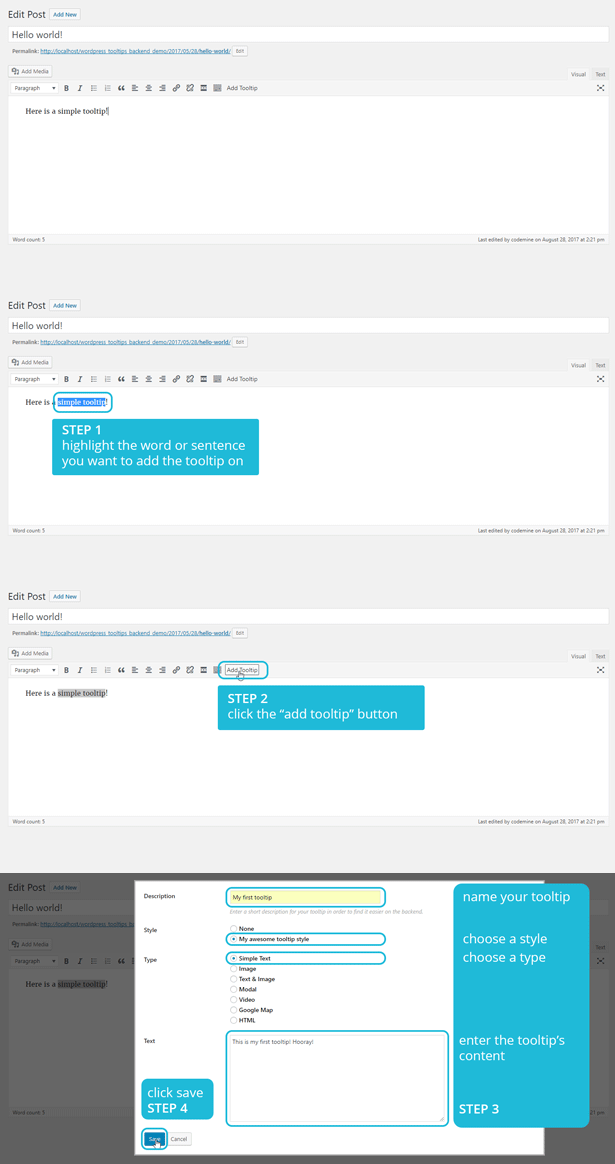
Create a tooltip using the WordPress editor
Add tooltips inside your page or post content on-the-fly by using our WYSIWYG button on the tinyMCE editor.
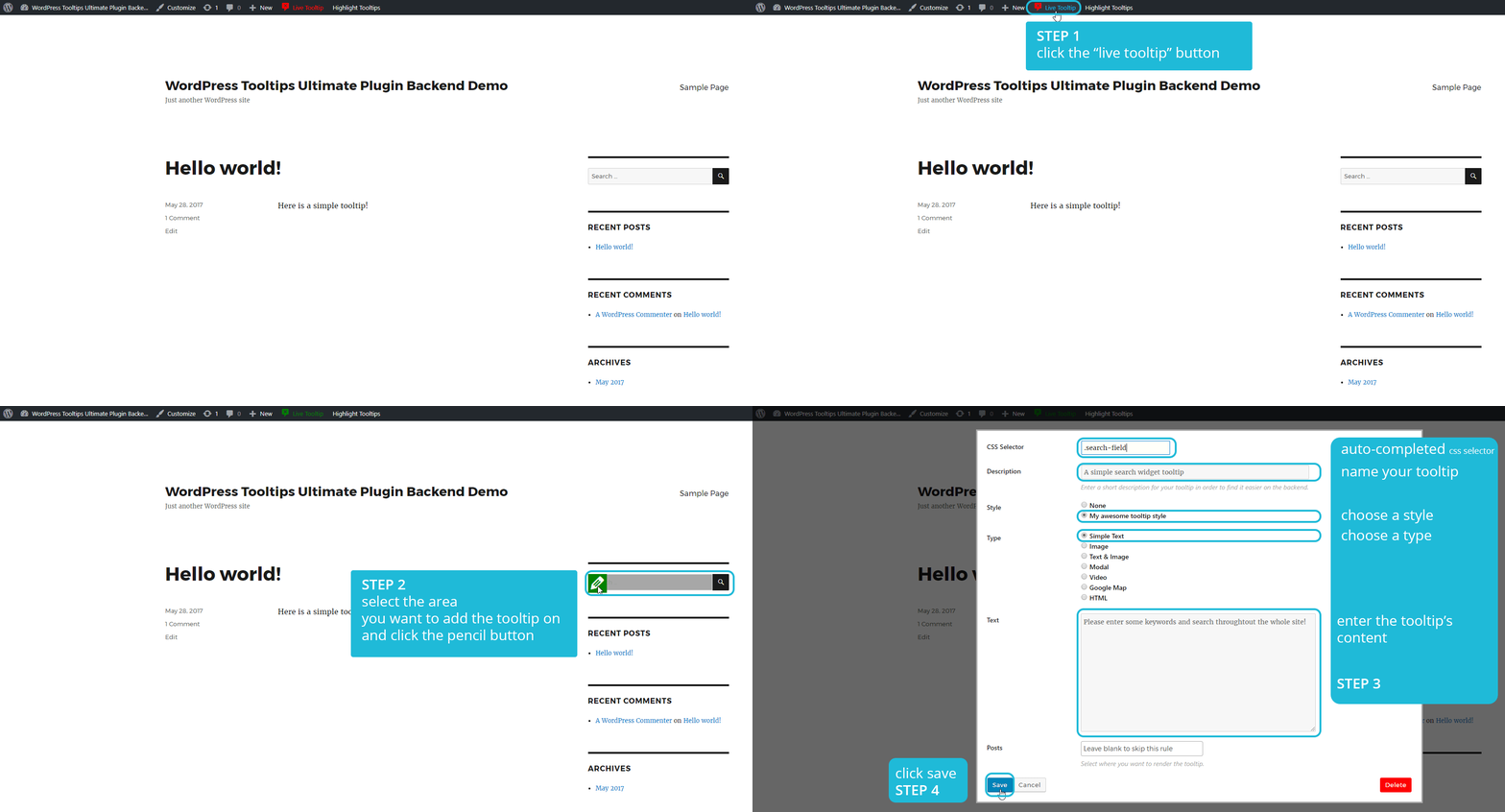
Create a tooltip using the Live Tooltip feature
Add tooltips anywhere on your site on-the-fly by using our Live Tooltip button on the WordPress toolbar. And by anywhere, we mean anywhere, on menus, widgets, images, forms (gravity forms, contact forms 7, etc.), WooCommerce assets, you name it! You can add tooltips even at the backend administration panel!
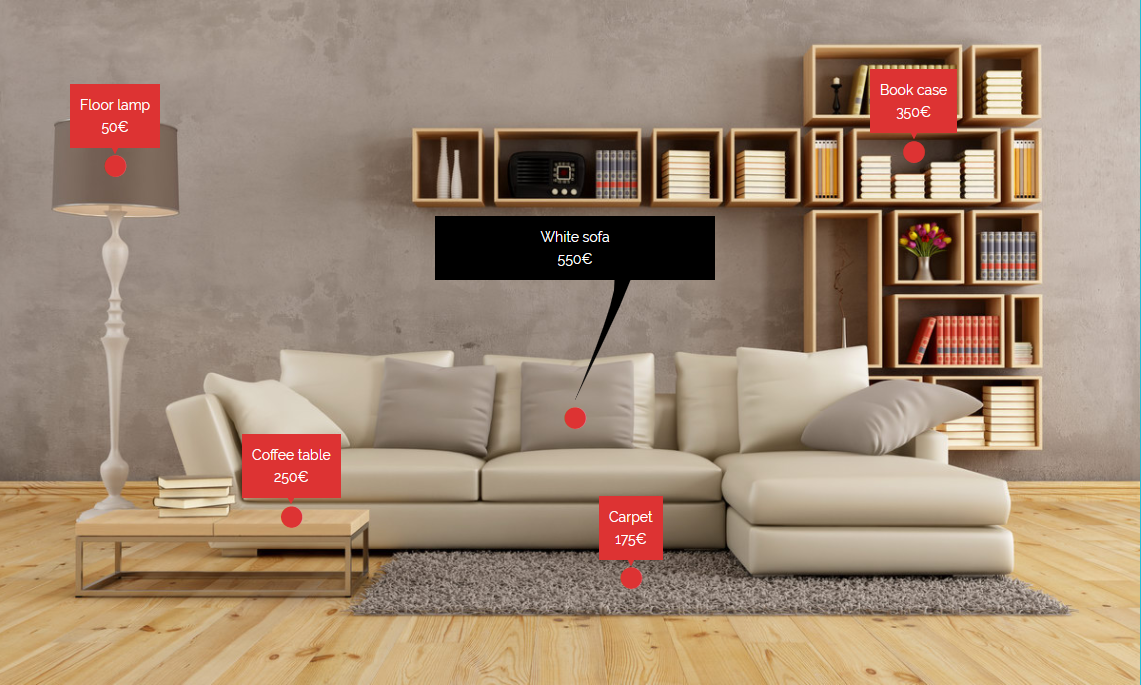
Create image hotspots
With our plugin, you can even add hotspots that trigger the tooltips you want at your own images. Just make your hotspot image and paste the shortcode at your site.

What Can You Do With Tooltips?
Tooltips can still make for a really nice addition to websites for a number of reasons:
Make your site more reader-friendly
As always, the less text you put on the main interface of your site, the better. If you can tuck away a tip that visitors may not want or need, you can keep your site free and clear of any potentially intrusive text.Guide your visitors to take action
If you’ve ever felt the need to have more control over getting visitors to take action, tooltips can give you an extra layer of guidance without having to add another call-to-action into your site’s design.Cut down on unnecessary back-and-forth
While your site’s design should already be intuitive, there may be some spots that trip up visitors. Rather than leave them feeling frustrated, confused, or needing to reach out to you for clarification, tooltips can be a built-in guide to your website.Full Feature List
Tooltip styling options
Style the tooltip the way you want! Choose background color, borders, margin, padding options. You can preview the styling options here.Tooltip arrow options
Style the tooltip’s arrow easily. Choose width and height, or even hide it completely. You can preview the arrow options here.Tooltip anchor options
You can even style the tooltip’s anchor. Set the anchor cursor selecting between a number of cursors. Or change it’s font, background color or padding. You can preview the anchor options here.Interaction options
Show and hide the tooltip the way you want. You have 5 showing options (on hover, on click, on focus, on click or focus and on page load) and 4 hiding options (on hover out, on clicking anchor, on clicking elsewhere and on focus out). You can preview the anchor options here.Animation options
Multiple showing and hiding animations. Set the animation type, the time and even a delay if exists. You can preview the animation options here.Google fonts
Select from a large library of Google fonts and set the desired typography.Multiple tooltip position options
top left, top center, top right, center left, center center, center right, bottom left, bottom center, bottom right. You can preview the position options here.Multiple arrow position options
top left, top center, top right, center left, center center, center right, bottom left, bottom center, bottom rightReady-to-use themes
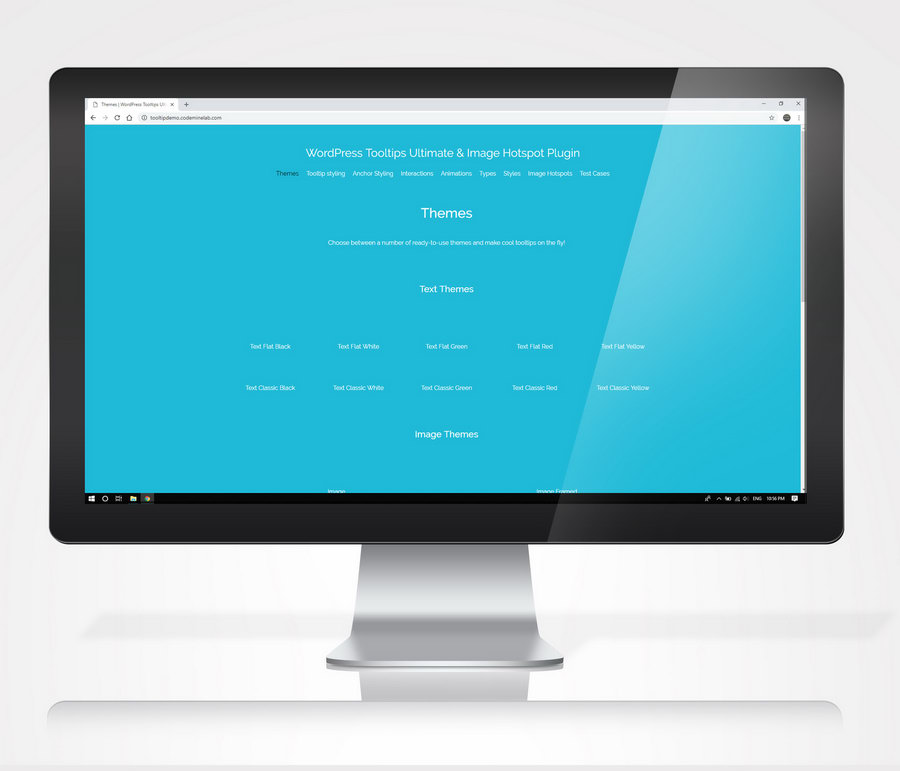
Choose between 22 ready-to-use themes and make cool tooltips on the fly! You can preview the available themes here.Text tooltips
The default tooltip type! Use it if you want text-only tooltips.Image tooltips
Create image tooltips on the fly. Just upload the image you want and you are set!Image & text tooltips
Want to show text and image at the same time on the tooltip? No problem. You also have 4 layout options.Modal tooltips
The modal tooltip type allows you to create tooltips which ‘dim’ the rest of the page when shown, drawing users attention.Video tooltips
Add videos from YouTube or Vimeo to show inside your tooltip window. You can even enable auto-play.Google map tooltips
Add google maps to show inside your tooltip window. You can set your own image for the pin, set the zoom level or even use snazzy maps code to make your tooltip map unique!HTML tooltips
Contains a WYSIWYG editor in which you can add formatted text (with links, em tags, etc.) or in some cases, even shortcodes.Unique styles
3 unique styles, comic 1, comic 2 & sharp.Highlight tooltips
Want to see what tooltips a page has? You can highlight the active tooltips of the current page easily by clicking a button.Frontend post content tooltips
Add tooltips to your post content easily throught the WordPress TinyMCE editor.Frontend out-of-post tooltips
By using our Live Tooltip feature, you can add tooltips everywhere: menu, widgets, footer, icons, you name it!Backend tooltips
You can also add tooltips to the WordPress backend.Page builder compatible
Works flawlessly with WPBakery Page Builder and Site Origin.Live preview
Try all the customization options on the backend by using our live preview and publish the tooltip when you are ready.Clutter free
Tired of seeing long shortcodes on your editor? Our plugin replaces ugly shortcodes on your editor with a cool tooltip icon!Responsive Design
Tooltips will look great on both desktop and mobile sites.Object Oriented Code
WordPress Tooltips Ultimate uses the most advanced and most effective programming patterns, to get the best results for your site.Smart positioning
Viewport smart positioning to keep tooltips within the viewportRTL Support
Use tooltips with RTL (Right-to-left) support with a single option!Image hotspot full feature list
You can see some of the exciting features here.
Custom image
You can easily set your custom image for the hotspots.Font awesome icons
You can select between 503 available font awesome icons for your hotspots.Custom size
You can easily resize your hotspots.Custom responsive size
If you want, you can furthermore set your own size for the extra 3 responsive resolutions (smartphones, tablets portrait, tablets landscape) to make your hotspots trully responsive.Custom color
Set your desired color for the font awesome hotspots on-the-fly.2 cool animations
Choose between 2 cool animations for your hotspots: pulse and fade.Drag & Drop reposition
Easily position your hotspots at the backend on-the-fly using our drag & drop feature.Demo live preview
Visit our demo live preview to see over 100 examples of WordPress Tooltips Ultimate in action!
Demo backend live preview
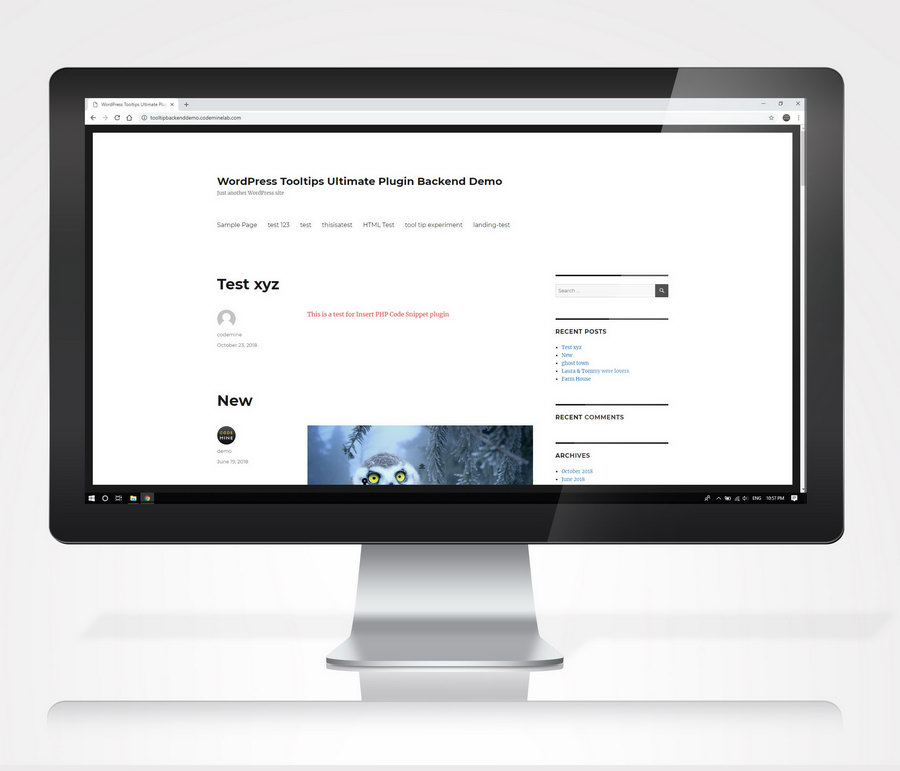
Try it before you buy it! Just visit our demo backend live preview and see all the amazing features in action.
You can login at the WordPress backend using:
username: demo password: Np&%zqXi&8KNM!Bgnpz7QLhv
Documentation
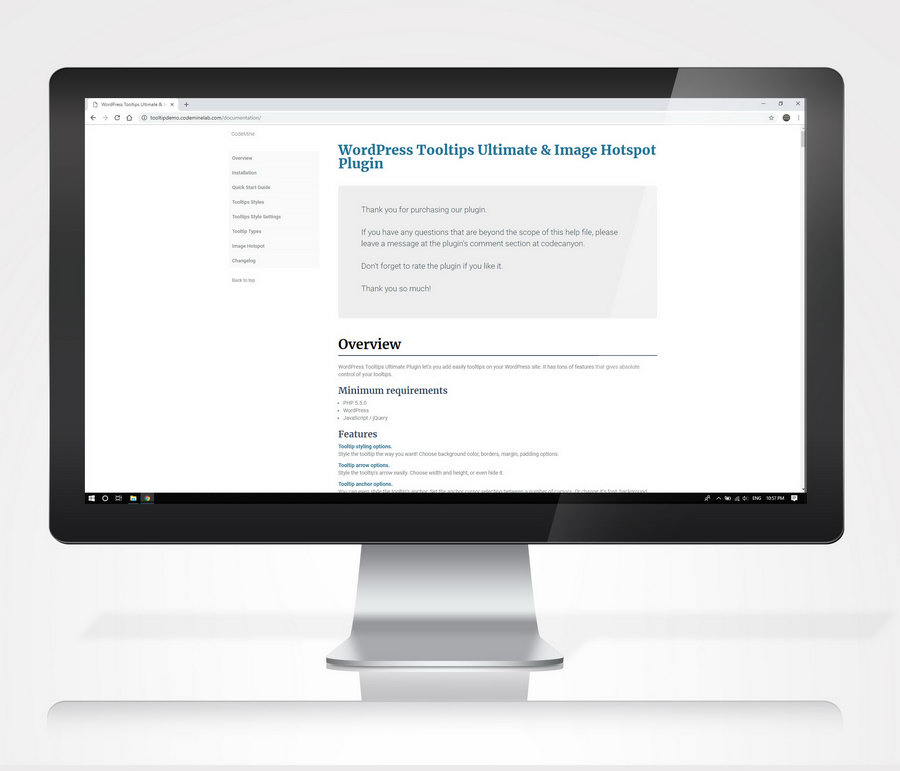
Take a look at our extensive online documentation.
Support & development
We provide fast and reliable support to our customers. You can count on us for after sale support and continued development of the plugin.
We also have a detailed FAQ page for common questions and aswers. Make sure that you take a look there. You may haver an issued which might be already solved!
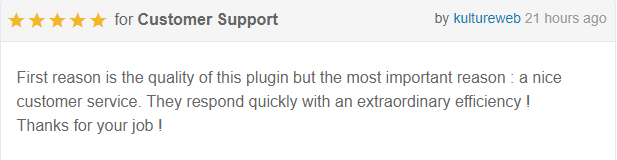
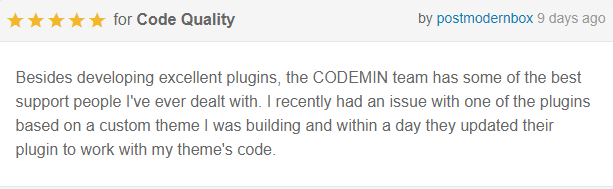
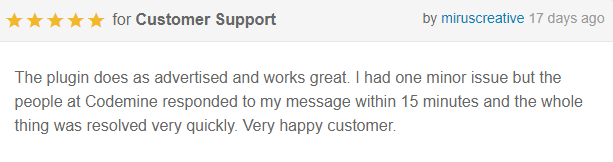
What customers say about WordPress Tooltips Ultimate & Image Hotspot
Changelog
21.02.2023 version 3.1
* Fix - Compatibility with PHP 8.1

28.09.2022 version 3.0
* Add - General settings page with performance options
* Add - Ability to add external URL to a hotspot
* Add - Ability to remove the tooltip from a hotspot

01.09.2022 version 2.34
* Add - Inlude hotspot IDs in admin search for hotspots

01.05.2022 version 2.33
* Fix - Hotspot pixel perfect fix

18.03.2022 version 2.32
* Fix - jQuery 3.0 fix for hotspot

24.08.2021 version 2.31
* Fix - Bug repeating certain dates

29.04.2021 version 2.30
* Fix - Fix modal clickable links

03.01.2021 version 2.29
* Fix - Wordpress 5.6 hotspot draggable fix

09.06.2020 version 2.28
* Fix - Update vimeo code / remove froogaloop / add player.js

20.11.2019 version 2.27
* Add - Option for RTL (Right-to-left) mode

08.11.2019 version 2.26
* Add - wpcmtt_initial_content_inlinecss filter

26.09.2019 version 2.25
* Fix - PHP warnings in backend

23.09.2019 version 2.24
* Fix - Viewport smart positioning to keep tooltips within the viewport

31.07.2019 version 2.23
* Fix - Tweenmax optimization for multiple tooltips on the same page
* Fix - Set Tooltip hide delay to 90ms for all themes

27.06.2019 version 2.22
* Add - Tooltip close button size
* Add - Tooltip close button padding

12.03.2019 version 2.21
* Fix - Remove mixed content error

11.02.2019 version 2.20
* Add - Make hotspot icons compatible with Font Awesome 4.7.0

07.02.2019 version 2.19
* Fix - Give the ability to add url links inside text/image tooltip type

14.12.2018 version 2.18
* Add - Responsive max width option for smartphones/tablets portrait/tablets landscape
* Add - Custom CSS code option

24.10.2018 version 2.17
* Fix - Gutenberg compatibility

26.09.2018 version 2.16
* Fix - PHP version 7.2 error

06.09.2018 version 2.15
* Add - Select post IDs option for live tooltips to be rendered
* Add - check_if_render_live_tooltip filter for live tooltips to be rendered

28.08.2018 version 2.14
* Fix- Compatibility with other plugins that use CMB2 plugin

11.05.2018 version 2.13
* Add - Notification message if user has no styles created

07.05.2018 version 2.12
* Add - Tooltip max height option

29.04.2018 version 2.11
* Add - Show on page load interaction

20.02.2018 version 2.10
* Add - New filter wpcmtt_render_posts_select2_field for performance optimization

20.02.2018 version 2.9
* Add - New filter for isotope incompatibility

20.02.2018 version 2.8
* Add - New filter with which you can force hotspot type default for all hotspots
* Add - New filter with which you can force text type for all hotspots
* Add - Modal type compatible with shortcodes
* Fix - Hotspot modal bug
* Add - Show on focus interaction
* Add - Show on click or focus interaction
* Add - Hide on focus out interaction

21.12.2017 version 2.7
* Fix - Polylang fix
* Fix - HTML tooltip type new line breaks fix
* Fix - WP Bakery Builder tinymce fix

10.12.2017 version 2.6
* Fix - Frontend performance optimizations

05.12.2017 version 2.5
* Language - Plugin localization
* Add - Patch with which you can import all themes at once
* Fix - Warning errors on debug true
* Fix - Include vimeo's froogaloop API js in plugin

30.11.2017 version 2.4
* Fix - Live tooltip optimization

= 17.11.2017 version 2.3 =
* Fix - Tweenmax update

= 14.11.2017 version 2.2 =
* Add - Left Column Size (in percentage) for text-and-image type
* Add - Image horizontal position for text-and-image type
* Add - Image vertical position for text-and-image type
* Add - Image padding for text-and-image type
* Add - Backend preview mode for all types: image, text and image (4 layouts), modal, video & map
* Fix - Backend errors with tooltip icon on editor
* Fix - Search custom fields fix

= 20.10.2017 version 2.1 =
* Fix - Backend errors with debug true
* Fix - Add line breaks on tooltip for text and html type when user leaves line breaks

= 18.10.2017 version 2.0 =
* Add - Image hotspot feature

= 02.10.2017 version 1.2 =
* Add - Tooltip background opacity
* Add - Tooltip content link font
* Add - Tooltip content link hover color

= 21.09.2017 version 1.1 =
* Fix - WPBakery Page Builder Compatibility issue

= 04.09.2017 version 1.0 =
* Initial release
Categories
Tags
External listing. code.market does not sell this product and does not process payment for it. Pricing, payment, delivery, licensing, refunds, and support are handled by the third-party merchant on its own website. We may earn an affiliate commission from a referral. Details.
Products of the Week.
Submit#1

wanapi.app
Wan API is a developer platform for the Wan video model family. Compare Wan 3.0, Prime and Pro specifications and prices, then prepare a request in the preview playground.
Other · 8,625 views · 23 clicksOther · Week 42 · 8,625 views · 23 clicks
#2

wanapi.ai
Wan API is a developer platform for the Wan video model family. Compare Wan 3.0, Prime and Pro specifications and prices, then prepare a request in the preview playground.
Other · 7,969 views · 14 clicksOther · Week 42 · 7,969 views · 14 clicks
#3

yee.site
Your link in bio, but a real website. Start from beautiful templates and ready-made sections, then add a shop, bookings, a blog and as many pages as you need. Perfect for your link in bio, portfolio or personal site.
Other · 14,105 views · 24 clicksOther · Week 42 · 14,105 views · 24 clicks
#4

upvote.club
Free Social Media Engagement that Helps Boost Your Content. Upvote Club supports 19 social networks with 100+ engagement actions in one dashboard. Add links to your posts and get free engagement from real users.
SaaS · 34,997 views · 104 clicksSaaS · Week 42 · 34,997 views · 104 clicks
#5

Seenshot App
Free, Fast, MacOS Screenshot app. Make Screenshot cmd+shift+2 and send it via link
Desktop App · 23,483 views · 115 clicksDesktop App · Week 42 · 23,483 views · 115 clicks
#6

Conversational Backlinks for Busy Founders
Place Backlink Relevant Conversation for your domain across Forums and Conversations
Website · 35,251 views · 205 clicksWebsite · Week 42 · 35,251 views · 205 clicks
#7

Substack Posting API
Onboard your Agent to Substack. Write Publish on Substack via API
SaaS · 54,107 views · 190 clicksSaaS · Week 42 · 54,107 views · 190 clicks
#8

codester.com
SocialDesk+: Omnichannel Social Commerce & Business Management Platform This is stronger than simply “Social Commerce and Messaging” because it tells buyers this is a complete business platform, not just a messaging script. Turn Social Conversations Into Sales SocialDesk+ is a complete omnichannel social commerce and business management platform built for businesses that sell and communicate with customers through social media. Instead of switching between WhatsApp, Facebook, Instagram and TikTok, businesses can manage customer conversations, comments, products, leads, follow-ups, automation, teams and business reports from one professional workspace. And because the full source code is included, developers, agencies and entrepreneurs can customize, rebrand and launch SocialDesk+ as their own business solution or SaaS platform. 🚀 Build Your Own Social Commerce Business SocialDesk+ gives you the foundation to launch: - Your own SaaS platform - A white-label social CRM - A social-commerce management system - A customer communication platform - A business messaging solution - A custom solution for clients - A multi-business subscription platform 💬 Connect Your Customers Supported social channels include: WhatsApp • Facebook • Instagram • TikTok Bring supported conversations into one centralized workspace and help businesses respond faster without constantly switching between platforms. 🛍️ More Than a Messaging Platform SocialDesk+ combines communication with the tools businesses need to manage customer opportunities: Inbox Manage customer conversations from connected channels. Comments Monitor and respond to social-media comments. Customers & Leads Organize customer information and potential buyers. Products & Catalog Manage products and give your team quick access to product information. Follow-Ups Make sure potential customers don't get forgotten. Automation Automate repetitive customer questions and responses. AI Assistant Provide AI-assisted communication when configured. Team Management Give managers and staff access to the business workspace. Reports & Analytics Track activity using business reports and analytics. The current product listing already includes these capabilities. 🔥 Why Buyers Will Want It Launch Faster Start with an already-built business platform instead of developing the entire system from zero. Customize Everything The full source code is included, allowing developers to change branding, features, workflows and integrations. Build a SaaS Create multiple business workspaces and offer SocialDesk+ as a subscription-based service. Sell to Businesses Offer it to retailers, restaurants, service businesses, online sellers, agencies and other businesses that communicate with customers through social media. Mobile + Web + Backend This isn't just a mobile UI template. It includes: - Flutter mobile application - Python / FastAPI backend - Web interface - Administration tools - Database infrastructure - API-based architecture - SQLite / PostgreSQL support - Android and iOS project structure 💼 One Platform. Multiple Business Opportunities. For SaaS Entrepreneurs Launch your own subscription platform and allow multiple businesses to operate inside separate workspaces. For Software Agencies Customize and rebrand the platform for clients instead of building an omnichannel business system from scratch. For Developers Use the complete source code as a foundation for your own social-commerce or customer-management product. For Businesses Deploy a dedicated version for your own customer-service and social-commerce operations. 🧩 What's Included Mobile - Flutter / Dart - Android - iOS project Backend - Python - FastAPI - SQLAlchemy - Alembic Database - SQLite - PostgreSQL Web - HTML5 - CSS3 - JavaScript Deployment - Docker - Docker Compose - Production configuration Business Platform - Multi-workspace architecture - Authentication - Teams - Customers - Products - Messaging - Comments - Automation - Reports - Subscriptions - Administration The current listing also documents third-party integrations such as Meta, TikTok, Stripe, Firebase, SMTP and optional OpenAI configuration. ⚡ What Makes SocialDesk+ Different? You're not buying a simple: ❌ Chat UI ❌ WhatsApp clone ❌ Flutter template ❌ Admin dashboard ❌ Basic CRM You're getting a complete business platform foundation that can be customized, branded and commercialized. Connect. Automate. Manage. Grow. SocialDesk+ Omnichannel Social Commerce & Business Management Platform One important change I'd make to the current listing The current page starts with: “A simple guide to managing your social conversations, customers, products and business activity.”
Other · 21,469 views · 35 clicksOther · Week 42 · 21,469 views · 35 clicks
#9

sandbook.app
Sandbook reads EPUB, PDF, web pages and scanned pages aloud with Kokoro TTS, an open neural voice model that runs on your iPhone, free and offline. Choose from 41 natural voices in English, Spanish, French, Italian, Brazilian Portuguese and Hindi and follow each word as it is spoken. Try the same voices in your browser first with the free Kokoro TTS online demo.
Other · 21,362 views · 18 clicksOther · Week 42 · 21,362 views · 18 clicks