Word File Manager - Android App Template by Devgurus
Description

Key Features
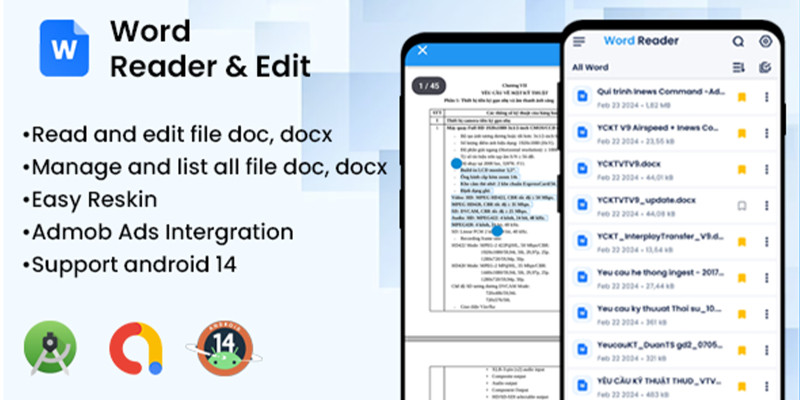
- Complete Word File Management: Organize and access all your DOC and DOCX files with a clean, intuitive interface.
- Edit and Review Anywhere: Open, edit, and review Word documents directly within the app—perfect for productivity on the go.
- Advanced Annotation Tools: Highlight, comment, and annotate for better readability and collaboration.
- One-Tap PDF Conversion: Easily convert DOC/DOCX to PDF for sharing and printing.
- Latest Android SDK 36 Support: Fully optimized for Android API 36 for smooth and secure performance.
- Ultra-Lightweight (~16KB): Extremely small install size without sacrificing features.
- Customizable Interface: Reskin easily to match your brand or personal style.
- AdMob Ready: Built-in monetization support via AdMob ads.
- High-Performance Architecture: Built with modern tools for speed, efficiency, and security.
About the App
DOC & DOCX Reader Pro is the perfect mobile companion for professionals, students, and businesses working with Word documents. It offers the power of a desktop word processor in a lightweight, mobile-optimized package.
With editing, annotation, file management, and monetization ready to go, you can launch a fully polished app quickly.
Contact & Support
Email: evgurus.mobile@gmail.com">devgurus.mobile@gmail.com Telegram: @super_mario1991
Features
- Reskinning: Reskin the app with ease to match your brand's unique identity.
- AdMob Integration: Monetize your app through in-app advertisements with AdMob integration.
- Google Play Ready: Upload your app to Google Play with ease and reach a global audience.
- Support for Latest Android Versions: Stay up-to-date with support for the latest Android versions and features.
Requirements
- Android Studio IDE
- Android source code
- Read documentation carefully
- Developer account
Instructions
- Download the project and extract it.
- Import the project to AS.
- Edit (Reskin) the App code.
- Export it as APK and publish it
| Author | devgurus |
|---|---|
| Category | App Templates / Android / Applications / Miscellaneous |
| Price | $30 |
| Extended License | $90 |
| Rating | 5.00 from 1 rating |
| Reviews | 1 |
| Likes | 1 |
| First Release | Feb 23, 2024 |
| Last Update | Nov 4, 2025 |
| Files included | .apk, .java, .xml |
| Operating systems | Android 7.0, Android 8.0, Android 9.0, Android 10.0, Android 11.0, Android 12.0, Android 6.0 |
Categories
Tags
External listing. code.market does not sell this product and does not process payment for it. Pricing, payment, delivery, licensing, refunds, and support are handled by the third-party merchant on its own website. We may earn an affiliate commission from a referral. Details.
Products of the Week.
Submit🥇

Perceptle
Perceptle is a daily browser-based game that challenges you to test your sensory intuition through five quick estimation and rhythm-based rounds.
Other · 1,489 views · 9 clicksOther · Week 47 · 1,489 views · 9 clicks
🥈

Free LinkedIn Likes From Real
Get free LinkedIn likes on your posts from real members who react by hand. No
SaaS · 1,632 views · 10 clicksSaaS · Week 47 · 1,632 views · 10 clicks
🥉

STOP GUESSING WHAT TO POST
AI that learns your brand voice and builds a month of consistent, on-brand social content: carousels, posts and hooks that sound like you, not like everyone else's AI.
SaaS · 9,176 views · 75 clicksSaaS · Week 47 · 9,176 views · 75 clicks
#4

aaas.market
407 reliable micro tools for solo founders, marketers and creators. They work in your browser
SaaS · 1,597 views · 5 clicksSaaS · Week 47 · 1,597 views · 5 clicks