
WooFoo - Restaurant Food Menu for Elementor

Description




WooFoo – Restaurant Food Menu for Elementor
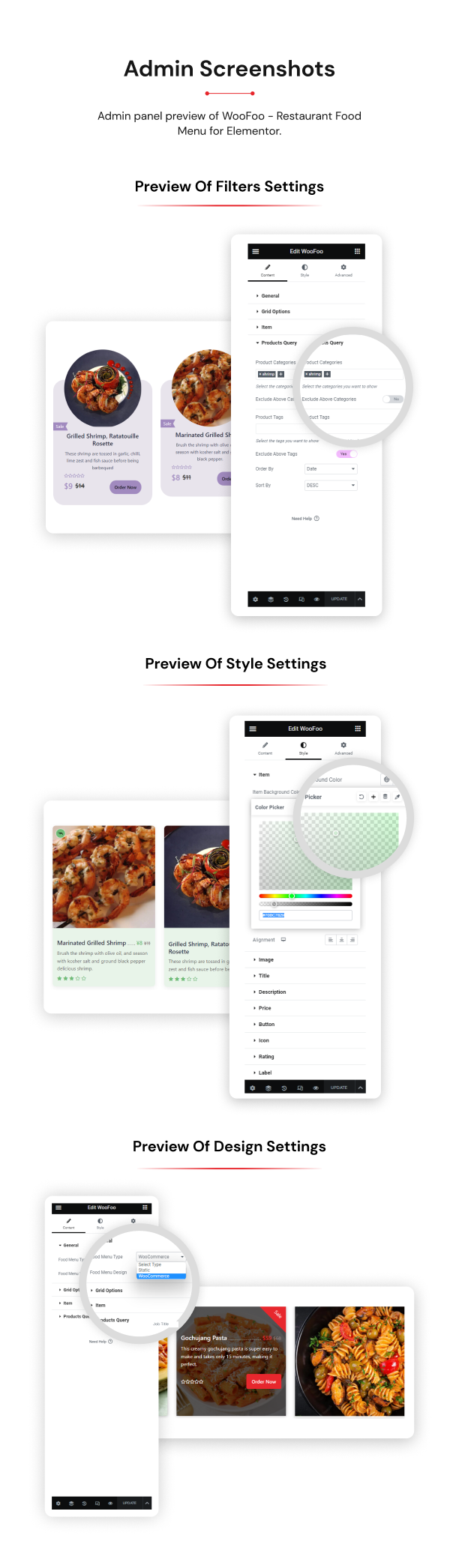
WooFoo Restaurant Food Menu for Elementor plugin is a spectacular WordPress food menu plugin perfect for restaurants, cafés, bars, and more. You can create any food items with this plugin and add names, descriptions, images, and prices to them right from your site. You can choose to showcase your menus with Custom and WooCommerce product lists with categories. With the easy-to-use menu builder and the included designs and customization options.
In this plugin you get 10+ types of unique and creative designs of WooFoo. This plugin hasn’t bundled with unnecessary options which are rarely used. The plugin has been designed with the user’s key goals in mind, and designed for simplicity. So, you can easily configure each option of this plugin any way you want it.
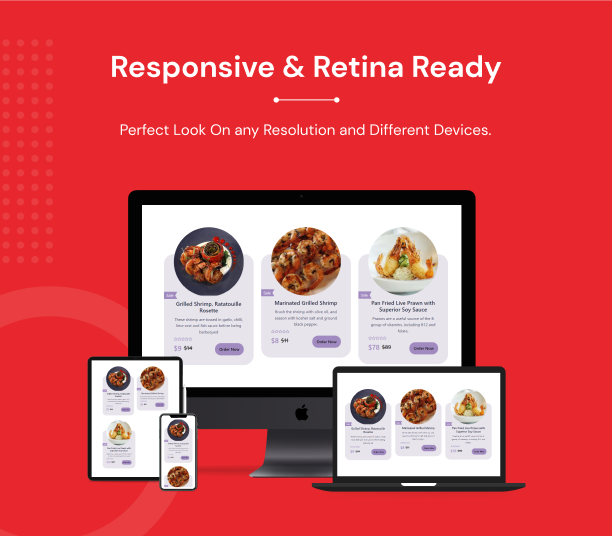
We focused on user experience, flexibility, and creativity that enable you to drag and drop widgets and fill the content your way to create an impactful website. We will keep adding more in future versions. You get a 100% responsive Feature design that looks good on every type of device.
This pack is truly remarkable and unique in its design and usability. So, stop wasting your time searching for the WooFoo widget. You can find everything you need in one place.
Note: This plugin only works with Elementor page builder.
Where is the WooFoo Useful?
WooFoo plugin useful for all WordPress websites. Below is one small list for which purposes you can start using the WooFoo plugin.
Perfect solution to showcase your product with different layouts every next day whether that showcase as a product section on the home page, etc.
Key Features:
- 10+ Types of Layouts
- Flat design with hover animation.
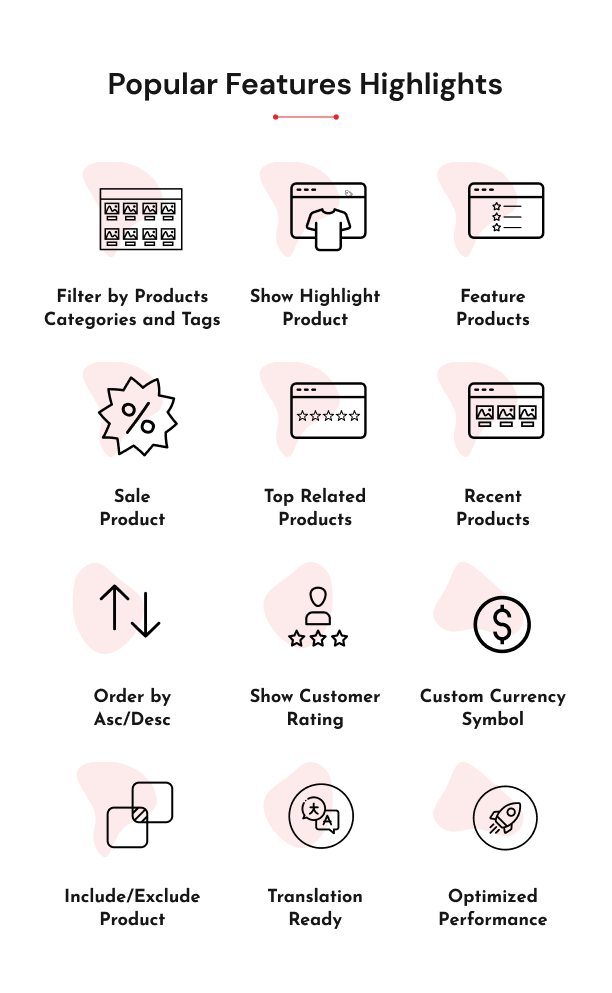
- Filter by Product Categories and Tags.
- Exclude Products by Product Categories and Tags.
- Order by Ascending and Descending.
- Choose Custom option for currency symbol
- Set a maximum number of products to show in the layout.
- Show/Hide Product Title, Product Description, Product Rating, Product Price, Add to Cart button, etc.
- Column support for Desktop, iPad/Tablet, Mobile
- Compatible with any Theme, Elementor Plugin, and WooCommerce plugin
- Button Hover Effect
- Easy to customize and stylize.
- Responsive and mobile-friendly.
- Beautiful, Lightweight, and Powerful.
- SEO Friendly
- Translation Ready (.pot file included)
- Tested & compatible for WordPress 6.0+ and higher
- Working fine with Browser Compatibility
- Dedicated Support
Readymade WooFoo Design Styles
We have designed the Eleven layout types to showcase/decorate your website with creative styling. It allows you to climb the top of your design capabilities.
Other Features of WooFoo
1. Hover Effects
It is a pre-defined or ready-made hover effect over the WooFoo. That is ready with a distinct WooFoo.
2. Box Shadow
Box Shadow options available in WooFoo settings that make your post more attractive.
3. Border
You can set different types of the border to grid boxes.
4. Looks Great on any Device!
We offer that our plugin looks perfect on any device.
5. Cross-browser Compatibility
WooFoo Styles is fully compatible with all major browsers like Firefox, Chrome, Opera, Safari, etc.
6. Easy To Install, Use and Customize
The plugin is user-friendly, with no expertise required. Basic WordPress users can also easily use it.
7. SEO Friendly
WooFoo plugin is built with search engine optimization in mind to ensure better rankings across all search engines.
What Makes WooFoo Outstanding?
- No Coding Skill Required.
- Easy to Setup or Configure.
- Clean Code, Layout, and Design.
- Create a Stunning Food Menu Section with just a Few Clicks.
- Well Documented.
- Dedicated Support.
Improvement Suggestions
If you have any suggestions on how to improve this item, please let us know! We will be happy to consider any advice and appreciate your efforts. We will go through all your feedback weekly and pick the most requested features to include in a future update! Contact us here.
Change log
August 26th, 2026 (Version 1.1.0)
* Security: Guarded an admin-only function call so it no longer relies on WordPress having already loaded it elsewhere
* Updated: Latest WordPress 7.1 compatibility check
* Updated: Added Requires at least / Requires PHP headers to the main plugin file to match this readme
* Removed: Stray backup file bundled with the plugin
* Improved: PHPCS coding standards fixes and added inline documentation for better code readability
June 9th, 2026 (Version 1.0.9)
* Updated: Latest WordPress 7.0 compatibility Check
* Security: Improved overall plugin security
February 19, 2026 (Version 1.0.8)
* Updated: Latest WordPress 6.9.1 compatibility Check
* Fixed: UI/IX issue on frontend
November 22, 2024 (Version 1.0.7)
* Updated: Latest WordPress 6.7.1 compatibility Check
July 26, 2024 (Version 1.0.6)
* Updated: Latest WordPress 6.6.1 compatibility Check
* Updated: Latest Elementor 3.23.1 compatibility Check
May 3, 2024 (Version 1.0.5)
* Fixed: Resolve PHP errors for empty values
February 22, 2024 (Version 1.0.4)
* Updated: Latest WordPress 6.4.3 compatibility Check
October 3, 2023 (Version 1.0.3)
* Updated: Latest WordPress 6.3.1 compatibility Check
July 20, 2023 (Version 1.0.2)
* Added: Product Type selection based on Recent, Featured, Best Selling, Sale, Top Rated
* Updated: Latest WordPress 6.2.2 compatibility Check
June 22, 2023 (Version 1.0.1)
* Resolved: Minor issue of Title in WooCommerce Style
May 03, 2023 (Version 1.0)
* Initial Release
| Type | WordPress Plugin |
|---|---|
| Author | techeshta |
| Category | Wordpress / Add Ons |
| Price | $19 |
| Sales | 53 |
| Published | May 6, 2023 |
| Last Update | Aug 27, 2026 |
| Compatible Browsers | Firefox, Safari, Opera, Chrome, Edge |
| Compatible Software | WordPress 7.0.x, WordPress 6.9.x, WordPress 6.8.x, WordPress 6.7.x, WordPress 6.6.x, WordPress 6.5.x, WordPress 6.4.x, WordPress 6.3.x, WordPress 6.2.x, WordPress 6.1.x, WordPress 6.0.x, WordPress 5.9.x, WordPress 5.8.x, WordPress 5.7.x, WordPress 5.6.x, WordPress 5.5.x, WordPress 5.4.x, WordPress 5.3.x, WordPress 5.2.x, WordPress 5.1.x, WordPress 5.0.x, WordPress 4.9.x |
| Compatible With | Elementor, Elementor Pro, WooCommerce 8.x.x, WooCommerce 7.x.x, WooCommerce 6.x.x, WooCommerce 5.x.x |
| Gutenberg Optimized | No |
| Source Files Included | JavaScript JS, HTML, CSS, PHP |
Categories
Tags
External listing. code.market does not sell this product and does not process payment for it. Pricing, payment, delivery, licensing, refunds, and support are handled by the third-party merchant on its own website. We may earn an affiliate commission from a referral. Details.
Products of the Week.
Submit🥇

STOP GUESSING WHAT TO POST
AI that learns your brand voice and builds a month of consistent, on-brand social content: carousels, posts and hooks that sound like you, not like everyone else's AI.
SaaS · 6,687 views · 64 clicksSaaS · Week 46 · 6,687 views · 64 clicks
🥈

Conversational Backlinks for Busy Founders
Place Backlink Relevant Conversation for your domain across Forums and Conversations
Website · 45,712 views · 230 clicksWebsite · Week 46 · 45,712 views · 230 clicks
🥉

upvote.club
Free Social Media Engagement that Helps Boost Your Content. Upvote Club supports 19 social networks with 100+ engagement actions in one dashboard. Add links to your posts and get free engagement from real users.
SaaS · 43,690 views · 125 clicksSaaS · Week 46 · 43,690 views · 125 clicks
#4

Substack Posting API
Onboard your Agent to Substack. Write Publish on Substack via API
SaaS · 62,618 views · 204 clicksSaaS · Week 46 · 62,618 views · 204 clicks
#5

Seenshot App
Free, Fast, MacOS Screenshot app. Make Screenshot cmd+shift+2 and send it via link
Desktop App · 31,862 views · 125 clicksDesktop App · Week 46 · 31,862 views · 125 clicks
#6

Hand-Placed Backlinks $9.99 per link. Flat rate.
Buy hand-placed forum, Q-A and directory backlinks. Flat $9.99 per link, no subscriptions — you only pay for approved listings.
Website · 7,551 views · 19 clicksWebsite · Week 46 · 7,551 views · 19 clicks
#7

Free Invoice Generator - PDF Invoices in Your Browser, No Sign-Up
A free invoice maker for freelancers and small businesses: fill in the invoice, check the live preview, and download a PDF that looks exactly like it. Any currency, tax per item, three templates, no sign-up, and nothing leaves your device.
6,166 views · 21 clicksWeek 46 · 6,166 views · 21 clicks
#8

Merge PDF Files Free - Combine PDFs in Your Browser, No Upload
A free PDF merger for office workers, students, and freelancers: combine PDFs and images into one file in the browser, reorder files and pages, pick page ranges, keep bookmarks, and open password-protected PDFs. Nothing is uploaded, no sign-up, no watermark.
5,696 views · 16 clicksWeek 46 · 5,696 views · 16 clicks