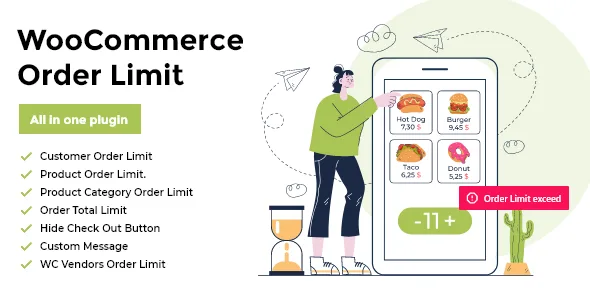
WooCommerce Order Limit
Description


There are times when you need more control over how much can be ordered from your online store. It has to be the right amount so the order is easy to fulfill. That’s where the WooCommerce Order Limit plugin comes in.
The WooCommerce limit order quantity plugin lets you create rules for minimum and maximum order limits. Create rules based on specific customers, products, and categories for both number of items ordered and the total order amount. The WooCommerce Order Limit Plugin gives you complete control over every order that’s placed on your store so you never have to worry about your production and shipping capacities.

Key Features of WooCommerce Order Limit Plugin
WooCommerce Order Limit Plugin is rich in features and easy to use. Let’s take a look at the plugin features and functionality.
Create Rules Based on Customers, Products, and Categories
WooCommerce Order Limit plugin includes 3 types of rules – Products, Categories, and Customers Rules. These various rules types – each with its own set of options and configurations – cater to a variety of use cases and give you fine control over the number of orders placed on your store.
Set Minimum and Maximum Limits
You get the option to set both minimum and maximum order limits making this plugin suitable for a range of use cases.
Limit Number of Items OR Total Order Amount
The limit quantity WooCommerce Plugin lets you do both – place a minimum or maximum limit on the number of items purchased OR the total order amount.
Time Spans of Order Limits
By letting you choose the time span of limits, the limit order WooCommerce plugin lets you enforce the limits for the time period you have chosen. So, if you choose Daily as your time span, the plugin ensures no order exceeds the daily limit set.
Display Messages when Limits Reached
You also get to customize the message displayed on the website when a certain limit is reached. A number of different message types are available on the store, which can be personalized with dynamic shortcodes.
Set Order Limits Across All Orders OR Current Order
WooCommerce Order Limit plugin gives you an option to set order limits across All Orders, the Current User OR All Users.
Exclude Certain Products from Limit Rules
With exclusion rules, you can exclude certain products from all limits set. Using a list of exclusions is preferable when limits are placed on majority of products. In that case, the ones that don’t need to be limited can be excluded.
Easy to Use Plugin
A simple UI with self-explanatory tooltips and complete documentation make the WooCommerce Order Limit plugin extremely easy to use and configure.
Compatible with WC Vendors and WC Vendors Pro
The plugin is fully compatible with WC Vendors and WC Vendors Pro.
Use Cases of WooCommerce Order Limit Plugin
The plugin is useful in the following cases:
- Online dairy shop with limited production in a day – in this case, a maximum limit needs to be placed to ensure that the number of orders don’t exceed production
- Online bakery with a limited stock
- Online wholesale stores where minimum and maximum amounts need to be specified
- Stores offering promotional discounts – in this case, a maximum limit may be needed to ensure a single customer doesn’t buy all the products.
Creating Rules of Order Limits
WooCommerce Order Limit plugin offers 3 rule types:
Product Rules
- Choose a single product or a bunch of products to apply the rule to.
- Select a minimum and maximum limit
- Choose what to apply the rule to: Order total or number of items
- Gives you the option to apply the limit on selected products accumulatively or individually
- A disable option lets you disable the rule without deleting it.
- Choose what to apply the rule on: across all orders, for a single user, or all users.
- By enabling Time Span, you can choose when the limit expires – daily, weekly or monthly – and also choose when exactly the time period is considered complete
- Create product-based rules for individual users as well.
Category Rules
- Choose a single category or a bunch of categories to apply the rule to.
- Select a minimum and maximum limit
- Choose what to apply the rule to: Order total or number of items
- Gives you the option to apply the limit on selected categories accumulatively or individually
- A disable option lets you disable the rule without deleting it.
- Choose what to apply the rule on: across all orders, for a single user, or all users.
- Enable time span and choose when the limit expires – daily, weekly or monthly – and also configure when exactly the time period is considered complete (every Monday for weekly time span for example)
- Create category based rules for specific users as well.
Setting Store Limits
- Enable store closure to display a closure message and prevent anyone from placing an order
- Set maximum limits on the total order amount and/or the number of items ordered
- Enable time span to set limits that last the time span you define
Setting Cart Limits
- Set minimum and maximum limits on the cart totals
- Choose what to apply the limits on – number of items ordered or total order amount
- Enable single category limits to prevent someone from ordering too many items of a single category
Creating Exclusion Lists
- Create exclusion rules by choosing what products to exclude from the rules defined in the Rules tab
- Create different rules for certain products in the exclusion list so that the general rule is not applied to those products
Advance Settings for Limiting Order Quantity in WooCommerce
- Customize messages displayed for different types of order limits
- Use dynamic shortcodes to display personalized messages
- Hide checkout button when limits reach so that customers are not able to proceed
Additional Feature
Ready to go Designed to run without any coding. Upload, activate and Place Order Limit, that’s all.
No extra requirements Works with minimum requirements that supported by almost every hosting provider.
User Experience Designed for fluent usage with continuous form design with best UX.
Responsive UI Access your dashboard from any device like mobile, tablet or desktop to Place Limit on Order.
Compatible with themes WooCommerce and WC Vendors Order Limit is compatible with every feature that defined by your WordPress themes.
Compatible with plugins WooCommerce and WC Vendors Order Limit is compatible with every feature that defined by your WordPress plugins.
Basic to Advance Designed to fit every purpose of usage, from basic to advance.
Video Tutorials YouTube playlist that covers all Woo Commerce and WC Vendors Order Limit options and features for comfy usage. You can check our tutorials on YouTube using this link WooCommerce and WC Vendors Order Limit Tutorials
User guides Well documented user guide that covers all options and features for comfy usage.




Change Logs
5.1.4 – 09 Feb 2023
-Fix: Payment rule limit issue
-Fix: correct spelling for some words in the plugin
5.1.3 – 29 Nov 2022
-Add: Notice if WooCommerce is not installed
5.1.2 – 10 Nov 2022
-Add: Payment gateway limit feature
5.1.1 – 18 Oct 2022
-Add: add a filter for change date_format filter hook(xswcol_date_format)
5.1.0 – 17 Oct 2022
-Optimize: Queries related to Products, Categories, Users, and Vendors
5.0.8 – 14 Oct 2022
-Fix: checkout button hide issue on customer rule
-Fix: checkout page redirect issue
-Fix: Time span issue on customer rule
5.0.7 – 01 Oct 2022
-Fix: Issues related to cart
5.0.6 – 26 Sept 2022
-Fix: Weekly Time based limit for all rule types
5.0.5 – 20 Sept 2022
-Add: Single variation support for woocommerce
-Fix: Bug while saving single product and category page rule.
5.0.4 – 15 Sept 2022
-Fix: Disable Rule Type issue
-Add: Loader while saving the advanced settings
-Add: Save advanced settings notification scroll
5.0.3 – 06 Sep 2022
-Fix: Redirection issue of the checkout page
-Add: support for the WooCommerce membership plugin
5.0.1 – 28 July,2022
- Fix: Rules import issue for new update
5.0.0 – 14 July,2022
- Major Update
- Update: UI for creating rules
- Add: Store Limit
- Add: a Single variation limit
- Fix: issues related to the time span
4.1.8 – 27 Jan, 2022
- Fix: Variation limit when discount apply
4.1.7 – 19 Jan, 2022
- Fix: Variation limit issue
4.1.6 – 05 Jan, 2022
- Add: Support For PHP 8
4.1.5 – 09 Dec, 2021
-Fix: Checkout page error WC_CART
-Fix: undefine variable
-Fix: License page issue
4.1.4 – 09 Dec, 2021
-Fix: Time span issue
4.0.0 – 19 Aug, 2020
 - New: Add new Feature limit across all orders product for all users
 - Updated: jQuery live function is deprecated. Live function replaced on function
 - Add Support : wordpress 5.5
 - Fix:advance tab messages issue fixed.
 - Fix:Customer rule problem fix;
 - Fix:Save rules if click on other rule tabs.
3.1.3 – 07 April, 2020
- NEW : Add option to select all products,categories.
- Update : update the version select2.
- New : Add notification after save data.
- Optimize : reduce the number of requests.
- Fix: Old version of woocommerce undefined get_name method.
- Fix: Support lastest version of wordpress 5.1.2
3.0.0 – 31 Aug, 2019
- feature - added All Products option with select2 for selecting all products at once
- feature - added All Categories option with select2 for selecting all categories at once
- feature - added All Users option with select2 for selecting all Users at once
- updated - select2 javascript library to support latest wordpress and woocommerce
- fix - issue related single product design from back-end
2.1.2 – 19 Feb, 2019
- Fix - WCOL_Admin not defined warning
- Fix - custom time span for Customer Rules
2.1.0 – 29 May, 2018
 - New:    Across All orders Limit.
 - New:    Daily Time Span for Products and Categories rules.
 - New:    Weekly Time Span for Products and Categories rules.
 - New:    Monthly Time Span for Products and Categories rules.
 - New:    Yearly Time Span for Products and Categories rules.
 - New:    Yearly Time Span Limit for Customer Rules.
 - New:    Across All orders Custom Message of Product Limit Rules.
 - New:    Across All orders Custom Message of Product Category Limit Rules.
 - New:    Accumulative Categories Custom Message.
 - New:    Accumulative Products Custom Message.
 - New:    Include New Tags for dynamic values.
- Fix:    Warning Message when save rules.
- Fix:  Accumulative product rules are not applying for min 0 quantity
2.0.2 – 12 April, 2018
 - Fix: User rules not saving issue for categories
 - Fix: Conflict with admin menu hover
 - Fix: Maximum quantity are not applying if minimum quantity is 0
2.0.1 – 29 March, 2018
-Fix: Rules not saving issue for customers
2.0.0 – 19 March, 2018
- New:    Limit No. of times customer can order in a selected time span.
- New:    Limit total amount a customer can order in a selected time span.
- New:    Time span can be either daily, weekly, monthly or custom time span.
- New:    Customer Limits based on guest users, registered users or users belong to a specific role.
- New:    Guest users limit are based on user's ip.
- New:    Customizable notification message for user based rules.
- New:    Change reset day for weekly limits.
- New:    Change reset day for monthly limits.
- Fix:    Bug related to variable products of vendor based rules (vendor based rules for variable not working).
- Fix:    Removed issues in time based rules (if a rule has start and end time set then start and end time was not working properly).
1.0 – 12 Oct, 2017
- Fix: issues related to accumulative rules
- Fix: default message issue if max limit is not set
- Fix: restrict users on cart page unless they don't fulfil cart limits.
- Fix: issues when you disable product category from advanced tab
- Fix: issues related max value disable
- Fix: Issues related custom messages when max limit are not apply
- Fix: minimum value set to 0 if leave blank while saving rules
Categories
Tags
External listing. code.market does not sell this product and does not process payment for it. Pricing, payment, delivery, licensing, refunds, and support are handled by the third-party merchant on its own website. We may earn an affiliate commission from a referral. Details.
Products of the Week.
Submit🥇

STOP GUESSING WHAT TO POST
AI that learns your brand voice and builds a month of consistent, on-brand social content: carousels, posts and hooks that sound like you, not like everyone else's AI.
SaaS · 4,291 views · 38 clicksSaaS · Week 45 · 4,291 views · 38 clicks
🥈

Conversational Backlinks for Busy Founders
Place Backlink Relevant Conversation for your domain across Forums and Conversations
Website · 42,004 views · 223 clicksWebsite · Week 45 · 42,004 views · 223 clicks
🥉

upvote.club
Free Social Media Engagement that Helps Boost Your Content. Upvote Club supports 19 social networks with 100+ engagement actions in one dashboard. Add links to your posts and get free engagement from real users.
SaaS · 40,046 views · 117 clicksSaaS · Week 45 · 40,046 views · 117 clicks
#4

Substack Posting API
Onboard your Agent to Substack. Write Publish on Substack via API
SaaS · 59,055 views · 198 clicksSaaS · Week 45 · 59,055 views · 198 clicks
#5

Seenshot App
Free, Fast, MacOS Screenshot app. Make Screenshot cmd+shift+2 and send it via link
Desktop App · 28,432 views · 122 clicksDesktop App · Week 45 · 28,432 views · 122 clicks
#6

Hand-Placed Backlinks $9.99 per link. Flat rate.
Buy hand-placed forum, Q-A and directory backlinks. Flat $9.99 per link, no subscriptions — you only pay for approved listings.
Website · 4,265 views · 19 clicksWebsite · Week 45 · 4,265 views · 19 clicks
#7

Free Invoice Generator - PDF Invoices in Your Browser, No Sign-Up
A free invoice maker for freelancers and small businesses: fill in the invoice, check the live preview, and download a PDF that looks exactly like it. Any currency, tax per item, three templates, no sign-up, and nothing leaves your device.
2,940 views · 17 clicksWeek 45 · 2,940 views · 17 clicks
#8

Merge PDF Files Free - Combine PDFs in Your Browser, No Upload
A free PDF merger for office workers, students, and freelancers: combine PDFs and images into one file in the browser, reorder files and pages, pick page ranges, keep bookmarks, and open password-protected PDFs. Nothing is uploaded, no sign-up, no watermark.
2,717 views · 13 clicksWeek 45 · 2,717 views · 13 clicks