
WooCommerce Order Confirmation Management
Description
WooCommerce Order Confirmation Management
Managing orders in a busy WooCommerce store can be challenging, especially when you have to confirm orders manually. The “WooCommerce Order Confirmation Management” plugin is designed to simplify this process by allowing store owners to efficiently manage order confirmations and delegate tasks to employees without overlap.
Why Use This Plugin?
If you’re managing a WooCommerce store and relying on manual order confirmations, this plugin is the perfect solution for you. Particularly useful for stores that operate on a Cash on Delivery basis, where order confirmation is critical. Here’s a scenario where this plugin can make a significant difference:
Imagine running a WooCommerce store, where you handle many orders daily. Currently, you’re manually calling each client to confirm their order, which is both time-consuming and prone to errors. With the “WooCommerce Order Confirmation Management” plugin, you can split these orders among your employees efficiently. This ensures that each employee handles their assigned calls without any overlap, preventing multiple calls to the same client and streamlining your order management process.
This plugin is essential for store owners who want to delegate order confirmation tasks effectively while maintaining control over the process. By assigning specific roles and users to manage orders, you can ensure that your team works efficiently and that your clients receive a seamless experience.
Key Features of This Plugin
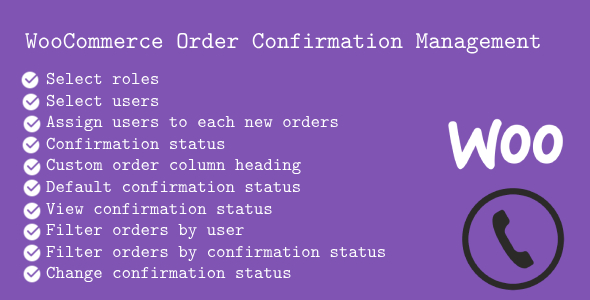
- Enable Plugin: Activate the plugin with a simple checkbox.
- Select Roles: Assign specific user roles the ability to confirm orders.
- Select Users: Choose specific users from the selected roles to manage orders.
- Show “Assigned to” Column: Display the assigned user directly in the WooCommerce order table.
- Show “Confirmation Status” Column: Easily view the confirmation status (“Pending” or “Done”) in the order table.
- Customizable “Assigned to” Column Label: Personalize the label text for the “Assigned to” column in the order table.
- Customizable “Confirmation Status” Column Label: Tailor the label text for the “Confirmation Status” column.
- Custom Order Column Heading: Define the heading text for the order confirmation status column.
- Default Confirmation Status: Set a default status for orders, such as “Pending” or “Done.”
Enhanced Order Management Experience
The “WooCommerce Order Confirmation Management” plugin enhances your order management experience by providing the following features:
- View Confirmation Status: The order list table will clearly display the confirmation status for each order, indicating whether the order is “Pending” or “Done.”
- Filter Orders by User: Easily filter orders in the list based on the user assigned to each order, allowing for more efficient management.
- Filter Orders by Confirmation Status: Filter orders by their confirmation status to manage pending and completed orders with ease.
- Change Confirmation Status: Edit an order directly from the order details page to update its confirmation status, streamlining the order management process.
- Confirmation report: Easily manage customer confirmation report with filter functionality
- Export report: Easily export to pdf with filter functionality
Documents
For comprehensive documentation, please refer to the “Documents” folder within the plugin itself. It contains detailed instructions and information on how to use all the features of the plugin.
Support
For any inquiries or technical support, please contact us at wpthemestoreuk24@gmail.com. We’re here to help you make the most out of our plugin.
Change Log
(27 October 2024)
Version 1.0.3
-  Fixed order object issues in WooCommerce Latest version
(1st Sept 2024)
Version 1.0.2
-  Export reports to pdf
(31st August 2024)
Version 1.0.1
- Added customer report
(26th August 2024)
Version 1.0.0
- Initial public release
| Author | Plugify_Lab |
|---|---|
| Price | $29 |
| Sales | 1 |
| Rating | 0 (0) |
| Published | Aug 26, 2024 |
| Last Update | Oct 26, 2024 |
| Compatible Browsers | IE8, IE9, IE10, IE11, Firefox, Safari, Opera, Chrome, Edge, IE8, IE9, IE10, IE11, Firefox, Safari, Opera, Chrome |
| Compatible Software | WordPress 6.5.x, WordPress 6.4.x, WordPress 6.3.x, WordPress 6.2.x, WordPress 6.1.x, WordPress 6.0.x, WordPress 5.9.x, WordPress 5.8.x, WordPress 5.7.x, WordPress 5.6.x, WordPress 5.5.x, WordPress 5.4.x, WordPress 5.3.x, WordPress 5.2.x, WordPress 5.1.x, WordPress 5.0.x |
| Demo Url | https://www.wpthemestore.co.uk |
| High Resolution | Yes |
| Source Files Included | JavaScript JS, HTML, CSS, PHP, JavaScript JS, HTML, CSS |
Categories
Tags
External listing. code.market does not sell this product and does not process payment for it. Pricing, payment, delivery, licensing, refunds, and support are handled by the third-party merchant on its own website. We may earn an affiliate commission from a referral. Details.
Products of the Week.
Submit🥇

STOP GUESSING WHAT TO POST
AI that learns your brand voice and builds a month of consistent, on-brand social content: carousels, posts and hooks that sound like you, not like everyone else's AI.
SaaS · 7,398 views · 67 clicksSaaS · Week 46 · 7,398 views · 67 clicks
🥈

Conversational Backlinks for Busy Founders
Place Backlink Relevant Conversation for your domain across Forums and Conversations
Website · 46,699 views · 232 clicksWebsite · Week 46 · 46,699 views · 232 clicks
🥉

upvote.club
Free Social Media Engagement that Helps Boost Your Content. Upvote Club supports 19 social networks with 100+ engagement actions in one dashboard. Add links to your posts and get free engagement from real users.
SaaS · 44,634 views · 127 clicksSaaS · Week 46 · 44,634 views · 127 clicks
#4

Substack Posting API
Onboard your Agent to Substack. Write Publish on Substack via API
SaaS · 63,519 views · 206 clicksSaaS · Week 46 · 63,519 views · 206 clicks
#5

Seenshot App
Free, Fast, MacOS Screenshot app. Make Screenshot cmd+shift+2 and send it via link
Desktop App · 32,769 views · 127 clicksDesktop App · Week 46 · 32,769 views · 127 clicks
#6

Hand-Placed Backlinks $9.99 per link. Flat rate.
Buy hand-placed forum, Q-A and directory backlinks. Flat $9.99 per link, no subscriptions — you only pay for approved listings.
Website · 8,385 views · 19 clicksWebsite · Week 46 · 8,385 views · 19 clicks
#7

Free Invoice Generator - PDF Invoices in Your Browser, No Sign-Up
A free invoice maker for freelancers and small businesses: fill in the invoice, check the live preview, and download a PDF that looks exactly like it. Any currency, tax per item, three templates, no sign-up, and nothing leaves your device.
7,014 views · 29 clicksWeek 46 · 7,014 views · 29 clicks
#8

Merge PDF Files Free - Combine PDFs in Your Browser, No Upload
A free PDF merger for office workers, students, and freelancers: combine PDFs and images into one file in the browser, reorder files and pages, pick page ranges, keep bookmarks, and open password-protected PDFs. Nothing is uploaded, no sign-up, no watermark.
6,488 views · 18 clicksWeek 46 · 6,488 views · 18 clicks