
WooCommerce One Click Checkout – Buy Now Button for Fast Purchases

Description
WooCommerce One Click Buy, Checkout lets you enable an easy one click buy & checkout option for both Register and Guest users. With the two modes plugin, you can enable either Checkout Page redirect or enable Popup form for quick order. A plugin can display one click button for your Shop, Category pages & Single product page for customers and let them buy one step.



Features of WooCommerce One Click Buy, Checkout.
- WooCommerce One Click Buy, Checkout have two modes
- From Mode Purchase
- Checkout Page redirection
- Quick Order tracking
- Quick response from shop owner once order receive
- Less option for cart abandoned
- No complex checkout process
- One Click checkout buttons for Shop, Category, and product pages
- Full Control to display buttons on shop, category, and product pages
- Setting option to customize plugin layouts
- Notification for customers via form mode for their purchase
- Lovely email template for Order receiving
- Notification for Shop Owner on order receiving
- Fully responsive Order popup form
- Option to create WooCommerce order once quick order made
- Several modes of operation
- The plugin can make the purchasing process easier and faster, reducing the percentage of abandoned carts and pending orders
- The plugin can improve the user experience during the checkout process
Do you want to add videos to your Products & Shop Pages ?
Check out our Video Plugin WooCommerce Product Video Plugin.
How it works with two modes ?
1) One Click buy with Checkout Page redirection.
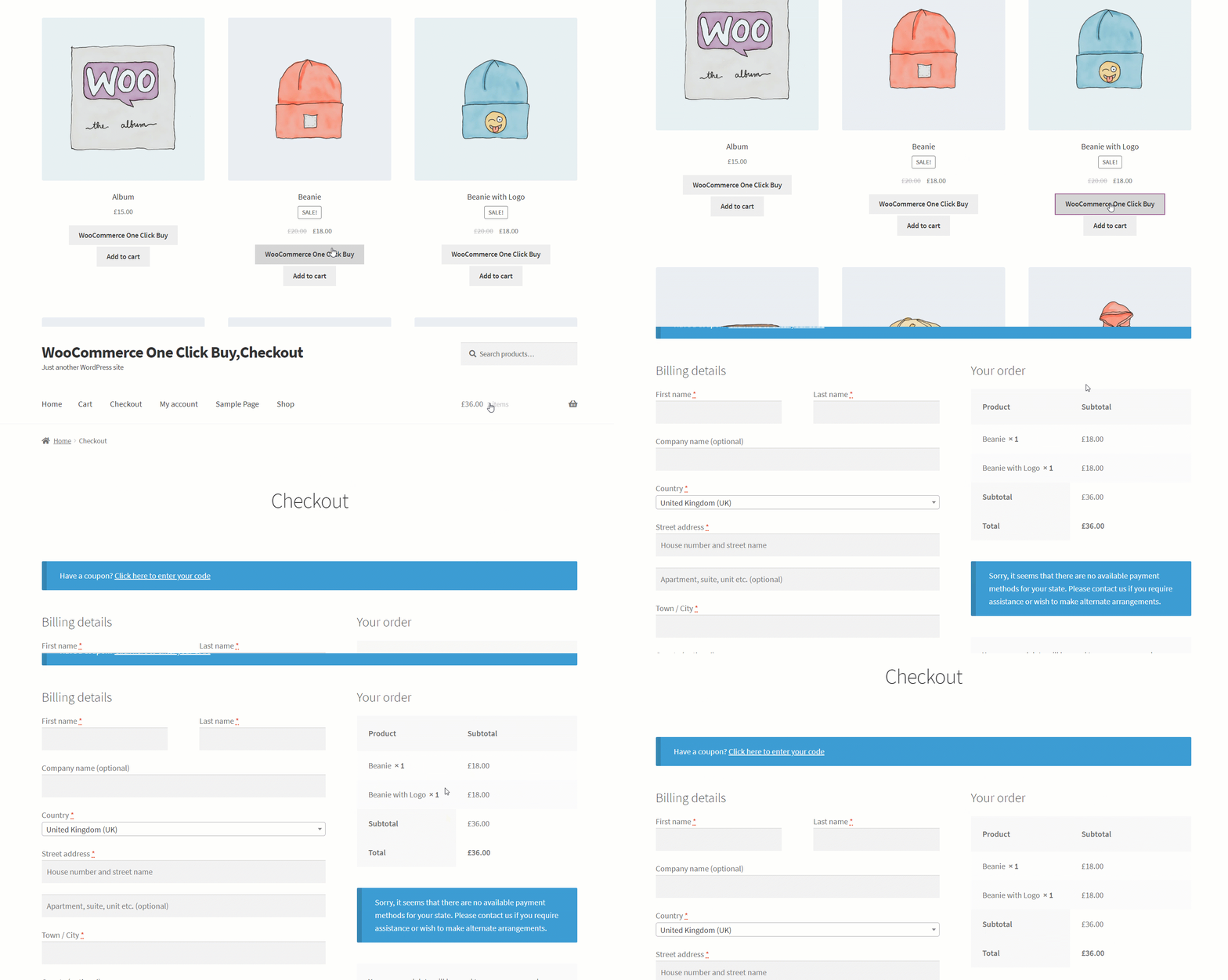
With WooCommerce One Click Buy, Checkout Redirection Mode, you have buttons on Shop, Category & Single Product pages. Once the user can click Product added in the cart and you will be redirected to the checkout page with a complicated process.
2) One Click buy with Popup Form.
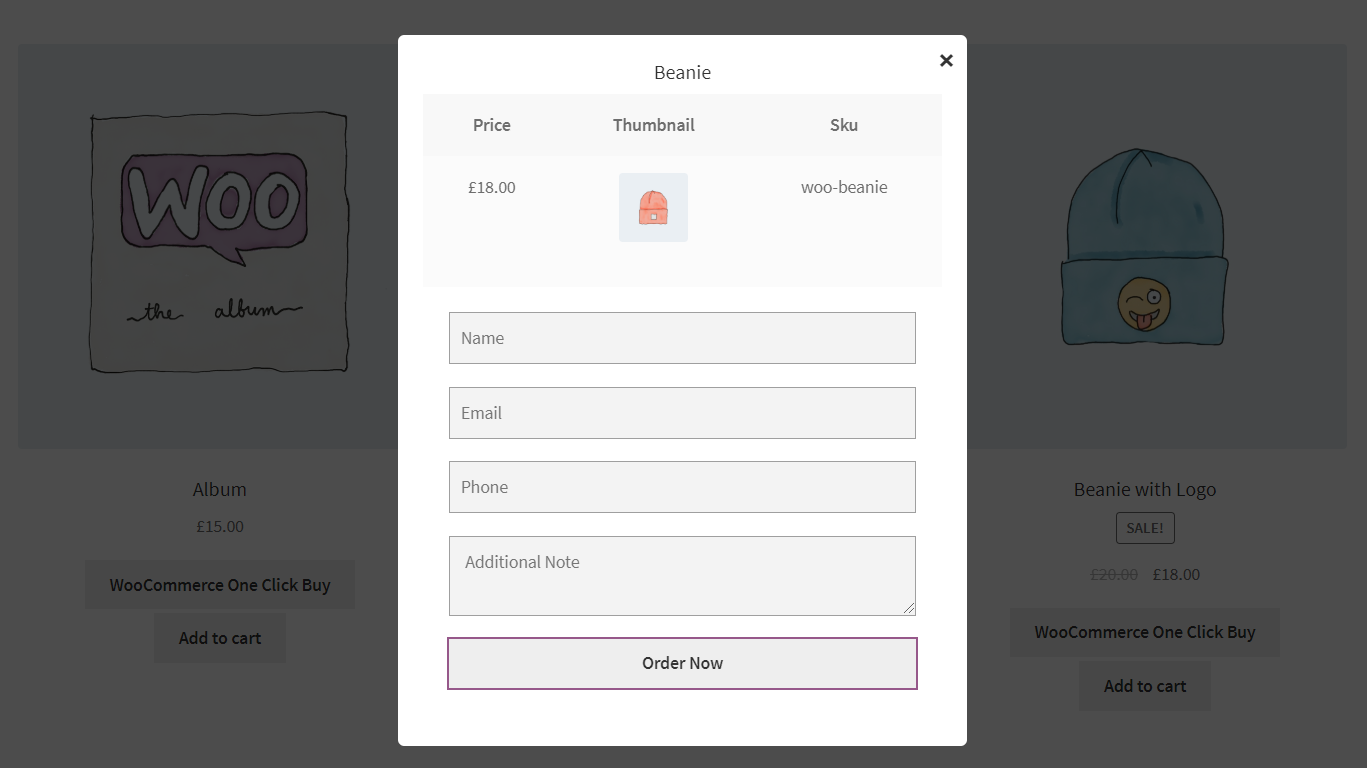
With WooCommerce One Click Buy, Checkout second mode can show Popup form to fill your quick details and buy. With this One Click order and WooCommerce order also created, email notifications can send to both admin and customer—popup form display product information on it.
One Click Order or WooCommerce Order.
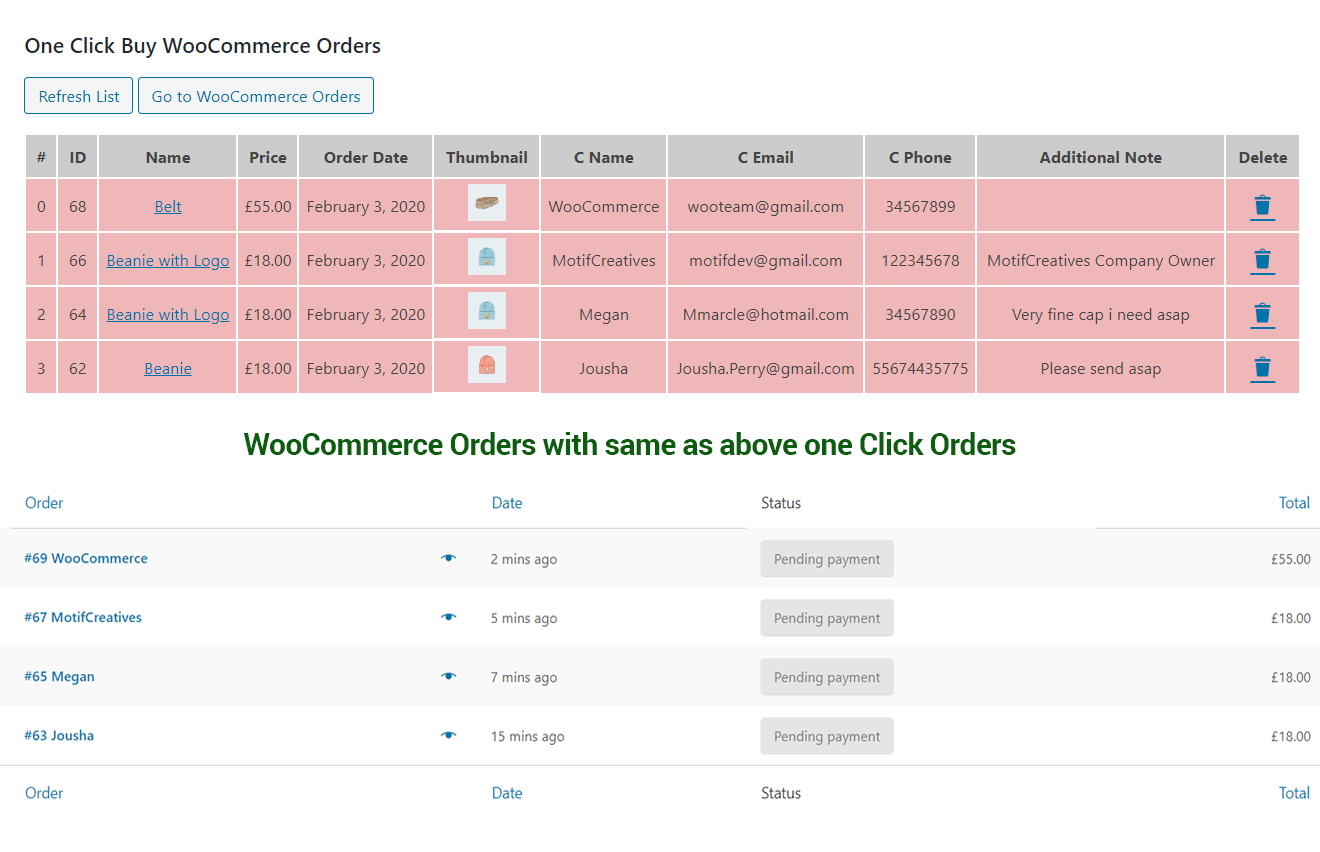
On the setting page, you have an option with One Click Form Popup to just let your customers only add One Click order entry, or you also want to add WooCommerce Order for their entrance.
Notification on Order Submission.
We build lovely email templates to send the notification for both admin and customer who submit their order via an order form.
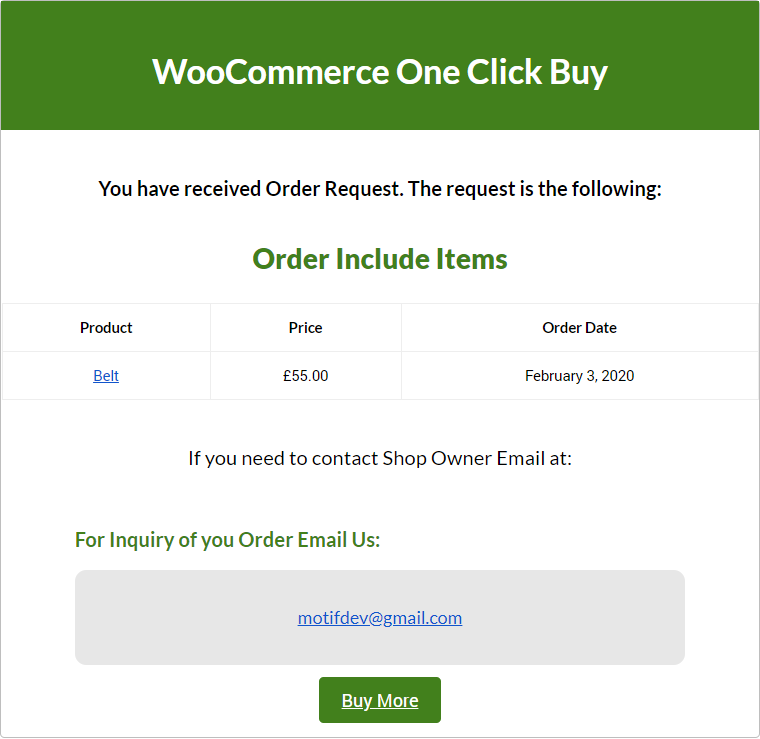
WooCommerce One Click Buy, Checkout Setting Options
One Click Buy Button Setting Options- Enable, Disable plugin functionality
- Turning two modes (Redirect or Popup)
- Allow plugin to display button on shop page
- Enable buttons on category pages
- Enable plugin to work on Single Product page option
- A field for changing button text
- Set button position to display
- Display product title on popup
- Enable, Disable form fields
- Display product information on form
- Placeholder field for Name field
- Placeholder field for Email field
- Placeholder field for Phone field
- Form button order now text field
- Enable email notification for customer
- Enable email notification for Admin
- Create WooCommerce order with One Click Buy
Pre-Translated Languages
Change log:
Version 2.0.7
Compatibility checks & fixes with the latest woo and wp
Version 2.0.6
Compatibility checks & fixes with the latest woo and wp
Sticky button added for the product page with a setting to enable or disable it.
Version 2.0.5
Compatibility checks & fixes with the latest woo and wp
Version 2.0.4
Compatibility checks & fixes with the latest woo and wp
Version 2.0.3
Compatibility checks & fixes with the latest woo and wp
Version 2.0.2
Compatibility checks & fixes with the latest woo and wp
High-Performance Order Storage Compatibility
Version 2.0.1
Compatibility check with Woo & WP
Version update
Version 1.0.9
Compatibility check with Woo & WP
Popup responsiveness CSS and js fixes
Version update
Version 1.0.8
Compatibility check with Woo & WP
Version update
Version 1.0.7
Succes message alignment setting
Compatibility check
Version 1.0.6
Popup issues fixes
Version 1.0.5
WooCommerce WordPress Compatibility check
Version 1.0.4
Layout setting
Email settings
Popup Responsiveness setting fixes
Js fixes
Version 1.0.3
Css fixes added
Js fixes added
Version 1.0.2
Listing order fixes on backend
Compatibility check
Popup issues fixes
Version 1.0.1
WooCommerce & WordPress Compatibility check
Version 1.0.0
Initial release
| Type | WooCommerce Plugin |
|---|---|
| Author | MotifCreatives |
| Category | Wordpress / Ecommerce / Woocommerce |
| Price | $25 |
| Sales | 114 |
| Rating | 5.00 from 8 ratings |
| Published | Feb 4, 2020 |
| Last Update | Aug 21, 2026 |
| Compatible Browsers | Firefox, Safari, Opera, Chrome, Edge |
| Compatible Software | WordPress 7.0.x, WordPress 6.9.x, WordPress 6.8.x, WordPress 6.7.x, WordPress 6.6.x, WordPress 6.5.x, WordPress 6.4.x, WordPress 6.3.x, WordPress 6.2.x, WordPress 6.1.x, WordPress 6.0.x, WordPress 5.9.x, WordPress 5.8.x, WordPress 5.7.x, WordPress 5.6.x, WordPress 5.5.x, WordPress 5.4.x, WordPress 5.3.x, WordPress 5.2.x, WordPress 5.1.x, WordPress 5.0.x, WordPress 4.9.x |
| Compatible With | WooCommerce 10.x.x, WooCommerce 9.x.x, WooCommerce 8.x.x, WooCommerce 7.x.x, WooCommerce 6.x.x |
| Gutenberg Optimized | Yes |
| Source Files Included | JavaScript JS, JavaScript JSON, HTML, CSS, PHP, SQL, Layered PSD, Layered PNG |
Categories
Tags
External listing. code.market does not sell this product and does not process payment for it. Pricing, payment, delivery, licensing, refunds, and support are handled by the third-party merchant on its own website. We may earn an affiliate commission from a referral. Details.
Products of the Week.
Submit🥇

Perceptle
Perceptle is a daily browser-based game that challenges you to test your sensory intuition through five quick estimation and rhythm-based rounds.
Other · 1,489 views · 9 clicksOther · Week 47 · 1,489 views · 9 clicks
🥈

Free LinkedIn Likes From Real
Get free LinkedIn likes on your posts from real members who react by hand. No
SaaS · 1,632 views · 10 clicksSaaS · Week 47 · 1,632 views · 10 clicks
🥉

STOP GUESSING WHAT TO POST
AI that learns your brand voice and builds a month of consistent, on-brand social content: carousels, posts and hooks that sound like you, not like everyone else's AI.
SaaS · 9,176 views · 75 clicksSaaS · Week 47 · 9,176 views · 75 clicks
#4

aaas.market
407 reliable micro tools for solo founders, marketers and creators. They work in your browser
SaaS · 1,597 views · 5 clicksSaaS · Week 47 · 1,597 views · 5 clicks