
Woocommerce Gift Registry

Description




Let customers purchase gifts for their beloved ones on their special day
Why gift registry is a good idea for your store?
Gift registry allows customers to create their wishlist, thus their friends and family can fulfill it for them. It is a great service that you can use to promote your store and to grow the store revenue.
With WooCommerce Gift Registry from Magenest, customers can add the items on your store to their registry, then share the registry to their friends via social network. Friends and family who are able to view the registry, can easily purchase the item and leave a message along for the registrant. In this way, gift registry does not only help customers to get what they want for the special day, but also increase your sales.
How gift registry functions?
For Admin
- Set up to send notification emails for new orders (to whether registry’s owner, registrant, or admin)
- Set the shipping address as mandatory
- Set the social sharing for gift registry
- Manage/Edit gift registry information
For Registry’s Owner
- Create/edit gift registry
- Add co-registrant information (name and contact)
- Add products on the store to his/her registry
- Set gift registry’s privacy (public or private)
- Set priority for items in gift registry item list
- Set quantity display
- Manage gift registry on My account page
- Share gift registry URL, share on social network (Facebook, Twitter, Google Plus, email)
- Get notification emails for new orders
For Registry’s friends/ Visitors
- Search gift registry
- Purchase gift for registrants
- Get notification emails for new orders
Key Features

Multiple languages supported
Thanks to the contribution of our beloved customers, the plugin is now available with multiple languages – Spanish, Italian, Brazilian Portuguese and Hebrew.
Besides, you can easily translate the plugin to any languages with Loco Translate. Contact our support team at support@magenest.com for assistance.
ChangeLog
Woocommerce Gift Registry - Changelog

======================================
### version 2.7.1 - Updated: September 15, 2020
- Fix some bugs

### version 2.7 - Updated: August 27, 2020
- Fix some bugs
- Wordpress 5.5 compatibility
- Woocommerce 4.4.x compatibility
- New features:
+ Send notification to registry owner when a new registry created
+ Send notification to registry owner when a registry's item is purchased or refunded
+ Add registry info to back end order management grid
+ Bugs fixing

### version 2.6 - Updated: February 15 , 2019
- Fix some bugs
- UI improvement
- Compatible with WP 5.0.x , WooCommercer 3.5.x
- New feature:
+ Prevent add product from multiple GR
+ add gr infor in cart item
+ delete message field in GR page . Instead add message field in checkout page
+ filter product in GR page
+ add 'add to gift registry' button in category page

### version 2.5 - Updated: October 19, 2018
- Fix some bug
- UI improvement
- Compatible with wp and woo last version
- Add feature:
+ Change the My giftregistry tab into 3 tabs: Information, Items, Share
+ Add shipping address in tab Information
+ Add button add image in GR setting
+ Restyle GR Page and My giftregistry tab
+ Add share feature in GR Page
+ Button add to giftregistry: set prioriy via icon, remark the product which was added
+ Add quantity display in My giftregistry tab: drop-down list, text field
+ Add statistic overview in My giftregistry tab
+ Add button add media to set the background of search form in GR edit page

### Version 2.4 - Updated: December 3, 2017
- Add feature: enable allow guest see link "add gift registry", "create giftregistry"

### Version 2.3 - Updated:
Add feature:
- Select product options before add gift registry
- Fix some bug

### Version 2.2 - Updated: July 10, 2017
Add feature:
- The gift buyer can send the gift message to owner.
- Set priority for each product in the gift registry list: high, medium and low.
- Make the gift registry private.
- Select product options before add gift registry

### Version 2.1 - Updated: January 10, 2017
- Compatible with wp and woo last version

### Version 1.5 - Updated: December 5, 2016
- Fix bug related quantity

### Version 1.4 - Updated: November 1, 2016
- Reduce quantity of desired quanity in public view of gift registry
- Fix the XSS vulnerability when using add_query_arg
- Improve search function

### Version 1.3 - Updated: August 26, 2016
- Add translation for Italia languages

### Verion 1.2 - Updated: May 26, 2016
- Add ability to search gift registry and fix the bug relate to gift registry page url

### Version 1.1 - Updated: March 26, 2016
- Subtract public view quatity if there is people buy item
- Scroll to email form if click share via email
- UI improvement

### Version 1.0 - Updated: January 22, 2015
First release
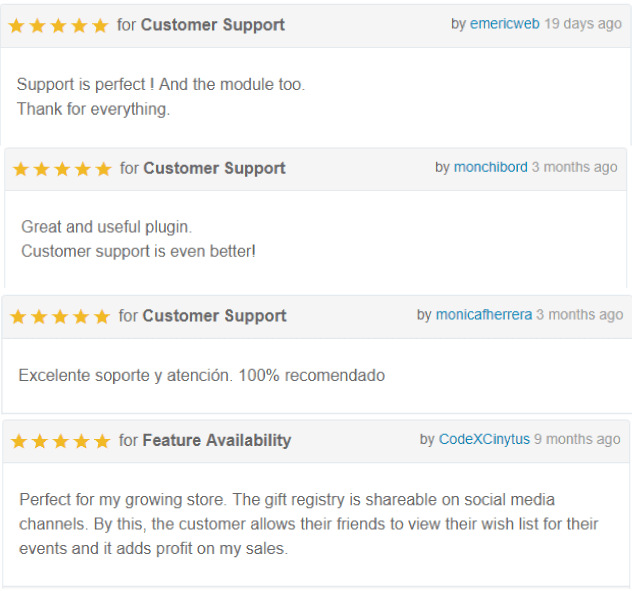
Reviews from our customers
Support
If you have any query that is out of the provided documentation, please do not hesitate to contact Magenest Support Team via email support@magenest.com
Our support team is always ready to answer all of your questions.
| Type | WooCommerce Plugin |
|---|---|
| Author | Magenest |
| Category | Wordpress / Ecommerce / Woocommerce |
| Price | $1,005 |
| Sales | 965 |
| Rating | 4.17 from 86 ratings |
| Published | Dec 12, 2014 |
| Last Update | Sep 16, 2020 |
| Compatible Browsers | IE11, Firefox, Safari, Opera, Chrome |
| Compatible Software | WordPress 4.9.x, WordPress 4.8.x, WordPress 4.7.x |
| Compatible With | WooCommerce 3.5.x, WooCommerce 3.4.x, WooCommerce 3.3.x, WooCommerce 3.2.x, WooCommerce 3.0.x |
| Gutenberg Optimized | No |
| Source Files Included | JavaScript JS, HTML, CSS, PHP |
External listing. code.market does not sell this product and does not process payment for it. Pricing, payment, delivery, licensing, refunds, and support are handled by the third-party merchant on its own website. We may earn an affiliate commission from a referral. Details.
Products of the Week.
Submit🥇

STOP GUESSING WHAT TO POST
AI that learns your brand voice and builds a month of consistent, on-brand social content: carousels, posts and hooks that sound like you, not like everyone else's AI.
SaaS · 4,286 views · 38 clicksSaaS · Week 45 · 4,286 views · 38 clicks
🥈

Conversational Backlinks for Busy Founders
Place Backlink Relevant Conversation for your domain across Forums and Conversations
Website · 41,997 views · 223 clicksWebsite · Week 45 · 41,997 views · 223 clicks
🥉

upvote.club
Free Social Media Engagement that Helps Boost Your Content. Upvote Club supports 19 social networks with 100+ engagement actions in one dashboard. Add links to your posts and get free engagement from real users.
SaaS · 40,038 views · 117 clicksSaaS · Week 45 · 40,038 views · 117 clicks
#4

Substack Posting API
Onboard your Agent to Substack. Write Publish on Substack via API
SaaS · 59,048 views · 198 clicksSaaS · Week 45 · 59,048 views · 198 clicks
#5

Seenshot App
Free, Fast, MacOS Screenshot app. Make Screenshot cmd+shift+2 and send it via link
Desktop App · 28,422 views · 122 clicksDesktop App · Week 45 · 28,422 views · 122 clicks
#6

Hand-Placed Backlinks $9.99 per link. Flat rate.
Buy hand-placed forum, Q-A and directory backlinks. Flat $9.99 per link, no subscriptions — you only pay for approved listings.
Website · 4,257 views · 19 clicksWebsite · Week 45 · 4,257 views · 19 clicks
#7

Free Invoice Generator - PDF Invoices in Your Browser, No Sign-Up
A free invoice maker for freelancers and small businesses: fill in the invoice, check the live preview, and download a PDF that looks exactly like it. Any currency, tax per item, three templates, no sign-up, and nothing leaves your device.
2,934 views · 17 clicksWeek 45 · 2,934 views · 17 clicks
#8

Merge PDF Files Free - Combine PDFs in Your Browser, No Upload
A free PDF merger for office workers, students, and freelancers: combine PDFs and images into one file in the browser, reorder files and pages, pick page ranges, keep bookmarks, and open password-protected PDFs. Nothing is uploaded, no sign-up, no watermark.
2,710 views · 13 clicksWeek 45 · 2,710 views · 13 clicks