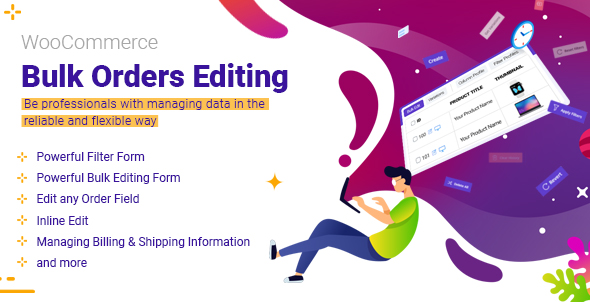
WooCommerce Bulk Orders Editing
Description





WordPress Bulk Orders Editing Plugin is a useful extension for managing and bulk edit WooCommerce orders in a robust and flexible way. With this plugin, you can professionally manage the data of your woocommerce e-shop made with Wordpress.
If your store has a large number of orders, it becomes difficult to edit and update as well as manage those orders individually.
This Bulk Edit plugin helps to do the bulk editing task easier with a lot of bulk editing options and support for any order related properties.
Why is WooCommerce Bulk Orders Editing plugin useful?
 Saving your time:
- Managing and editing a large number of orders easily
- Changing order status for several orders at same time
- Search and filter specific orders
- Bulk edit of values for billing and shipping fields One the important sections of each orders is the billing and shipping fields area. They allow your customers to set their billing and shipping details and help manager to control orders based on billing and shipping fields. For example, Billing First Name, Billing Last Name, Billing Phone, Billing Email, Shipping First Name, Shipping Last Name, Shipping Phone, Shipping Email and …
- Bind editing: With this option, you can set the same value of edited orders to all selected orders. This will help you edit several orders at once and will result in a faster editing and save a huge amount of your time!
- Delete multiple orders: You can also delete multiple orders simultaneously with just one click. You can delete any number of orders by order status, category of order item, order items, price fields, billing and shipping and etc… and basically any filter conditions.
- Duplicate orders: Some time you need to have a copy of one or group of orders, you have to add new orders and set fields as other order’s fields one by one, that is a boring task. With Duplicating Orders option, you can select desired orders and duplicate them, rather than duplicating each order one by one.
- Save search queries for later use: You can save the most used search queries for later use (or any search query you want). This way, you don’t have to choose the search options every time, and with just two clicks you can use your most used search queries to find the orders you need.
Easily scale-up online store:
- Adding or editing orders in a short time For example, if you have orders specific details, it is a difficult task to update all details of orders. This Bulk Edit plugin helps to do the bulk editing job easier with a lot of bulk editing options and support for any order related properties and fields.
- Import and export any orders according to your requirements
- Make a customized column from your orders
- Use a spreadsheet to control, manage and edit numerous orders at the same time:
- View all your order simultaneously
- Edit orders easily
- Create a lot of orders at once
- Copy information between orders quicker
- Actions coulumn: There is an important column in the woocommerce default order list as the Action column. WooCommerce Bulk Orders Editing supports this column too, for example, if you install a third-party plugin to generate a PDF invoice for each order, a new icon will be added to this column in order list to generate the invoice. WooCommerce bulk orders editing plugin add this icon in action column too and you can generate your invoice easily.
- And more…
Support all of fields
- Support all of order status
- Support all of billing and shipping fields
- Managing the price fields
- Support all of order’s fields
-
General Fields
- Customer Note
- Order Notes
- Status
- Modification Date
- Order Items
- Order Items No.
- Customer IP Address
- Customer User
- Customer User Agent
- Paid Date
- Completed Date
- Order Details
- Order Version
-
Other Fields
- Coupon Used
- Order Stock Reduce
- Recorded Sales
- Create Via
- Payment Method
- Payment Method Title
- Prices Include Tax
- Order Shipping
- Order Shipping Tax
-
Pricing Fields
- Order Total
- Order SubTotal
- Cart Discount
- Cart Discount Tax
- Order Currency
- Order Tax
-
Billing Fields
- All Billing
- Billing First Name
- Billing Last Name
- Billing Address 1
- Billing Address 2
- Billing City
- Billing Company
- Billing Country
- Billing Email
- Billing Phone
- Billing Address Index
- Billing Postcode
- Billing State
-
Shipping Fields
- All Shipping
- Shpping First Name
- Shipping Last Name
- Shipping Address 1
- Shipping Address 2
- Shipping City
- Shipping Company
- Shipping Country
- Shipping Address Index
- Shipping Postcode
- Shipping State
-
General Fields

Please check other videos in wordpress bulk orders editing channel
Key Features
- User friendly design
- Filtering by all order fields: title, category, taxonomy, …
- Advanced bulk editing form: Edit all WooCommerce order fields in specific operands:
- Append, prepend, replace for text fields :: title, sku and …
- Increase, Decrease for Pricing Fields :: regular and sale pricing
- Calculator for decimal values
- Use custom formula for pricing fields
- Date picker for date fields :: sale price date
- Multiple selection :: category, taxonomy, tag
- And …
- Show/Hide columns
- Column manager:
- Set Color and BG color for columns
- Set custom label for columns
- Create new order>
- Duplicate order
- Delete several orders with one click.
- Set Category and taxonomy for multiple product at once
- Inline Edit: Edit values in separate types: numeric, text, date, checkbox and …
- Save search form query
- Search orders by items
- Add custom fields / taxonomy as columns, search field and bulk edit field
- Import / Export
- Binded Editing : Edit several orders at once.
- History: Save all of change log beside of Undo / Redo :: you can revert your changes.
- Sticky Column: fix ID column
- Change billing information field by field
- Change shipping information field by field
- Change billing and shipping in quick mode
- Support all woocommerce orders fields
Other Plugins
There are some other plugins that are released by ithemelandco: Free Gifts For WooCommerce
Offering free gifts to customers of your online store using WooCommerce gift plugin
WooCommerce Report
Get the Most valuable reporting plugin you need to understand your data without drowning into it
WooCommerce Email Template Customizer
WooCommerce Email Template Customizer Plugin is a Drag-n-Drop email template plugin for customize WooCommerce Email
WooCommerce Bulk Product Editing
WooCommerce Bulk Product Editing helps to do the bulk editing task easier with a lot of bulk editing options and support for any product related properties.
WooCommerce Product Table
WooCommerce Product Table plugin is a useful extension for ecommerce and online store websites designed by Wordpress.
Wordpress Bulk Posts & Custom Posts Editing
WordPress Bulk Posts Editing is a professional WordPress plugin for managing and bulk editing WordPress posts, pages and custom post type’s data in a more robust and flexible way.
WooCommerce Bulk Coupons Editing
WooCommerce Bulk Coupons Editing plugin is a useful extension for managing and bulk edit WooCommerce coupons in a robust and flexible way.
News Ticker For Elementor
Display posts and custom posts as Marquee, slide and fade effect in 12 unique layouts.
Frequently Asked Questions
How to check this plugin before purchasing that?
There are two ways to check the wordpress bulk orders editing plugin before buying:Build Test-Drive(Amin Demo) and work with plugins in a real environment. For this, Please go to plugin page and then click the Live Preview button to enter the plugin demo page. In the top bar that appears, click Launch Admin Demo. A popup will appear asking you to enter your email and submit the form. The relevant link will be sent to your email now.
What are the required systems for WordPress Bulk Orders Editing Plugin?
PHP compatibility: from 7.x WordPress compatibility: from v5.x to the latest WordPress version.Where can I see video tutorials?
Please check WordPress Bulk Orders Editing Plugin youtube channelWhere can I get the premium version of this plugin?
Please check WordPress Bulk Orders Editing PluginI need more information about this plugin
Please check the knowledge baseHow I can translate WordPress Bulk Orders Editing to other languages?
You can use this plugin in any language, this means you can translate this plugin to another language.There is a translate file in the “Language” folder as ‘.pot’ extension.
You can easily translate the plugin into the desired languages by using translation plugins such as WPML and Loco Translate.
Can we use this plugin on multiple sites?
Yes! As you know, WordPress Bulk Orders Editing is a premium product that is sold through the codecanyon store. For each purchase, you will be assigned a purchase code and you can use this purchase code on only one website, so to use the WordPress Bulk Orders Editing on your various websites, you need to separate license for each site.What is your refund policy?
If you believe that you’ve bought the wrong product and the purchased product is useless, you can send a refund request for that. Within 30 days of purchase, iThemelandCo will Refund your money.I have an idea, can I discuss it with you?
Please leave your message in our support systemI have another questions



Version 1.5.2 Release Date 07.18.2023
Fixed Compatible with WooCommerce 7.9.X
Fixed Some other issues
Version 1.5.1 Release Date 05.09.2023
Fixed Compatible with WordPress 6.2
Fixed Compatible with WooCommerce 7.6.X
Fixed Some other issues
Version 1.5.0 Release Date 02.15.2023
Added Delete all orders
Fixed Restore Trash, Empty Trash
Fixed Reset search form
Fixed Some other issues
Version 1.4.8 Release Date 12.12.2022
Fixed Compatible with WordPress 6.1.X
Fixed Some other issues
Version 1.4.7 Release Date 10.17.2022
Fixed Add new order issues
Fixed some other issues
Version 1.4.6 Release Date 08.24.2022
Fixed Compatible with WooCommerce 6.8.1
Fixed Search by Order items
Fixed some other issues
Version 1.4.5 Release Date 07.17.2022
Added: Search by variation items
Fixed Some other issues
Version 1.4.4 Release Date 06.13.2022
Added: History Pagination
Fixed Some other issues
Version 1.4.3 Release Date 06.07.2022
Fixed: Search form based on Special Category
Fixed Some other issues
Version 1.4.2 Release Date 05.25.2022
Fixed Activation Form Issue
Fixed Compatible with WordPress 6.0
Fixed: Compatible with WooCommerce 6.5
Fixed Some other issues
Version 1.4.1 Release Date 02.17.2022
Fixed Search form based on Taxonomy
Fixed Some other issues
Version 1.4.0 Release Date 02.21.2022
Fixed Compatible with PHP8
Fixed Compatible with WordPress 5.9
Fixed: Compatible with WooCommerce 6.2
Fixed Some other issues
Version 1.3.3 Release Date 01.29.2022
Fixed Change billing information
Fixed Inline order status
Fixed Some other issues
Version 1.3.2 Release Date 11.17.2021
Fixed Optimizing the query
Fixed Increasing the bulk edit operation
Fixed Some other issues
Version 1.3.1 Release Date 10.24.2021
Fixed Search form query
Fixed History and Undo last changes
Fixed Some other issues
Version 1.3.0 Release Date 20.19.2021
Fixed Activate license
Fixed Inline Edit for Date and Numeric Fields
Fixed Some other issues
Version 1.2.1 Release Date 09.10.2021
Fixed Export and Import issues
Fixed Some other issues
Version 1.2.0 Release Date 08.24.2021
Added Compatible with Yith WooCommerce Custom Order Status
Fixed “Array” and “Select” type in Meta fields
Fixed Some other issues
Version 1.1.9 Release Date 08.06.2021
Added New 'Posts Per Page' in settings
Fixed Some other issues
Version 1.1.8 Release Date 07.28.2021
Fixed Inline edit for Calendar
Fixed Search for Multi Select fields
Fixed Some other issues
Version 1.1.7 Release Date 07.15.2021
Fixed Some other issues
Version 1.1.6 Release Date 06.21.2021
Fixed Bind Edit for multi-item
Fixed Add meta fields
Fixed Search form issue
Fixed Some other issues
Version 1.1.5 Release Date 06.03.2021
Fixed Conflict with TGM functions in theme
Fixed Some other issues
Version 1.1.4 Release Date 05.25.2021
Fixed Bulk Edit Query
Fixed Search form performance
Fixed Some other issues
Version 1.1.3 Release Date 05.10.2021
Added time to datepicker for date fields
Fixed Some other issues
Version 1.1.2 Release Date 04.24.2021
Fixed Appearance update alarm on wrong times
Fixed Some other issues
Version 1.1.1 Release Date 04.08.2021
Fixed Some other issues
Version 1.1.0 Release Date 03.14.2021
Upgrade Optimizing the Performance
Fixed Some other issues
Version 1.0.2 Release Date 02.24.2021
Fixed Some other issues
Version 1.0.1 Release Date 01.24.2021
Added: Optimizing the Inline Editing
Fixed: Increase Productivity by optimization some functions
Fixed Some other issues
Version 1.0.0 Release Date 01.19.2021
Categories
Tags
External listing. code.market does not sell this product and does not process payment for it. Pricing, payment, delivery, licensing, refunds, and support are handled by the third-party merchant on its own website. We may earn an affiliate commission from a referral. Details.
Products of the Week.
Submit#1

wanapi.app
Wan API is a developer platform for the Wan video model family. Compare Wan 3.0, Prime and Pro specifications and prices, then prepare a request in the preview playground.
Other · 7,769 views · 19 clicksOther · Week 42 · 7,769 views · 19 clicks
#2

wanapi.ai
Wan API is a developer platform for the Wan video model family. Compare Wan 3.0, Prime and Pro specifications and prices, then prepare a request in the preview playground.
Other · 7,160 views · 11 clicksOther · Week 42 · 7,160 views · 11 clicks
#3

yee.site
Your link in bio, but a real website. Start from beautiful templates and ready-made sections, then add a shop, bookings, a blog and as many pages as you need. Perfect for your link in bio, portfolio or personal site.
Other · 13,201 views · 20 clicksOther · Week 42 · 13,201 views · 20 clicks
#4

upvote.club
Free Social Media Engagement that Helps Boost Your Content. Upvote Club supports 19 social networks with 100+ engagement actions in one dashboard. Add links to your posts and get free engagement from real users.
SaaS · 34,108 views · 104 clicksSaaS · Week 42 · 34,108 views · 104 clicks
#5

Seenshot App
Free, Fast, MacOS Screenshot app. Make Screenshot cmd+shift+2 and send it via link
Desktop App · 22,604 views · 114 clicksDesktop App · Week 42 · 22,604 views · 114 clicks
#6

Conversational Backlinks for Busy Founders
Place Backlink Relevant Conversation for your domain across Forums and Conversations
Website · 34,391 views · 204 clicksWebsite · Week 42 · 34,391 views · 204 clicks
#7

Substack Posting API
Onboard your Agent to Substack. Write Publish on Substack via API
SaaS · 53,269 views · 190 clicksSaaS · Week 42 · 53,269 views · 190 clicks
#8

codester.com
SocialDesk+: Omnichannel Social Commerce & Business Management Platform This is stronger than simply “Social Commerce and Messaging” because it tells buyers this is a complete business platform, not just a messaging script. Turn Social Conversations Into Sales SocialDesk+ is a complete omnichannel social commerce and business management platform built for businesses that sell and communicate with customers through social media. Instead of switching between WhatsApp, Facebook, Instagram and TikTok, businesses can manage customer conversations, comments, products, leads, follow-ups, automation, teams and business reports from one professional workspace. And because the full source code is included, developers, agencies and entrepreneurs can customize, rebrand and launch SocialDesk+ as their own business solution or SaaS platform. 🚀 Build Your Own Social Commerce Business SocialDesk+ gives you the foundation to launch: - Your own SaaS platform - A white-label social CRM - A social-commerce management system - A customer communication platform - A business messaging solution - A custom solution for clients - A multi-business subscription platform 💬 Connect Your Customers Supported social channels include: WhatsApp • Facebook • Instagram • TikTok Bring supported conversations into one centralized workspace and help businesses respond faster without constantly switching between platforms. 🛍️ More Than a Messaging Platform SocialDesk+ combines communication with the tools businesses need to manage customer opportunities: Inbox Manage customer conversations from connected channels. Comments Monitor and respond to social-media comments. Customers & Leads Organize customer information and potential buyers. Products & Catalog Manage products and give your team quick access to product information. Follow-Ups Make sure potential customers don't get forgotten. Automation Automate repetitive customer questions and responses. AI Assistant Provide AI-assisted communication when configured. Team Management Give managers and staff access to the business workspace. Reports & Analytics Track activity using business reports and analytics. The current product listing already includes these capabilities. 🔥 Why Buyers Will Want It Launch Faster Start with an already-built business platform instead of developing the entire system from zero. Customize Everything The full source code is included, allowing developers to change branding, features, workflows and integrations. Build a SaaS Create multiple business workspaces and offer SocialDesk+ as a subscription-based service. Sell to Businesses Offer it to retailers, restaurants, service businesses, online sellers, agencies and other businesses that communicate with customers through social media. Mobile + Web + Backend This isn't just a mobile UI template. It includes: - Flutter mobile application - Python / FastAPI backend - Web interface - Administration tools - Database infrastructure - API-based architecture - SQLite / PostgreSQL support - Android and iOS project structure 💼 One Platform. Multiple Business Opportunities. For SaaS Entrepreneurs Launch your own subscription platform and allow multiple businesses to operate inside separate workspaces. For Software Agencies Customize and rebrand the platform for clients instead of building an omnichannel business system from scratch. For Developers Use the complete source code as a foundation for your own social-commerce or customer-management product. For Businesses Deploy a dedicated version for your own customer-service and social-commerce operations. 🧩 What's Included Mobile - Flutter / Dart - Android - iOS project Backend - Python - FastAPI - SQLAlchemy - Alembic Database - SQLite - PostgreSQL Web - HTML5 - CSS3 - JavaScript Deployment - Docker - Docker Compose - Production configuration Business Platform - Multi-workspace architecture - Authentication - Teams - Customers - Products - Messaging - Comments - Automation - Reports - Subscriptions - Administration The current listing also documents third-party integrations such as Meta, TikTok, Stripe, Firebase, SMTP and optional OpenAI configuration. ⚡ What Makes SocialDesk+ Different? You're not buying a simple: ❌ Chat UI ❌ WhatsApp clone ❌ Flutter template ❌ Admin dashboard ❌ Basic CRM You're getting a complete business platform foundation that can be customized, branded and commercialized. Connect. Automate. Manage. Grow. SocialDesk+ Omnichannel Social Commerce & Business Management Platform One important change I'd make to the current listing The current page starts with: “A simple guide to managing your social conversations, customers, products and business activity.”
Other · 20,644 views · 35 clicksOther · Week 42 · 20,644 views · 35 clicks
#9

sandbook.app
Sandbook reads EPUB, PDF, web pages and scanned pages aloud with Kokoro TTS, an open neural voice model that runs on your iPhone, free and offline. Choose from 41 natural voices in English, Spanish, French, Italian, Brazilian Portuguese and Hindi and follow each word as it is spoken. Try the same voices in your browser first with the free Kokoro TTS online demo.
Other · 20,568 views · 17 clicksOther · Week 42 · 20,568 views · 17 clicks