
WooApp | Flutter WooCommerce App for Android and iOS With Visual Home Builder

Description
WooApp — your WooCommerce store, beautifully mobile
Give your customers a shopping app they will want to open. WooApp is a Flutter WooCommerce app for Android and iOS, with complete app source, a companion WordPress plugin and a visual home builder that puts everyday content control in your hands.
Keep your products, stock, prices, customers and orders in WooCommerce. Add a considered mobile storefront with smooth transitions, generous product galleries, clear variations and a checkout designed around the way people shop.
Explore the live app and try the fonts and colors | Read the illustrated documentation
AI Assistance Disclosure
AI-assisted tools were used in creating WooApp in the following areas:
- Code: AI assisted with generating, refactoring and refining portions of the Flutter app and its WordPress plugin code.
- Documentation: AI assisted with drafting, organizing and editing portions of the HTML documentation and setup instructions.
- Graphics: Some demonstration and promotional images were generated with AI, including supporting artwork backgrounds. App and WordPress plugin screenshots show the actual product interface.
WooApp is developed and maintained by Tqniyati. Editable app and plugin source is included for buyer customization.
Demo Instructions
Download the WooApp Android demo APK | Try the live browser demo
Demo login email: demo@wooapp.net
Demo login password: WooAppDemo!2026
- On an Android device, download and open the APK, then follow Android’s installation prompts. If prompted, allow installation from the browser you used to download it.
- Open WooApp, tap You, then Sign in or create an account. Enter the email and password above and choose Sign in.
- Explore the catalog, favorites, cart, shipping and COD checkout. The browser demo uses the same login and sample store.
This is a shared customer demo account. Use sample information only. Demo orders are not fulfilled, and demo order data is reset periodically. The app connects to the demo store automatically; no connection setup is needed.
External payment services — transaction fees
Please note: Stripe and PayPal are external third-party services and may charge their own transaction fees. Their fees are separate from your WooApp purchase. Each service requires your own merchant account and is subject to that provider’s terms, eligibility and pricing. See Stripe fees and PayPal fees. The public demo uses cash on delivery; enable online payments on your own store with your provider accounts.
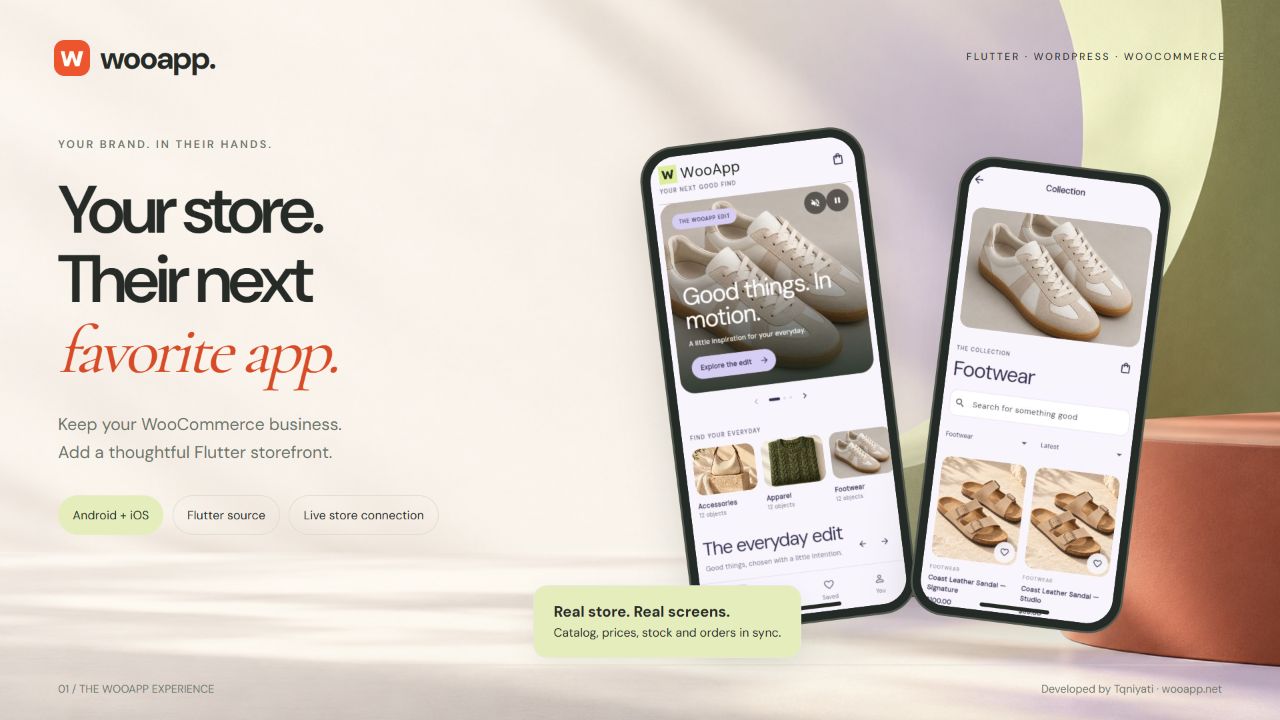
One store to manage. A mobile experience of your own.
WooApp connects to your WordPress and WooCommerce installation through its companion plugin and the WooCommerce Store API. Your store remains the source of truth for commerce. Your app gets its own Flutter interface for discovery, product details, customer accounts, the shopping bag and checkout.
- Flutter source for Android and iOS. Create your branded releases from one Flutter project.
- A familiar WordPress workspace. Manage home collections, banners, your logo, colors and typography inside WooApp settings.
- Build-time store connection. Your developer supplies your HTTPS store URL. Shoppers open your store directly.
- Live commerce data. Products, variations, availability, prices and orders come from WooCommerce.
- Content you can keep fresh. Saved home content and branding appear on an app refresh, without rebuilding the app.
A storefront made for good products
- Image and video hero banners with product, category or search destinations.
- Category discovery, product search, sorting and paginated product lists.
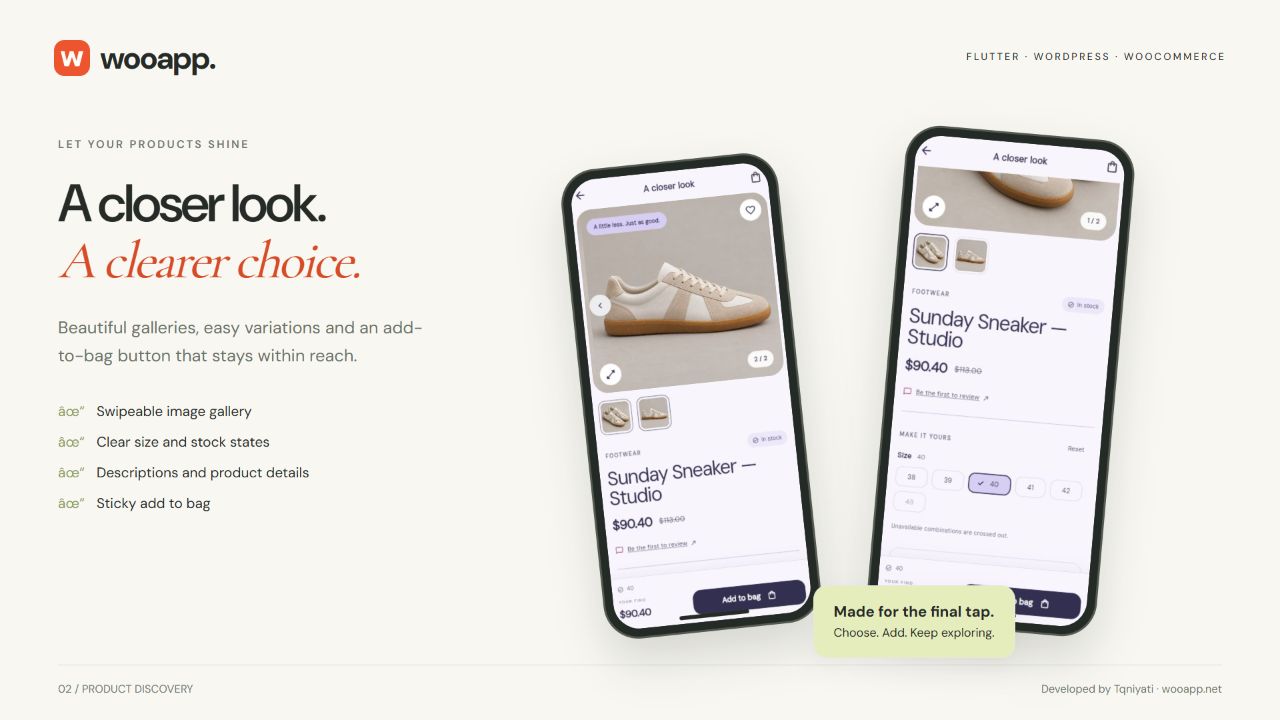
- Swipeable product galleries, image thumbnails and an enlarged image view.
- Simple and variable products with clear options, pricing and stock states.
- A sticky add-to-bag action within easy reach.
- Product descriptions, specifications, ratings and reviews.
- Favorites, customer accounts, saved addresses and order history.
- Loading, retry and empty states designed as part of the experience.
- Thoughtful animation with reduced-motion behavior.
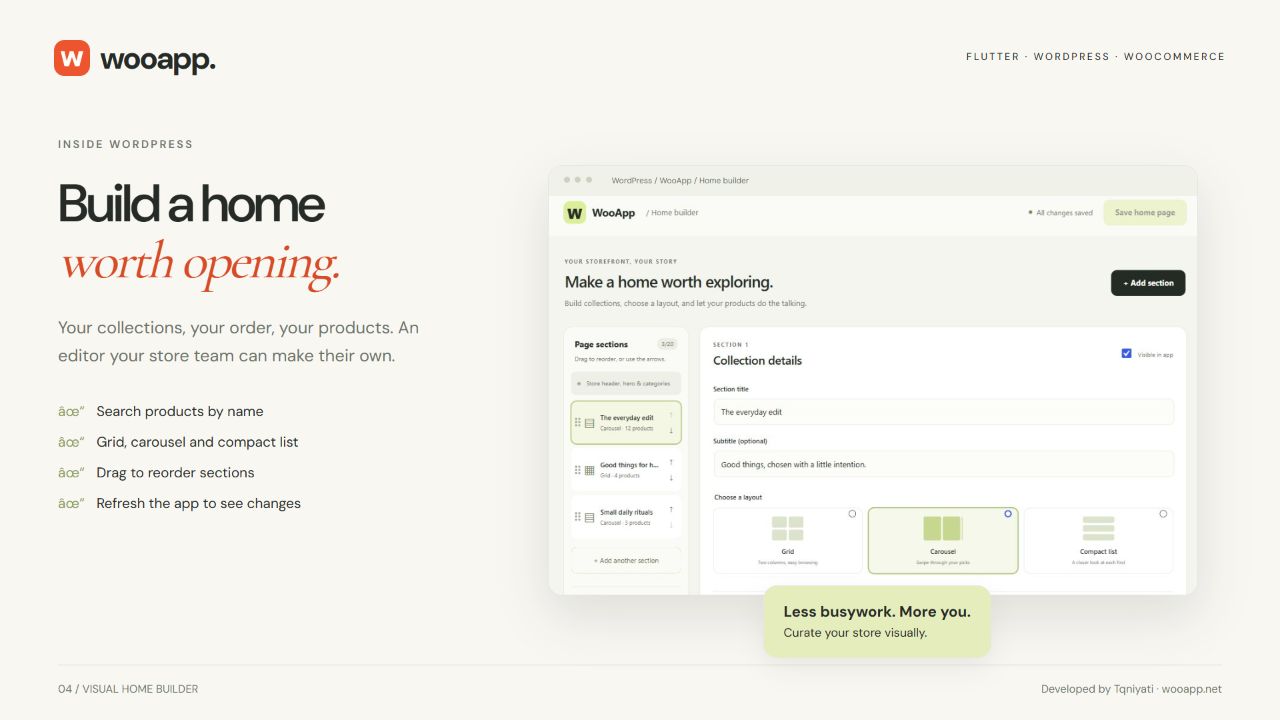
Your home page. Built visually in WordPress.
Build a storefront around your collections, campaigns and best products. Search by name, choose the products you want and arrange your sections visually.
- Create named sections with titles and subtitles.
- Find and select products through search.
- Choose a grid, swipeable carousel or compact-list layout for each section.
- Reorder sections and the products inside them.
- Enable or disable sections to shape your home page.
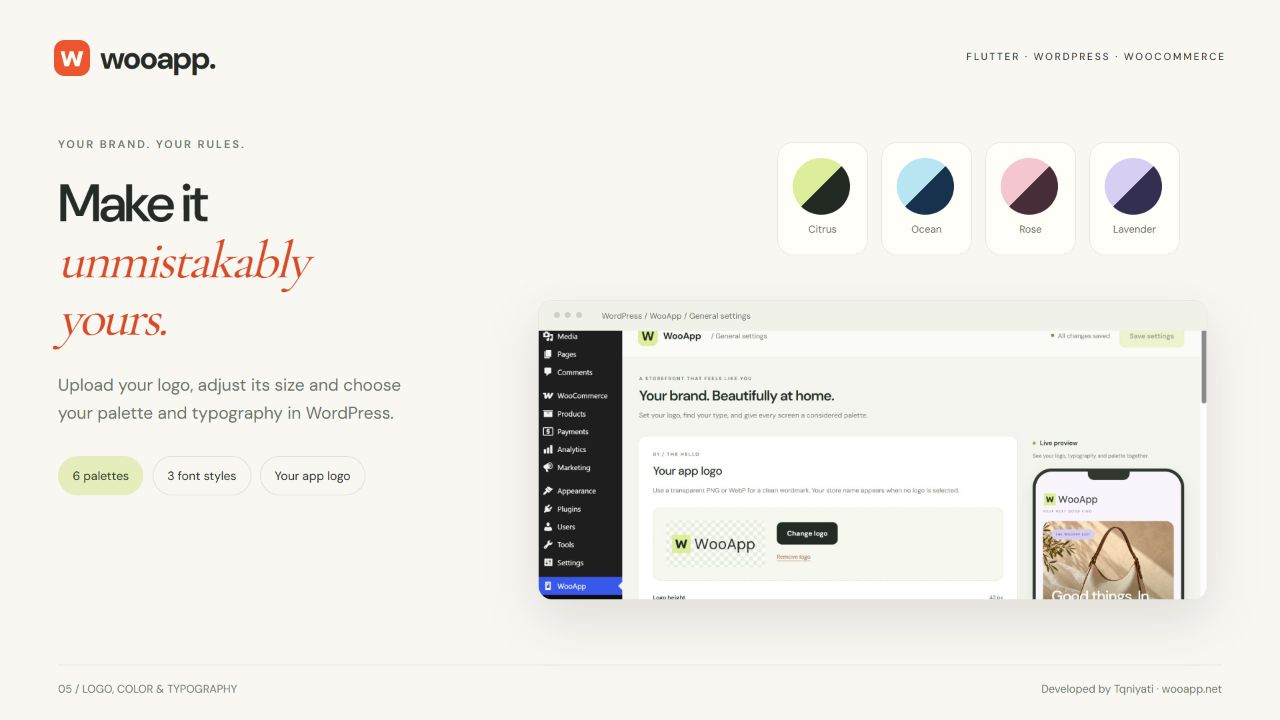
Make it unmistakably your brand
Upload your app-header logo, adjust its display size, set your tagline, and choose from six curated color palettes and three font styles. Preview your choices visually in WordPress.
Create image and video banners in the same workspace. Add captions and calls to action, find destinations by name and drag banners into the order you want.
A clear bag. A confident checkout.
- Edit product quantities and remove items from the bag.
- Apply coupons and see discounts reflected in totals.
- Enter customer and delivery details in the app.
- Select the available WooCommerce shipping method.
- Review products, delivery, discounts, taxes and the order total.
- Check out as a guest or through a customer account, according to your store settings.
- Use cash on delivery, native Stripe PaymentSheet or PayPal approval.
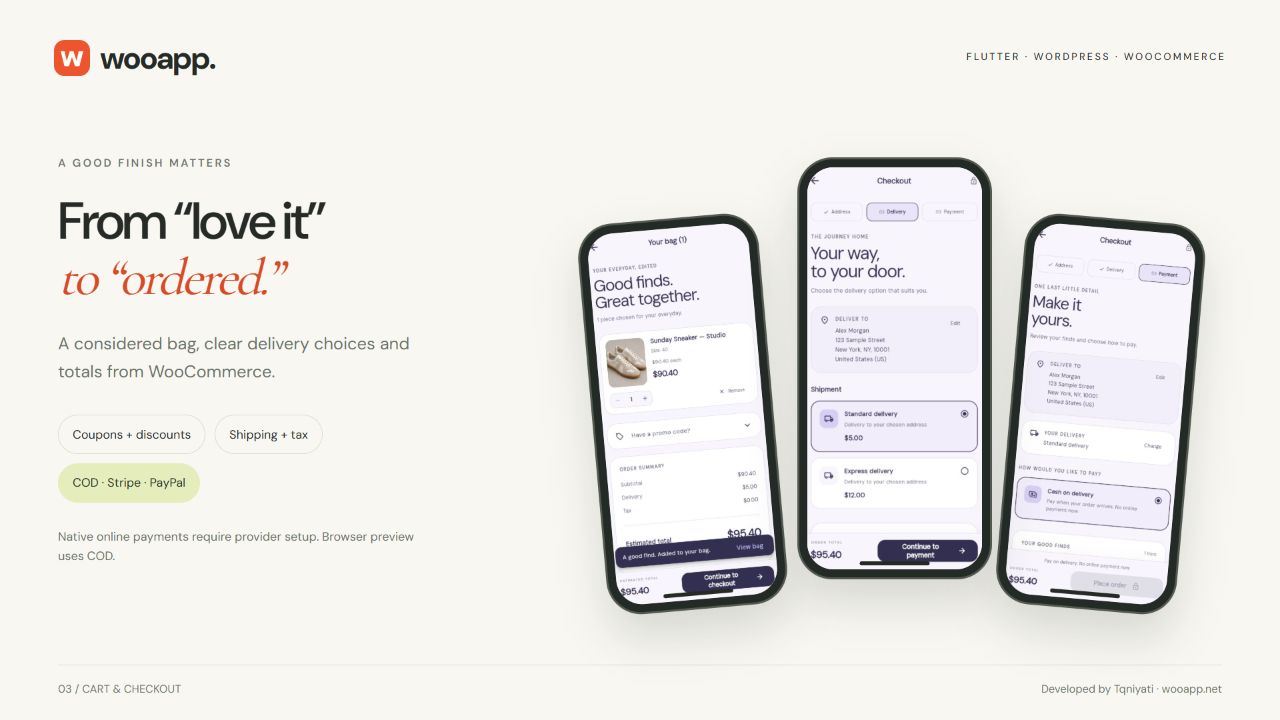
Payments connected to your store
Cash on delivery follows your WooCommerce COD availability rules. Stripe uses native PaymentSheet and a server-created PaymentIntent. PayPal uses provider approval with server-side capture and verification.
Stripe and PayPal require dedicated WooApp credentials, matching provider environments, webhooks and native return configuration. Existing website gateway settings are not automatically reused. The browser demonstration offers COD; native online payment approval runs in the Android and iOS apps.
Need another payment gateway? We offer required gateway integration development at no extra charge. Send the provider documentation and your country, currency and account requirements so we can confirm technical feasibility and agree on a delivery schedule. Provider charges and broader custom work are separate.
Install. Brand. Connect. Release.
- Install the included WordPress plugin ZIP. Activate it alongside WooCommerce and check the WooApp setup page.
- Make the storefront yours. Configure branding, home collections, banners, shipping and your payment providers.
- Connect your app. Your developer sets your canonical HTTPS store URL when running or building the Flutter source.
- Prepare your releases. Configure your application identifiers, launcher assets, payment return schemes and signing, then build for Android and iOS.
The plugin installs from one ZIP. Platform builds, provider accounts and app-store submission require your own setup. The illustrated handbook explains each stage with screenshots, commands and practical troubleshooting.
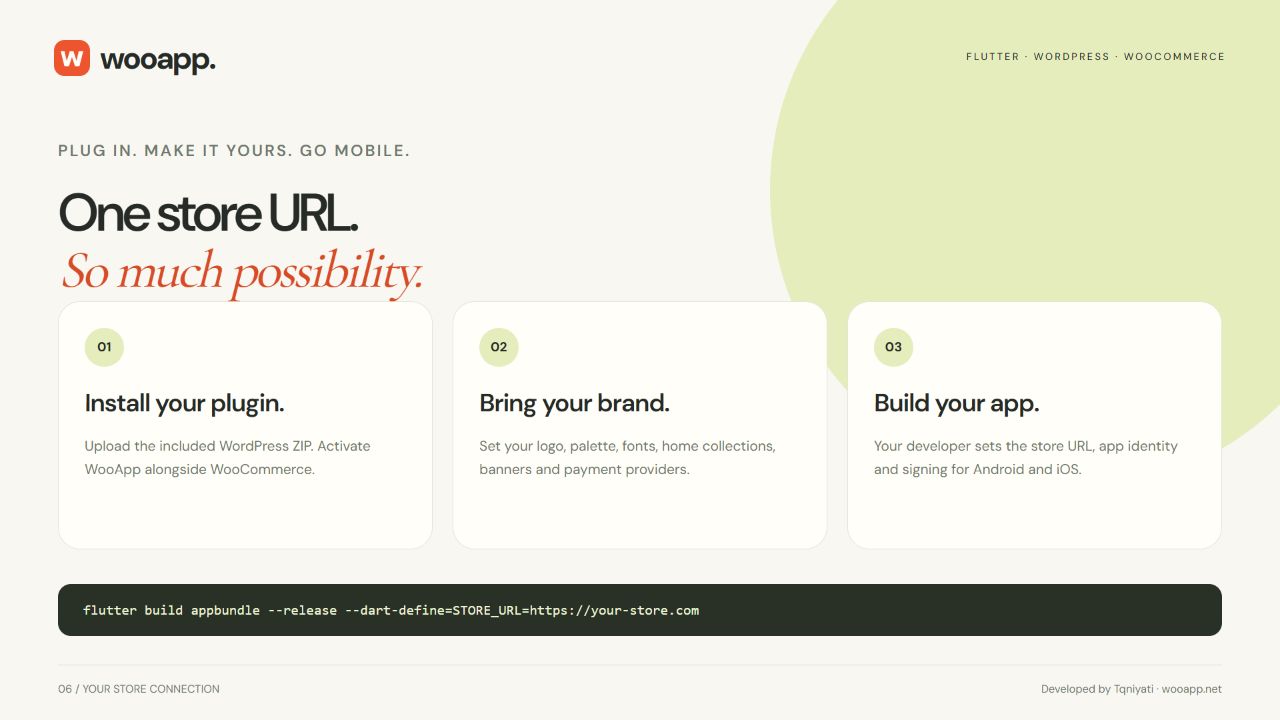
What you receive
- Complete WooApp Flutter project source for Android and iOS, plus browser-preview source.
- An upload-ready WooApp WordPress plugin ZIP.
- Offline HTML documentation with screenshots and visual setup guides.
- Release notes, package checksums and included font license notices.
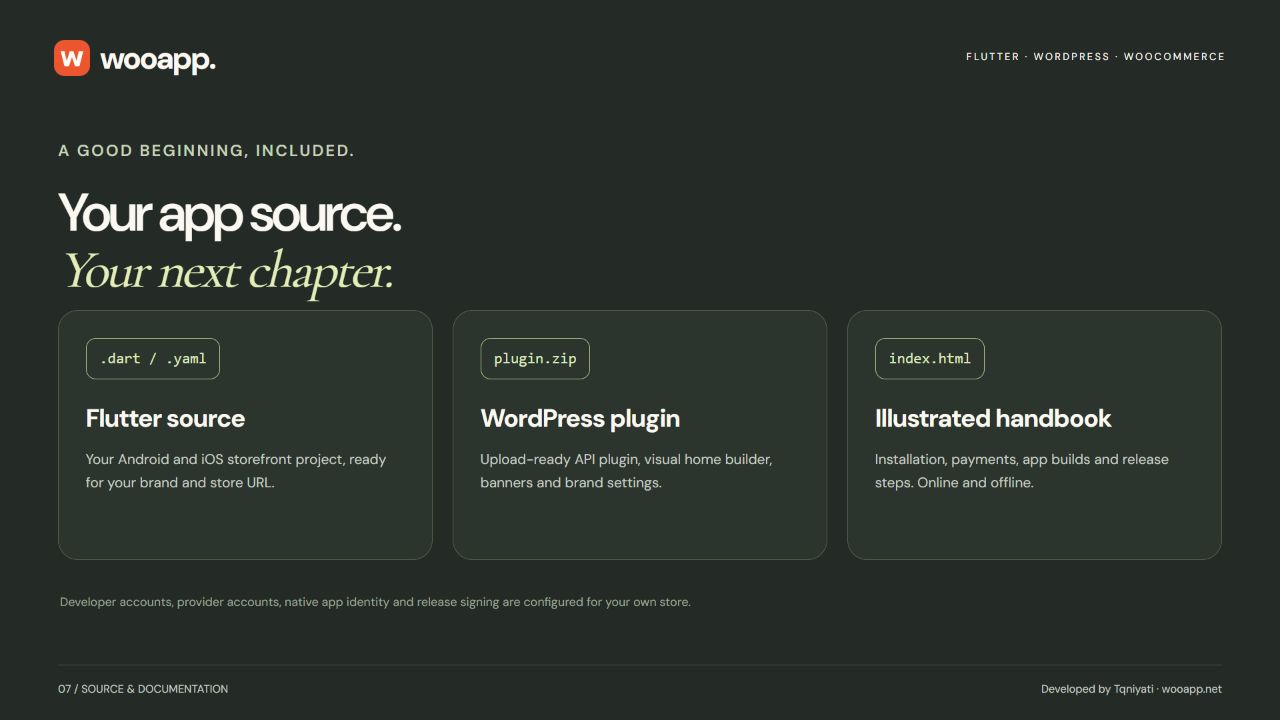
Stripe and PayPal — accounts, terms and fees
Stripe: WooApp uses the flutter_stripe dependency for native Stripe PaymentSheet, backed by server-created PaymentIntents. You must create and maintain your own Stripe merchant account and supply your own credentials. Your account and use are subject to Stripe’s terms and eligibility requirements. Stripe transaction fees apply separately from the item purchase.
PayPal: the WordPress plugin integrates directly with PayPal REST APIs (Orders v2), implemented in src/Payments/PayPal.php. You must create and maintain your own PayPal Business/developer account and REST application credentials. Your account and use are subject to PayPal’s applicable terms and availability requirements. PayPal transaction fees apply separately from the item purchase.
Payment provider accounts, processing and transaction fees are not included in the WooApp license price. Rates and availability vary by account and country. Configure each provider’s matching environment, native return settings and verified webhooks using the handbook.
Compatibility and setup
- Store: WordPress 7.1+, WooCommerce 11.2+ and PHP 8.3+, on a single-site installation with HTTPS.
- Reference project: Flutter 3.35.5 / Dart 3.9.2 with the included dependency lockfile.
- Platforms: Android minimum SDK 24; iOS target 14.0. iOS builds require macOS, Xcode and your Apple signing configuration.
- Order storage: WooCommerce HPOS and classic order storage.
- Storefront scope: simple and variable physical products, English, left-to-right layout and a light theme. Checkout uses one address for billing and delivery.
Subscriptions, bundles, memberships, multisite, multilingual/RTL, push notifications, marketplace adapters, custom required checkout fields and digital-purchase policy integrations are outside the included scope. Contact us about your exact extensions before purchase. Your own developer accounts, hosting, provider accounts and release signing are required. App-store acceptance follows each platform’s review.
Documentation and support
Start with the public WooApp handbook. It covers installation, connection, branding, the visual home builder, video banners, provider configuration, Android and iOS builds, release preparation troubleshooting, complete REST API reference, payment constant overrides and future update/customization merging. The same guide is included offline.
Purchase support covers setup questions and reproducible item issues within the applicable Envato item-support terms. Share versions, steps and sanitized screenshots when requesting help. Never send private keys, passwords or payment details through public comments.
Developed by Tqniyati.
Demo products, product photography, video and marketing artwork are for demonstration and are not bundled as store content. Customer apps use their own WooCommerce media. DM Sans and Cormorant Garamond font license notices are included. WordPress, WooCommerce, Flutter, Stripe and PayPal names belong to their respective owners; no endorsement is implied.
| Author | Tqniyati |
|---|---|
| Price | $49 |
| Sales | 0 |
| Rating | 0 (0) |
| Published | Nov 4, 2026 |
| Last Update | Nov 4, 2026 |
| Compatible Software | Flutter 3.x |
| Demo Url | https://wooapp.net/ |
| Mobile Files Included | Dart, YAML, JavaScript JSON, .kotlin, .h, .storyboard, .plist, .swift, JavaScript JS, CSS, PHP, HTML |
Categories
Tags
External listing. code.market does not sell this product and does not process payment for it. Pricing, payment, delivery, licensing, refunds, and support are handled by the third-party merchant on its own website. We may earn an affiliate commission from a referral. Details.
Products of the Week.
Submit🥇

Perceptle
Perceptle is a daily browser-based game that challenges you to test your sensory intuition through five quick estimation and rhythm-based rounds.
Other · 1 views · 0 clicksOther · Week 47 · 1 views · 0 clicks
🥈

Free LinkedIn Likes From Real
Get free LinkedIn likes on your posts from real members who react by hand. No
SaaS · 124 views · 2 clicksSaaS · Week 47 · 124 views · 2 clicks
🥉

STOP GUESSING WHAT TO POST
AI that learns your brand voice and builds a month of consistent, on-brand social content: carousels, posts and hooks that sound like you, not like everyone else's AI.
SaaS · 7,686 views · 71 clicksSaaS · Week 47 · 7,686 views · 71 clicks
#4

aaas.market
407 reliable micro tools for solo founders, marketers and creators. They work in your browser
SaaS · 122 views · 0 clicksSaaS · Week 47 · 122 views · 0 clicks