
Whoxa Chat – WhatsApp Clone Web Script with Admin Panel

Description
Chat Script | Web Whatsapp Clone | Nodejs chat Software | Chat Website | Group Chat | Chat Room
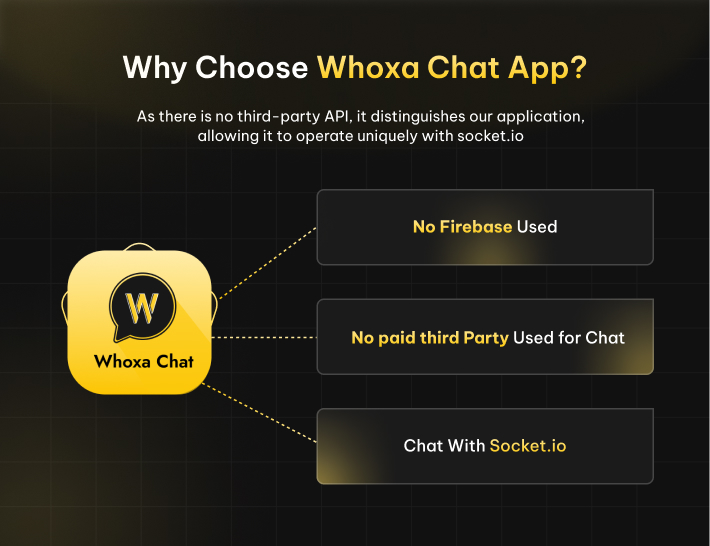
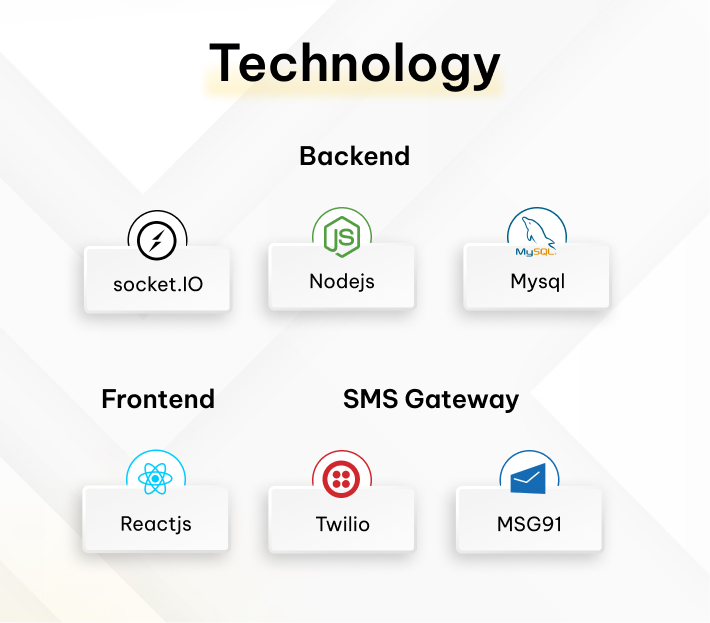
We do not use Firebase for chat functionality. Instead, all chat data is securely stored in your database, and real-time communication is handled through Socket.IO, ensuring full control over data and performance without relying on any third-party service.




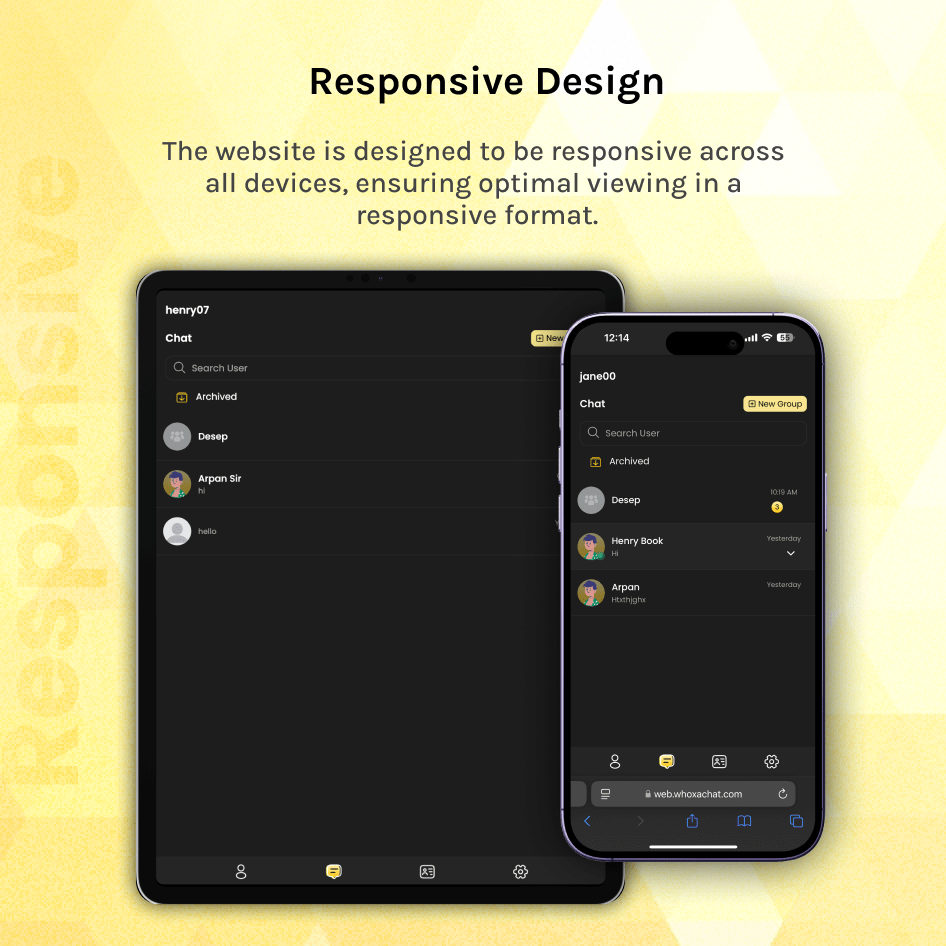
The Whoxa Chat script has developed an incredibly swift user website that utilizes ReactJS and Next.js. This powerful platform is with a rich user interface built on the latest React Native. It delivers a faster, smoother, and SEO-optimized user-friendly experience. It’s fully mobile-responsive website involves using modern web design practices to ensure the site adapts seamlessly to different screen sizes and devices.
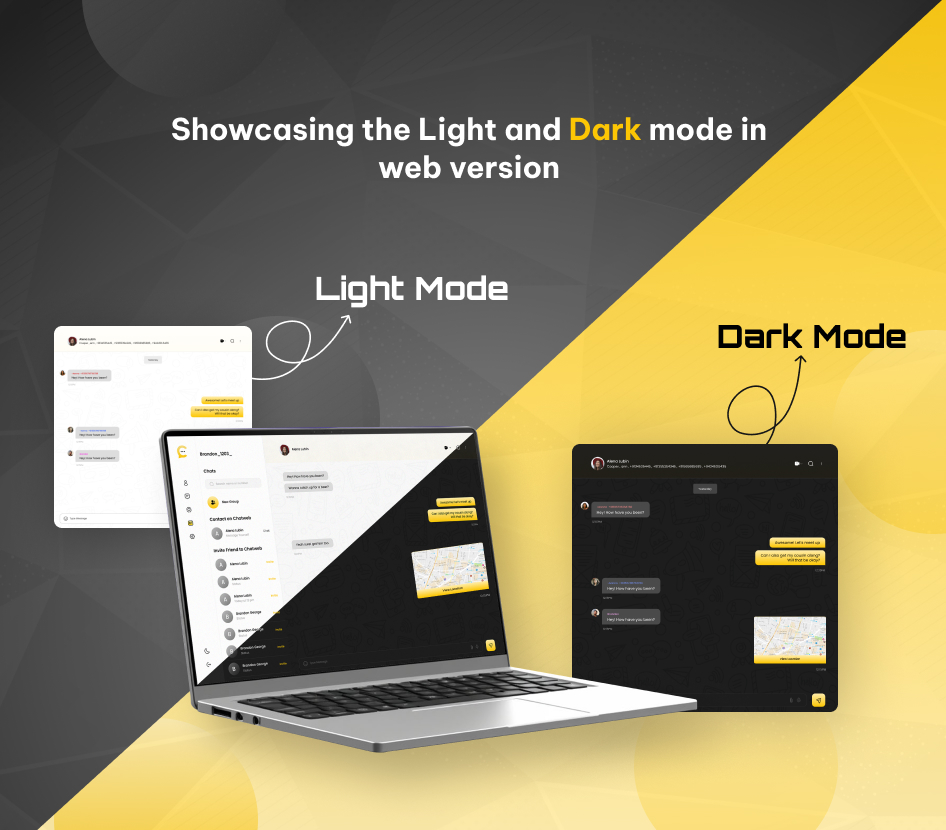
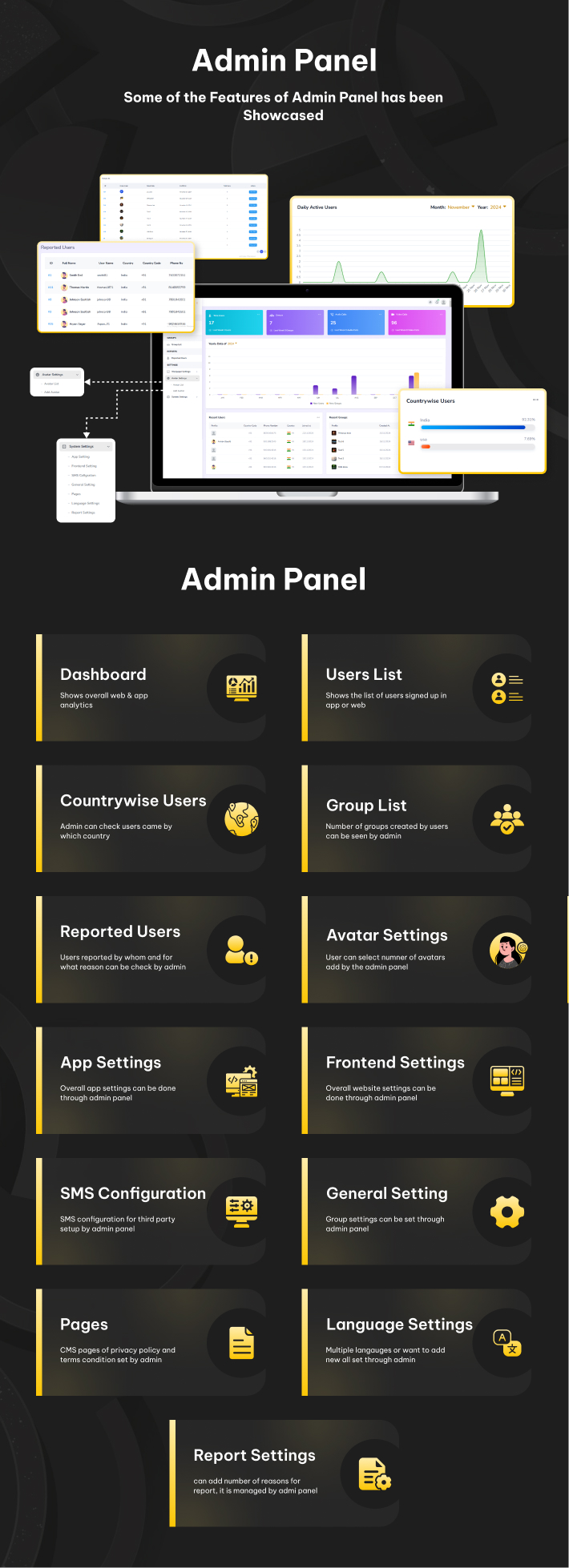
The modern design and intelligent layout, available in both dark and light modes, are clean and well-structured, enabling easy setup, editing, and customization. This package includes the complete source code for the React and Next.js web applications and admin panel, along with thorough documentation for installation and use.
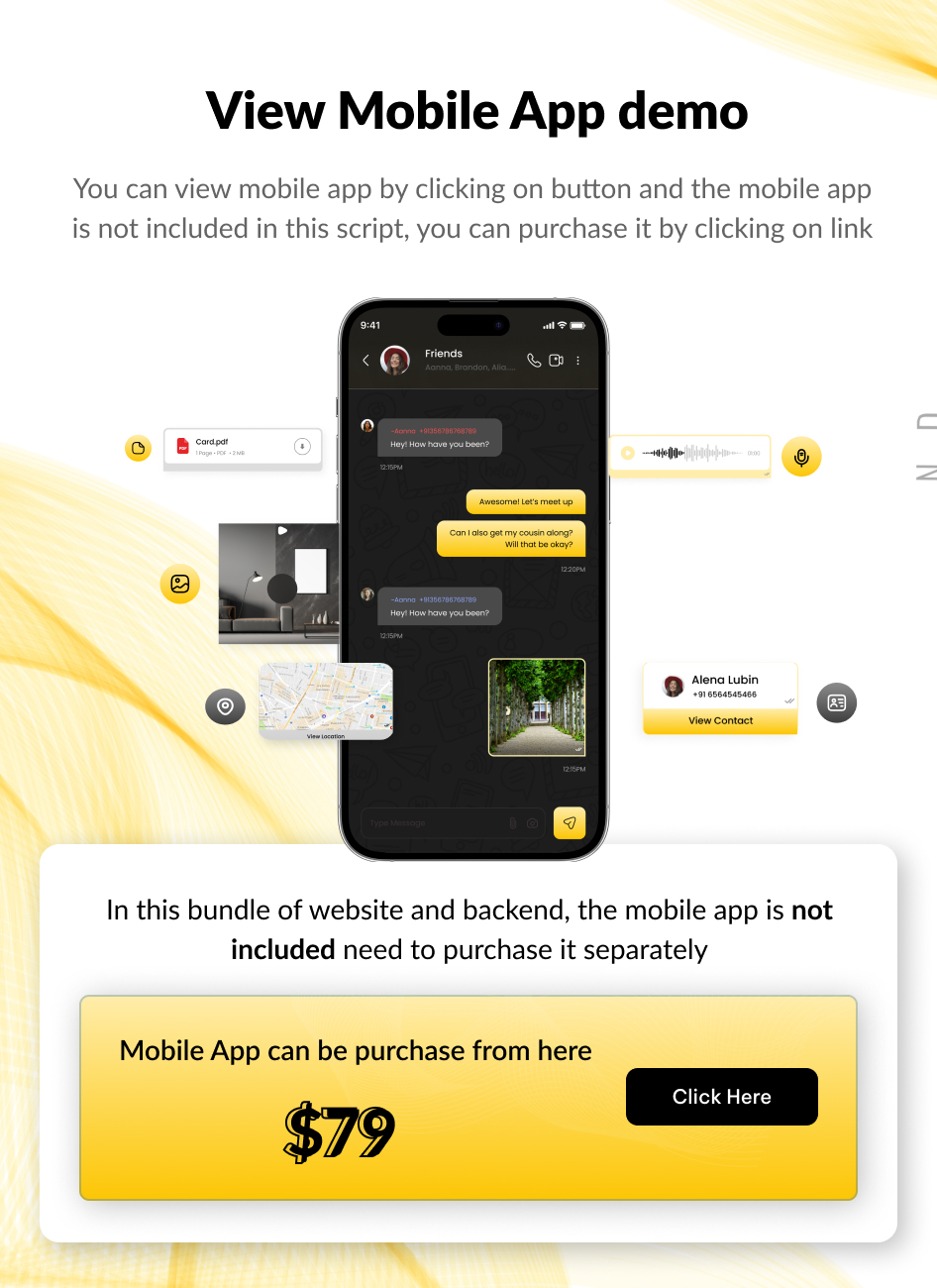
– Version: 1.1.3 – support Nodejs, PostgreSQL, ReactJs – Last update: 15 September 2026 – Files Included: Full ReactJS, PostgreSQL, NodeJS source for admin panel and website. – Buy App: https://codecanyon.net/item/whoxa-app-whatsapp-clone-app-chat-app-ios-chat-app-android-nodejs-chat-app-chat-messenger/56253189 – For Setup: Contact Us – This is Exclusive Product License from Envato








Chat Website Features
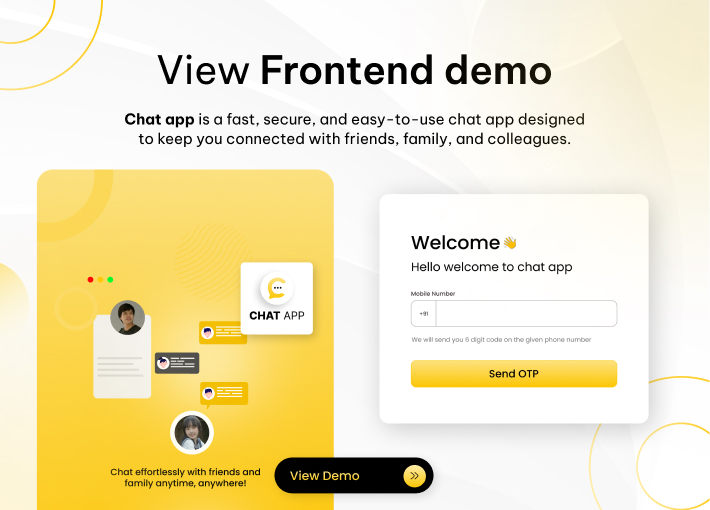
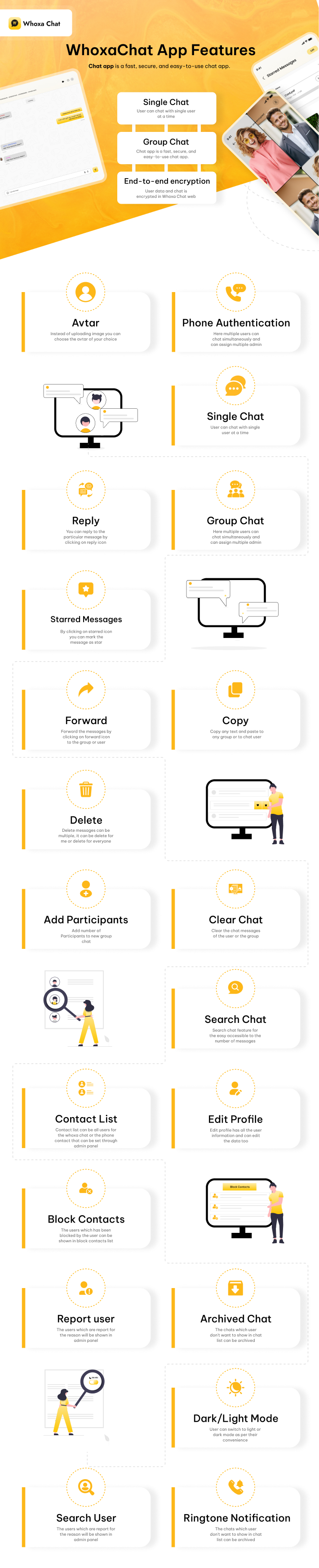
LoginLogin can be done through mobile number and need to add OTP, and add the details to start seeing the chat screen.
Choose Avtaar Or Image
You can choose animated avtar according to your choice or upload the profile image from gallery or system.
Contacts
It is possible to modify the settings to display either only the phone contacts of users or all contacts that are logged into WhoXa Chat via the admin panel in the settings.
Settings
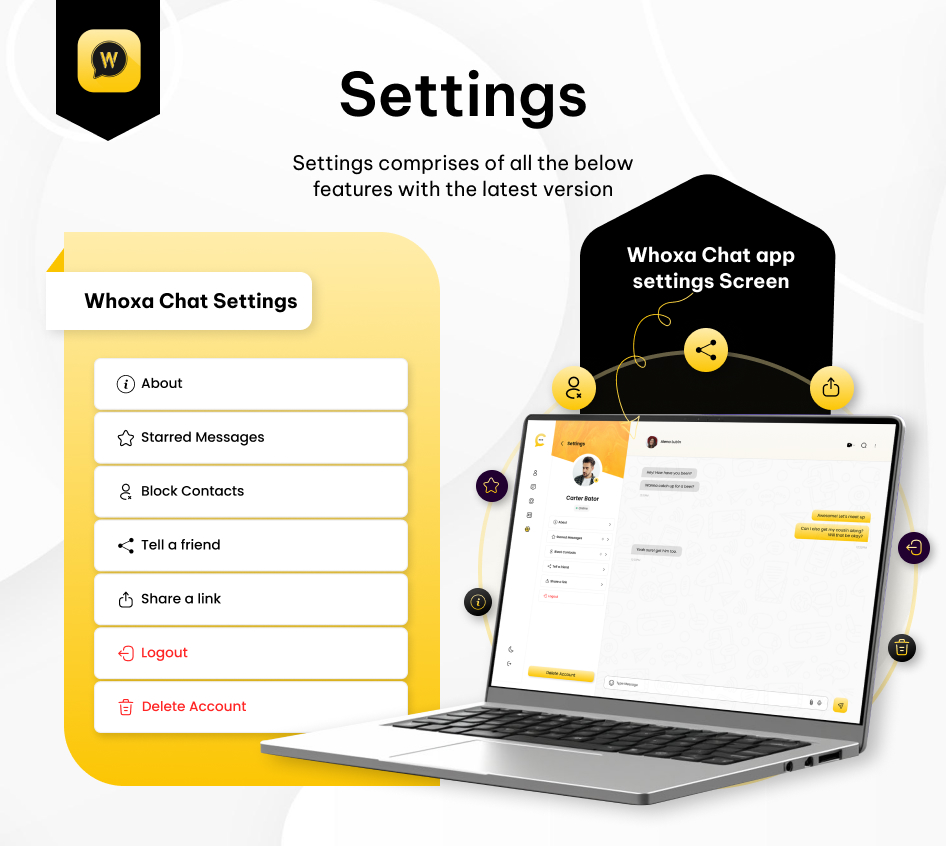
In Settings user can check starred messages, block contacts, version of web, bio of user, share a link to friends or family members and logout from the web.
Profile
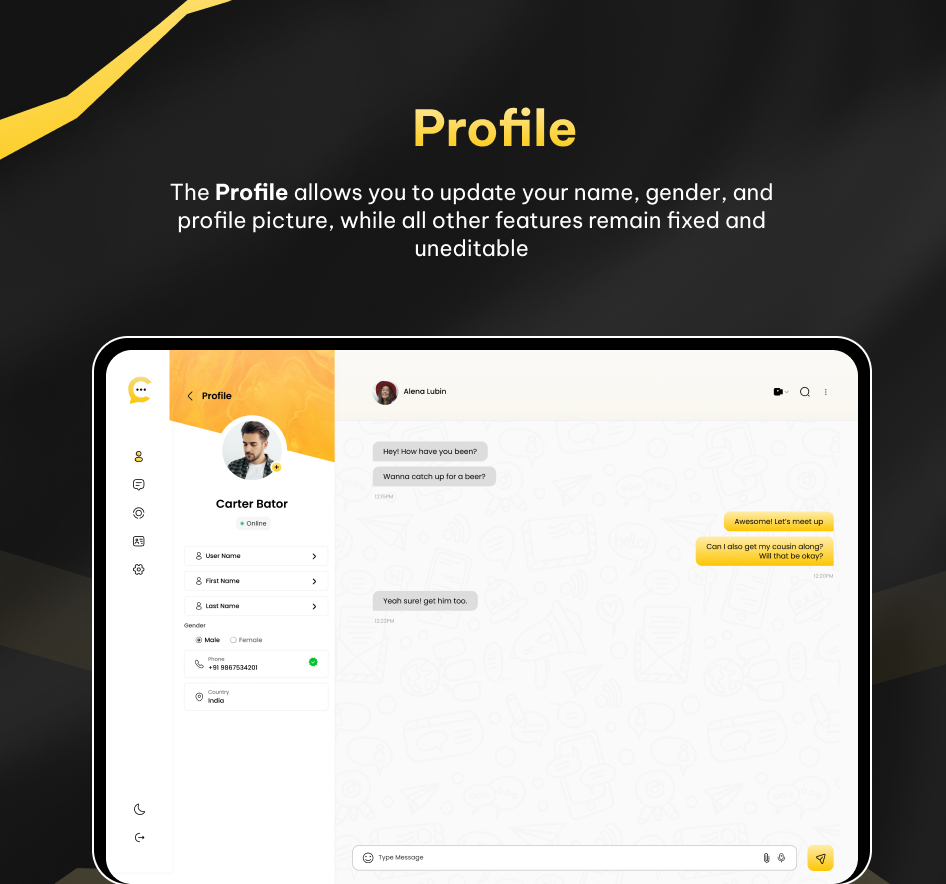
Edit profile has all the user information and can edit the personal info data too.
Profile of Users
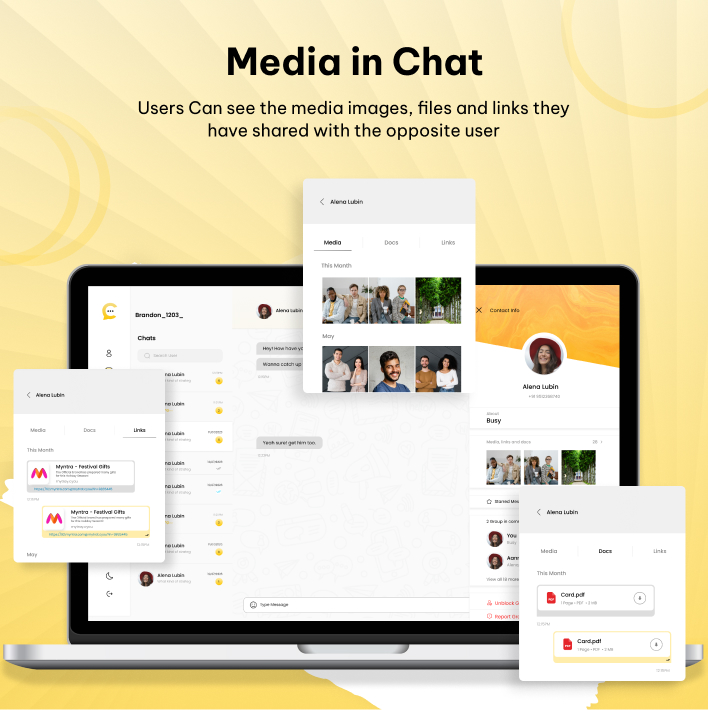
Users have the ability to review all media sent, including images, videos, and documents, within their profile. Additionally, they can access specific starred messages that have been initiated.
Phone Authentication
Verify your number before you access the whoxa chat web. As users will get the otp on added number.
Single Chat
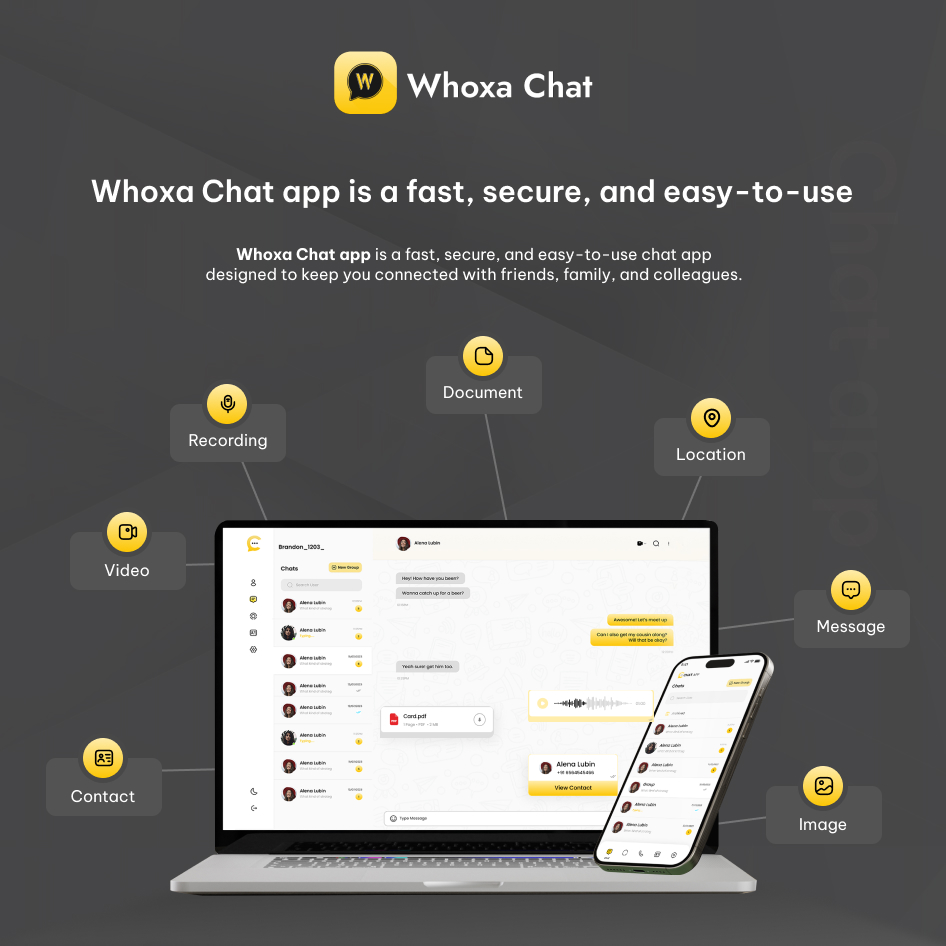
User can chat with single user at a time, and can send attachments like document, images, videos, contact, recording, and location.
Online & Last Seen Indicator
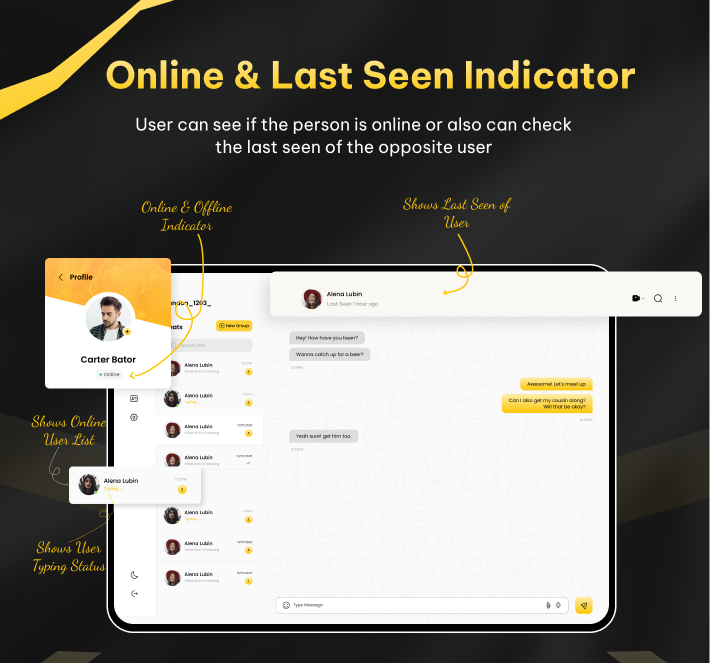
User can see if the person is online or also can check the last seen of the opposite users.
Chat Ringtone Notification
When users access a different browser, a notification will alert them if a message is received from another users.
Group Chat
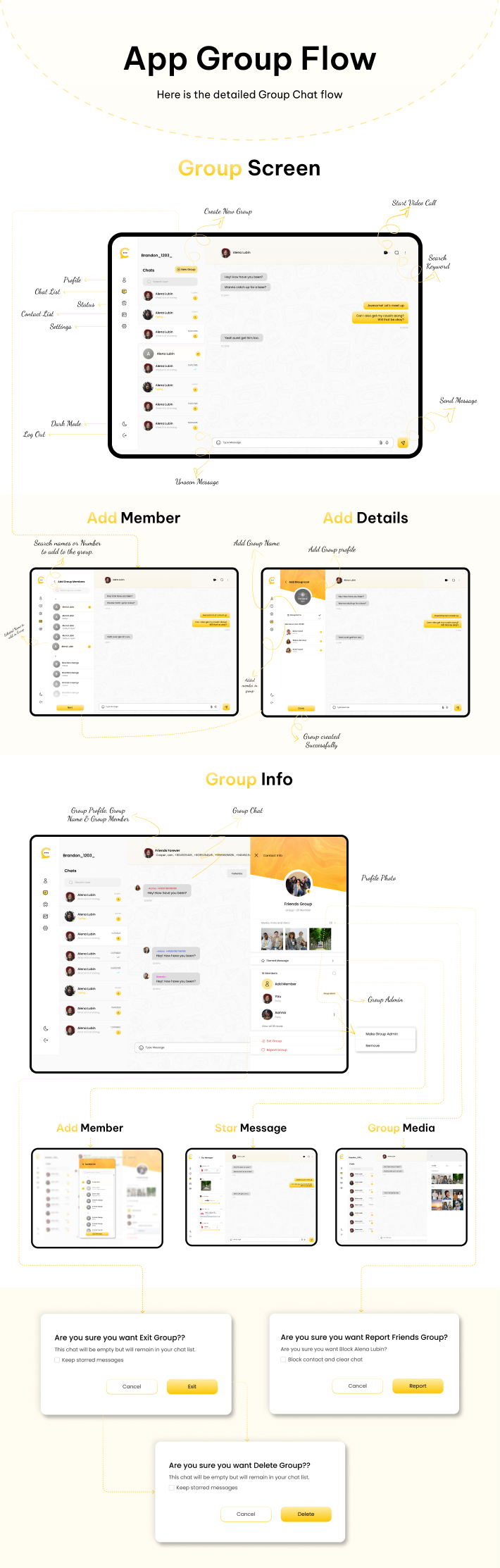
Here multiple users can chat simultaneously and can assign multiple admin, and can send attachments like document, images, videos, contact, recording, and location.
Delete Messages
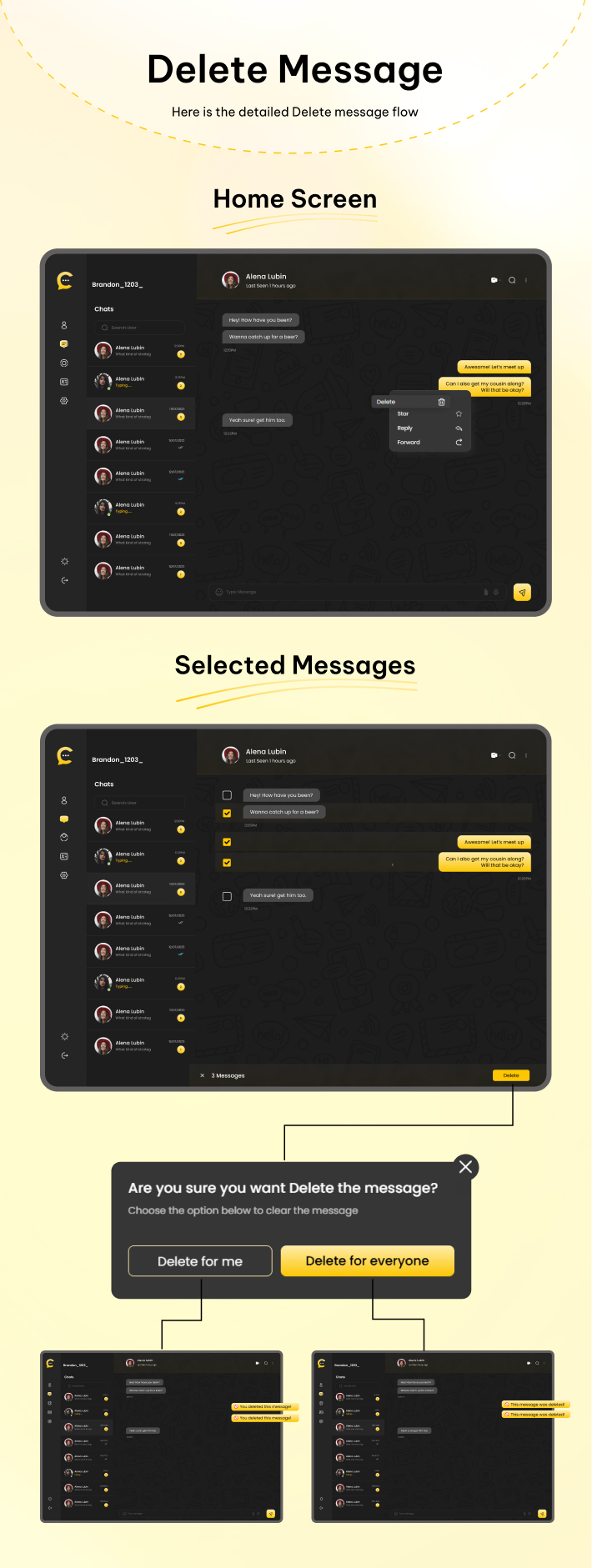
User can delete multiple messages at a time, it can be delete for me or delete for everyone.
Starred Messages
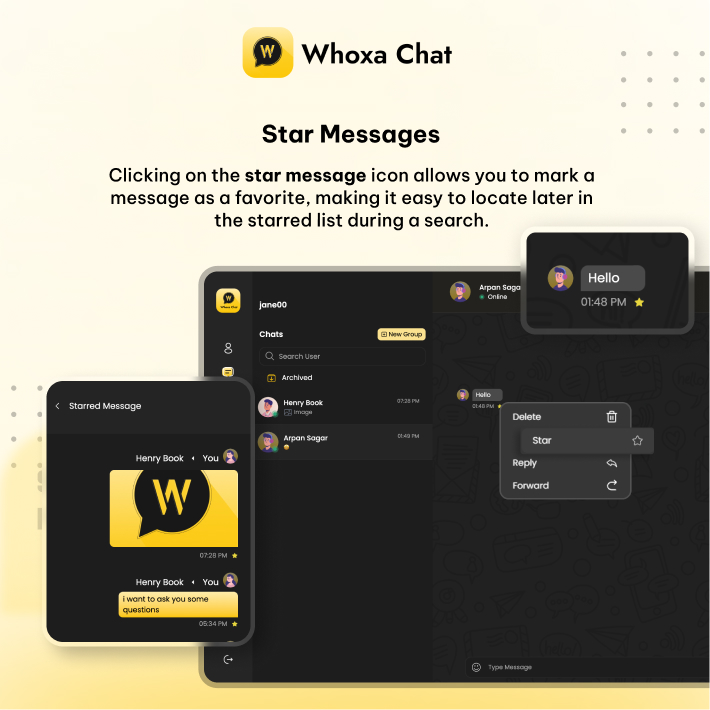
Users have the ability to star messages simultaneously. Additionally, they can unstar any message from the starred screen if they choose to do so.
Reply
You can reply to the particular message by clicking on reply icon.
Forward Messages
User can forward multiple messages at a time in single or group chat.
Add Participants
Admin can add multiple participants to the new group chat.
Clear Chat
Users can clear the chat data from single chat or group chat for themselves.
Search Chat
Search chat feature for the easy access to search the number of messages.
Search Users
Search users feature for the easy accessible to search the users so they can quick connect.
Block Contacts
The users which has been blocked by the user can be shown in block contacts list.
Report user
You can report user for the list of reasons, that can be seen by admin.
Archived Chat
The chats which user don’t want to show in chat list can be archived in archived chat list.
Dark/Light Mode
User can switch to light or dark mode as per their convenience
Automated Script Install(Using Python)
We developed an automated script for installation using Python. This script is executed at the runtime of Auto Deployment to gather necessary data from users for project setup. It facilitates the automatic installation of Apache2, MySQL, MySQL Secure Installation, and Node.js via our automated commands.

Change Log
1.1.3 |  15/09/2026

Webiste
Linked Devices like whatsapp
  Added a new Linked Devices feature.
  Users can manage their logged-in devices.
  When a user logs out a linked device, the logout is reflected in real time on that device.

One-to-One Call – Add Participant
  Enhanced one-to-one calling functionality.
  During an ongoing one-to-one call, a user can add another participant to the call.
  This allows the call to transition from a one-to-one call into a multi-participant call.

Screen Sharing
  Added screen sharing support for:
  One-to-One Calls
  Group Calls
  Users can share their device screen during an active call.

Unread & Favorite Chats
  Added Unread Chat functionality to easily identify chats with unread messages.
  Added Favorite Chat functionality so users can mark important chats as favorites for quick access.

Web Design Update
  Updated the overall Whoxa Web design and UI.
  Improved the layout and user experience across the application.

Pin Chat Message like whatsapp
  Enhanced Pin Message functionality
  Users can pin multiple messages in chats
  Users can set pin duration for **24 hours** or **7 days**
  Added multiple pin duration options similar to the Whoxa mobile app
  Pinned messages are automatically unpinned after the selected duration

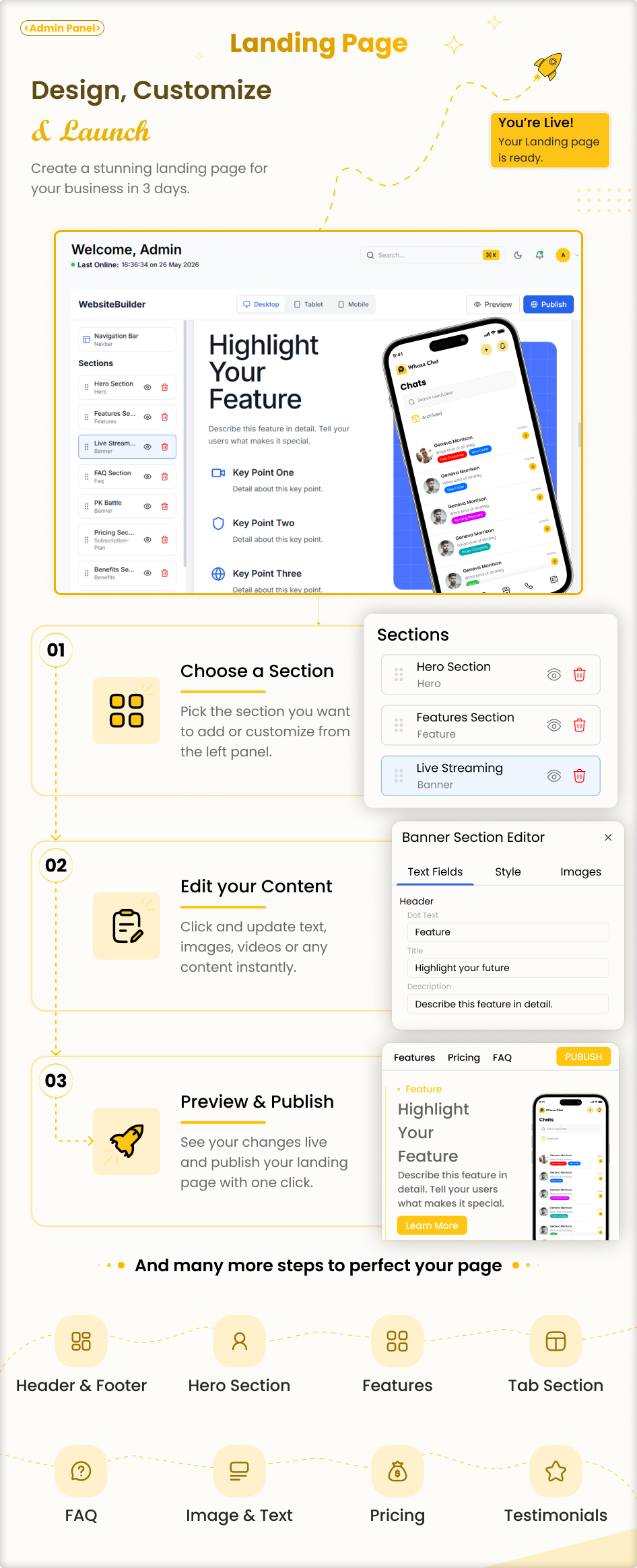
Landing Page Builder

  Added a dynamic Landing Page Builder
  Admin can create and manage landing page sections
  Admin can easily add, edit, delete, and reorder sections
  Added drag-and-drop section management
  Admin can customize landing page content without coding
  Added support to enable/disable individual sections
  Admin can preview landing page changes before publishing
  Added option to launch and manage the landing page website
  Improved landing page design and responsive layout for desktop, tablet, and mobile devices

Responsive Design
  Made all major screens fully responsive.
  Optimized the UI for desktop, tablet, and mobile screen sizes.
  Improved mobile navigation, chat layout, call screens, and other responsive components.

Web Admin Panel

  Completely redesigned the Admin Panel with a brand-new modern UI
  Updated overall layout, navigation, and dashboard design
  Improved user experience across all admin sections
  Added responsive design for desktop, tablet, and mobile screens
  Improved data presentation, tables, forms, and management screens
  Enhanced overall performance and usability
1.1.2(Major Upgrade Release) |  18/11/2025
Website

DATABASE & PERFORMANCE
     Migrated completely from MySQL → PostgreSQL
    Overall system performance greatly improved
    Faster queries, optimized indexing & better concurrency
    Real-time chat engine restructured for smoother experience
CHAT SYSTEM UPDATES
    Real-time chat enhanced for instant delivery
    Users can change chat badge colors
    Dynamic website colors:
    All icons, backgrounds & UI instantly adapt
    Users can select theme color
    Admin can set default theme color from panel
    Improved Pinned Messages
    Show in chat list (“UserA pinned a message”)
    Users see “You pinned a message” for their actions
    Improved Starred Messages
    Reply message auto-scrolls to original message
    Long text support with proper line breaks
    Shift + Enter → New line
    Search user improved significantly
    Video sending improved + automatic video playback
    All banners dynamically adapt colors
    Group chat improvements:
    Group Description added
    Sender name shown with random color
    Update group name & image
    Show “You” during group creation
    Block/Unblock improved
    If User A blocks B → “You blocked this contact”
    If User A is blocked → “You are blocked by this user”
    Forward/Delete multi-select improved
    New forward message UI
    Tabs: Recent + Contacts
    Forward icon for each own message
    Media count added
    Starred messages count added
    New users default status: Available

CALL SYSTEM
    Better call experience
    Call duration now displayed in call history
    Audio/Video call full testing:
    Web → App
    App → Web

ARCHIVE & ORGANIZATION
    Archive now updates live
    Real-time number update after adding to archive

NOTIFICATIONS
    Notification center added
    Admin-sent notifications visible in user panel

STATUS MODULE
    Status module fully improved

MULTI-LANGUAGE SUPPORT
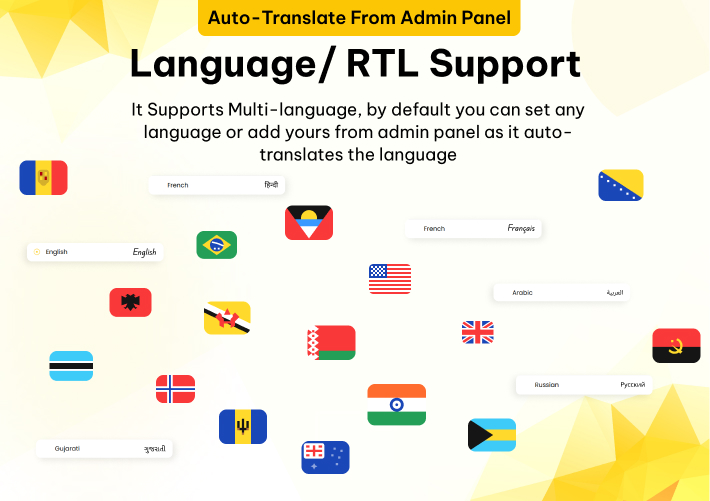
    RTL + LTR support added
    Fully responsive for Arabic, Hebrew, Persian, Urdu, etc.

Admin Panel
New Admin panel which support PostgreSQL
Dashboard Upgrade – Added real-time active users count with country-wise breakdown.
Msg91 Credentials Added
Custom Push Notification send from admin panel
1.1.1 |  16/10/2025
Nodejs latest update
Security improvements
1.1.0 |  18/09/2025
Website
Status Feature on Web - Users can now add and view status updates directly from the website.
Multiple Line Messages - Messages now support multi-line formatting, making conversations more natural and user-friendly.
Message Reactions - Users can now react to messages with emojis and also view all reactions in real-time.
Status Reply - Ability to reply to statuses from the website for better engagement.
Auto-Play Videos - Shared videos now play automatically, improving the media experience.
Real-Time Pin/Unpin – Pinning and unpinning messages is now handled via sockets, ensuring instant updates across all devices.
Video Call Bug Fix - Fixed issues with video calls for smoother communication.
Minor Bug Fixes - Various small bugs have been addressed for improved stability.
General Improvements – Performance, UI, and overall system enhancements for a better user experience.

Admin Panel
Dashboard Upgrade – Added real-time active users count with country-wise breakdown.
1.0.8 |  17/06/2025

Website
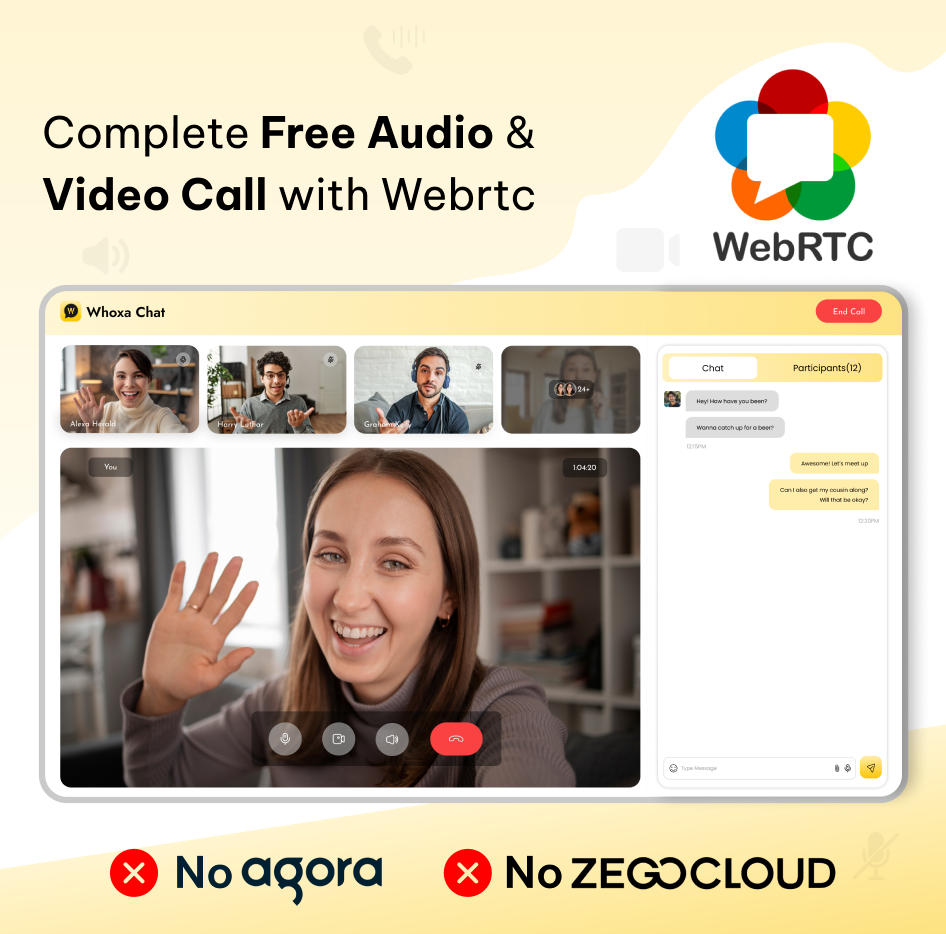
- Now website support Video call as well as Audio call.
- Group video and audio call from web.
- Users can see who joined in calls.
- Audio/Video call both show time duration.
- Users can do microphone enable/disable during call.
- Users can do video camera on/off during the call.
- Users can do chat during the calls.
- Responsive design improvements.
- User can see the call history.
1.0.7 | 16/04/2025

Website
- Email based login
- Users can manage multiple pin and unpin chat message
- Users can see other user pin message in group chat same like whatsapp logic
- Send location on chat
- Search location then share in the chat
- Show near by places auto populate during share location

Admin Panel
- Email based login entry added
- Show platform app or web based data in user list
- Add email or phone number under full name in user list
- Dashboard, Add graph customer by login for users signup with email or phone number
- Dashboard, Add graph platform activity for user come from website or app
- Dashboard, show last min active user with country name like google analytics
- Admin can enable/disable email or phone number OTP from General setting
- Admin can configure Email Template content from system settings->email configuration
- Admin can set email smtp value in setting
1.0.6 |  19/03/2025

Website
- Users can pin a message for a specific duration, such as 1 day, 7 days, 1 month, or lifetime.
- Users can pin and unpin messages from the message list.
- The pinned message list is accessible from the message list header.
- Users can navigate to a message from the pinned message by clicking the chat icon.
- Users can pin Multiple messages.
1.0.5 |  11/02/2025

Website
- The mobile responsive website is improved for different screen sizes and devices.
- Dark/Light Mode improves text reading.
- In the message list text overflow bug solve.

Admin Panel
- Setup Configuration fix and improve.
1.0.4 |  20/01/2025

Website
- Creating a fully mobile-responsive website involves using modern web design practices to ensure the site adapts seamlessly to different screen sizes and devices.
- Test website Mobile Responsive on multiple devices and screen size.
- The notification bubble number signifies the total number of unread messages associated within the website or particular chat.

Admin Panel
- Avatar show issue fixed.
1.0.3 |  08/01/2025
Website
- One user can connect from multiple devices or web browsers.
- When someone sends a message update the chatlist in all devices of that user in real-time.
- When someone sends a message update the message list on all devices of that user in real-time.
- When a member is added to a group or removed from the group, it shows in the message list.
- While creating a group, when adding 1 more person except me, only the next button gets active.
- Contacts should be in alphabetical order.
- If users send a website URL then show it with a meta title and description.
- Fix when start the message and clear the chat then the message/media should get clear and the same thing for deleting the message.

Admin Panel
- Deactivate the license if you want to use it in another IP or domain.
1.0.2 |  10/12/2024
Website
- Country not added in profile issue fixed
- Available set as default status like Whatsapp
- Double tick added
- Blue tick after seeing user messages added
- Multi-Language/RTL Support

Admin Panel
- Set default language
- Add new language and auto translate
1.0.1 |  29/11/2024
Website
- Search user by name from contact screen fixed
- Show own name and number on phone contact screen removed
- Real time chat reflect if message send from contact screen
- Show past message if open from contact screen of any contact users
- on Profile, scroll design to choose avatar
- View users profile picture from right sidebar
- Blocked users can’t open website and show blocked message
- Group Users won't be able to send messages to the existing group which are blocked by the admin

Admin Panel
- Reported users list added
- Reported Group list added
- In Report list, on view action you can check which user has report you with the report reason
- Admin can blocked group from admin panel
- Admin can blocked users from admin panel
V1.0.0 | 26/11/2024
- Initial Version with Frontend website
- Initial Version with admin panel
Enjoy the whoxa chat script with the admin panel!
| Type | JavaScript Script |
|---|---|
| Author | Primocys_App |
| Category | Javascript |
| Price | $99 |
| Sales | 99 |
| Rating | 5.00 from 6 ratings |
| Published | Nov 26, 2024 |
| Last Update | Sep 15, 2026 |
| Compatible Browsers | IE6, IE7, IE8, IE9, IE10, IE11, Firefox, Safari, Opera, Chrome, Edge |
| Compatible Software | ReactJS, Node.js |
| Source Files Included | JavaScript JS, JavaScript JSON, HTML, CSS, Sass, SQL |
Tags
External listing. code.market does not sell this product and does not process payment for it. Pricing, payment, delivery, licensing, refunds, and support are handled by the third-party merchant on its own website. We may earn an affiliate commission from a referral. Details.
Products of the Week.
Submit🥇

Perceptle
Perceptle is a daily browser-based game that challenges you to test your sensory intuition through five quick estimation and rhythm-based rounds.
Other · 1,489 views · 9 clicksOther · Week 47 · 1,489 views · 9 clicks
🥈

Free LinkedIn Likes From Real
Get free LinkedIn likes on your posts from real members who react by hand. No
SaaS · 1,632 views · 10 clicksSaaS · Week 47 · 1,632 views · 10 clicks
🥉

STOP GUESSING WHAT TO POST
AI that learns your brand voice and builds a month of consistent, on-brand social content: carousels, posts and hooks that sound like you, not like everyone else's AI.
SaaS · 9,176 views · 75 clicksSaaS · Week 47 · 9,176 views · 75 clicks
#4

aaas.market
407 reliable micro tools for solo founders, marketers and creators. They work in your browser
SaaS · 1,597 views · 5 clicksSaaS · Week 47 · 1,597 views · 5 clicks