
Whocaller Truecaller ID & Spam Blocker App With Admin Panel

Description
Note: Contact us if you need help? : androplaza0@gmail.com
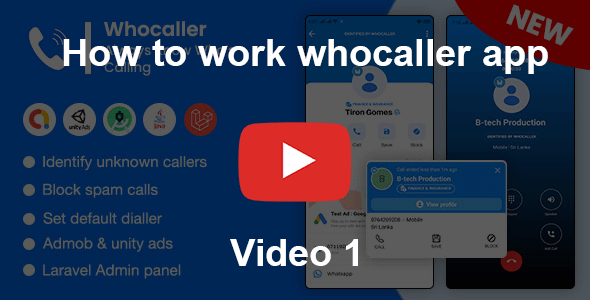
Whocaller – Who Called Me is the top true caller id app. Whocaller works like a phone number search, call blocker and phone dialer app !
Whocaller help identify unknown callers and show who’s calling you. Block spam calls, robocalls, telemarketing and unwanted calls. Display true caller id name and region for you.

DEMO SIGNIN WITH MOBILE
Phone number : +94 711920144
Otp : 123456
DEMO LOGIN WITH EMAIL
Email : demo123@gmail.com
Password : 123456

Demo Login Details:
Email : admin@admin.com
Password : admin
Apps from some customers who purchased our app
https://play.google.com/store/apps/details?id=com.caller.corexero
https://play.google.com/store/apps/details?id=app.callprotector.loyal
https://play.google.com/store/apps/details?id=com.whocaller.spamdetector
Instant Caller ID
- Caller identification help identify unknown and private callers. Shows the true caller id and name. Find out true phone caller id and more number details. Not only identify unknown calls, Whocaller – Who Called Me can also help you identify spam, scam and telemarketing calls. Figure out the true caller by installing Whocaller.
Call Blocker
- Block unwanted calls such as telemarketing, spam callers, robocalls, fraud, by adding them to calls blacklist. Whocaller app will automatically block number from your blacklist and help you say goodbye to all spam calls.
Smart Phone Dialer
- Make phone calls and manage your call history in the app directly. Use our smart dialer to quickly search in your call logs and contacts, enjoy the smoothest dialing experience!
Phone Number Search
- Whocaller lets you perform a phone number lookup any number to find out who it is and find out who called. You can copy any number you see and put it into the search box. Whocaller – Who Called Me will identify the number and display true phone caller id and more details. Based on a huge data base, it is the best phone number lookup and phone number search tool in Android!
Smart Call History
- Have you ever checked your call history and wondered: who called me? Whocaller app scans every unknown caller to protect your security. See all the call history in the recent calls. Including the missed calls, completed incoming and outgoing calls, no answer calls. Show you all call region and true phone caller id. No unknown numbers anymore.
Whocaller - Who Called Me is very easy and lightweight, yet powerful. If you want to find a number detail, you can also try phone number search in Whocaller – Who Called Me. You will get the best results about this number.
Whocaller - Who Called Me is a free Whocaller app dedicated to serving users. It has never been easier to identify numbers from unknown callers and block numbers and unwanted calls! Download Whocaller – Who Called Me today!




ChangeLogs
Version 1.7 (22 January 2026)
[FIXED] Ringer sound issue
[FIXED] Contact add/edit button not working on some Android versions
[FIXED] Various bug fixes and improvements
[FIXED] Updated libraries
Version 1.6 (22 April 2025)
[NEW] Added SIM selection dialog
[FIXED] Hold call and add call feature not working issue
[FIXED] Various bug fixes
Version 1.5 (12 February 2025)
[NEW] Added bulk contacts upload feature
[NEW] Added loading bar for single contact in caller log
[FIX] Updated libraries
[FIX] Improved caller number location detection
[FIX] Fixed issue with contact images not displaying in caller log<br /><br />
OUR OTHER APPS :


| Type | Android App |
|---|---|
| Author | AndroPlaza |
| Price | $32 |
| Sales | 54 |
| Rating | 2.5 (6) |
| Published | Sep 5, 2024 |
| Last Update | Jan 21, 2026 |
| Compatible Software | Android 12.0, Android 11.0, Android 10.0, Android 9.0, Other |
| Demo Url | https://androplaza.shop/whocaller |
| Mobile Files Included | .apk, .java, .xml |
Categories
Tags
External listing. code.market does not sell this product and does not process payment for it. Pricing, payment, delivery, licensing, refunds, and support are handled by the third-party merchant on its own website. We may earn an affiliate commission from a referral. Details.
Products of the Week.
Submit🥇

STOP GUESSING WHAT TO POST
AI that learns your brand voice and builds a month of consistent, on-brand social content: carousels, posts and hooks that sound like you, not like everyone else's AI.
SaaS · 7,346 views · 67 clicksSaaS · Week 46 · 7,346 views · 67 clicks
🥈

Conversational Backlinks for Busy Founders
Place Backlink Relevant Conversation for your domain across Forums and Conversations
Website · 46,624 views · 232 clicksWebsite · Week 46 · 46,624 views · 232 clicks
🥉

upvote.club
Free Social Media Engagement that Helps Boost Your Content. Upvote Club supports 19 social networks with 100+ engagement actions in one dashboard. Add links to your posts and get free engagement from real users.
SaaS · 44,566 views · 127 clicksSaaS · Week 46 · 44,566 views · 127 clicks
#4

Substack Posting API
Onboard your Agent to Substack. Write Publish on Substack via API
SaaS · 63,451 views · 206 clicksSaaS · Week 46 · 63,451 views · 206 clicks
#5

Seenshot App
Free, Fast, MacOS Screenshot app. Make Screenshot cmd+shift+2 and send it via link
Desktop App · 32,702 views · 127 clicksDesktop App · Week 46 · 32,702 views · 127 clicks
#6

Hand-Placed Backlinks $9.99 per link. Flat rate.
Buy hand-placed forum, Q-A and directory backlinks. Flat $9.99 per link, no subscriptions — you only pay for approved listings.
Website · 8,324 views · 19 clicksWebsite · Week 46 · 8,324 views · 19 clicks
#7

Free Invoice Generator - PDF Invoices in Your Browser, No Sign-Up
A free invoice maker for freelancers and small businesses: fill in the invoice, check the live preview, and download a PDF that looks exactly like it. Any currency, tax per item, three templates, no sign-up, and nothing leaves your device.
6,951 views · 29 clicksWeek 46 · 6,951 views · 29 clicks
#8

Merge PDF Files Free - Combine PDFs in Your Browser, No Upload
A free PDF merger for office workers, students, and freelancers: combine PDFs and images into one file in the browser, reorder files and pages, pick page ranges, keep bookmarks, and open password-protected PDFs. Nothing is uploaded, no sign-up, no watermark.
6,433 views · 18 clicksWeek 46 · 6,433 views · 18 clicks