
WhatsCRM - Chatbot, Flow Builder, API Access, WhatsApp CRM SAAS System

Description
DISCLAIMER – The system employs the Official WhatsApp Cloud API, which is a paid service. You can find the current pricing details here. In contrast to the past, access to the Official WhatsApp Cloud API is now openly available to all businesses without any review or acceptance process.
WhatsCRM is a powerful cloud-based WhatsApp & Instagram marketing and automation platform designed as a complete SaaS solution. Manage customer conversations, automate workflows with AI-powered chatbots, broadcast messages, integrate with third-party services, and scale your WhatsApp and Instagram business operations — all from one unified dashboard.
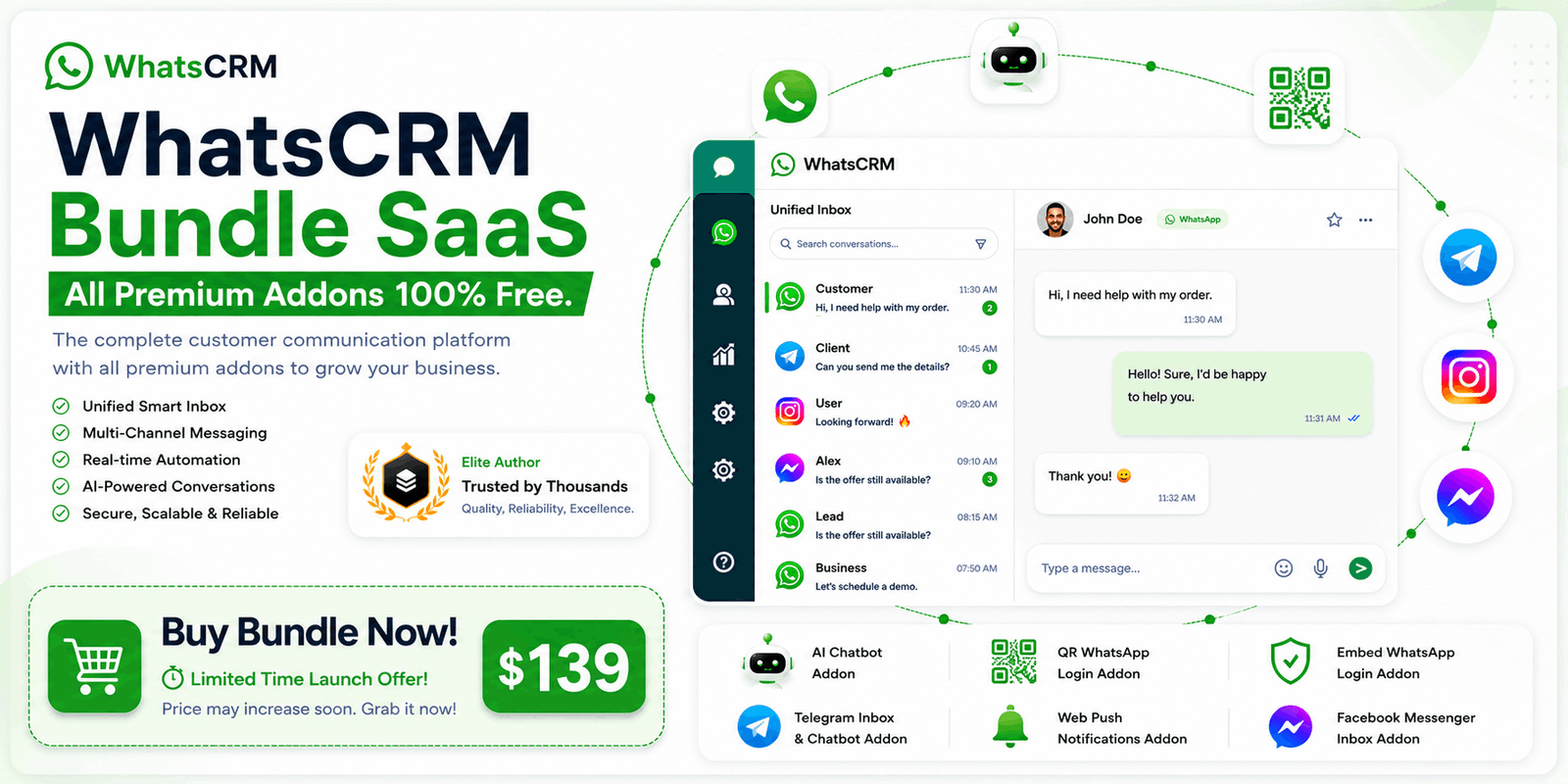
Buy WhatsCRM Bundle – Get ALL Premium Addons FREE!
Save more with the WhatsCRM Bundle and unlock the complete customer communication platform for a single price. Get all premium addons absolutely FREE, including AI Chatbot, QR WhatsApp Login, Embed WhatsApp Login, Telegram Inbox & Chatbot, Web Push Notifications, Facebook Messenger Inbox, and all future bundle updates. Build powerful multi-channel communication, automate customer support, manage conversations from one unified inbox, and scale your business without purchasing addons separately.
Limited-Time Launch Offer: Get the complete WhatsCRM Bundle for just $139. This special launch price may increase soon, so grab it while it’s available!
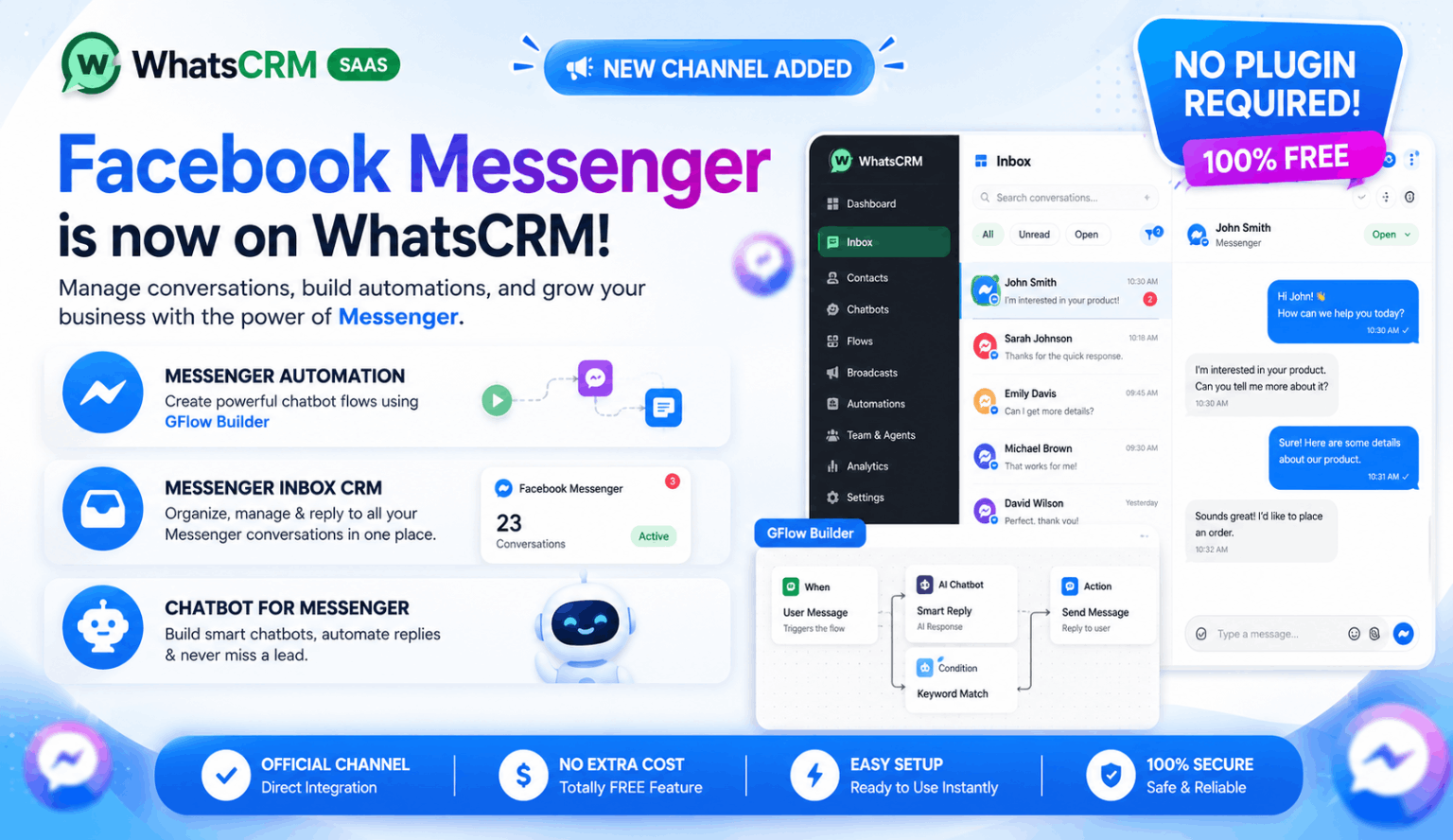
NEW FREE CHANNEL – Facebook Messenger Inbox & Automation!
WhatsCRM now includes Facebook Messenger as a built-in communication channel completely FREE — no plugin purchase required. Connect your Facebook Pages, manage Messenger conversations from a unified inbox, build powerful chatbot automations using the visual Flow Builder, automate customer replies, assign chats to agents, and manage your Messenger CRM alongside your WhatsApp channels from one centralized dashboard.
Instagram AI Chatbot & Comment to DM!
WhatsCRM now introduces the powerful Instagram Inbox & Automation Addon, allowing you to manage Instagram conversations, automate replies using AI, and convert engagement into real leads. Automatically respond to messages with an AI chatbot and trigger instant replies to comments by sending direct messages — all from one unified dashboard.

NEW FEATURE ALERT – WhatsApp Coexistence Now Supported!
WhatsCRM now supports WhatsApp Coexistence using Embed Login Plugin, allowing you to connect your regular WhatsApp Business account alongside the Meta Cloud API without disconnecting or disrupting your existing setup. Manage chats, send buttons, lists, and advanced messages directly from WhatsCRM while both systems work together seamlessly.

Explore Premium Add-ons for WhatsCRM
Unlock the full power of WhatsCRM with advanced add-ons designed to automate, scale, and enhance your business operations:
- AI Chatbot for WhatsApp – Integrate OpenAI, Gemini, and DeepSeek to automate smart conversations, lead qualification, and 24/7 customer support
- QR WhatsApp Login – Instantly connect regular WhatsApp accounts by scanning a QR code for fast and seamless automation
- Webhook Automation Plugin – Connect with Shopify, WooCommerce, and any webhook-supported platform to automate workflows using the visual flow builder
- Embed WhatsApp Login – Onboard WhatsApp Business users with one-click official authentication using embedded signup
- AI WhatsApp Calling – Automate voice calls with AI-driven conversations, call flows, and task handling
- Telegram Inbox & Chatbot – Manage Telegram conversations and automate replies with a built-in chatbot system
- Instagram Inbox & Comment-to-DM Automation – Manage Instagram messages, automate replies, and convert comments into direct messages instantly
- WhatsCRM Mobile App (React Native) – Launch your own branded mobile app for Android and iOS using Expo-based React Native
- Web Push Notifications – Send real-time browser notifications to engage users instantly and increase retention

Design WhatsCRM Theme Your Way
Introducing a new feature that allows you to fully customize colors and UI components as per your preference in the WhatsCRM frontend using inbuilt Admin Theme Config.

WhatsCRM New UI with More Power
Introducing the new WhatsCRM UI with a completely refreshed look. Light and dark mode support, a clean design, and smoother performance across all panels.

User-Friendly WhatsApp Inbox with Built-in CRM
Manage all your WhatsApp conversations in one centralized inbox. Assign chats to agents, add notes, organize with labels, track customer data, and deliver exceptional customer service. Our intuitive CRM interface makes chat management effortless and efficient.

AI WhatsApp Calling for Smarter Conversations
Automate incoming and outgoing WhatsApp voice calls using AI-powered conversations. Create dynamic call flows, handle customer interactions, manage call logs, and deliver human-like voice experiences — all directly from WhatsCRM.

Advanced Flow Builder for Endless Possibilities
Create sophisticated automation workflows with our drag-and-drop flow builder. Make API requests, execute MySQL queries, save data to Google Spreadsheets, trigger webhooks, and automate complex business processes. Build chatbots, automate tasks, and integrate with external services — all without writing code.

And Much More…
Explore dozens of additional features including REST API access, chat widgets, phonebook management, template managers, broadcasting tools, and more. Check out our live demo for the complete experience!

PWA Supported
WhatsCRM is fully Progressive Web App (PWA) compatible, allowing users to install and access it like a native app directly from their browser on any device.


Complete Feature List
Core Features
- Dashboard with real-time analytics and activity overview
- Advanced inbox for managing chats, contacts, and conversations
- Kanban-style chat board — organize and manage chats visually by status or stage
- Set and manage chat tags directly from the chat list for quick categorization
- WhatsApp Forms — collect structured data from customers via interactive WhatsApp forms
WhatsApp QR Plugin
- Connect WhatsApp accounts using QR scan (Addon Required: QR)
- WhatsApp number warming system (Addon Required: QR)
- Dedicated REST API for QR WhatsApp instances (Addon Required: QR)
WhatsApp Meta Connect
- Manual Meta WhatsApp account integration
Instagram Automation
- Instagram DM AI Chatbot with OpenAI, Gemini, DeepSeek support (Addon Required: INSTAGRAM)
- Comment-to-DM automation — auto-reply to post comments via DM (Addon Required: INSTAGRAM)
- Unified Instagram inbox with CRM features (Addon Required: INSTAGRAM)
- AI-powered lead qualification from Instagram interactions (Addon Required: INSTAGRAM)
- Flow builder integration for Instagram automation workflows (Addon Required: INSTAGRAM)
Automation & Bots
- Visual automation flow builder with drag-and-drop interface
- WhatsApp chatbot automation system
- AI-powered one-click flow generation using OpenAI, DeepSeek, or Gemini
- WhatsApp Forms node — send and receive form responses inside automation flows
- Set Chat Tags node — automatically tag chats based on flow conditions
- Google Spreadsheet node — save collected data directly to sheets
- Request API node — make external HTTP requests within flows
- Condition node — branch flows based on user input or data values
- Reset Flow node — restart workflows from any point in the automation
- Duplicate Node — clone any node for faster flow creation
- Import flow templates created by Admin
Broadcasting & Campaigns
- Create and manage Meta message templates
- Send bulk campaigns via WhatsApp API
- Send interactive catalog messages (product showcase)
- Send carousel template messages with multiple cards and CTA buttons
- Campaign performance dashboard
- Phonebook and contact list management
AI WhatsApp Calling
- Create dynamic call flows (Addon Required: WACALL)
- WhatsApp call logs and tracking (Addon Required: WACALL)
- WhatsApp calling setup and configuration (Addon Required: WACALL)
Meta REST API
- Conversational API for WhatsApp messaging
- Template API integration
- API usage dashboard and monitoring
Webhook Automation
- Webhook endpoint management (Addon Required: EMBED)
- Automation workflows using webhooks (Addon Required: EMBED)
- Webhook logs and execution tracking (Addon Required: EMBED)
Admin Panel Features
Core Dashboard
- Centralized admin dashboard with system analytics and insights
Users & Plans Management
- Create and manage subscription plans
- User account management and access control
- Order and payment tracking system
- Plan-level optional addon toggles — enable Telegram and Instagram plugins per plan
Front-End Content Management
- Manage landing page sections (Partners, FAQ, Testimonials)
- Custom page builder and content editor
- Contact form submissions management
Data & Integrations
- WhatsApp link generator data management
- Multiple payment gateway integrations
- Pre-built flow builder templates management
System Settings
- Website theme and UI customization
- Set default application language for all users
- Social login configuration (Google, etc.)
- Global site settings and configurations
- SMTP email configuration
- Full website translation management
- One-click system updates
PRO Addons Configuration
- QR Plugin settings and controls (Addon Required: QR)
- WhatsApp Embed (Embedded Signup) configuration (Addon Required: EMBED)
- Telegram integration configuration (Addon Required: TELEGRAM)
- Instagram Inbox & Chatbot configuration (Addon Required: INSTAGRAM)
Agent Panel Features
- Manage assigned chats using inbox
- Mark tasks as complete
- Access to relevant customer information
- And much more…
System Requirements
- Shared hosting with Node.js support or VPS (recommended)
- MySQL database
- Domain or subdomain
What You Will Get
- Node.js backend
- CSS access for styling customization
- Built version of ReactJS frontend
Live Demo Access
Video Demo: Watch on YouTube
Frontend: Visit Frontend
Admin Login: Admin Panel Email: admin@admin.com Password: Password@123
User Login: User Panel Email: user@user.com Password: password
Agent Login: Agent Panel Email: john@agent.com Password: password
Changelog - 6.2.0 (24 Sep 2026)
----------------------------------
Admin, User, Agent Panels:
1. Added an in-built caching system to optimize Inbox query performance, similar to Redis
2. Introduced WhatsApp QR-based AI Calling (Beta)
3. Connect WhatsApp via QR code to initiate AI-powered inbound and outbound bulk calls
4. Third-party API integration is required for WhatsApp QR-based AI Calling
5. Enable AI to perform tasks such as appointment booking using OpenAI or ElevenLabs voice integrations
6. Removed the requirement for call permissions to initiate calls
Changelog - 6.1.0 (4 Aug 2026)
----------------------------------
Admin, User, Agent Panels:
1. Send WhatsApp templates directly from the Inbox outside the 24-hour window (WhatsApp Cloud API)
2. Start new conversations from the Inbox by sending a template via WhatsApp Cloud API
3. Broadcast now supports sending templates outside the 24-hour window
4. Forward messages in chat
5. Phonebook section redesigned for smoother and faster performance with large contact lists
6. Send bulk messages via WhatsApp QR with reduced banning risk
7. Import all WhatsApp mobile contacts into Phonebook in one click (WhatsApp QR)
8. Improved WhatsApp QR management
9. WhatsApp QR number indicator now visible on Inbox chat list
10. Improved WhatsApp Form submission handling
11. Added CAPTCHA integration on the Contact page
Changelog - 6.0.0 (9 Jul 2026)
----------------------------------
Admin, User, Agent Panels:
1. Added a new channel: Facebook Messenger (completely FREE, no plugin required)
2. Added Facebook Messenger chatbot automation
3. Added Facebook Messenger Inbox CRM support
4. Minor bug fixes and performance improvements
Changelog - 5.9.9 (23 May 2026)
----------------------------------
- New Google Services node added in flow builder
- New Ai Chat Provider added  - UseVelix.com (Ai Plugin)
- Added new node in flow builder to add or remove phonebook contact from the phonebook
- Minor bug fixes and improvements
Changelog - 5.9.8 (22 May 2026)
----------------------------------
- Improved code quality and removed junk/dead code across webhook and inbox files
- Fixed a circular dependency issue that was causing a startup warning on server boot
- Improved logging consistency — errors now correctly surface in production logs
- Replaced blocking file I/O with async operations to improve webhook response performance
- Removed debug noise that was leaking internal request data into log files
- Removed unused imports and unreachable code blocks
- General code cleanup and stability improvements across core message processing files
Changelog - 5.9.5 (4 May 2026)
----------------------------------
Admin, User, Agent Panels:
1. WhatsApp Forms added — collect structured data from users via WhatsApp
2. Instagram Comment-to-DM automation added — automatically reply to Instagram post comments by sending DMs (Plugin Needed)
3. AI-powered one-click Flow Builder — generate automation flows instantly using OpenAI, DeepSeek, or Gemini
4. Kanban chat board system added — visually manage chats by stage or status
5. Set default application language from Admin panel
6. WhatsApp Forms node added in Flow Builder
7. Set Chat Tags node added in Flow Builder
8. Plan section updated — Admin can now enable optional Telegram and Instagram plugins per plan
9. Minor bug fixes
10. Much more
Changelog - 5.9.0 (3 Apr 2026)
----------------------------------
- Fully redesigned UI with improved user experience
- WhatsApp Business Catalog template support added
- WhatsApp Business Carousel template support added
- Instagram DM AI Chatbot support added
- Instagram Comment-to-DM Automation added
- Updated system dependencies
- Minor improvements and bug fixes
- Prepare for new Plugin Web Offline Push Notifications
Changelog - 5.8.0 (10 Mar 2026)
----------------------------------
Admin, User Panels:
1. Added a new Mercado Pago payment gateway
2. Added a new RESET FLOW node in Automation to restart workflows
3. Added Flow Templates management in the Admin panel
4. Users can now import Flow Templates created by the Admin
5. Added a Duplicate Node button in the Flow Builder for faster workflow creation
Changelog - 5.7.0 (5 Mar 2026)
----------------------------------
Admin, User, and Agent Panels:
1. Prepared the system for the upcoming Telegram Inbox and Chatbot plugin
2. Added new dependencies and updated existing dependencies
Changelog - 5.6.0 (18 Feb 2026)
----------------------------------
Admin, User, Agent Panels:
1. WhatsApp Coexistence feature added with Embed Login Plugin
Changelog - 5.5.0 (8 Feb 2026)
----------------------------------
Admin, User, Agent Panels:
1. Updating for AI WhatsApp Calling Plugin with dependency upgrades and minor bug fixes
Changelog - 5.4.0 (10 Jan 2026)
----------------------------------
Admin, User, Agent Panels:
1. Updating for Embed Plugin with dependency upgrades and minor bug fixes
Changelog - 5.0.0 (11 Jun 2025)
----------------------------------
Admin, User, Agent Panels:
1. Complete UI redesign for all panels with a modern and clean look

Automation & Campaign:
1. Brand new automation flow system introduced
2. Fully reworked campaign management with improved controls

Inbox:
1. New inbox with refreshed UI
2. Advanced filters for easier chat management
3. Significantly smoother performance

Performance Improvements:
1. Chats moved from local storage to MySQL for faster response
2. Flows moved from local storage to MySQL for better efficiency
3. Sessions now stored in MySQL for enhanced reliability

General:
1. Multiple improvements across the platform
2. Various bug fixes
3. Many new features and enhancements added
Changelog - 3.6.0 (19 Apr 2025)
----------------------------------
Landing Page:
1. Minor changes

User Panel:
1. Google Spreadsheet node added in flow builder
2. Enhanced condition node added in the flow builder
3. You can now take any input (image, location, text, PDF, etc.) from the user in the chatbot and use it anywhere
4. Using the Request API Node under chatbot flow, you can now send any key from the message
5. QR Plugin WhatsApp Warmer added
6. QR Plugin REST API added

Admin Panel:
1. Admin can now set QR addon plugin in the plan

Other:
- Bug fixes
- Further enhancements
Changelog - 3.0.1 (24 Mar 2025)
----------------------------------
Backend:
1. Minor changes
2. Preparing for QR Addon
Changelog - 3.0.0 (28 Jan 2025)
----------------------------------
Landing Page:
1. Minor changes

Admin Panel:
1. Added new Update screen
2. Minor additional changes

User Panel:
1. Completely new Inbox section added
2. Users can now preview Meta templates
3. Templates and broadcasts have been made more advanced
4. A "Condition: Take Input" node has been added to the Flow Builder
5. Minor changes
6. Minor bug fixes
Changelog - 2.3 (25 Aug 2024)
----------------------------------
Landing Page:
1. Demo hero video added
2. Quick WhatsApp link generator added

Admin Panel:
1. Added "Plan Expiry" field in "Manage User"
2. PayPal payment gateway integrated
3. Razorpay payment gateway integrated
4. Added WhatsApp quick link data management
5. Social login options added
6. Theme color settings added

User Panel:
1. Fixed minor bugs in the inbox
2. Chatbot builder enhanced with advanced features
3. "Edit Flows" node feature added
4. API send templates added
Changelog - 1.9 (5 Jun 2024)
----------------------------------
- Preparing for upcoming updates
- Minor issues fixed
Changelog - 1.8 (9 Apr 2024)
----------------------------------
- Added Agent/Staff panel
- Added Chat Widget
- Minor bug fixes
- Admin can now enable/disable the header from the login page
- Failed reason added in broadcast
- Much more
Changelog - 1.4 (23 Mar 2024)
----------------------------------
- Fixed ChatBot Flow reply
- Minor fixes
Changelog - 1.2 (14 Mar 2024)
----------------------------------
- Fixed media Facebook CDN
- Added one-click update
- Installation experience enhanced
Changelog - 1.0 (3 Mar 2024)
----------------------------------
- Initial release
| Type | JavaScript Script |
|---|---|
| Author | codeyon_itservices |
| Category | Javascript |
| Price | $69 |
| Sales | 1,216 |
| Rating | 4.50 from 120 ratings |
| Published | Mar 13, 2024 |
| Last Update | Oct 16, 2026 |
| Compatible Browsers | IE6, IE7, IE8, IE9, IE10, IE11, Firefox, Safari, Opera, Chrome, Edge |
| Compatible Software | Node.js |
| Source Files Included | JavaScript JS, JavaScript JSON, HTML, CSS, SQL |
| Video Preview Resolution | 640x360 |
Categories
Tags
External listing. code.market does not sell this product and does not process payment for it. Pricing, payment, delivery, licensing, refunds, and support are handled by the third-party merchant on its own website. We may earn an affiliate commission from a referral. Details.
Products of the Week.
Submit🥇

STOP GUESSING WHAT TO POST
AI that learns your brand voice and builds a month of consistent, on-brand social content: carousels, posts and hooks that sound like you, not like everyone else's AI.
SaaS · 4,290 views · 38 clicksSaaS · Week 45 · 4,290 views · 38 clicks
🥈

Conversational Backlinks for Busy Founders
Place Backlink Relevant Conversation for your domain across Forums and Conversations
Website · 42,001 views · 223 clicksWebsite · Week 45 · 42,001 views · 223 clicks
🥉

upvote.club
Free Social Media Engagement that Helps Boost Your Content. Upvote Club supports 19 social networks with 100+ engagement actions in one dashboard. Add links to your posts and get free engagement from real users.
SaaS · 40,042 views · 117 clicksSaaS · Week 45 · 40,042 views · 117 clicks
#4

Substack Posting API
Onboard your Agent to Substack. Write Publish on Substack via API
SaaS · 59,052 views · 198 clicksSaaS · Week 45 · 59,052 views · 198 clicks
#5

Seenshot App
Free, Fast, MacOS Screenshot app. Make Screenshot cmd+shift+2 and send it via link
Desktop App · 28,427 views · 122 clicksDesktop App · Week 45 · 28,427 views · 122 clicks
#6

Hand-Placed Backlinks $9.99 per link. Flat rate.
Buy hand-placed forum, Q-A and directory backlinks. Flat $9.99 per link, no subscriptions — you only pay for approved listings.
Website · 4,261 views · 19 clicksWebsite · Week 45 · 4,261 views · 19 clicks
#7

Free Invoice Generator - PDF Invoices in Your Browser, No Sign-Up
A free invoice maker for freelancers and small businesses: fill in the invoice, check the live preview, and download a PDF that looks exactly like it. Any currency, tax per item, three templates, no sign-up, and nothing leaves your device.
2,937 views · 17 clicksWeek 45 · 2,937 views · 17 clicks
#8

Merge PDF Files Free - Combine PDFs in Your Browser, No Upload
A free PDF merger for office workers, students, and freelancers: combine PDFs and images into one file in the browser, reorder files and pages, pick page ranges, keep bookmarks, and open password-protected PDFs. Nothing is uploaded, no sign-up, no watermark.
2,713 views · 13 clicksWeek 45 · 2,713 views · 13 clicks