
WhatsApp Share for WordPress and WooCommerce
Description
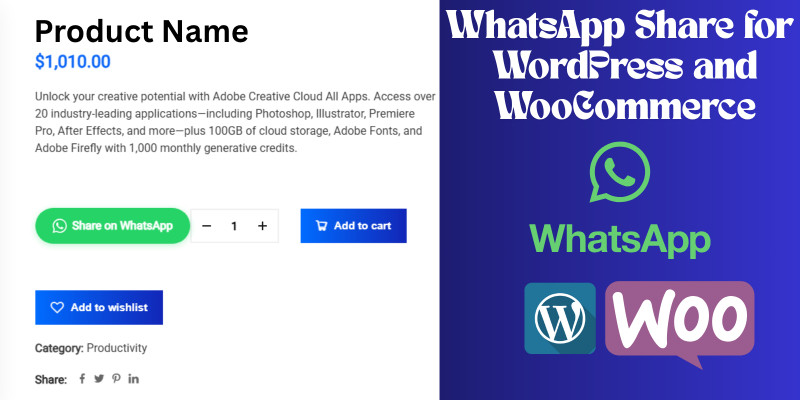
WP WhatsApp Share helps people share your content on WhatsApp with a single click. It works on blogs, business sites, and WooCommerce stores. You can choose where the button appears, change how it looks, and set custom messages for each post or product. It works on both phones and computers, so your visitors can share from wherever they are. Have you ever tried to promote a product and wished more people could pass it around easily. This tool does that. It gives you simple controls, clean setup, and features that cover most real needs.
Features
What You Can Share • Posts with title, excerpt, and link • Pages with custom text • Products with name, price, and selected variations • Optional featured image • Custom share text for each item • Works on WhatsApp mobile and WhatsApp Web
Display Options • Inline button above or below content • Floating button that stays visible while scrolling • Shortcode for manual placement • Sidebar widget • Icon only, icon with text, or text only • Small, medium, or large button • Custom button color • Show on mobile, desktop, or both
Made for WooCommerce • Automatic placement on product pages • Support for product variations • Optional price display • Works with featured images
Extra Features • Click tracking for each post and product • UTM support for campaign links • Optional GDPR consent checkbox • Popup sharing trigger options • Share count display • Emoji support • Multi-language ready • Responsive layout • RTL support • Works in light and dark themes
Admin Controls • Clean settings page with tabs • Turn sharing on or off for each content type • Per-post and per-product overrides • Analytics dashboard • Share count column in post lists
Requirements
• WordPress version 5.0 or higher • PHP version 7.2 or higher • MySQL 5.6 or higher or MariaDB equivalent • Works with any modern theme • Works with both Classic Editor and Block Editor
Instructions
- Upload the plugin
- Activate it
- Open the WhatsApp Share settings page
- Configure your button style and placement
| Author | jackboochy |
|---|---|
| Category | Plugins / WordPress / Social Media |
| Price | $25 |
| Extended License | $75 |
| Likes | 1 |
| First Release | Nov 15, 2025 |
| Last Update | Nov 15, 2025 |
| Supported cms | WordPress 5.0, WooCommerce 5.x, WooCommerce 6.x, WordPress 5.8, WordPress 5.9, WooCommerce 7.x, WooCommerce 8.x, WordPress 6.0, WordPress 6.1, WordPress 6.2, WordPress 6.3, WordPress 6.4, WordPress 6.5, WooCommerce 9.x, WordPress 6.6, WordPress 6.7 |
| Files included | .php, .css, JavaScript .js |
Categories
Tags
External listing. code.market does not sell this product and does not process payment for it. Pricing, payment, delivery, licensing, refunds, and support are handled by the third-party merchant on its own website. We may earn an affiliate commission from a referral. Details.
Products of the Week.
Submit🥇

resumetailorapp.com
ResumeTailorApp helps job seekers create professional, ATS-friendly resumes, improve existing CVs, and tailor their applications to specific job descriptions using AI. It also generates personalized cover letters to help candidates present their qualifications more effectively and simplify the job application process.
Other · 4,316 views · 8 clicksOther · Week 48 · 4,316 views · 8 clicks
🥈

Free GitHub Stars From Real
Get free GitHub stars on your repository from real developers who star by hand. No
Other · 5,878 views · 18 clicksOther · Week 48 · 5,878 views · 18 clicks