
WhatSaaS Voice Call — Twilio Voice Integration with Recordings & Credit Billing (Add-on)
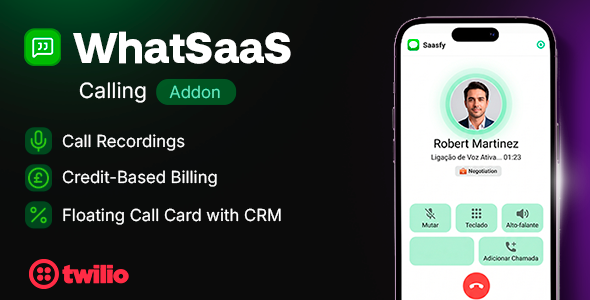
Description
Important Notice
This is NOT a standalone product. WhatSaaS Voice Call requires the WhatSaaS Web Platform (v1.0.5+) to be installed and running. This plugin adds voice calling capabilities powered by Twilio. Please ensure you have the web platform set up before purchasing this add-on.
Description
WhatSaaS Voice Call is a plug-and-play add-on for the WhatSaaS platform. It enables browser-based voice calls via Twilio WebRTC — allowing your sales and support agents to call customers directly from WhatsApp conversations, without switching apps or installing additional software.
Record, manage, and scale: the ultimate voice call experience for WhatsApp CRM.

Demo Access
Web Platform: https://whatsaas.saasfy.uk/en/sign-in
⚠ Open any chat and click the phone icon in the header to test the voice call feature.
Email: test@test.com
Password: admin123
Key Features
- Browser-Based Calling: Make outbound calls directly from the chat interface via WebRTC. No apps, no extensions — just click and call.
- Call Recordings: Every call is automatically recorded. Recordings are saved and accessible from the chat history for playback, quality assurance, and training.
- Credit-Based Billing: Built-in credit system with configurable per-minute rates. Teams purchase credits, and usage is automatically deducted with full transaction history.
- Floating Call Card: Draggable, always-visible call interface. Agents can navigate the app while on a call without losing the controls.
- CRM Quick Actions: During a call, agents can update funnel stages, assign contacts, add notes, and manage tags — without leaving the conversation.
- Call History: Dedicated page with full call logs including direction, duration, status, and recording links.
- Call Bubbles in Chat: Voice call events are automatically displayed as styled message bubbles in the chat timeline with status and duration.
- Phone Number Management: Search, purchase, and manage Twilio phone numbers directly from the WhatSaaS settings page.
- Multi-Number Support: Teams can have multiple phone numbers. When initiating a call, agents select which number to call from.
How It Works
- Admin configures Twilio credentials in Admin > Voice Calls
- Team purchases a phone number from Settings > Voice Calls
- Team purchases call credits (per-minute billing)
- Agent opens a chat and clicks the phone icon in the header
- Call connects via WebRTC in the browser — no software needed
- Call is recorded and saved as a message bubble in the chat
Requirements
- WhatSaaS Web Platform: v1.0.5 or later — the voice call plugin is an add-on.
- Twilio Account: Required for voice connectivity. Sign up here (free trial available with $15 credit).
- Twilio API Key + Secret: For WebRTC browser token generation.
- TwiML App: Configured in Twilio to route call events to your server.
- Twilio Phone Number: At least one number with voice capability.
- HTTPS Domain: Required for Twilio webhooks.
What’s Included
- Full TypeScript source code
- Step-by-step installation guide (HTML)
- Twilio configuration guide with screenshots reference
- Admin panel integration (credentials + pricing)
- Settings page for teams (numbers + credits)
- Call history page with recordings
Important Note Before Buying
Dependency:
This plugin is an add-on for the WhatSaaS Web Platform. It extends the existing platform with voice calling features. It will not work without the web platform (v1.0.5+) installed and running.
Twilio Costs:
Twilio charges for phone numbers and call minutes separately. These costs are paid directly to Twilio and are not included in the plugin price. See Twilio Voice Pricing for details.
Refund Policy:
Please clear all your doubts and read the available documentation before purchasing. As this is a digital downloadable product, we do not offer refunds once the item has been downloaded.
Support Notes:
- Installation: A comprehensive installation guide is included. We also offer an installation service — contact us on Telegram: @saas_fy
- Scope of Support: Support is provided exclusively for the WhatSaaS Voice Call plugin. Issues related to Twilio account setup, VPS, or general infrastructure are outside our scope.
- Bug Reports: As an independent developer, I cannot offer immediate technical support. In the event of project bugs, please wait for the next scheduled update.
Changelog
Changelog – Version 1.0.0 (13 April 2026)
---------------------------------------
- Initial release
- Browser-based voice calls via Twilio WebRTC
- Automatic call recording with chat history integration
- Credit-based billing with configurable per-minute pricing
- Floating draggable call card with CRM quick actions
- Dedicated call history page with logs and recordings
- Phone number search and purchase from settings
- Multi-number support with caller selection
- Call status bubbles in chat (completed, missed, busy, failed)
| Type | ExpressionEngine Add-on |
|---|---|
| Author | saasfy |
| Price | $19 |
| Sales | 3 |
| Rating | 0 (0) |
| Published | Apr 15, 2026 |
| Last Update | Apr 15, 2026 |
| Compatible Browsers | IE6, IE7, IE8, IE9, IE10, IE11, Firefox, Safari, Opera, Chrome, Edge |
| Compatible Software | Other |
| Demo Url | https://whatsaas.saasfy.uk/calls |
| High Resolution | Yes |
| Source Files Included | JavaScript JS, JavaScript JSON, CSS |
Categories
Tags
External listing. code.market does not sell this product and does not process payment for it. Pricing, payment, delivery, licensing, refunds, and support are handled by the third-party merchant on its own website. We may earn an affiliate commission from a referral. Details.
Products of the Week.
Submit🥇

STOP GUESSING WHAT TO POST
AI that learns your brand voice and builds a month of consistent, on-brand social content: carousels, posts and hooks that sound like you, not like everyone else's AI.
SaaS · 6,693 views · 64 clicksSaaS · Week 46 · 6,693 views · 64 clicks
🥈

Conversational Backlinks for Busy Founders
Place Backlink Relevant Conversation for your domain across Forums and Conversations
Website · 45,719 views · 230 clicksWebsite · Week 46 · 45,719 views · 230 clicks
🥉

upvote.club
Free Social Media Engagement that Helps Boost Your Content. Upvote Club supports 19 social networks with 100+ engagement actions in one dashboard. Add links to your posts and get free engagement from real users.
SaaS · 43,698 views · 125 clicksSaaS · Week 46 · 43,698 views · 125 clicks
#4

Substack Posting API
Onboard your Agent to Substack. Write Publish on Substack via API
SaaS · 62,625 views · 204 clicksSaaS · Week 46 · 62,625 views · 204 clicks
#5

Seenshot App
Free, Fast, MacOS Screenshot app. Make Screenshot cmd+shift+2 and send it via link
Desktop App · 31,869 views · 125 clicksDesktop App · Week 46 · 31,869 views · 125 clicks
#6

Hand-Placed Backlinks $9.99 per link. Flat rate.
Buy hand-placed forum, Q-A and directory backlinks. Flat $9.99 per link, no subscriptions — you only pay for approved listings.
Website · 7,558 views · 19 clicksWebsite · Week 46 · 7,558 views · 19 clicks
#7

Free Invoice Generator - PDF Invoices in Your Browser, No Sign-Up
A free invoice maker for freelancers and small businesses: fill in the invoice, check the live preview, and download a PDF that looks exactly like it. Any currency, tax per item, three templates, no sign-up, and nothing leaves your device.
6,172 views · 21 clicksWeek 46 · 6,172 views · 21 clicks
#8

Merge PDF Files Free - Combine PDFs in Your Browser, No Upload
A free PDF merger for office workers, students, and freelancers: combine PDFs and images into one file in the browser, reorder files and pages, pick page ranges, keep bookmarks, and open password-protected PDFs. Nothing is uploaded, no sign-up, no watermark.
5,702 views · 16 clicksWeek 46 · 5,702 views · 16 clicks