
WebViewGold for Android – WebView URL/HTML to Android app + Push, URL Handling, APIs & much more!

Description
WebViewGold – Convert Your Website to an Android App. The WebView solution that just works.
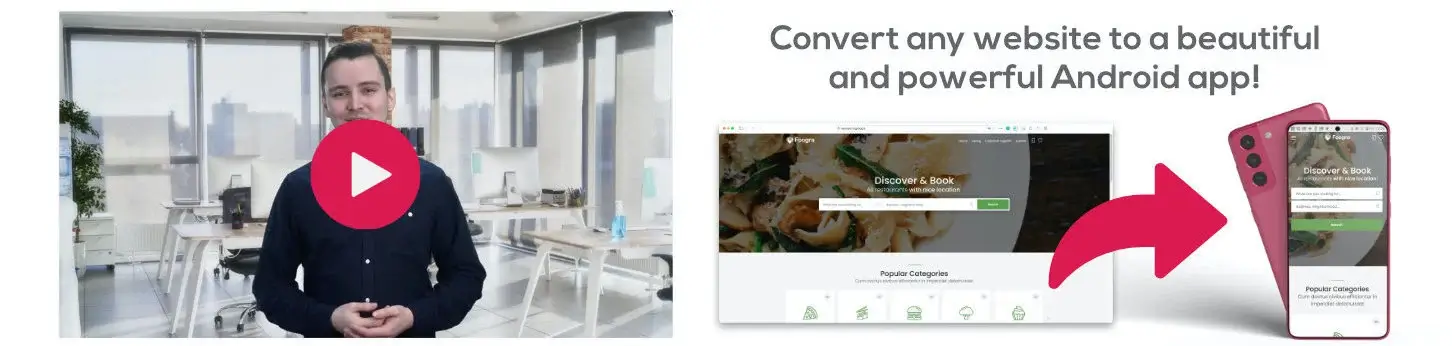
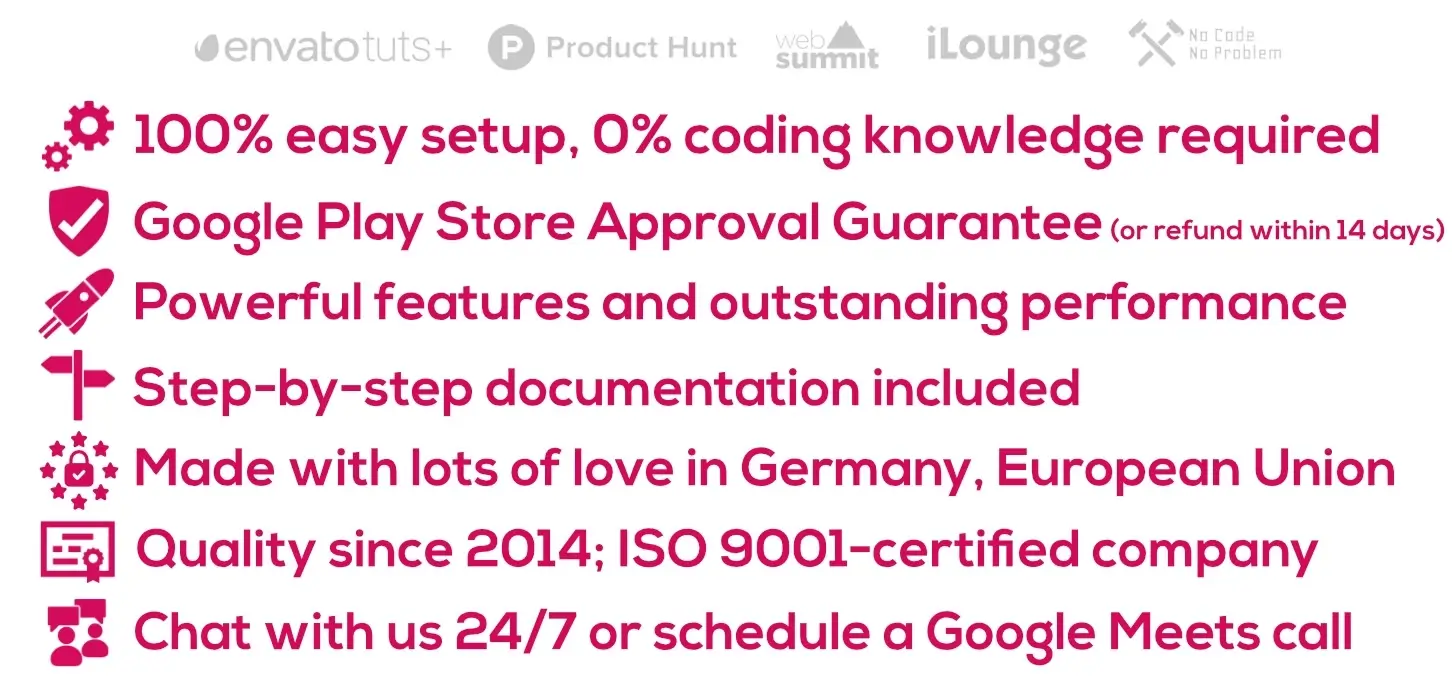



- Full Android App Template – convert your website to an app with no coding required! #nocode
- 24/7 Human Live Chat Support & AI-Searchable Documentation
- Works with any web app/website that works on Chrome browser – including no-code & AI-generated projects from Lovable, base44, Replit, bubble, Webflow, and more
- Submit your app to the Google Play Store easily with a step-by-step guide (or use our App Publishing Service or Cloud Builder; both sold separately)
- 100% ready for the latest Android versions & Google Play Target SDK requirements
- Regular SDK Updates (e.g., RevenueCat, OneSignal, and Pushwoosh)
- Easy: Just define your URL (or your local HTML folder) and WebViewGold takes care of the rest!
- Always up-to-date: All changes on your website are applied to your app automatically
- Optional fallback switch mode: Use local HTML folder if the user is offline, and use the remote URL if the user is online
- Native Loading Spinner/Android Activity Indicator while loading your URL
- Optimized for exceptional performance & using powerful Chromium web engine
- Splash Screen (e.g., containing animated GIFs) with customizable minimum/maximum duration (or until page loads) and optional fade-out effect
- Smart Performance Cache Mechanism
- Offline Screen with “Try again” button if your app can’t connect to your URL (including reconnect:// link trigger)
- HTML 5 Audio / HTML 5 Video Fullscreen / HTML Geolocation support (including Background Location Support)
- WebRTC & Media Capture Support – camera and microphone access for video calls, live streaming, and audio recording in your web app
- URL Handling: Define which URLs should be opened in System Browser instead of your app (ideal for external links, e.g., Facebook/Twitter)
- Custom Status Bar Background Color (including light/dark status bar text color options)
- Optional TRANSPARENT_STATUS_BAR option for true full-screen mode
- Multi-Language Support: Provide app text strings in multiple languages and/or append the user system language to your WebView URL
- HTML5 Live Audio Recording Support
- Dynamic UI API
- HTTP Basic Authentication Handling Support
- File Upload & Camera Upload Support
- Support for uploading multiple files in HTML upload forms
- Custom User-Agent supported
- App Lock functionality, enabling your app to enforce bio authentication/passcode for app access
- bioauth:// API – request biometric authentication on demand via link trigger
- Google AdSense Support
- Haptic Feedback API (Vibration)
- data: / base64 File Download Support
- Option to prevent the device from going to sleep mode while the app is active
- Full 16 KB Memory Page Size Support
- App PIN Fallback for Biometric Authentication (in addition to App Lock functionality)
- Built-in Document Scanner powered by ML Kit (optional, can be enabled/disabled)
- Built-in Printer Support
- Custom Navigation Footer & Drawer
- Health Connect Read/Write Functionality (returns today’s values for a set number of records/keys)
- Crashlytics Integration
- readvalue:// and writevalue:// Triggers – read and write app settings via JavaScript in the WebView
- settingsapp:// Link – open your app’s Android system settings directly via link trigger
- Coinbase (coinbase://) Scheme Support
- Dynamic enableads:// and disableads:// Links
- Image, PDF, ePub, Documents, and Music File Downloader API (add unlimited file types that should trigger the built-in file downloader; including Auto Downloader Option)
- iCal Calendar / .ics Downloader Support
- In-App Purchases & Subscriptions API (Extended License required; optionally, you can also connect to RevenueCat for easier handling of in-app purchases and subscriptions)
- In-App Payment Purchase History API – Retrieve the purchase history of your users’ in-app payments
- In-App Purchase Cancel API (cancelinapppurchase:// link trigger)
- Native Sharing Dialog API
- UUID API
- Hardware Acceleration Options
- Root Detection Options
- Pull To Refresh Functionality (including a dynamic API to enable/disable it via JavaScript)
- Take Screenshot API
- App Version Check API
- Contacts API
- ShareIntent API
- Input Scroll Helper
- EAN Barcode Scanner
- Clipboard API
- Flashlight API
- Native Video with Picture-in-Picture (PiP) API
- Dynamic Status Bar Color API (change status bar color using JavaScript)
- Social Login Support (“Login with Google” and “Login with Facebook”)
- Swiping Navigation Functionality
- Optional Tab Functionality with additional In-App-Browser (by calling top.location or top.location.href links)
- Native JavaScript Dialogs like alert(), confirm() and prompt()
- “Reset the app” APIs (clear cookies and cache of your user via link trigger, at app launch, and/or app exit)
- “First Run” Dialog (e.g., “Thanks for downloading this app!”)
- “Rate my app” Dialog
- “Follow on Facebook” Dialog
- Zoom Handling Options (including Custom Text Zoom Scaling)
- Dark Mode Handling Options (e.g., optional DISABLE_DARK_MODE flag and dark/light status bar text color switching)
- Easy orientation settings (e.g., portrait, horizontal, automatic)
- Powerful QR Code Scanner API
- NFC (Near Field Communication) integration possible (sold separately)
- Push Notifications via JavaScript, Pushwoosh, Firebase, OneSignal, or bubble.io (with URL Deeplinking and Unique User Identification)
- Option to append individual push user IDs to the web page URL to assign unique push tokens to the user on the server side (e.g., ?user_push_id=XXX)
- Push In-App Messages Support
- Support for WalletConnect scheme (wc:)
- Banner ads, Interstitial ads, & Rewarded ads by AdMob or Facebook Audience Network can be activated (including optional Ads after Screen Taps and specific link triggers for interstitial ads)
- Advertising ID Support
- Screenshot Prevention Option – detect (and optionally handle/block) screenshots or screen‐recording
- Auto-Refresh Option
- Disable the AdMob ads when the user bought your In-App Purchase product
- Retrieve a UUID/Universally Unique Identifier via JavaScript easily
- Define custom CSS classes (that will be injected into your web app code while loading in the app built with WebViewGold)
- Custom JavaScript Code Injection
- SSL Certificate Handling Options
- Your app built with WebViewGold will save all cookies (including login session cookies) until they expire (this is defined by your server/your site)
- App Links (possibility to easily configure a link scheme like https://www.webviewgold.com/link=XYZ which can be triggered from Mail app, browser apps, ... and opens the attached link XYZ in the WebView app)
- All kinds of web apps/websites supported (including HTML, PHP, Lovable, base44, Replit, WordPress, Progressive Web Apps, HTML 5 Games, ...)
- Compatible with WebViewGold Cloud Builder (sold separately)
- Free updates
- ...and much more! Check all features of our WebViewGold WebView app template and convert your web app into an Android (or iOS/macOS) app today!


What is WebViewGold? WebViewGold is an innovative WebView app template designed to make things easier for you: Convert your website into an Android app in minutes using your existing web app as the basis. Create your own apps for Android with just a few clicks and without any understanding of code – the WebViewGold solution wraps your URL content into a real, native Android app! No more coding, no more plugins needed, it just works.
What will my app look like? Your app will work as a full-screen browser. All the changes you have done on your website will be applied to your Android app immediately. Users will navigate your web app exactly as your web app on Chrome for Android without the browser interface. Please take a look at our example apps.
Do I need any coding skills to convert my website into an app? No. WebViewGold is a 100%-ready app template, and the setup of your app works without any understanding of coding. Just insert your website address, and you are done. Documentation and free updates are included.
Can I convert a website or web app built with no-code / AI tools like Lovable, base44, or Replit into an app? Absolutely. If your project runs in the Chrome browser, WebViewGold can convert it into a native Android app – no matter if it was created with Lovable, base44, Replit, bubble, Webflow, Wix, Figma Make, WordPress, or hand-written code. Simply publish your project to a URL and insert it into WebViewGold. This makes WebViewGold the ideal companion for AI app builders and no-code platforms: prototype your web app with your favorite tool, then convert it into a real Google Play Store app.
Will Google approve this WebView app for the Play Store? Yes, WebViewGold comes with a Google Play Store approval guarantee. Take a look at our example apps. However, make sure that your app content does not contradict the legal requirements of the Google Play Store. If Google rejects your app, we can offer you a full refund of the WebViewGold license (by claiming within 14 days after purchase). Feel free to send all the details to support@onlineappcreator.com – we are happy to help you.
What do I need, what are the requirements? WebViewGold is a 100% ready full app template. You need to have an existing web app or website that you want to convert into an app. Afterward, just download the WebViewGold app template and follow the easy step-by-step documentation. For Android, the latest Android Studio app is needed (or use WebViewGold Cloud Builder instead; sold separately). For a Google Play Store app submission, a developer account from Google is required. No coding knowledge is required.
Will my app work offline? If you provide a local HTML folder, yes. If your web content is hosted on a website, your app will display a beautiful Offline screen with a “Try again” button instead. Moreover, WebViewGold offers a fallback mode that uses an HTML folder if the user is offline, and uses a remote URL if the user is online.
Do you have a refund policy? Yes! If Google rejects your app, we offer you a full refund of your WebViewGold license (by claiming within 14 days after purchase).
What’s new in the latest update? Please check the changelog here. WebViewGold receives frequent updates for the latest Android versions, Google Play Target SDK requirements, new native APIs, and SDK updates (e.g., RevenueCat, OneSignal, and Pushwoosh).
Can you create an individual demo app for me? Unfortunately, we cannot build custom apps as a demo. But your app will look and work like your web app in Chrome for Android. If this is not the case, you get a 100% refund of your money paid for the WebViewGold license (by claiming within 14 days after purchase). We want you to see us as a partner you can always rely on – even in the unlikely case of trouble with the Google Review Team. Please check out the example apps.
How can I ensure that my web app/website has a great, app-like user experience that satisfies my future app users? Please consider a professional User Experience/UX Review on UXreviewer.io or similar services. Such a UX review with suggestions for improvement helps you to achieve better customer retention for your website, web app, and app.
Can you help me with the Play Store submission process / publishing with Google? Yes, support for specific questions or problems during the publishing process is free (terms and conditions apply). Or choose our App Publishing Service or Cloud Builder; both sold separately.
Can I contact you if I need custom app solutions? Yes, at any time. We create transparent quotes for high-quality apps, and we use the best tools (like Slack) for collaborating on joint projects.
Why choose WebViewGold as your website to app converter? WebViewGold has helped thousands of businesses, agencies, and creators turn websites into apps for the Google Play Store – from WordPress sites and Progressive Web Apps to AI-generated projects from Lovable, base44, and Replit. With native features like Push Notifications, Biometric Authentication, QR Code Scanner, In-App Purchases, Health Connect, Document Scanner, and Picture-in-Picture, your WebView app feels like a fully native Android app – without the cost and complexity of native development.
Read more FAQs | Read the user comments

 Read more reviews
 © OnlineAppCreator.com
Changelog | Get WebViewGold for iOS | Support | Terms | Legal Disclosure
© OnlineAppCreator.com
Changelog | Get WebViewGold for iOS | Support | Terms | Legal Disclosure
| Type | Android App |
|---|---|
| Author | onlineappcreator |
| Category | Mobile / Android / Full Applications |
| Price | $109 |
| Sales | 2,917 |
| Rating | 4.45 from 121 ratings |
| Published | Feb 22, 2017 |
| Last Update | Aug 12, 2026 |
| Compatible Software | Android 15.0, Android 12.0, Android 11.0, Android 10.0, Android 9.0, Other |
| Mobile Files Included | .apk |
Categories
Tags
External listing. code.market does not sell this product and does not process payment for it. Pricing, payment, delivery, licensing, refunds, and support are handled by the third-party merchant on its own website. We may earn an affiliate commission from a referral. Details.
Products of the Week.
Submit🥇

STOP GUESSING WHAT TO POST
AI that learns your brand voice and builds a month of consistent, on-brand social content: carousels, posts and hooks that sound like you, not like everyone else's AI.
SaaS · 4,275 views · 38 clicksSaaS · Week 45 · 4,275 views · 38 clicks
🥈

Conversational Backlinks for Busy Founders
Place Backlink Relevant Conversation for your domain across Forums and Conversations
Website · 41,984 views · 223 clicksWebsite · Week 45 · 41,984 views · 223 clicks
🥉

upvote.club
Free Social Media Engagement that Helps Boost Your Content. Upvote Club supports 19 social networks with 100+ engagement actions in one dashboard. Add links to your posts and get free engagement from real users.
SaaS · 40,026 views · 117 clicksSaaS · Week 45 · 40,026 views · 117 clicks
#4

Substack Posting API
Onboard your Agent to Substack. Write Publish on Substack via API
SaaS · 59,036 views · 198 clicksSaaS · Week 45 · 59,036 views · 198 clicks
#5

Seenshot App
Free, Fast, MacOS Screenshot app. Make Screenshot cmd+shift+2 and send it via link
Desktop App · 28,407 views · 122 clicksDesktop App · Week 45 · 28,407 views · 122 clicks
#6

Hand-Placed Backlinks $9.99 per link. Flat rate.
Buy hand-placed forum, Q-A and directory backlinks. Flat $9.99 per link, no subscriptions — you only pay for approved listings.
Website · 4,246 views · 19 clicksWebsite · Week 45 · 4,246 views · 19 clicks
#7

Free Invoice Generator - PDF Invoices in Your Browser, No Sign-Up
A free invoice maker for freelancers and small businesses: fill in the invoice, check the live preview, and download a PDF that looks exactly like it. Any currency, tax per item, three templates, no sign-up, and nothing leaves your device.
2,927 views · 17 clicksWeek 45 · 2,927 views · 17 clicks
#8

Merge PDF Files Free - Combine PDFs in Your Browser, No Upload
A free PDF merger for office workers, students, and freelancers: combine PDFs and images into one file in the browser, reorder files and pages, pick page ranges, keep bookmarks, and open password-protected PDFs. Nothing is uploaded, no sign-up, no watermark.
2,703 views · 13 clicksWeek 45 · 2,703 views · 13 clicks