WebToNative - Advanced iOS WebView Application (iPhone / iPad) icon

WebToNative - Advanced iOS WebView Application (iPhone / iPad)

Hot or Not
WebToNative - Advanced iOS WebView Application (iPhone / iPad)

Description

WebToNative is a Native iOS Application which wraps the website content into a full pledged iOS Application.


WebToNative has a integrated high end browser which is used for processing your web script and provides high performance

WebToNative iOS Application now supports iPhone X Screen and also supports other Normal iPhone Screens too

WebToNative is a Native iOS Application which wraps the website content into a full pledged iOS Application. WebToNative iOS Application has been Integrated with High End Browser Libraries to wrap your website contents into Advanced Native iOS Application with many useful inbuild features and services

This App has integrated browser. Code is clean, consistent, easily configurable and customizable. it does not require any programming skills. We provide excellent and quick support. Compatible with all of mobile web sites

Also Compatible with Local HTML Files. so the app does not require internet connection

Admob Interstitial and Banner Ads has been now implemented in WebToNative iOS Application, so you can earn money from showing ads. Implementing Admob Interstitial Ads is optional and can be turn ON/OFF in Code.

WebToNative iOS Application now supports Push Notification with OneSignal.

WebToNative iOS Application supports HTML5 games to run smoothy with the help of Advanced Web Rendering Engine integrated into this application.

WebToNative iOS Application has been now integrated with WEBGL and WEBRTC Advanced Libraries to support High End Graphics and Other Complex functionality
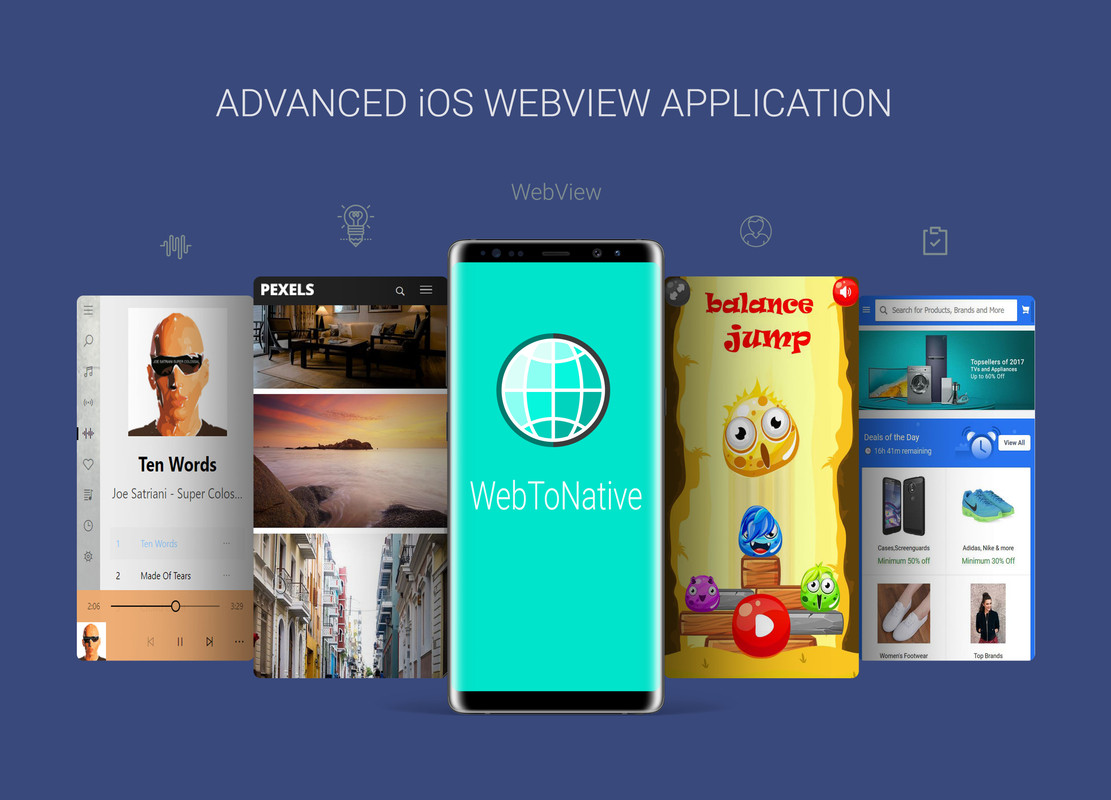
Features :

  • Supports iPhone X Screen
  • Integrated inline browser with WEBGL support
  • Compatible with Local HTML Files (Offline Mode)
  • Admob Interstitial and Banner Ads (Optional)
  • Supports Push notification
  • Supports Rendering of HTML5 Games
  • Supports Audio and Video Play
  • Push Notification Supported
  • Very responsive
  • Developed with xcode
  • Upload images from the device storage
  • Avoids crashing of ios application
  • Play music in mobile with high end supported API integrated
  • Upload files from the device
  • Custom design following Retina Design Guidelines
  • Plays youtube video
  • Press back key twice to exit
  • Cache Enabled
  • Email system supported
  • Share link supported
  • Full screen
  • Custom load background image
  • Download mp4, mp3 Pdf and other
  • Share Button Supported
  • Open external Links
  • SplashScreen
  • landscape and portrait mode suppoted
and many more…

What our customers say?

Excellent app with excellent support!.

– pulsecms

Such an great app, with Advanced Libraries (WebRTC, WebGL). This App perfectly suits for my website. i have tried other Webview Apps. but this app is the best. Thank You Author for this App. Guys go for this app to make app for your website. its the best choice

– WebDev

great work and great support. This app works great with HTML5 Games with local files (OFFLINE MODE). Thank you

– japoloa01

Excellent ! Thanks to the support ! Great job !.

– appliweb4170

this app makes my website smooth rendering within a mobile app. i like this app very much. it gives native look and works like an Native iOS App. such a great app

– AppCoder

and many more…

Check out more :

WebToNative – Advanced Android WebView Application : Check Here

WebToNative – Advanced Mac WebView Application : Check Here

WebToNative – Advanced Windows 10 WebView Application : Check Here

WebToNative – Advanced Windows 8/8.1 WebView Application : Check Here

WebToNative – Advanced WebView For Chrome App : Check Here

Changelog

v3.0 – Latest Version

- Implemented Push Notification
- Now Supports iPhone X Screen
- Supports Normal iPhone Screen too
- Updated Webview Rendering Engine
-  Improved Cache Memory Management
- Now Supports Uploading from Photo Library
- Bug fixes

v2.0 – Updated Version

- Updated High End WebView Libraries
- Fixed an Issue in uploading Files
- Fixed an bug in Admob Banner Ads
- Fixed issue with Full Screen mode
- Bug fixes

v1.2 – Updated Version

- Admob Interstitial and Banner Ads Implemented
- Implemented Fullscreen View
- Cache Memory Size Improved  
- Bug fixes

v1.1 – Updated Version

- Updated libraries for local html files support (Offline Mode)
- Improved core libraries for webview
- Website loads faster
- Implemented cache memory  
- Bug fixes

Initial Version

- improved changes in Web view
- implemented new framework for web engine
- improved changes to load website faster
- fixed problem with video Play
- fixed problem with clickable icons
- Bug fixes

External listing. code.market does not sell this product and does not process payment for it. Pricing, payment, delivery, licensing, refunds, and support are handled by the third-party merchant on its own website. We may earn an affiliate commission from a referral. Details.

Rebeloper Messages - iMessage App in Swift 5.1, iOS 13 and Xcode 11.4.1 ready icon

Rebeloper Messages - iMessage App in Swift 5.1, iOS 13 and Xcode 11.4.1 ready

Hot or Not
Rebeloper Messages - iMessage App in Swift 5.1, iOS 13 and Xcode 11.4.1 ready

Description

13.0.1 – (27.04.2020)

• Support for Xcode 11.4.1 (updated to DuckUI 0.5.2)

Version 13.0.0 – (05.08.2019)

• Brand new project rewritten from the ground up in Swift 5.1 for GIF support

Update: Rebeloper Messages 12 is here with a brand new Swift 4.2 project and awesome new features:

  • everything included in Rebeloper Messages X +

  • written from scratch in Swift 4.2

  • iOS 12 ready

  • works in Xcode 10

  • now has a Parent app

Update: Rebeloper Messages X is here with a brand new Swift 4 project and awesome new features:

  • new videos: What’s new in Rebeloper Messages X
  • written from scratch in Swift 4
  • iOS 11 ready
  • works in Xcode 9 or later
  • unlimited stickers
  • unlimited categories
  • unlimited in-app purchases (auto-renewable subscriptions, non-consumables)
  • choose sticker count in a row
  • let users download your iMessage app for free – this is how you will get tons of downloads
  • free stickers / locked stickers
  • custom Background
  • custom theme color
  • supports simple stickers (png, jpg)
  • put Locked stickers anywhere in your category (at the beginning, at the end, mixed)
  • the whole app supports Accessibility Voice. Read more about Accessibility here: https://www.apple.com/accessibility/
  • frequently used stickers section
  • locked stickers cannot be sent; instead an alert pops up asking for in-app purchase
  • unique categories menu
  • setup takes only 15 minutes due to newly added Plist files
  • supports all Apple mobile devices including iPad Pro, iPhone 8, iPhone 8 Plus and iPhone X
  • much more…

Don’t want to update to Swift 4 / iOS11 / Xcode 9? We have got your back. You can still have access to Rebeloper Messages 3 that works gorgeously with Swift 3/ iOS10 / Xcode 8! Just take a look at the features the lates version 3.0.5 has to offer.

Update: Rebeloper Messages 3 is here with brand new features:

  • new video: What’s new in Rebeloper Messages 3
  • 3 categories
  • 3 auto-renewable subscriptions
  • 3 non-consumable in-app purchases
  • the ability to choose sticker sizes
  • much more

Now Supports Auto Renewable Subscriptions! The iMessage App Store Gold Rush has just begun! Be among the firsts who make a huge profit!

Rebeloper Messages brings Free to Play to the iMessage App Store.

Now you can let users download your app for free, let them try out some of your stickers and than pay for extra Stickers with In-app Purchases.

Rebeloper Messages is on the App Store as Black Cats Messages!

FEATURES

  • Written in Swift 4
  • iOS 12 ready
  • unlimited auto-renewable subscriptions
  • unlimited categories
  • Let users download your iMessage app for free – this is how you will get tons of downloads
  • Unlimited Stickers
  • Free Stickers / Locked Stickers
  • “Unlock All” In-app Purchase – this is where you will make money
  • Custom Background
  • Supports Simple Stickers (png)
  • Supports Animated Stickers (apng)
  • Ability to chose to put the Locked Stickers at the top of the stickers list
  • much more…
  • NEW FEATURE: Support Accesibility

You will get your hands on the Rebeloper Messages source code and hands on video tutorials how to put your own reskin of it on the App Store.

HOW TO SET UP & RESKIN

Setting this source code up takes less than 5 minutes! It only takes 3 steps:

  1. Add your Stickers
  2. Add your In-App Purchase IDs
  3. Publish on the App Store

And if you need guidance than you’re in good company. You will get access to 2+ hours of hands on video documentation. A step by step video walk trough of everything you need to know from downloading Xcode to Submitting your app to the App Store!

When you purchase a Rebeloper Source Code you purchase more than just a source code. You purchase the awesome documentation and constant support.

Act now and catch the iMessage App Store Gold Rush! Be the first who unlocks the massive potential of Free to Play! Leverage the power of In-app Purchases.

Enrich your app portfolio with this delightful, fun and money maker iMessage app Template! Buy now!

Got a question? Ask it in the comments section. We answer each and every question in less than 24 hours, but mostly within 3 hours (if we’re not asleep). Customer happiness is our #1 priority. And of course, we offer a 14 days money back guarantee.

What is the difference between Rebeloper Messages and a Sticker app that can be created in Xcode without writing any code?

Let me tell you the difference between this template and a sticker app (that you can easily create in Xcode). The point of this template is that it has In-app purchases. Why is this a big thing? There is a huge trend that started about 2 years ago that shaped the App Store forever. It is called ‘Free to play’. Till that time developers either charged a flat price upfront for their app or they created 2 apps (one for a flat price and one for free but with fewer features). The idea was that users can try out the free app than go and buy the other app. In-app purchases had drastically changed this business model with the ‘Free to play’ approach. With ‘In-app purchases developers now need to create only one app, sell it for free (witch means more donloads and free tryouts) than ask for money only after the user knows that the app is great without leaving the current app and the need to download another app. Now this is where Rebeloper Messages shines! If you wish to create a sticker app (which is quite easy and requires no coding as you said) you have the option two options of pricing it : free or for a fee. This is the old way of doing business on the App Store and is outdated, it will not make you a lot of money. The smart way of making money today on the App Store is to follow the Free to play’ business model, which requires In-app purchases, which in tie does require coding. With Rebeloper Store users have the chance of downloading your app for free, tr it out (with a few free stickers) and than buy the other stickers with an In-app purchase. Caching!

CHANGE LOG

12.0.6 – (02.06.2019)

• Updated KeychainSwift and BulletinBoard

• Added even more explanation on how to reset keychain in ResetKeychain.swift

12.0.5 – (20.03.2019)

• Fixed keychain issues that prevented to unlock bought stickers in the Extension app

• Made reseting keychain easier

files changed: Setup.swift, RebeloperStoreExtensions.swift, StickerCell.swift, RebeloperStoreSetup.swift

files added: ResetKeychain.swift

12.0.4 – (18.02.2019)

• Fixed background issue in Extension app

files changed in extension app: CollectionViewController.swift

12.0.3 – (24.01.2019)

• Fixed iPad crash when presenting an UIAlertAction

12.0.2 – (21.01.2019)

• Added option to use only Auto-Renewable subscriptions

• Added example Setup of auto-renewable subscriptions

12.0.1 – (21.01.2019)

• Fixed crash (index out of range) when app has only one non-consumable purchase and we tapped on last category

• Cleaned up code

• Added example Setup of one category

• Made category bar disappear when there is only one category and app behaves as sticker back

• Added option to set category cell size

• Added option to set sticker cell size

files changed in main app: Setup.swift, MainViewController.swift, ShopViewController.swift, CategroyViewController.swift, StickersViewController.swift, StickerViewCell

files changed in extension: MessagesViewController.swift, StickersViewController.swift, StickerCell.swift, CategroriesViewController.swift, Category Cell.swift

12.0.0 – (16.12.2018)

• Brand new project rewritten from the ground up in Swift 4.2

10.3.0 – (13.07.2018)

• Fixed Restore Purchases not working (files changed: StickersCollectionViewController.swift, MainTabBarController.swift, SwiftyStoreKit folder)

10.2.3 – (02.07.2018)

• Fixed support for “Only One Category” version of the app. All you need to do is have only one category set up in the CategoriesData.swift file: Item 0 (files changed: StickersCollectionViewController.swift)

10.2.2 – (19.01.2018)

• Added support for “Only One Category” version of the app. All you need to do is have only one category set up in the CategoriesData.swift file: Item 0 (files changed: MainTabBarController.swift)

10.2.1 – (18.10.2017)

• Added support for Trial versions in Auto-renewable subscriptions (files changed: MainTabBarController.swift, SubscriptionsData.plist)

10.2.0 – (15.10.2017)

• Fixed scrolling all stickers out of view in some cases when in compact mode (files changed: MessagesViewController.swift)

• Added cool alert controller (files changed: MessagesViewController.swift, MainTabBarController.swift, StickersCollectionViewController.swift, Setup.swift; folder added: JHTAlertController)

10.1.2 – (13.10.2017)

• Fixed number of stickers issue on iPad orientation change (files changed: MessagesViewController.swift, MainTabBarController.swift, StickersCollectionViewController.swift)

• Made app compliant to Appstore Re view Guideline “3.1.2 – Business – Payments – Subscriptions” to fully meet the terms and conditions for auto-renewing subscriptions, as specified in Schedule 2, section 3.8(b) of the Paid Applications agreement. Learn more here: https://www.apple.com/itunes/go/itunesconnect/contracts (files changed: SubscriptionsData.plist, StickersCollectionViewController.swift, MainTabBarController.swift)

10.1.1 – (10.10.2017)

• Added ability to set the number of stickers to be different on an iPhone and on an iPad. This way you will not get those gigantic stickers on an iPad or too small ones on an iPhone. (files changed: StickersCollectionViewController.swift, Setup.swift)

10.1.0 – (07.10.2017)

•Added option to make app totally free (without any Locked Stickers). Just set “AppUsesInAppPurchases” to “false” in Setup.swift, remove all IAP IDs from the CategoriesData.plist file and set all Stickers to be unlocked (files changed: StickersCollectionViewController.swift, Setup.swift)

•Added option to make the app behave as a sticker pack (file changed: StickersCollectionViewController.swift, Setup.swift, MainTabBarController.swift, StickerCell.swift, StickerCategory.swift; file added: AssetExtractor.swift, CustomMSSticker.swift) NOTE: if you select the Sticker Pack Mode than the ‘Frequently Used Stickers’ menu item will automatically be disabled because of the limitations of the native MSStickerView.

•Cleaned up comments and code

10.0.4 – (06.10.2017)

•Fixed issue of hiding the app and showing the keyboard on every sticker tap (file changed: MessagesViewController.swift, lines 111, 112, 265-269)

10.0.3 – (04.10.2017)

•Fixed bug when an auto-renewable was bought but upon tapping on sticker it still asked to purchase with non-consumable (file changed: StickersCollectionViewController.swift, line 348)

10.0.2 – (03.10.2017)

  • Removed unnecessary images
  • Moved 1024×1024 icon into the AppIcon assets folder

10.0.1 – (01.10.2017)

•Added new circular Categories Menu

10.0.0 – (28.09.2017)

•Updated code to Swift4 / Xcode9 / iOS11 / iPhone8 / iPhone8 Plus / iPhone X. This is a brand new project! You will need to start from scratch

3.0.5 – (13.09.2017)

  • If you have only one IAP than the Purchase All button should not be present in the shop (files changed: MessagesViewController.swift, Settings.swift)

3.0.5 – (13.09.2017)

  • If you have only one IAP than the Purchase All button should not be present in the shop (files changed: MessagesViewController.swift, Settings.swift)

3.0.4 – (10.09.2017)

  • New feature: ability to create totally free category (files changed: StickerBrowserViewController.swift, Settings.swift)
  • Fixed showing the correct stickers if category 1 is not in the app at all (files changed: MessagesViewController.swift, StickerBrowserViewController.swift)

3.0.3 – (30.08.2017)

  • Fixed Locked Stickers remaining at the top when unlocked in case they are presented at the top at the first time (files changed: StickerBrowserViewController.swift)
  • Added Selected Sate for the Category Buttons (files changed: MessagesViewController.swift; files added: ButtonCategory1Selected.png, ButtonCategory2Selected.png, ButtonCategory3Selected.png)
  • Changed design for images ButtonBuy1.png, ButtonBuy2.png, ButtonBuy3.png to better inform the user

3.0.2 – (26.08.2017)

  • New Feature: Added ability to chose to put the Locked Stickers at the top of the stickers list (files changed: StickerBrowserViewController.swift, Settings.swift)

3.0.1 – (26.07.2017)

  • Fixed   and improved support for removing the Shop or the Subscribe buttons/functionality (files changed: MessagesViewController.swift, MainInterface.storyboard)
  • Fixed bug of Categories button not working after leaving and coming back to the app (files changed: StickerBrowserViewController.swift)

3.0.0 – (10.07.2017) – This is a BRAND NEW PROJECT; you’ll need to start a new project to update your pre 3.0.0 version apps

  • Added option to choose sticker sizes
  • Silenced a few Warnings
  • Updated project to recommended settings
  • Resized ButtonPurchaseAll.png, ButtonRestore.png and HeaderBackground.png
  • Added new images for update
  • Removed Store.swift
  • Added new stickers to accommodate Categories
  • Changed Setting.swift and MKStoreKitConfigs.plist to accommodate new in-app purchases

2.0.1 – (21.02.2017)

  • Added support for gif Stickers (files changed: StickerBrowserViewController.swift – line 53, Settings.swift – line 27)
  • Added more robust explanation for how to set up Auto-Renewable Subscriptions (files changed: Settings.swift – line 16)

2.0.0 – (18.02.2017)

  • Supports Auto-renewable subscriptions (this is a brand new project; start with a fresh download)

1.0.1 – (20.12.2016)

  • Added Progress Hud (files added: JGProgressHUD folder; RebeloperMessages-Bridging-Header.h; files changed: MessagesViewController.swift, Store.swift)

1.0.0 – (10.11.2016)

  • Initial Release

External listing. code.market does not sell this product and does not process payment for it. Pricing, payment, delivery, licensing, refunds, and support are handled by the third-party merchant on its own website. We may earn an affiliate commission from a referral. Details.