
Wallpaper Admin Panel - PHP Script
Description
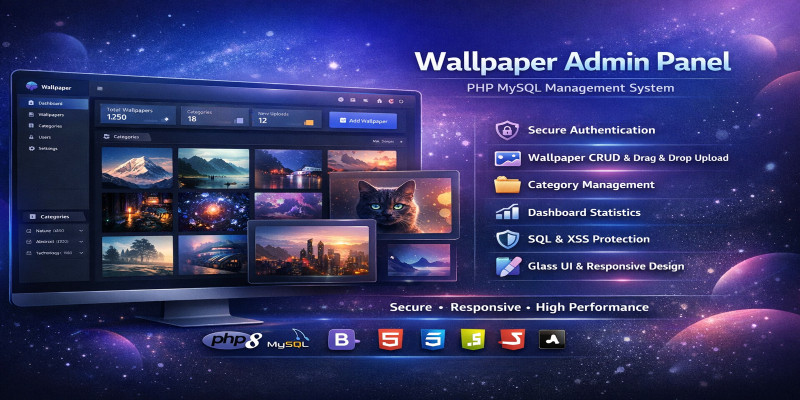
Wallpaper Admin Panel is a production-ready PHP script that provides a complete backend solution for managing wallpaper websites. Built with security best practices and a clean Bootstrap 5 interface, it offers full CRUD operations for wallpapers and categories, along with a public API endpoint for frontend integration.
Perfect For:
- Wallpaper download websites
- Photography portfolios
- Digital art galleries
- Stock image collections
- Mobile app backends
- Desktop wallpaper sites
Key Benefits:
- Save Development Time - Ready-to-use solution, no need to build from scratch
- Secure by Default - Built with security best practices
- API Ready - Connect any frontend or mobile app
- User-Friendly - Clean Bootstrap 5 interface works on all devices
- Easy Customization - Well-commented code, easy to modify
How It Works:
- Login to secure admin panel
- Add categories (Nature, City, Abstract, etc.)
- Upload wallpapers with titles and category selection
- Manage content through intuitive interface
- Access wallpapers via public API for your website or app
Features
Admin Authentication
- Secure session-based login system
- Password hashing with bcrypt
- Protected admin pages
- Logout functionality
Dashboard
- Real-time statistics
- Total wallpapers count
- Total categories count
- Quick management shortcuts
Wallpaper Management
- Add new wallpapers with image upload
- Edit existing wallpaper details
- Delete wallpapers (auto-removes image files)
- Image validation (JPG, JPEG, PNG only)
- File size limit (5MB max)
- Secure filename generation
Category Management
- Create new categories
- Delete categories
- View wallpaper count per category
- Unique category validation
Public REST API
- JSON endpoint:
/api/wallpapers.php - Returns latest wallpapers first
- Includes ID, title, category, full image URL
- Easy integration with any frontend
Security Features
- SQL injection protection (prepared statements)
- XSS prevention (output escaping)
- CSRF protection (session-based)
- Secure password hashing
- File upload validation
- Input sanitization
Responsive Design
- Bootstrap 5 framework
- Mobile-friendly interface
- Works on all devices
- Clean, modern design
Additional Features
- Clean folder structure
- Well-commented code
- Easy configuration
- Database setup script included
- Comprehensive documentation
Requirements
- PHP Version: 7.4 or higher
- MySQL Version: 5.7 or higher
- Web Server: Apache/Nginx (any with PHP support)
- PHP Extensions:
- PDO or MySQLi
- FileInfo (for upload validation)
- Session support
- Server Requirements:
- Write permissions for upload folder
- 5MB+ upload limit recommended
- Browsers: Chrome, Firefox, Safari, Edge (all modern browsers)
Instructions
Installation Guide
Step 1: Upload Files
Upload all files to your web server using FTP or file manager.
Step 2: Create Database
- Create a MySQL database (e.g.,
wallpaper_app) - Import
setup.sqlusing phpMyAdmin or MySQL command line
Step 3: Configure Database
Edit config/db.php and update with your credentials:
php
define('DB_HOST', 'localhost');
define('DB_USER', 'your_username');
define('DB_PASS', 'your_password');
define('DB_NAME', 'wallpaper_app');
Step 4: Create Upload Folder
- Create folder named
uploadin root directory - Set folder permissions to 755 (writable)
Step 5: Update Image URLs
Replace domain placeholders in code with your actual domain:
- In
admin/wallpapers.php(image display) - In
api/wallpapers.php(API image URLs)
Step 6: Access Admin Panel
Navigate to <a href="http://yourdomain.com/admin/">http://yourdomain.com/admin/</a> and login with default credentials.
Default Login
- Username: admin
- Password: admin123
⚠️ Important: Change the default password immediately after first login!
How to Use
Managing Wallpapers
- Go to Wallpapers section
- Click "Add New Wallpaper"
- Enter title, select category, upload image
- Click Save
Managing Categories
- Go to Categories section
- Enter category name
- Click "Add Category"
Using the API
- Endpoint:
/api/wallpapers.php - Method: GET
- Returns JSON array of all wallpapers (latest first)
Example JavaScript usage: javascript
fetch('/api/wallpapers.php')
  .then(response => response.json())
  .then(data => {
    // Display wallpapers on your website
    console.log(data);
  });
Changing Admin Password
Generate new hash using: php
<?php echo password_hash('new_password', PASSWORD_BCRYPT); ?>
Then update in database.
| Author | isthatsuresh |
|---|---|
| Category | Scripts & Code / PHP Scripts / Miscellaneous |
| Price | $15 |
| Extended License | $45 |
| First Release | Feb 17, 2026 |
| Last Update | Feb 17, 2026 |
| Database | MySQL 4.x, MySQL 5.x |
| Files included | .php, .css, .html, .sql, .db, JavaScript .js |
| Software version | PHP 7.0, PHP 7.1, PHP 7.2, PHP 7.3, PHP 7.4, PHP 8.0, PHP 8.1, PHP 8.2, PHP 8.3, PHP 8.4, PHP 5.6 |
Categories
Tags
External listing. code.market does not sell this product and does not process payment for it. Pricing, payment, delivery, licensing, refunds, and support are handled by the third-party merchant on its own website. We may earn an affiliate commission from a referral. Details.
