
WaknUp | Mission-Based Alarm Clock With Wake-Up Missions, Streaks, Analytics and AlarmKit - SwiftUI
Description
WaknUp – Mission-Based Alarm Clock Template for iOS
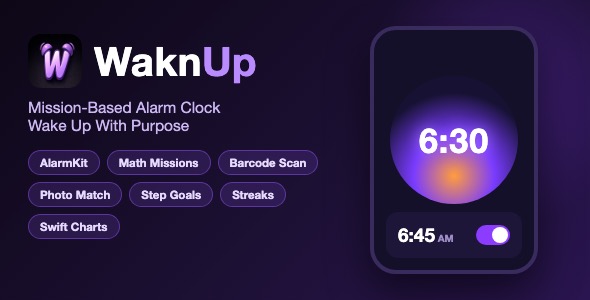
WaknUp is a complete, fully-featured alarm clock app template built with SwiftUI. It is not a simple alarm demo: it ships with a real wake-up missions engine (math problems, barcode scanning, photo matching, step goals), Apple AlarmKit integration on the latest iOS, gamification with points, streaks and leaderboards, an analytics dashboard powered by Swift Charts, and a polished dark onboarding flow. Everything is 100 percent offline – there is no backend, no server and no login required.
Demo Instructions
- This app is 100 percent offline. There is NO login and NO demo credentials are needed.
- Open the project in Xcode, press Run, and the app installs on the Simulator or your device.
- Complete the 9-step onboarding flow (or tap through it) to create your first alarm.
- Tap “Add Alarm” to create alarms, open the side menu to explore Friends, Community, Leagues, Analytics, Account and Settings.
- Note: The app supports iOS 17 and later. AlarmKit system-level alarms require the latest iOS on a real iPhone; on earlier iOS versions and on the Simulator the app automatically uses its UserNotifications fallback and all screens and missions still work.
Everything the App Does
- Full alarm clock: create, edit, pin, enable/disable and delete alarms with repeat schedules (once, daily, weekdays, weekends or custom days)
- Apple AlarmKit integration (latest iOS): system-level alarm scheduling, snooze and stop actions, with automatic UserNotifications fallback on earlier iOS versions
- Wake-up missions engine – force yourself out of bed by requiring tasks before the alarm stops:
- Math problems mission with 3 difficulty levels and 1-10 problems per alarm
- Barcode scan mission – scan a barcode or QR code you registered at setup
- Photo match mission – take a photo that matches a reference photo, verified with perceptual hashing
- Steps goal mission – walk a configurable number of steps (5-50), counted via motion and HealthKit
- App blocking / Task Lock – block distracting apps and social media during your morning routine and before bedtime
- Alarm ringing screen with slide-to-stop gesture, snooze, escalating volume, vibration and max-volume options
- Gamification: Wakn Points, wake-up streaks with bonuses, speed bonuses and full wake history logging
- Analytics dashboard with Swift Charts: weekly and monthly wake-up charts, points chart, streaks, average time-to-wake
- Leaderboard (“Fastest Wakers”) weekly league with podium and rankings
- Friends system with local search, friend list and per-friend alarm counts
- Community feed with categories, posts, likes and comments (mock data, fully offline)
- Bedtime mode: bedtime configuration, wind-down duration and bedtime app blocking
- Daily motivational quotes: 300+ quotes across 11 categories (Philosophy, Stoicism, Bible, Fitness, Success and more) shown when the alarm rings
- 10 built-in alarm themes (Midnight, Sunrise, Neon, Ocean, Forest, Volcano, Lavender, Royal, Mint, Charcoal) with dynamic gradient backgrounds
- Custom theme photos and custom alarm sounds (import your own audio)
- 20+ bundled alarm sounds across categories: calm, nature, morning rise, energetic, heavy duty and fun – plus a real-time audio synthesizer fallback
- Solar-aware home screen: animated sun/moon dial that reflects the time of day and your sunrise/sunset (CoreLocation)
- Voice wake-up notes recorder
- Polished 9-step onboarding flow with progress bar, animated mascot, sound picker, quote category picker and premium paywall screen
- Interactive walkthrough overlay on the home screen
- Haptics and animation feedback throughout the app
- Account screen with profile, stats, privacy policy, terms of service and export data screens
- Settings: notifications, sound, vibration, critical alerts, default snooze, escalating volume, week start day, 24-hour time, dark mode and more
- Review request prompts triggered after successful wake-ups
- Siri / Shortcuts support via App Intents (stop alarm intent), Live Activity support stub included
Technology
- Language: Swift 5, SwiftUI
- Minimum iOS: iOS 17.0 (AlarmKit features require the latest iOS; the app degrades gracefully with UserNotifications fallback)
- Frameworks: AlarmKit, SwiftUI, UserNotifications, AVFoundation (AVAudioEngine), Swift Charts, CoreLocation, CoreMotion, HealthKit, AVFoundation camera (AVCaptureSession), VisionKit, ActivityKit, App Intents, App Tracking Transparency
- Persistence: UserDefaults with JSON encoding – no database, no backend, no third-party dependencies
- Third-party libraries: None. Zero CocoaPods / SPM dependencies.
- Xcode: Latest Xcode release recommended (required for AlarmKit framework support)
What the Buyer Gets
- Complete Xcode source code of the WaknUp app (Swift / SwiftUI)
- All assets: app icon set, onboarding illustrations, alarm sound library
- Step-by-step HTML documentation with screenshots: project setup, bundle ID change, app rename, icon replacement, theme customization, mission customization, notifications setup and App Store submission checklist
- Full item description and reviewer notes
- Free future updates to this template
Development Disclosure
Portions of this template’s source code were developed with AI-assisted tools. All code has been reviewed, tested and is provided as a fully working template.
Important Note
This is a source code template, not a compiled application. You need Xcode and basic iOS development knowledge to build, customize and publish it to the App Store. No refunds can be given for lack of Xcode knowledge – please read the documentation included.
Buyer Cost Disclosure
This template uses HealthKit (step-count wake-up mission) and supports In-App Purchases (premium paywall screen). Please note: publishing an app to the App Store requires your own Apple Developer Program membership (USD 99 per year), and any App Store presence you maintain (developer fees, renewal costs, optional IAP configuration) is entirely the buyer’s responsibility. Envato and the template author are not responsible for any Apple Developer Program fees or ongoing App Store-related costs.
| Type | iOS App |
|---|---|
| Author | mefjudevllc |
| Price | $14 |
| Sales | 0 |
| Rating | 0 (0) |
| Published | Sep 24, 2026 |
| Last Update | Sep 24, 2026 |
| Compatible Software | Other |
| Compatible With | Swift |
| Mobile Files Included | .h |
Categories
Tags
External listing. code.market does not sell this product and does not process payment for it. Pricing, payment, delivery, licensing, refunds, and support are handled by the third-party merchant on its own website. We may earn an affiliate commission from a referral. Details.