
WagtailFlex Pro - Dynamic CMS Web Builder by Marvinsys
Description
WagtailFlex Pro: Dynamic CMS Web Builder
Unlock the Power of Dynamic Web Development
Experience the next level in web application creation with WagtailFlex Pro. This Wagtail CMS-based solution empowers users to redefine their online presence without diving into complex coding.
Key Features:
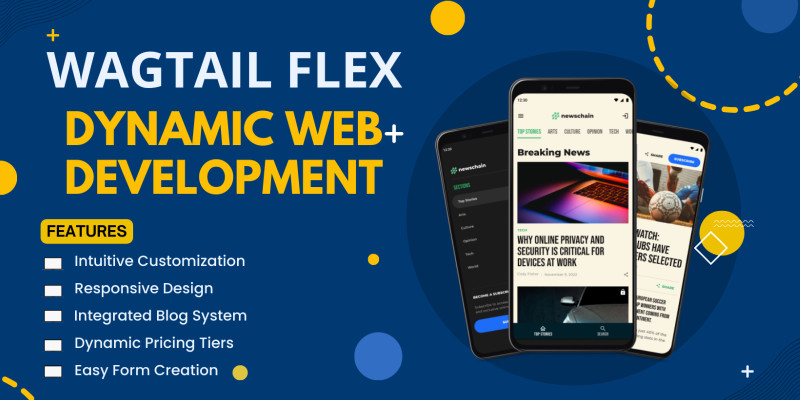
- Intuitive Customization: Tailor your website's look effortlessly through Wagtail's user-friendly admin interface.
- Layout Mastery: Add carousels to the hero section, configure diverse forms, and incorporate a variety of pages for a truly bespoke design.
- Snippets Galore: Leverage Wagtail's customized snippets for instant integration of powerful features. From flexible payment options to dynamic pricing tiers, your website adapts to your business needs.
- Built-in Blog System: Seamlessly share your thoughts with WagtailFlex Pro's integrated blog system, offering an intuitive platform for article management.
- Simple and Efficient:
- User-Friendly Interface: No coding skills required – modify and enhance your site with a simple drag-and-drop interface.
- Pricing Made Easy: Effortlessly customize pricing tiers to suit your business requirements, bringing your offerings to the forefront.
- Comprehensive Support:
- Hosting Assistance: We've got you covered from setup to maintenance, ensuring a hassle-free experience for your dynamic web application.
- Transform your digital presence with WagtailFlex Pro – where customization meets simplicity. Elevate your website game with a solution designed for the modern web entrepreneur.
Features
- Intuitive Customization: Tailor your website's look effortlessly through Wagtail's user-friendly admin interface.
- Layout Mastery: Add carousels to the hero section, configure diverse forms, and incorporate a variety of pages for a truly bespoke design.
- Snippets Galore: Leverage Wagtail's customized snippets for instant integration of powerful features. From flexible payment options to dynamic pricing tiers, your website adapts to your business needs.
- Built-in Blog System: Seamlessly share your thoughts with WagtailFlex Pro's integrated blog system, offering an intuitive platform for article management.
- Simple and Efficient:
- User-Friendly Interface: No coding skills required – modify and enhance your site with a simple drag-and-drop interface.
- Pricing Made Easy: Effortlessly customize pricing tiers to suit your business requirements, bringing your offerings to the forefront.
- Comprehensive Support:
- Hosting Assistance: We've got you covered from setup to maintenance, ensuring a hassle-free experience for your dynamic web application.
- Transform your digital presence with WagtailFlex Pro – where customization meets simplicity. Elevate your website game with a solution designed for the modern web entrepreneur.
Requirements
1. Python Installation: Ensure Python is installed on your system.
2. Package Manager: Have a package manager installed (e.g., pip) to easily install Python packages.
3. Dependencies: Run `pip install -r requirements.txt` to install all necessary dependencies specified in the requirements.txt file.
4. Web Browser: Use a modern web browser (e.g., Chrome, Firefox) for accessing and managing your WagtailFlex Pro-powered web application.
5. Database(OPTIONAL): Set up and configure a compatible database (e.g., PostgreSQL, MySQL) as per Wagtail's requirements.
6. Hosting Environment(OPTIONAL): Ensure your hosting environment supports Python web applications and has the necessary server configurations for Wagtail CMS.
7. Operating System: Compatible with various operating systems (Windows, macOS, Linux). Confirm the specific compatibility based on the Wagtail CMS and dependencies.
8. Internet Connection: A stable internet connection is recommended for seamless updates and access to WagtailFlex Pro resources.
9. System Resources: Verify that your system meets the minimum hardware requirements specified by Wagtail CMS for optimal performance.
10. Access to Admin Interface: Ensure you have access to the Wagtail admin interface for easy customization of your web application.(Create a super user with python manage.py createsuperuser) 11. Browser Compatibility: Use a browser that is compatible with Wagtail's admin interface for the best user experience.
12. SSL Certificate (Optional): Consider implementing an SSL certificate for added security, especially if handling sensitive data.
13. Code Editor (Optional): While not mandatory, having a code editor of your choice can enhance your development experience.
14. Development Environment (Optional): Set up a local development environment using tools like virtual environments to isolate your WagtailFlex Pro project.
Always refer to the latest Wagtail CMS documentation for any additional or updated technical requirements specific to the version you are using.
Instructions
WagtailFlex Pro: Comprehensive Setup Guide
Congratulations on choosing WagtailFlex Pro, your gateway to effortless and dynamic web development! Follow these detailed steps to unlock the full potential of your Wagtail-powered web application. Step 1: Initial Setup 1.1 Download and Extract: - Begin by downloading the WagtailFlex Pro zip file. - Extract the contents to your desired location.
1.2 Create Virtual Environment: - Open your terminal. - Navigate to the extracted directory (`wagtailflex/`). - Create a virtual environment with the command: ```bash python -m venv venv ```
Step 2: Dependencies Installation 2.1 Navigate to Project Directory: - Change your directory to `wagtailflex/`.
2.2 Install Dependencies: - Execute the following command: ```bash pip install -r requirements.txt ```
2.3 **Database Setup:** - Run migrations to set up the database: ```bash python manage.py makemigrations python manage.py migrate ```
**Step 3: Admin User Creation**
3.1 **Create Superuser:** - Generate a superuser account to access the admin interface: ```bash python manage.py createsuperuser ``` - Follow the prompts to set up your admin credentials.
**Step 4: Launch the Server**
4.1 **Run the Server:** - Start the server with: ```bash python manage.py runserver ```
4.2 **Access Admin Interface:** - Open your web browser and go to the provided link. - Navigate to `/admin` and log in with your superuser credentials.
**Step 5: Customize Your Web App**
5.1 **Explore Admin Interface:** - Familiarize yourself with the admin interface. Snippets are conveniently organized within the side menu.
5.2 **Customize Snippets:** - Add carousels, persons, article categories, and more from the Snippets tab. - Explore various tabs within the side menu for additional customization options.
5.3 **Homepage Customization:** - Navigate to the homepage and create various sections. The hero section, with a customizable carousel, awaits your creative touch.
5.4 **Payments App Configuration:** - Utilize the Payments app to set up pricing tiers and feature models. Create a personalized pricing structure that fits your business needs.
5.5 **FormPage Customization:** - Leverage the FormPage to effortlessly create and customize forms, including a contact us page.
5.6 **Footer and Navigation:** - Your footer and navigation menu are pre-configured for seamless integration. Modify them to suit your website's aesthetics.
**Step 6: Save and Launch**
6.1 **Save Changes:** - Ensure to save any changes made in the admin interface.
6.2 **Launch Your Web App:** - Your WagtailFlex Pro-powered web application is ready! Open your browser and explore your dynamic creation.
| Author | marvinsys |
|---|---|
| Category | Scripts & Code / Django |
| Price | $25 |
| Extended License | $75 |
| First Release | Feb 7, 2024 |
| Last Update | Feb 7, 2024 |
| Files included | .py, .css, .html, JavaScript .js |
Tags
External listing. code.market does not sell this product and does not process payment for it. Pricing, payment, delivery, licensing, refunds, and support are handled by the third-party merchant on its own website. We may earn an affiliate commission from a referral. Details.
Products of the Week.
Submit🥇

STOP GUESSING WHAT TO POST
AI that learns your brand voice and builds a month of consistent, on-brand social content: carousels, posts and hooks that sound like you, not like everyone else's AI.
SaaS · 4,277 views · 38 clicksSaaS · Week 45 · 4,277 views · 38 clicks
🥈

Conversational Backlinks for Busy Founders
Place Backlink Relevant Conversation for your domain across Forums and Conversations
Website · 41,987 views · 223 clicksWebsite · Week 45 · 41,987 views · 223 clicks
🥉

upvote.club
Free Social Media Engagement that Helps Boost Your Content. Upvote Club supports 19 social networks with 100+ engagement actions in one dashboard. Add links to your posts and get free engagement from real users.
SaaS · 40,029 views · 117 clicksSaaS · Week 45 · 40,029 views · 117 clicks
#4

Substack Posting API
Onboard your Agent to Substack. Write Publish on Substack via API
SaaS · 59,040 views · 198 clicksSaaS · Week 45 · 59,040 views · 198 clicks
#5

Seenshot App
Free, Fast, MacOS Screenshot app. Make Screenshot cmd+shift+2 and send it via link
Desktop App · 28,411 views · 122 clicksDesktop App · Week 45 · 28,411 views · 122 clicks
#6

Hand-Placed Backlinks $9.99 per link. Flat rate.
Buy hand-placed forum, Q-A and directory backlinks. Flat $9.99 per link, no subscriptions — you only pay for approved listings.
Website · 4,248 views · 19 clicksWebsite · Week 45 · 4,248 views · 19 clicks
#7

Free Invoice Generator - PDF Invoices in Your Browser, No Sign-Up
A free invoice maker for freelancers and small businesses: fill in the invoice, check the live preview, and download a PDF that looks exactly like it. Any currency, tax per item, three templates, no sign-up, and nothing leaves your device.
2,928 views · 17 clicksWeek 45 · 2,928 views · 17 clicks
#8

Merge PDF Files Free - Combine PDFs in Your Browser, No Upload
A free PDF merger for office workers, students, and freelancers: combine PDFs and images into one file in the browser, reorder files and pages, pick page ranges, keep bookmarks, and open password-protected PDFs. Nothing is uploaded, no sign-up, no watermark.
2,704 views · 13 clicksWeek 45 · 2,704 views · 13 clicks