
Vinyl Player iOS App Template by Temperamento
Description
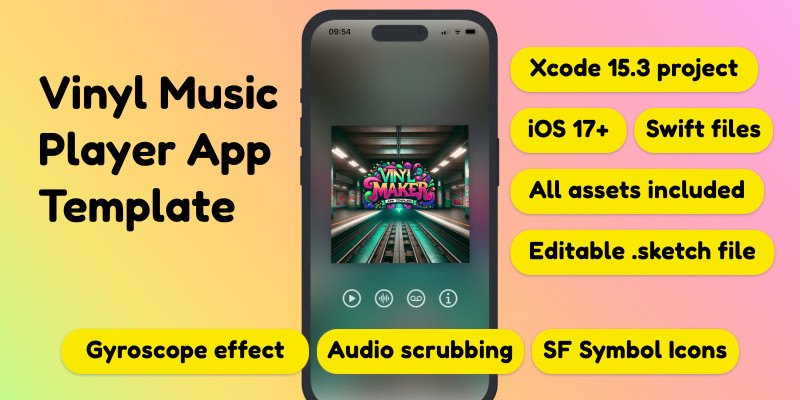
Vinyl Maker is a very nice vinyl music player made 100% with SwiftUI for iOS that also works on latest versions of macOS and visionOS.
Engage with music like never before. The app has a very nice, yet subtle gyroscope effect that simulates how interacting with a real vinyl record would be.
For a live demo, join my TestFlight.
Features
Interactive Music Experience
Engage with music like never before. The app has a very nice, yet subtle gyroscope effect that simulates how interacting with a real vinyl record would be.
One long music track
Vinyl Maker has support for one, long audio track. Scrubbing or scratching on the vinyl record will scrub forwards or backwards in time. All these settings can be modified to your liking.
SF Symbol icons
Don't like our icons? Change them! We use Apple's SF Symbol library, so you have plenty to choose from.
Easy Code Customization
With our straightforward code structure, customization is a breeze. Change assets, tweak settings, and adjust layouts to fit your vision.
Realistic Vinyl Animations
Once the record spins, it spins at a velocity of 33RPM, just like a real vinyl.
Realistic Sound Effects
Vinyl maker comes with three sound effects built-in: vinyl stop, vinyl cracks and tape hiss.
Included is also a .sketch file with all the graphic assets so you can easily replace them. Also included is three sound effects and a demo music track by myself.
Requirements
Xcode 15.3, iOS 17+ and macOS Sonoma. Also included is a Swift Playground so you can try out the app without even opening Xcode.
Instructions
Updating the image assets
First of all, make sure to have Xcode 15.3 installed.
1. Open up VinylMakerTemplate.xcodeproj and go to Assets.
2. Make sure your new image assets have the exact same names as in the template, it will be much easier for you.
3. Use our .sketch file to create new graphics, export them without altering their names as .png's
4. Delete the template assets, and drag and drop your new ones. Since they have the same names, the app will magically update with your new awesome graphics!
Updating the sound assets
Step 1: Add a new music track
Vinyl Maker Template has support for one long (or short) music track. The default .m4a in the template is called "DjablobeatsEP" and chances are, you will want to change it to your own.
1. Create your own .m4a audio file
2. Drag the .m4a audio file to the folder "Tracks" and make sure to check the boxes "Copy items if needed" and Add to targets "VinylMakerTemplate". This way, your new audio track will get added to the resources of your app.
Step 2: Change the name in code
Next step is making sure your new audio track works in the app. For that you will need to update the name of the default "DjablobeatsEP" into the new one, your custom audio/music track.
1. Go to ContentView and go down to line 84 in the code.
2. Change from "DjablobeatsEP" into the new name of your track, the one you just added into the Tracks folder. Make sure to not add the extension, just the name.
3. Refresh the simulator view in Xcode, tap on the player image to hear if your newly added soundfile plays. It should!
| Author | temperamento |
|---|---|
| Category | App Templates / iOS / Applications / Music |
| Price | $20 |
| Extended License | $60 |
| Rating | 1.00 from 1 rating |
| Reviews | 1 |
| Likes | 1 |
| First Release | Mar 30, 2024 |
| Last Update | Mar 30, 2024 |
Categories
Tags
External listing. code.market does not sell this product and does not process payment for it. Pricing, payment, delivery, licensing, refunds, and support are handled by the third-party merchant on its own website. We may earn an affiliate commission from a referral. Details.
Products of the Week.
Submit🥇

STOP GUESSING WHAT TO POST
AI that learns your brand voice and builds a month of consistent, on-brand social content: carousels, posts and hooks that sound like you, not like everyone else's AI.
SaaS · 3,581 views · 33 clicksSaaS · Week 45 · 3,581 views · 33 clicks
🥈

Conversational Backlinks for Busy Founders
Place Backlink Relevant Conversation for your domain across Forums and Conversations
Website · 41,101 views · 222 clicksWebsite · Week 45 · 41,101 views · 222 clicks
🥉

upvote.club
Free Social Media Engagement that Helps Boost Your Content. Upvote Club supports 19 social networks with 100+ engagement actions in one dashboard. Add links to your posts and get free engagement from real users.
SaaS · 39,161 views · 113 clicksSaaS · Week 45 · 39,161 views · 113 clicks
#4

Substack Posting API
Onboard your Agent to Substack. Write Publish on Substack via API
SaaS · 58,195 views · 198 clicksSaaS · Week 45 · 58,195 views · 198 clicks
#5

Seenshot App
Free, Fast, MacOS Screenshot app. Make Screenshot cmd+shift+2 and send it via link
Desktop App · 27,586 views · 120 clicksDesktop App · Week 45 · 27,586 views · 120 clicks
#6

Hand-Placed Backlinks $9.99 per link. Flat rate.
Buy hand-placed forum, Q-A and directory backlinks. Flat $9.99 per link, no subscriptions — you only pay for approved listings.
Website · 3,472 views · 18 clicksWebsite · Week 45 · 3,472 views · 18 clicks
#7

Free Invoice Generator - PDF Invoices in Your Browser, No Sign-Up
A free invoice maker for freelancers and small businesses: fill in the invoice, check the live preview, and download a PDF that looks exactly like it. Any currency, tax per item, three templates, no sign-up, and nothing leaves your device.
2,162 views · 16 clicksWeek 45 · 2,162 views · 16 clicks
#8

Merge PDF Files Free - Combine PDFs in Your Browser, No Upload
A free PDF merger for office workers, students, and freelancers: combine PDFs and images into one file in the browser, reorder files and pages, pick page ranges, keep bookmarks, and open password-protected PDFs. Nothing is uploaded, no sign-up, no watermark.
2,004 views · 13 clicksWeek 45 · 2,004 views · 13 clicks