Veridian - Premium MyBB Theme
Description
Veridian – Premium MyBB Gaming Theme
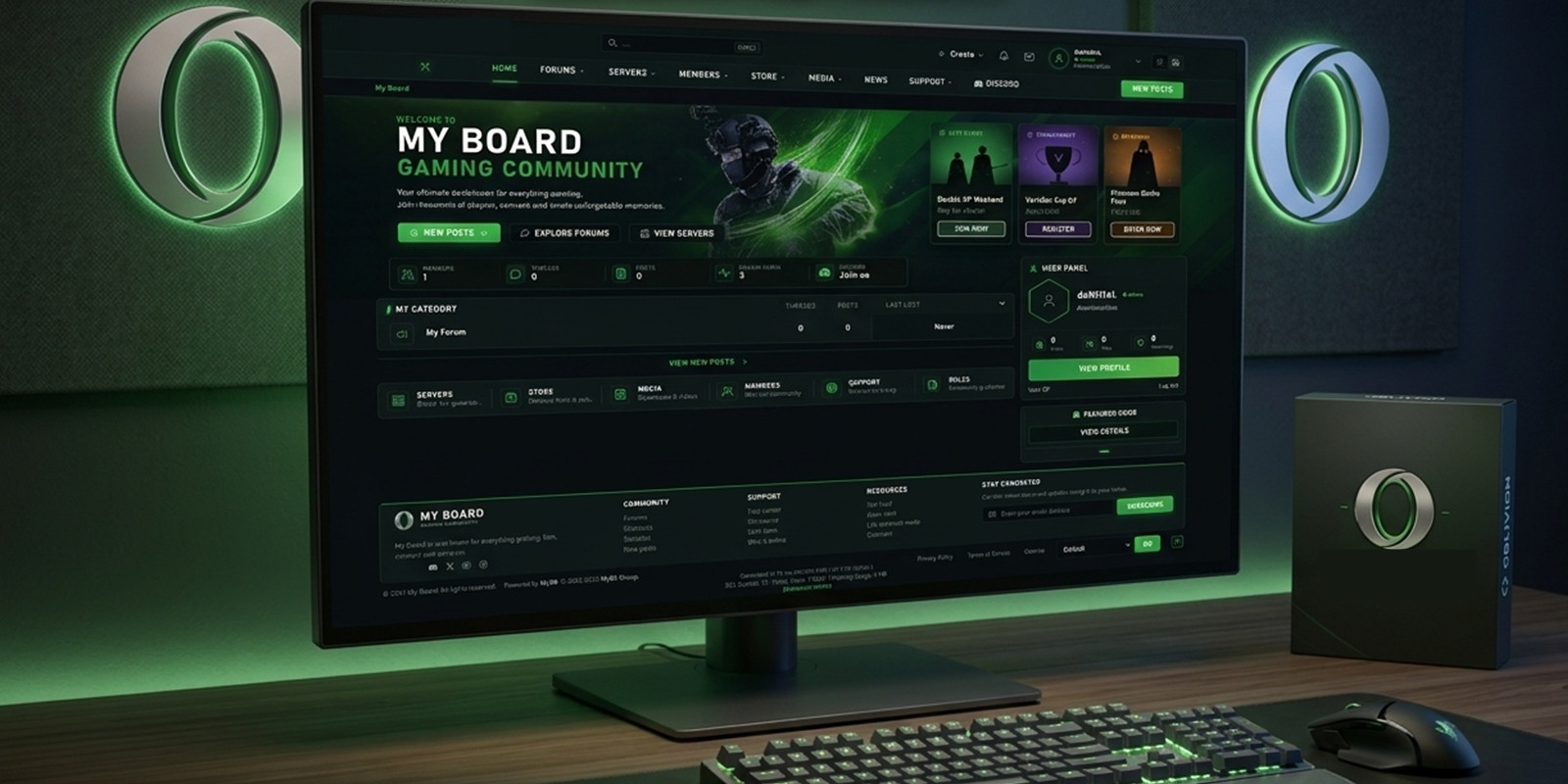
Veridian is a modern, cinematic gaming-community theme designed for MyBB 1.8.x. It combines a dark interface, refined green accents, and a responsive layout to create a distinctive community experience.
The theme includes a custom homepage with a hero section, forum statistics, event cards, featured game server, quick links, and latest news. A built-in light mode option lets visitors switch between dark and light content styles.
Community links, social media, server information, homepage content, and artwork can be customized to match your brand.
Veridian uses native MyBB functionality and preserves core forum files, making it a practical choice for gaming communities looking for a modern visual upgrade.
Note: The PHP Template Conditions plugin included in the package is required for the theme's conditional template blocks.
Features
- Premium cinematic gaming-community design - Responsive MyBB 1.8.x theme - Dark mode by default with light mode switch - Modern homepage with hero section and statistics - Event cards, featured server, quick links, and latest news - Customizable Discord, social media, store, and community links - Featured server carousel configuration - Custom forum icons and unread indicators - Editable homepage content and artwork - Native MyBB forum statistics and member data - No MyBB core file modifications - No external frameworks or CDN dependencies - PHP Template Conditions plugin included and required
Requirements
- MyBB 1.8.x - PHP Template Conditions plugin (included in the package; required) - Access to the MyBB Admin Control Panel - FTP or file manager access to upload theme assets and the plugin
Instructions
1. Extract the downloaded package. 2. Upload the images/veridian/ folder to your MyBB installation's images/ directory. 3. Upload the included PHP Template Conditions plugin to inc/plugins/. 4. In Admin CP → Configuration → Plugins, install and activate PHP Template Conditions. 5. Go to Admin CP → Templates & Style → Themes → Import a Theme and import theme.xml. 6. Set Veridian as your default theme. 7. Enable forum statistics and Who's Online in Board Settings. 8. Customize community links in the footer template and homepage content in the index template. 9. Refresh your browser and check the forum.
Important: Keep PHP Template Conditions installed and activated while using the theme. See README.md in the package for detailed configuration and troubleshooting.
| Author | Leynad |
|---|---|
| Category | Themes / MyBB |
| Price | $35 |
| Extended License | $105 |
| First Release | Oct 17, 2026 |
| Last Update | Oct 20, 2026 |
| Supported cms | MyBB 1.8.x |
| Files included | .php, .xml, JavaScript .js |
Categories
Tags
External listing. code.market does not sell this product and does not process payment for it. Pricing, payment, delivery, licensing, refunds, and support are handled by the third-party merchant on its own website. We may earn an affiliate commission from a referral. Details.
Products of the Week.
Submit🥇

Actionbook
It works inside the user's own browser with the accounts already signed in. The user describes the result they need, and the agent reads, clicks and types through the pages, then delivers a dashboard or report where each data links back to its source.
Other · 649 views · 9 clicksOther · Week 44 · 649 views · 9 clicks
🥈

Free social media tools for creators & solofounders
295 free tools for growing your social media: write, plan, grow on local AI models, 100% free forever, No sign-up required, No trial. Write, check and measure posts on LinkedIn, Instagram, TikTok, X, YouTube, Reddit, Product Hunt and more: a free social media scheduler for 17 networks, engagement rate calculators, character counters, best time to post, hook generators and follower growth calculators. No login anywhere, no API or credit usage.
620 views · 6 clicksWeek 44 · 620 views · 6 clicks
🥉

STOP GUESSING WHAT TO POST
AI that learns your brand voice and builds a month of consistent, on-brand social content: carousels, posts and hooks that sound like you, not like everyone else's AI.
SaaS · 1,868 views · 19 clicksSaaS · Week 44 · 1,868 views · 19 clicks
#4

Hand-Placed Backlinks $9.99 per link. Flat rate.
Buy hand-placed forum, Q-A and directory backlinks. Flat $9.99 per link, no subscriptions — you only pay for approved listings.
Website · 1,822 views · 17 clicksWebsite · Week 44 · 1,822 views · 17 clicks
#5

Conversational Backlinks for Busy Founders
Place Backlink Relevant Conversation for your domain across Forums and Conversations
39,285 views · 210 clicksWeek 44 · 39,285 views · 210 clicks
#6

Free Invoice Generator - PDF Invoices in Your Browser, No Sign-Up
A free invoice maker for freelancers and small businesses: fill in the invoice, check the live preview, and download a PDF that looks exactly like it. Any currency, tax per item, three templates, no sign-up, and nothing leaves your device.
568 views · 11 clicksWeek 44 · 568 views · 11 clicks
#7

Merge PDF Files Free - Combine PDFs in Your Browser, No Upload
A free PDF merger for office workers, students, and freelancers: combine PDFs and images into one file in the browser, reorder files and pages, pick page ranges, keep bookmarks, and open password-protected PDFs. Nothing is uploaded, no sign-up, no watermark.
509 views · 4 clicksWeek 44 · 509 views · 4 clicks