
Universal Video Player - YouTube/Vimeo/Self-Hosted

Description


Universal Video Player supports YouTube, Vimeo and Self-Hosted videos and is a top-notch responsive HTML5 plugin compatible with all major browsers and mobile devices.
It plays .MP4 video files and .WEBM (on browsers which don’t have MP4 support).
 IF YOU NEED THE WORDPRESS PLUGIN FOR THIS PRODUCT, YOU CAN DOWNLOAD IT FROM HERE : http://codecanyon.net/item/universal-video-player-wordpress-plugin/9683312
FEATURES:
 YouTube, Vimeo and Self-Hosted support
It plays YouTube, Vimeo and Self-Hosted video files. For YouTube and Vimeo, all you need to use is the video ID. The videos need to be public, not private or unlisted.
Responsive Design
The plugin can be used in websites which are responsive. Optional parameter to disable responsive behavior in order to integrate it in non-responsive websites.
Option To Automatically Obtain the Video Thumbnail, Title and Description From YouTube Servers
All you need to use is the YouTube video ID and the plugin will get these information from YouTube server. Parameters to use your own information. Because Google has imposed data quota restrictions for YouTube API keys you’ll have to generate your own YouTube API key (which is free) and replace the existing YouTube API key.
Mobile Compatible
It is compatible with IOS and Android operating systems.
Google Analytics
Option to activate Google Analytics tracking. You’ll be able to see how many times each video was played.
Customizable Color Scheme
Any color scheme possible, customizable from parameters, so you can integrate this audio player in any design.
Playlist With 3 Versions
You can show the playlist thumb, title & description or hide one of them. Also parameters for playlist size and color.
Playlist Search
You have the option to search the playlist. The results will be displayed as you type the search term.
Categories
The playlist items can be structured in categories. A video can belong to multiple categories.
Two Skins
You can choose from the 2 skins available: back & white. Also, from parameters you can create any color scheme, having the possibility to integrate it in any design.
Download Option
Available button (on desktop) to download the current playing file (only for self-hosted videos). You have the option to hide the download button.
Share
You can share your video player on Facebook and Twitter. Parameters to customize the share title and description.
Show/Hide Playlist
Button to show or hide the playlist. Also option to load the player with the playlist hidden.
Shuffle
Option to shuffle the playlist.
Logo/Watermark
You can define a logo in the top & left corner. Also, option to set the link and target_self or _blank.
Multiple Parameters
Autoplay, loop (entire playlist), colors, dimensions etc. Over 85 JS parameters from where you can customize the player.
Lightweight
The JS file has around 55KB
Free Updates
Once you’ve bought the product, you can download for free, from your account, all the updated versions.
Note for IOS/Android (restrictions imposed by Apple/Google) and other browsers: - it autoplays on IOS/Android only if the video is muted. When you set autoPlayOnMobile:true, the video will mute automatically for mobile devices. - volume controls will not work on IOS/Android. You’ll have to adjust the volume with physical buttons of the mobile device.
Note for Safari, Chrome & Firefox (restrictions imposed by Apple & Google): - Starting with Safari 11 and Chrome 66 the autoplay will not work because Apple & Google disabled autoplay feature and it can’t be controlled from JS. It autoplays only if the video is muted - Starting with the version 66 of Firefox, autoplay was blocked, You can revert to the old behavior from browser settings, when autoplay was allowed.
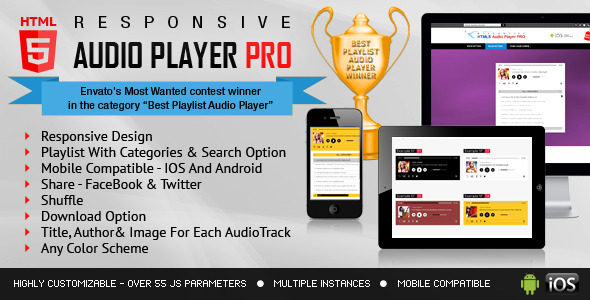
Other Recommended Players



If you need additional information don’t hesitate to contact us at office@lambertgroup.ro. We’ll try to answer you as quickly as possible. Enjoy!
UPDATES / RELEASE LOG
***Version 3.6.4 Release Date: June 21, 2025
- patch applied

***Version 3.6.3 Release Date: January 11, 2025
- updates for 2025

***Version 3.6.2 Release Date: January 27, 2024
- updates for 2024

***Version 3.6.1 Release Date: February 01, 2022
- updates for 2022

***Version 3.6 Release Date: September 10, 2021
- code improvements for loading the next YouTube/Vimeo video on mobile devices
- css fix

***Version 3.5.1 Release Date: June 02, 2021
- new API function added to change the category by clicking a button on the page

***Version 3.5.0.1 Release Date: March 31, 2021
- js libraries update

***Version 3.5.0 Release Date: March 05, 2021
- mobile autoplay improvements

***Version 3.4.0 Release Date: January 30, 2021
- it will have bottom playlist when the mobile device is hold in portrait mode for easy readable text

***Version 3.3.0 Release Date: May 17, 2020
- css modifications

***Version 3.3 Release Date: April 30, 2020
- "use strict" mode on
- improvements for shuffle feature

***Version 3.2.0.2 Release Date: April 08, 2020
- youtube info reader update

***Version 3.2.0.1 Release Date: February 29, 2020
- added new parameter called 'advanceToNextVideo' which will allow you to set if the next movie plays after the current movie has finished

***Version 3.2.0 Release Date: January 24, 2020
- updates for 2020

***Version 3.2 Release Date: June 10, 2019
- added playsinline:1 for YouTube instance

***Version 3.1 Release Date: April 04, 2019
- updated the FaceBook API to the latest version 3.2
- updated the help information regarding FaceBook Share

***Version 3.0 Release Date: February 20, 2019
- 'centerPlayer' parameter was added. By setting it 'true' the player will center on the page

***Version 2.9.1.0 Release Date: December 12, 2018
- screenfull.min.js library updated to the latest version

***Version 2.9.1 Release Date: December 07, 2018
- increased the playlist scroll when using mouse wheel

***Version 2.9 Release Date: June 14, 2018
- updated the Vimeo API to the latest version

***Version 2.8 Release Date: April 25, 2018
- auto-play option added for IOS devices when self-hosted videos are used
- when initial volume is set to 0 the html5 video tag is also set to muted

***Version 2.7 Release Date: February 15, 2018
- code improvements

***Version 2.6 Release Date: February 07, 2018
- optional 'start point' and 'end point' added for each video
- bug fix for first video parameter

***Version 2.5 Release Date: January 10, 2018
- code improvements for touch navigation feature

***Version 2.4.3 Release Date: September 15, 2017
- code improvements for volume initialization

***Version 2.4.2 Release Date: June 27, 2017
- code improvements

***Version 2.4.1 Release Date: January 28, 2017
- updated the Facebook API to the latest version 2.8

***Version 2.4.0.1 Release Date: December 15, 2016
- new FaceBook screenshots

***Version 2.4 Release Date: October 08, 2016
- bug fix: fixed a bug regarding play button on IOS devices for self-hosted videos

***Version 2.2 Release Date: December 22, 2015
- bug fix: Fullscreen feature for IE11

***Version 2.1.5 Release Date: October 26, 2015
- bug fix: For YouTube videos, with the new YouTube API, the preview image didn't appear. Problem fixed.

***Version 2.1.4 Release Date: August 10, 2015
- bug fix: the playlist was not hiding properly if showPlaylistBut was set to false

***Version 2.1.3 Release Date: August 03, 2015
- code improvements

***Version 2.1.2 Release Date: June 22, 2015
- bug fix: Vimeo videos will preserve the initial volume value while navigating the playlist

***Version 2.1.1 Release Date: May 14, 2015
- feature: moved to YouTube API v3 to automatically download thumbnail, title and description of the video directly from YouTube server.

***Version 2.1 Release Date: April 21, 2015
- bug fix: category selection

***Version 2.0 Release Date: March 19, 2015
- feature: parameter to automatically download thumbnail, title and description of the video directly from YouTube server.

***Version 1.2 Release Date: September 30, 2014
- feature: Google Analytics tracking was added

***Version 1.1 Release Date: September 29, 2014
- feature: 'suggestedQuality' parameter for YouTube API was added

***Version 1.0 Release Date: September 23, 2014
| Type | HTML5 Script |
|---|---|
| Author | LambertGroup |
| Category | Html5 / Media |
| Price | $17 |
| Sales | 371 |
| Rating | 4.93 from 15 ratings |
| Published | Sep 23, 2014 |
| Last Update | Jun 20, 2025 |
| Compatible Browsers | IE9, IE10, IE11, Firefox, Safari, Opera, Chrome, Edge |
| Compatible Software | HTML5 |
| Source Files Included | JavaScript JS, HTML, CSS, Layered PSD |
Categories
Tags
External listing. code.market does not sell this product and does not process payment for it. Pricing, payment, delivery, licensing, refunds, and support are handled by the third-party merchant on its own website. We may earn an affiliate commission from a referral. Details.
Products of the Week.
Submit🥇

STOP GUESSING WHAT TO POST
AI that learns your brand voice and builds a month of consistent, on-brand social content: carousels, posts and hooks that sound like you, not like everyone else's AI.
SaaS · 4,290 views · 38 clicksSaaS · Week 45 · 4,290 views · 38 clicks
🥈

Conversational Backlinks for Busy Founders
Place Backlink Relevant Conversation for your domain across Forums and Conversations
Website · 42,000 views · 223 clicksWebsite · Week 45 · 42,000 views · 223 clicks
🥉

upvote.club
Free Social Media Engagement that Helps Boost Your Content. Upvote Club supports 19 social networks with 100+ engagement actions in one dashboard. Add links to your posts and get free engagement from real users.
SaaS · 40,041 views · 117 clicksSaaS · Week 45 · 40,041 views · 117 clicks
#4

Substack Posting API
Onboard your Agent to Substack. Write Publish on Substack via API
SaaS · 59,051 views · 198 clicksSaaS · Week 45 · 59,051 views · 198 clicks
#5

Seenshot App
Free, Fast, MacOS Screenshot app. Make Screenshot cmd+shift+2 and send it via link
Desktop App · 28,425 views · 122 clicksDesktop App · Week 45 · 28,425 views · 122 clicks
#6

Hand-Placed Backlinks $9.99 per link. Flat rate.
Buy hand-placed forum, Q-A and directory backlinks. Flat $9.99 per link, no subscriptions — you only pay for approved listings.
Website · 4,260 views · 19 clicksWebsite · Week 45 · 4,260 views · 19 clicks
#7

Free Invoice Generator - PDF Invoices in Your Browser, No Sign-Up
A free invoice maker for freelancers and small businesses: fill in the invoice, check the live preview, and download a PDF that looks exactly like it. Any currency, tax per item, three templates, no sign-up, and nothing leaves your device.
2,936 views · 17 clicksWeek 45 · 2,936 views · 17 clicks
#8

Merge PDF Files Free - Combine PDFs in Your Browser, No Upload
A free PDF merger for office workers, students, and freelancers: combine PDFs and images into one file in the browser, reorder files and pages, pick page ranges, keep bookmarks, and open password-protected PDFs. Nothing is uploaded, no sign-up, no watermark.
2,712 views · 13 clicksWeek 45 · 2,712 views · 13 clicks