Ultimate Password Generator Tool Pro
Description
Features:
- Generate random passwords with customizable length and character types.
- Exclude specific characters from the generated passwords.
- Option to ensure unique characters in the generated passwords.
- Password strength indicator with color-coded progress bar.
- Copy functionality to easily copy generated passwords.
Usage:
Enter the desired password length in the designated field.
Check the character types you want to include in the generated passwords:
- Lowercase letters
- Uppercase letters
- Numbers
- Symbols
Optionally, enter characters to exclude from the passwords in the "Exclude Characters" field.
Check the "Unique Characters Only" box if you want each character to be unique in the generated passwords.
Click the "Generate Password" button to generate a password based on your criteria.
The generated password will be displayed in the password field along with its strength indicated by the progress bar.
Click the "Copy" button to copy the generated password to the clipboard.
Notes:
If no character types are selected, a message will prompt you to select at least one character type.
If the "Unique Characters Only" option is selected without choosing at least two character types, a message will indicate the requirement for two character types.
Features
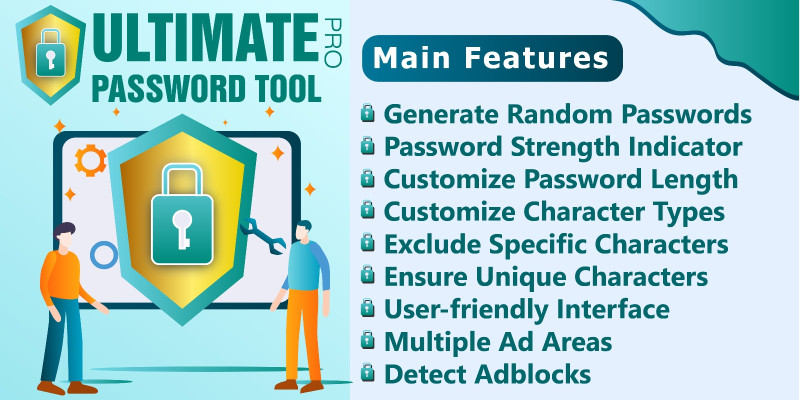
- Password Generation: Generate random passwords based on user-defined criteria such as length and character types (lowercase, uppercase, numbers, symbols).
- Exclusion of Characters: Allow users to exclude specific characters from the generated passwords.
- Unique Characters Option: Provide an option to generate passwords with unique characters only, ensuring no character is repeated in the password.
- Password Strength Indicator: Display a visual indicator of password strength based on complexity (e.g., length, character types).
- Error Handling: Inform users if no character types are selected or if there are any errors in generating passwords.
- Copy Password Functionality: Include a feature to copy the generated password to the clipboard for easy use.
- User-Friendly Interface: Design a clean and intuitive user interface for easy interaction and understanding of options.
- Responsive Design: Ensure the tool works well on different devices and screen sizes for a seamless user experience.
- Start Generating Message: Display a message prompting users to start generating passwords with the selected options when they first visit the page.
Requirements
Linux Web Hosting
Instructions
Upload Zip Files in Server and Extract it
| Author | kodemart |
|---|---|
| Category | Scripts & Code / PHP Scripts / Security |
| Price | $15 |
| Extended License | $45 |
| Likes | 2 |
| First Release | Mar 18, 2024 |
| Last Update | Mar 18, 2024 |
| Files included | .php, .css, JavaScript .js |
| Software version | PHP 7.0, PHP 7.3, PHP 7.4, PHP 8.0, PHP 8.2 |
Categories
Tags
External listing. code.market does not sell this product and does not process payment for it. Pricing, payment, delivery, licensing, refunds, and support are handled by the third-party merchant on its own website. We may earn an affiliate commission from a referral. Details.
Products of the Week.
Submit🥇

Perceptle
Perceptle is a daily browser-based game that challenges you to test your sensory intuition through five quick estimation and rhythm-based rounds.
Other · 3,957 views · 16 clicksOther · Week 47 · 3,957 views · 16 clicks
🥈

Free LinkedIn Likes From Real
Get free LinkedIn likes on your posts from real members who react by hand. No
SaaS · 4,075 views · 18 clicksSaaS · Week 47 · 4,075 views · 18 clicks
🥉

STOP GUESSING WHAT TO POST
AI that learns your brand voice and builds a month of consistent, on-brand social content: carousels, posts and hooks that sound like you, not like everyone else's AI.
SaaS · 11,557 views · 80 clicksSaaS · Week 47 · 11,557 views · 80 clicks
#4

aaas.market
407 reliable micro tools for solo founders, marketers and creators. They work in your browser
SaaS · 3,936 views · 7 clicksSaaS · Week 47 · 3,936 views · 7 clicks