
Trip AI Plan - Offline City Guide & Trip Planner (Flutter App + City Builder + Admin Panel)
Description
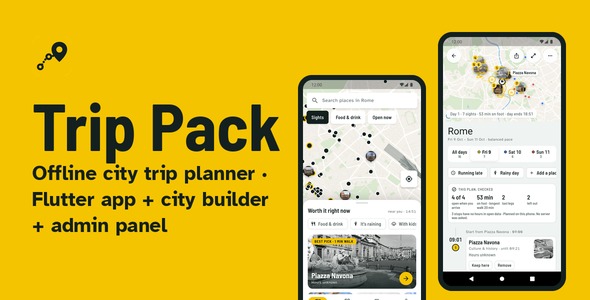
An offline city guide and trip planner. Flutter app, city builder, admin panel.
Travellers download a city once. After that the map, search, what is worth seeing right now, photos and day-by-day plans work with no connection. Plans are built on the phone from real opening hours and walking times, so every figure can be checked. You get the app, the tool that makes cities from open data, the panel to publish them, and a server setup that runs on any small VPS.
Demo login
- Admin panel: https://admin-demo.aitrippack.findapply.com
- User:
demo(the panel signs in with a user name, no e-mail address is needed) - Password:
TripPackDemo2026 - App: no account needed. Install it from Google Play (link below) and download a city.
Try it: the default build is live on Google Play as Trip AI Plan: Offline Guide. Download Rome, open Explore, plan a trip, press Running late. The Live Preview on this page is the same planner running in your browser.
For travellers
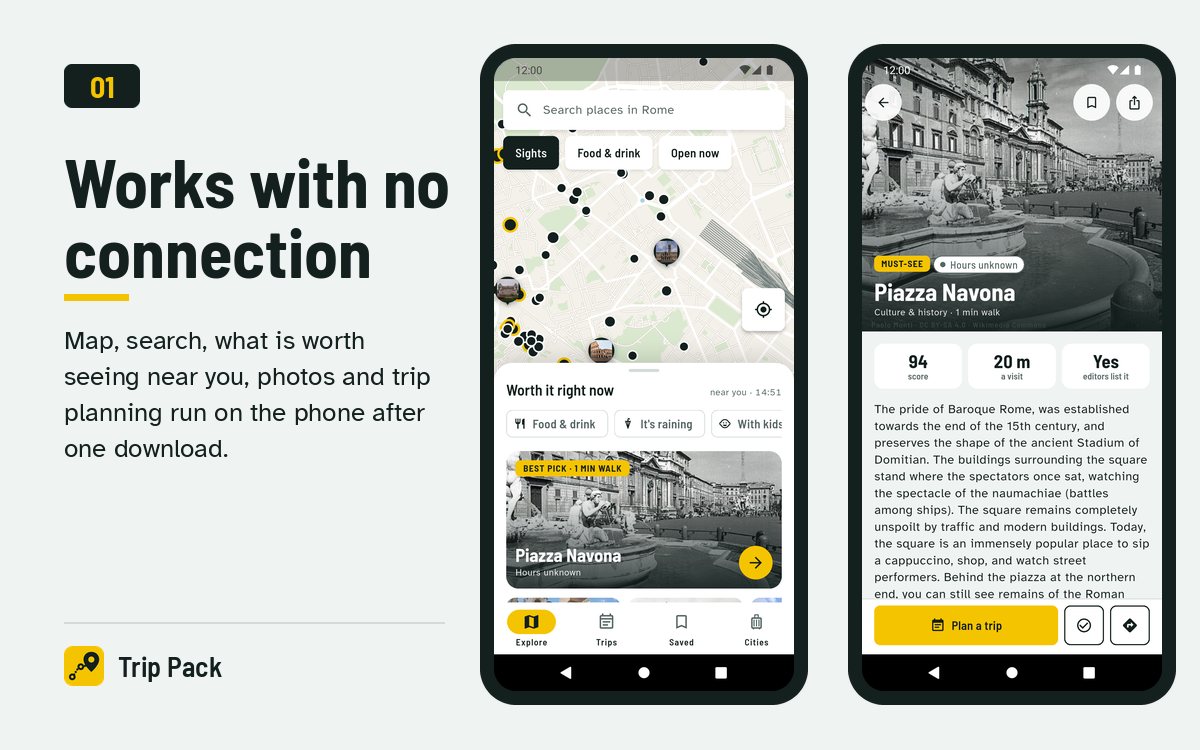
- Explore. An offline map of the city with a sheet of what is worth seeing right now: photos, walking minutes, opening status. Filters for food, rain and children. Must-see places are photo pins on the map.
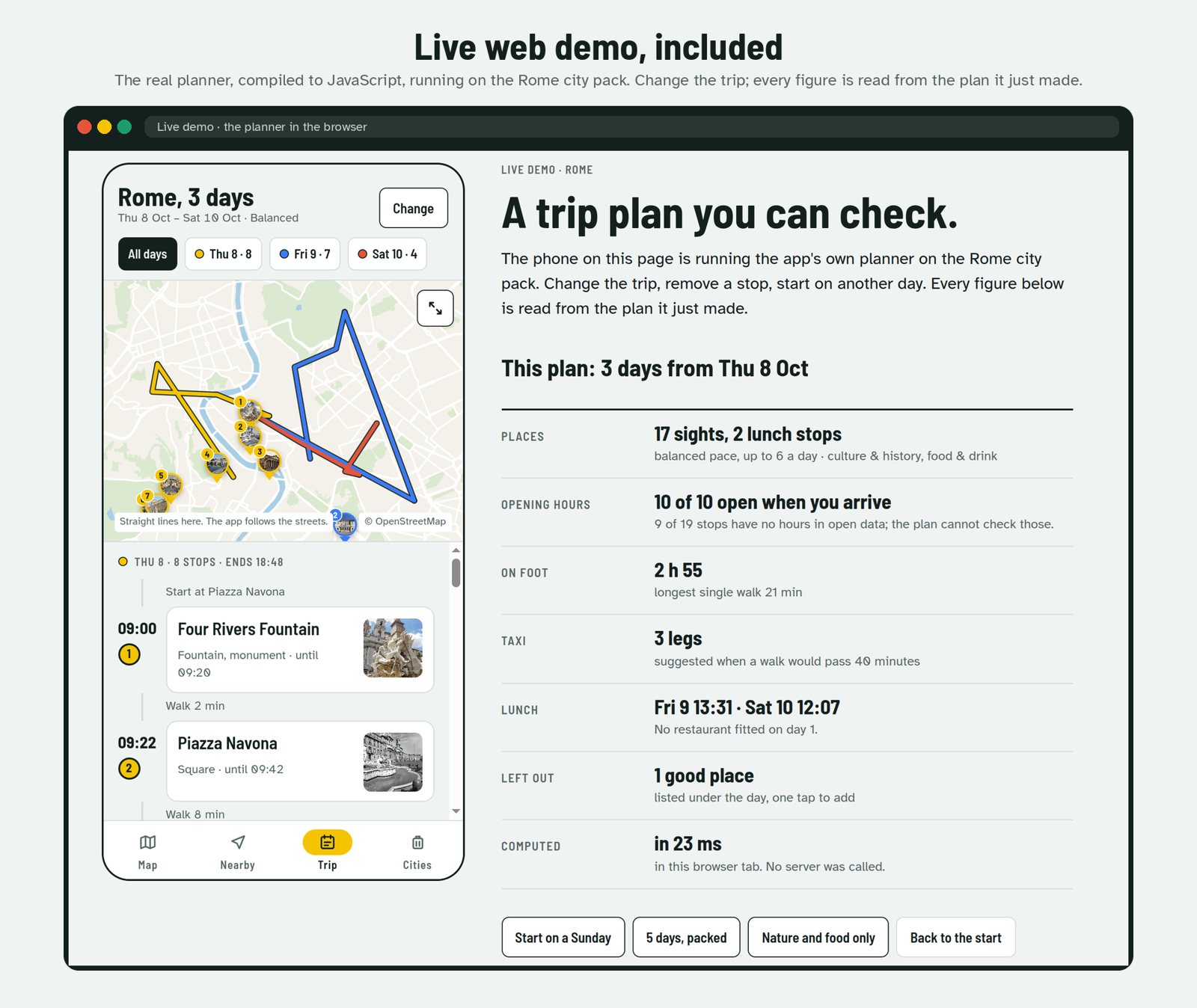
- Plan your days. One to seven days, your pace, what you enjoy. Places grouped by area, ordered to keep walking short, scheduled inside opening hours, a lunch stop near the route, a taxi suggested when a walk would pass 40 minutes. What did not fit is listed, one tap to add.
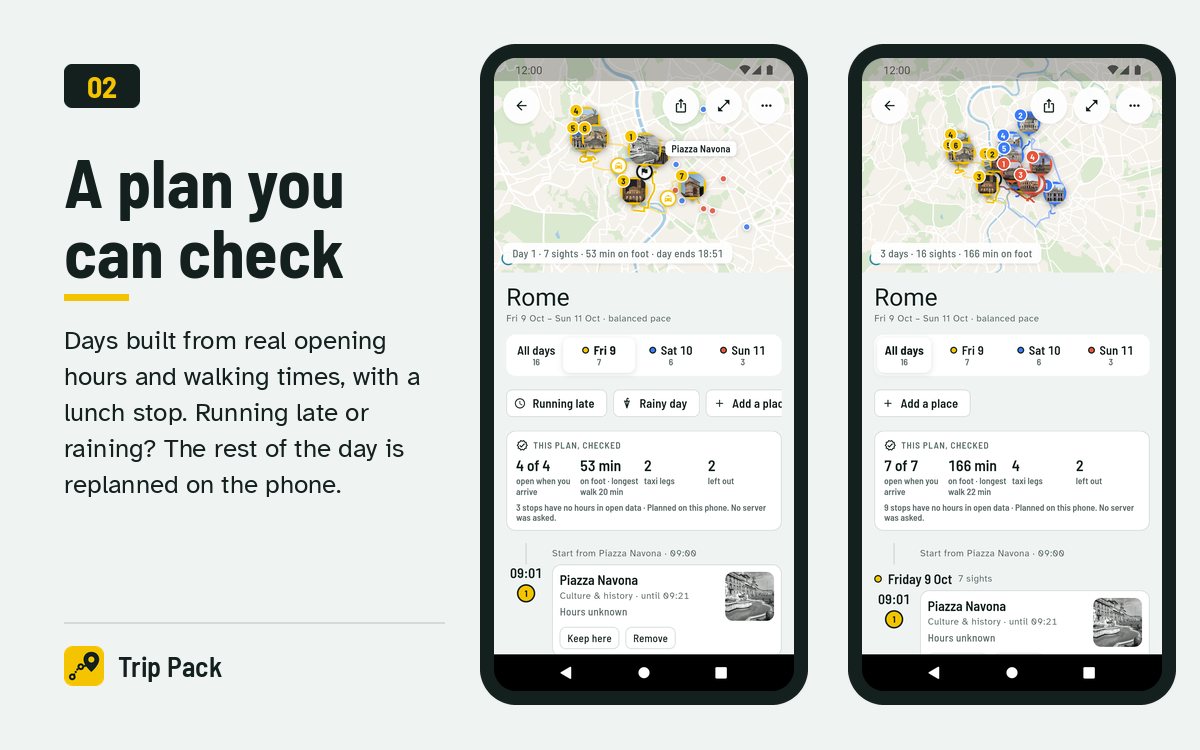
- A plan you can check. Each day has its colour. See one day or all days on the map above the stops, with a panel that reads the plan back: stops open when you arrive, minutes on foot, taxi legs, places left out.
- Running late? Raining? The rest of the day is replanned from where you are and the time it is; Rainy day moves it indoors. Before and after side by side, and the traveller chooses. Remove or pin a stop and the day is replanned at once.
- Every place, explained. Photo with credit, score, visit length, opening hours for the week, description and the reasons it ranks. Save places, tick off the ones you have seen.
- Search thousands of places offline, the best match as a photo card, each result with its score and opening status.
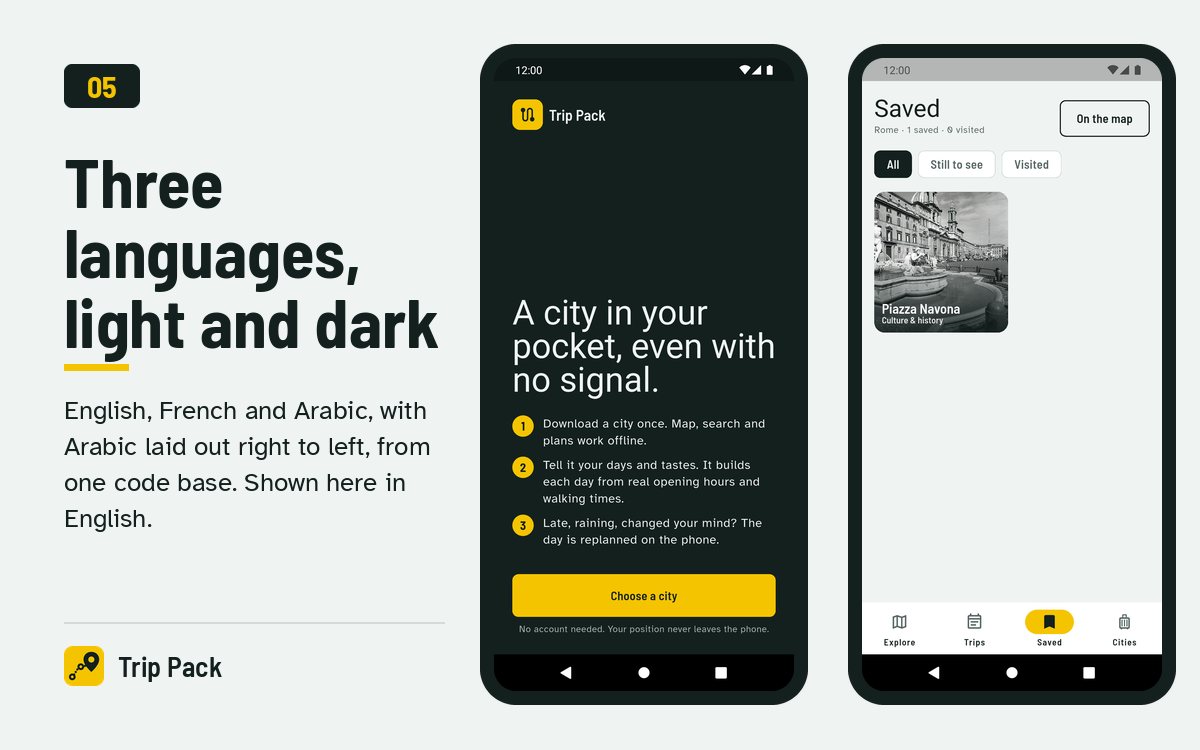
- English, French and Arabic (right to left), following the phone’s language, English otherwise. Light and dark. Share a trip as text; back it up with an optional account.
For you, the owner
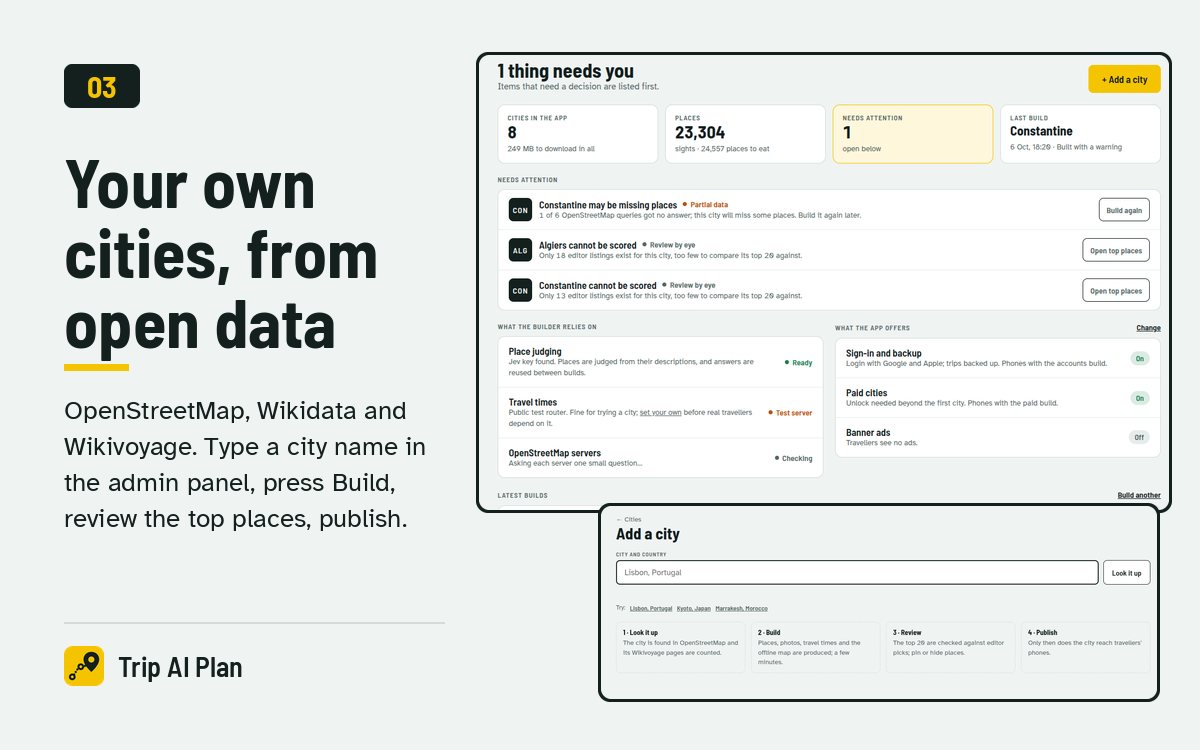
- City builder. Type “Lisbon, Portugal”. It downloads open data (OpenStreetMap, Wikidata, Wikivoyage), ranks the places, fetches a photo for the 300 best, computes travel times, cuts the offline map and checks the top 20 against the sights Wikivoyage editors recommend.
- Admin panel. Sign in, see what needs attention, add a city, watch the build, pin or hide places, publish. Nothing reaches travellers before you press Publish. From Settings you switch banner ads, Login with Google, Login with Apple and paid cities on or off for every phone, with no new build.
- Rebrand in one command. Name, package id, server address, contact, accent colour.
- Your server, two ways. Docker Compose (city files, route service, admin panel, optional routing server), or the included nginx site and systemd unit. The app needs three things from it: the city list, the city files and a route endpoint.
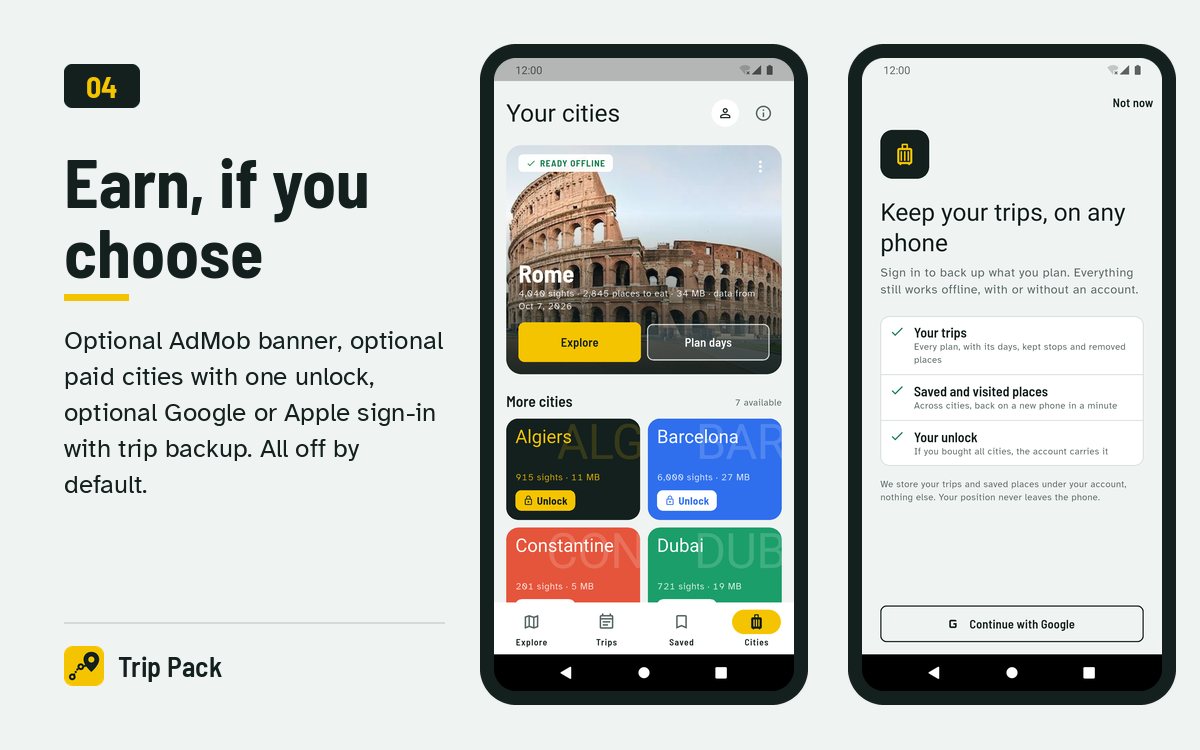
- Earn if you choose. AdMob banner at the end of list screens, paid cities with one “unlock all” purchase, Google and Apple sign-in with trip backup. All off by default; each is one switch.
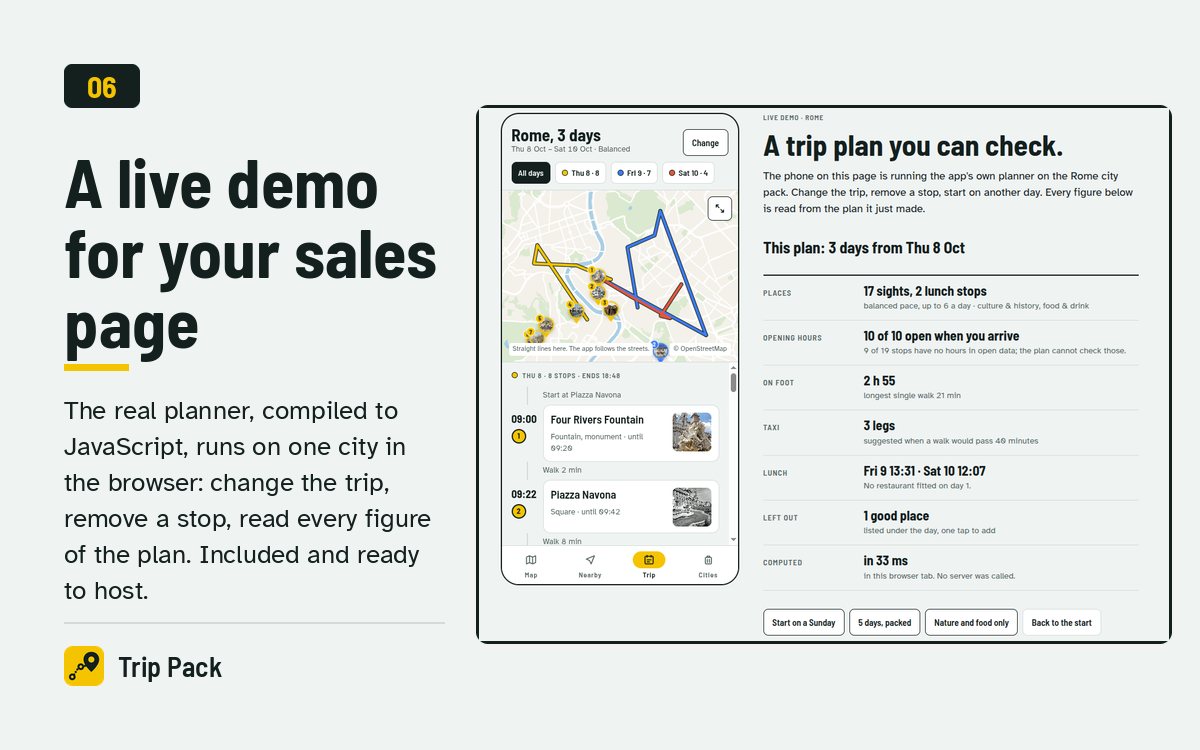
- Web demo. The real planner running on one city in the browser, for your own sales page. Shipped as source: one script (
demo/build.sh) compiles the Dart planner to JavaScript and builds the page. - Eight cities included to start with: Rome, Paris, Barcelona, Istanbul, Lisbon, Dubai, Algiers and Constantine. Build any other city yourself.
AI where it helps, offline where it matters
When a city is built, an AI model (TypeSafe Jev) reads each place’s description and decides its interest, visit length, indoor or outdoor, and how essential it is. The traveller’s days are then planned on the phone by a deterministic planner, so the result is fast, works offline and can be checked line by line. Without an API key, built-in rules are used and everything still works.
Tech
- App: Flutter 3.44+, Material 3, Riverpod, go_router, MapLibre with offline PMTiles, SQLite. Android (compile and target SDK 36) and iOS 15.0+ (Podfile included, built and run on the iOS simulator).
- Planner: a pure Dart package, with the same algorithm in Python for the builder and parity tests between the two.
- Builder: Python 3.11. Admin panel and route service: FastAPI. Deployment: Docker Compose, or nginx and systemd.
- Data: OpenStreetMap (ODbL), Wikidata (CC0), Wikivoyage (CC BY-SA 4.0), photos from Wikimedia Commons with their licences, Protomaps basemap. The app’s About screen carries the credits.
What you need
- Flutter 3.44 or newer to build the app; a Mac with Xcode 16 or newer and CocoaPods for iOS.
- A web server with HTTPS to host the city files. Docker Compose, nginx and systemd files are included, with a step-by-step guide for both (docs/DEPLOY.md).
- Python 3.11 or Docker to build cities.
- Travel times come from a Valhalla routing server. The public demo server is for testing; run your own (Compose profile included) or use a hosted provider before real travellers depend on it.
Documentation and support
A full guide is included: install, rebrand, your server, building cities, ads and paid cities, accounts, publishing to Google Play and the App Store, troubleshooting. Tests cover the planner, the builder and the panel. Questions through the item comments or the contact e-mail in the documentation.
Demo instructions
App: no account or password is needed. Install the published build from Google Play (or build it from the source), download Rome, then open Explore, plan a trip, press Running late. The Live Preview on this page is the same planner running in the browser.
Admin panel demo: open https://admin-demo.aitrippack.findapply.com and sign in on the login page with:
- User:
demo - Password:
TripPackDemo2026
The demo panel is read-only: browse cities, builds, quality checks and every setting (ads, sign-in providers, paid cities); Build, Publish and Save answer with a notice.
Third-party services and costs (please read)
Important: the item works out of the box with free and public services for testing. Before you publish your own app, several features rely on external services that are not part of this item. Each may require its own developer account and may incur additional costs, paid by you to that provider:
- Google Play Console (one-time registration fee) and Apple Developer Program (yearly fee) to publish the app.
- A server or web host with HTTPS for the city files, the route service and the admin panel (any small VPS).
- Valhalla routing server for route lines and travel times. The public OpenStreetMap demo server is free but for testing only; running your own server (included as a Docker profile) needs a VPS with several GB of RAM, and hosted providers charge for their API.
- Google AdMob (optional, off by default): needs an AdMob account; ad revenue and payments follow Google’s terms.
- Google Sign-In and Sign in with Apple through Firebase (optional, off by default): needs a Firebase project (free tier available, paid beyond its limits) and, for Apple, the Apple Developer Program.
- In-app purchases (optional, off by default): Google Play Billing and App Store purchases; the stores take a commission on each sale.
- TypeSafe Jev AI (optional, off by default): a paid API for judging places while you build cities; key from console.typesafe.ai. Without it, built-in rules are used and everything works.
- OpenStreetMap, Wikidata, Wikivoyage, Wikimedia Commons and Protomaps: free open data, subject to their licences and fair-use limits.
Use of AI in creating this item
Yes. AI tools were used. The source code, the documentation, the graphics (preview images and store screenshots composed by scripts) and the video preview (animation and its original music, generated by code) were made with the assistance of an AI coding assistant (Claude, by Anthropic), then reviewed, run and tested by the author on Android (emulator and phone), the iOS simulator and a live server. The screenshots and the screens in the video show the real app running. Separately, the product itself can optionally use an AI service (TypeSafe Jev) while building cities, as described above.
Features at a glance
- Offline map, search and planning after one download
- Day-by-day plans from real opening hours and walking times
- All days on one map, each in its colour, and a plan you can check
- Running late and Rainy day: the rest of the day replanned on the phone
- Worth it right now, with photos, opening status and walking minutes
- Photos from Wikimedia Commons inside every city pack, with credits
- City builder from open data, with AI judging and a quality check
- Admin panel: add, build, review, publish; ads switch at run time
- One-command rebrand: name, id, server, colour
- Optional AdMob, paid cities, Google and Apple sign-in with backup, each switchable from the admin panel
- English, French, Arabic (RTL); light and dark
- Eight ready-made cities, web demo source, documentation and tests included
| Author | findapply |
|---|---|
| Price | $43 |
| Sales | 0 |
| Rating | 0 (0) |
| Published | Oct 15, 2026 |
| Last Update | Oct 15, 2026 |
| Compatible Software | Flutter 3.x |
| Demo Url | https://play.google.com/store/apps/details?id=com.aitrippack.app |
| Mobile Files Included | Dart, YAML, JavaScript JSON, .java, .kotlin, .plist, .swift, CSS, HTML |
Categories
Tags
External listing. code.market does not sell this product and does not process payment for it. Pricing, payment, delivery, licensing, refunds, and support are handled by the third-party merchant on its own website. We may earn an affiliate commission from a referral. Details.
Products of the Week.
Submit🥇

Perceptle
Perceptle is a daily browser-based game that challenges you to test your sensory intuition through five quick estimation and rhythm-based rounds.
Other · 1 views · 0 clicksOther · Week 47 · 1 views · 0 clicks
🥈

Free LinkedIn Likes From Real
Get free LinkedIn likes on your posts from real members who react by hand. No
SaaS · 124 views · 2 clicksSaaS · Week 47 · 124 views · 2 clicks
🥉

STOP GUESSING WHAT TO POST
AI that learns your brand voice and builds a month of consistent, on-brand social content: carousels, posts and hooks that sound like you, not like everyone else's AI.
SaaS · 7,686 views · 71 clicksSaaS · Week 47 · 7,686 views · 71 clicks
#4

aaas.market
407 reliable micro tools for solo founders, marketers and creators. They work in your browser
SaaS · 122 views · 0 clicksSaaS · Week 47 · 122 views · 0 clicks