
Trioflux | Desktop Browser Built with Electron
Description
Trioflux | Desktop Browser Built with Electron
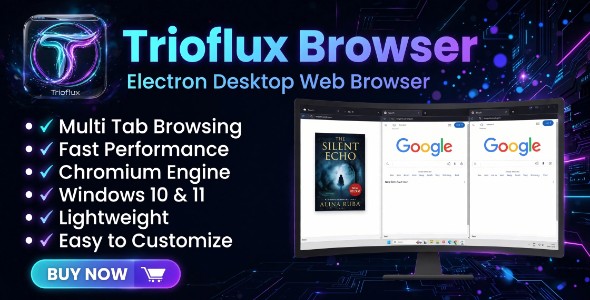
Trioflux Browser is a full-featured desktop web browser built with Node.js and the Chromium engine, using the open-source Electron framework — designed specifically for Windows 10 and 11. It goes beyond a standard browser with a unique Multi Tab mode, built-in password saving, and a clean, customizable interface.
Note: This item is built using the Electron framework. It is an independent product and is not an official Electron product or partnership.
Key Features
- Multi Tab Browsing: Open up to 3 different websites side by side in a single tab, each with its own isolated, persistent login session.
- Standard Tabbed Browsing: Familiar tab-based navigation, just like popular browsers.
- Password Saving with Autofill: Save login credentials securely, encrypted using the operating system’s built-in secure storage.
- Multiple Accounts per Site: If a site has more than one saved account, choose which one to use instead of only ever autofilling a single account.
- Bookmarks, History & Downloads: Organized panels to manage saved pages, browsing history, and downloaded files.
- Persistent Sessions: Cookies and login sessions are stored on disk, so you stay logged in even after restarting your PC.
- Dark / Light Theme: Switch between themes to match your preference.
- Custom Title Bar: A clean, custom-designed window with its own minimize, maximize, and close controls.
Requirements
- Windows 10 or 11 (64-bit)
- Node.js LTS (v18 or newer)
What You Get
Full source code (Node.js / Electron / JavaScript), along with complete documentation covering a beginner-friendly installation guide, branding/color customization, architecture, API reference, an FAQ, and troubleshooting.
| Type | Windows App |
|---|---|
| Author | Clitoria |
| Price | $19 |
| Sales | 2 |
| Rating | 0 (0) |
| Published | Jul 29, 2026 |
| Last Update | Jul 30, 2026 |
| Application Runtime | Native |
| High Resolution | No |
| Operating System Versions | Windows 11 |
Categories
Tags
External listing. code.market does not sell this product and does not process payment for it. Pricing, payment, delivery, licensing, refunds, and support are handled by the third-party merchant on its own website. We may earn an affiliate commission from a referral. Details.
Products of the Week.
Submit🥇

STOP GUESSING WHAT TO POST
AI that learns your brand voice and builds a month of consistent, on-brand social content: carousels, posts and hooks that sound like you, not like everyone else's AI.
SaaS · 7,352 views · 67 clicksSaaS · Week 46 · 7,352 views · 67 clicks
🥈

Conversational Backlinks for Busy Founders
Place Backlink Relevant Conversation for your domain across Forums and Conversations
Website · 46,632 views · 232 clicksWebsite · Week 46 · 46,632 views · 232 clicks
🥉

upvote.club
Free Social Media Engagement that Helps Boost Your Content. Upvote Club supports 19 social networks with 100+ engagement actions in one dashboard. Add links to your posts and get free engagement from real users.
SaaS · 44,574 views · 127 clicksSaaS · Week 46 · 44,574 views · 127 clicks
#4

Substack Posting API
Onboard your Agent to Substack. Write Publish on Substack via API
SaaS · 63,460 views · 206 clicksSaaS · Week 46 · 63,460 views · 206 clicks
#5

Seenshot App
Free, Fast, MacOS Screenshot app. Make Screenshot cmd+shift+2 and send it via link
Desktop App · 32,710 views · 127 clicksDesktop App · Week 46 · 32,710 views · 127 clicks
#6

Hand-Placed Backlinks $9.99 per link. Flat rate.
Buy hand-placed forum, Q-A and directory backlinks. Flat $9.99 per link, no subscriptions — you only pay for approved listings.
Website · 8,332 views · 19 clicksWebsite · Week 46 · 8,332 views · 19 clicks
#7

Free Invoice Generator - PDF Invoices in Your Browser, No Sign-Up
A free invoice maker for freelancers and small businesses: fill in the invoice, check the live preview, and download a PDF that looks exactly like it. Any currency, tax per item, three templates, no sign-up, and nothing leaves your device.
6,958 views · 29 clicksWeek 46 · 6,958 views · 29 clicks
#8

Merge PDF Files Free - Combine PDFs in Your Browser, No Upload
A free PDF merger for office workers, students, and freelancers: combine PDFs and images into one file in the browser, reorder files and pages, pick page ranges, keep bookmarks, and open password-protected PDFs. Nothing is uploaded, no sign-up, no watermark.
6,439 views · 18 clicksWeek 46 · 6,439 views · 18 clicks