
TravelMaps | Travel Map Creator With GPX Import, Route Lines and Image Export - SwiftUI
Description
TravelMaps – SwiftUI iOS App Template
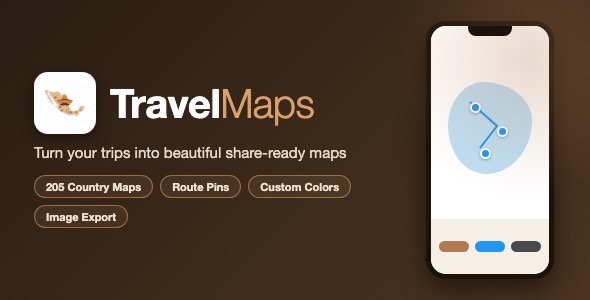
TravelMaps is a complete SwiftUI template that lets users create beautiful personalized travel map images. Pick a country, add the cities you visited, connect them with a route line, style everything with custom colors, and export a high quality map image ready to share on social media.
Demo Instructions
Demo account: the app ships with a built-in demo account so you can build, run and test it immediately – no Firebase configuration is required to try it:
- Demo email:
demo@travelmaps.app - Demo password:
travelmaps123
Enter these credentials on the login screen and tap the sign in button. With the demo account you can use every core feature: the create-map wizard, country picker, city picker, the interactive map editor, custom styling and the image export. Real user registration (Email/Password, Google Sign-In and Sign in with Apple) is powered by Firebase Authentication and requires the configuration below.
Configuration for real authentication:
- Firebase project – the app uses Firebase Authentication (Email/Password, Google Sign-In and Sign in with Apple). Replace the placeholder
GoogleService-Info.plistin the project with the one generated for your own Firebase project. Full step-by-step instructions are indocumentation.html. - Backend URL – the “Import from URL” feature calls your own backend endpoint to fetch an itinerary. Open
TravelMaps/Managers/TravelMapAPIService.swiftand replace the placeholder base URL with your own. If you do not have a backend, all other features (manual map creation, editing, styling and export) work fully without it.
Third-Party Service Warning: this template uses Firebase, a third-party service operated by Google LLC, for authentication. Firebase is not operated by or affiliated with the seller of this template. Firebase offers a free tier, but it is the buyer’s sole responsibility to review, manage and pay for any Firebase usage and any costs, charges or fees incurred by their use of the service, including usage that exceeds the free tier limits. See firebase.google.com/pricing.
All API keys and URLs in the source code are clearly marked placeholders – nothing real ships with the template.
Everything the App Does
- Clean splash screen and 3-page onboarding flow
- Login screen with Email/Password, Sign in with Apple and Google Sign-In (Firebase Auth)
- Sign up screen for new account creation
- Main screen listing every created map with country flag, name and creation date
- Swipe to delete maps, context menu for quick sharing
- Create-new-map wizard with three import options: URL import, GPX file import or manual country selection
- URL itinerary import through your own backend (JSON city list)
- GPX file import – parses waypoints from standard GPX trip files
- Country picker with 205 high quality SVG country maps (SimpleMaps, free commercial license included)
- City picker to add, name and reorder the cities of your trip
- Interactive map editor with pinch-to-zoom and drag-to-pan
- Accurate city pin placement using each SVG’s embedded geographic calibration points (Mercator-based affine projection)
- Route lines automatically connect cities in visit order
- Drag individual pins to fine-tune their position
- Two one-tap color templates: Black and Blue
- Full custom color control: country fill, background, pins, text and route lines
- Adjustable route line width slider
- Export the map as a 1000×1000 image with a native share sheet (save to Photos, share to social media, AirDrop and more)
- “Suggest improvements” contact menu
- Local data persistence with SwiftData – maps survive app restarts
Technology
- Language: Swift 5.9+
- UI: SwiftUI
- Data: SwiftData (iOS 17)
- Auth: Firebase Auth – Email/Password, Google Sign-In, Sign in with Apple
- Maps: 205 SimpleMaps SVG country shapes with custom SVG parser and geographic projection engine
- Minimum iOS: 17.0
- Dependencies: Firebase iOS SDK via Swift Package Manager
- Bundle ID: com.travelmaps.app
What the Buyer Gets
- Full Xcode source code of the TravelMaps app
- 205 licensed SVG country map assets
- documentation.html – complete setup, customization and App Store submission guide
- All screenshots used in the item preview
- Free future updates to the template
Development Disclosure
Portions of this template’s source code were developed with AI-assisted tools under direct human direction, review and testing. All code has been verified to compile and run as described.
Closing Note
This item is a source code template, not a compiled application. Basic Xcode knowledge is required to build, configure (Firebase + backend URL) and publish the app. If you have any questions, use the support contact on our profile page – we are happy to help.
| Type | iOS App |
|---|---|
| Author | mefjudevllc |
| Price | $14 |
| Sales | 0 |
| Rating | 0 (0) |
| Published | Sep 24, 2026 |
| Last Update | Sep 24, 2026 |
| Compatible Software | Other |
| Compatible With | Swift |
| Mobile Files Included | .h |
Categories
Tags
External listing. code.market does not sell this product and does not process payment for it. Pricing, payment, delivery, licensing, refunds, and support are handled by the third-party merchant on its own website. We may earn an affiliate commission from a referral. Details.