
Travelador - Blog Tourism & WooCommerce Shop Theme

Description
Gutenberg Optimized & Latest WordPress Version
Travelador WordPress Blog Travel is a child theme of LayersWP, designed for blogs of all kinds, including personal, travel, cooking, and more. Built on the LayersWP framework and SiteOrigin builder, Travelador is a multi-purpose and responsive theme that allows you to create stunning web pages effortlessly. With features like multiple header styles, drag-and-drop Page Builder, SEO optimization, WooCommerce compatibility, and customizable widgets, it’s perfect for bloggers and creative users.
Features
- LayersWP Framework
- WooCommerce Ready
- Responsive Design
- SiteOrigin Page Builder
- Fast Loading
- 6 Different Header Layouts
- Google Fonts Integration
- Background Parallax & Fixed Options
- Custom WooCommerce Design
- Homepage and Contact Page Builders
Ecommerce – WooCommerce
Create amazing shops with WooCommerce integration. Install, add your products, and your online store is ready to go!
Demo Import
Included in the package are XML import files for replicating the demo content. Use the WordPress Import Tool to import pre-built pages, sliders, and widgets with ease.
Support
If you have any questions, visit the Support Tab on the item page. Scroll down and click Go to Item Support for assistance.
Important
Our theme is based on Layers for Elementor framework. To get started:
- Install WordPress
- Download Layers from https://layerswp.com, install it as a theme, and skip setup.
- Upload and activate the Travelador theme from Appearance > Themes.
- Install and activate the required plugins from the left-side menu. If installation fails, use FTP to upload the Travelador folder to wp-content/themes.
- Enable WooCommerce for eCommerce functionality (optional).
- Customize your site in Appearance > Customizer (add logo, header type, footer widgets, etc.).
- Activate Livemesh Widgets and configure any additional settings.
- Import demo content from the included files.
- Create and assign your menu to the primary location.
- Customize your theme and start building your content.
Note: Some widgets, like Revolution Slider, require additional configuration (e.g., adding a shortcode). Detailed instructions are in the documentation.
Updates
Slider Revolution Plugin Updated
Documentation updated with video tutorials for theme installation and demo import
Pack updated to Layers for Elementor, with all related files modified
Better CSS optimization implemented
Images
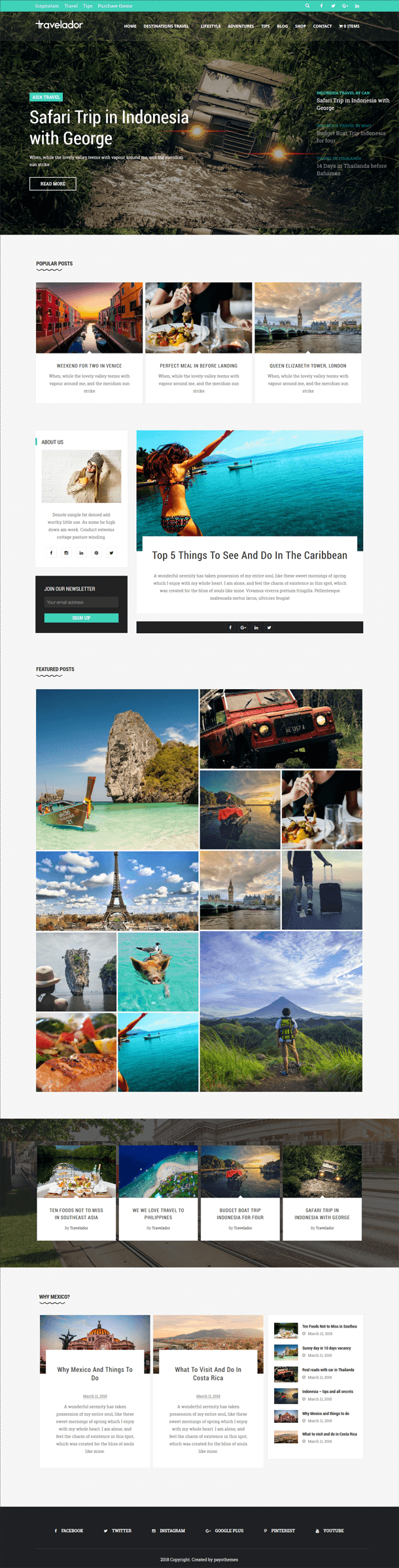
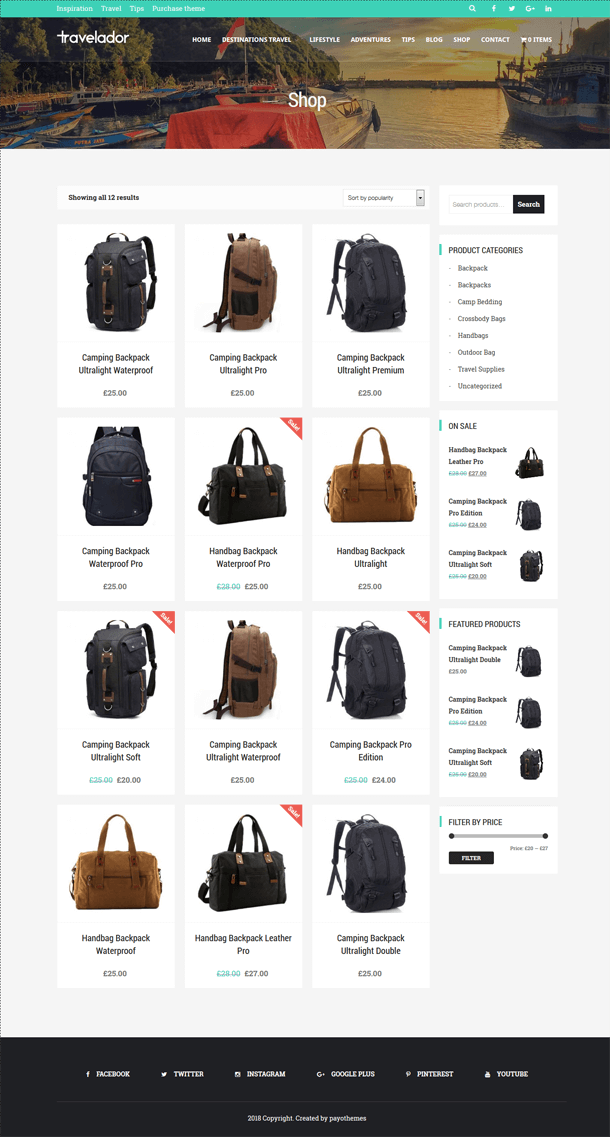
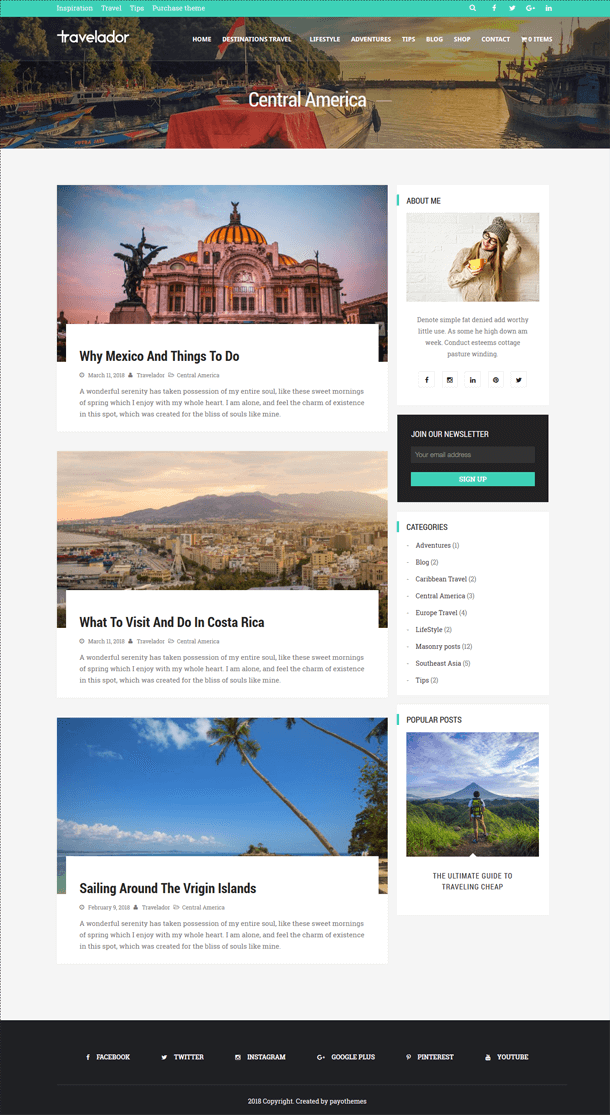

Note
Images are sourced from Pexels.com, free for personal and commercial use, and included in the package. Colors can be customized via the WordPress Customizer or style.css.
Info: If demo import issues arise (e.g., missing Revolution Slider), add the slider shortcode manually in Page Builder using a text widget.
| Type | WordPress Theme |
|---|---|
| Author | payothemes |
| Category | Wordpress / Blog Magazine |
| Price | $44 |
| Sales | 91 |
| Rating | 4.00 from 5 ratings |
| Published | Mar 26, 2018 |
| Last Update | Nov 20, 2024 |
| Compatible Browsers | IE8, IE9, IE10, IE11, Firefox, Safari, Opera, Chrome, Edge |
| Compatible Software | WordPress 6.6.x, WordPress 6.5.x |
| Compatible With | bbPress 2.5.x, Elementor, Gravity Forms, Layers WP, WP EasyCart |
| Documentation | Well Documented |
| Framework | Layers WP |
| Gutenberg Optimized | Yes |
| Layout | Responsive |
| Files Included | PHP Files, CSS Files, JS Files |
| Widget Ready | Yes |
| Key Features | Blog Travel & Travel agency, Personal blog & responsive theme blog, Gutenberg Optimized, WooCommerce |
Categories
Tags
External listing. code.market does not sell this product and does not process payment for it. Pricing, payment, delivery, licensing, refunds, and support are handled by the third-party merchant on its own website. We may earn an affiliate commission from a referral. Details.
Products of the Week.
Submit🥇

STOP GUESSING WHAT TO POST
AI that learns your brand voice and builds a month of consistent, on-brand social content: carousels, posts and hooks that sound like you, not like everyone else's AI.
SaaS · 4,290 views · 38 clicksSaaS · Week 45 · 4,290 views · 38 clicks
🥈

Conversational Backlinks for Busy Founders
Place Backlink Relevant Conversation for your domain across Forums and Conversations
Website · 42,001 views · 223 clicksWebsite · Week 45 · 42,001 views · 223 clicks
🥉

upvote.club
Free Social Media Engagement that Helps Boost Your Content. Upvote Club supports 19 social networks with 100+ engagement actions in one dashboard. Add links to your posts and get free engagement from real users.
SaaS · 40,042 views · 117 clicksSaaS · Week 45 · 40,042 views · 117 clicks
#4

Substack Posting API
Onboard your Agent to Substack. Write Publish on Substack via API
SaaS · 59,052 views · 198 clicksSaaS · Week 45 · 59,052 views · 198 clicks
#5

Seenshot App
Free, Fast, MacOS Screenshot app. Make Screenshot cmd+shift+2 and send it via link
Desktop App · 28,427 views · 122 clicksDesktop App · Week 45 · 28,427 views · 122 clicks
#6

Hand-Placed Backlinks $9.99 per link. Flat rate.
Buy hand-placed forum, Q-A and directory backlinks. Flat $9.99 per link, no subscriptions — you only pay for approved listings.
Website · 4,261 views · 19 clicksWebsite · Week 45 · 4,261 views · 19 clicks
#7

Free Invoice Generator - PDF Invoices in Your Browser, No Sign-Up
A free invoice maker for freelancers and small businesses: fill in the invoice, check the live preview, and download a PDF that looks exactly like it. Any currency, tax per item, three templates, no sign-up, and nothing leaves your device.
2,937 views · 17 clicksWeek 45 · 2,937 views · 17 clicks
#8

Merge PDF Files Free - Combine PDFs in Your Browser, No Upload
A free PDF merger for office workers, students, and freelancers: combine PDFs and images into one file in the browser, reorder files and pages, pick page ranges, keep bookmarks, and open password-protected PDFs. Nothing is uploaded, no sign-up, no watermark.
2,713 views · 13 clicksWeek 45 · 2,713 views · 13 clicks