
TPS Controls for mobile devices -Unity Source Code
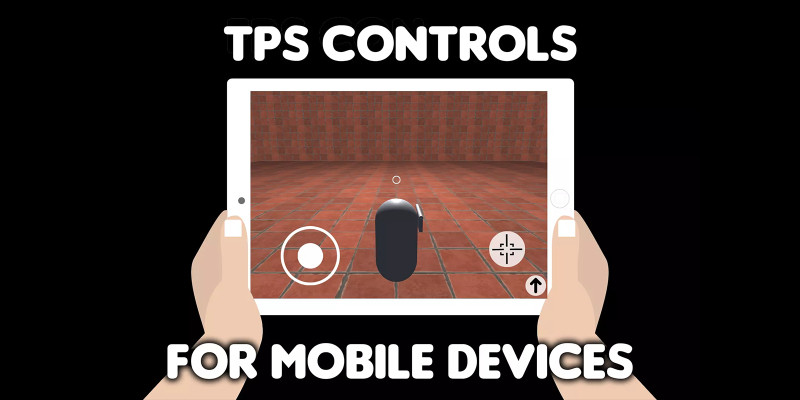
Description
Or download APK and test it on your android device.
This asset will provide you with TPS controls for mobile devices that is very easy to setup and use.
How to use it?
Drag and drop “TPS Controls” prefab from “Prefabs” folder to your project hierarchy.
*Camera is attached to “TPS Controls” prefab, so remove any other cameras on your scene.
*When you do this step and click play button in unity editor, you will be able to fully use joystick controls like in example scene. But you may want to change capsule mesh into your custom player 3D model. To do that follow the next steps.
To change capsule mesh into your custom player 3D model delete “PlayerMesh” game object (that it a child object of “Player” game object that you drag and dropped to your project hierarchy in the first step) and place your custom character 3D model instead.
*After this step when you click play button in unity editor, you will be able to move your character but without animations. To set up your animations follow the next step.
To use your custom animation that will require a little bit of coding. Make a new script and use this static variable to detect in which direction player is moving:
JoystickLeft.positionX – If value of this variable is negative (from 0 to -1) player is moving in left direction. If value is positive (from 0 to 1) player is moving in right direction. Example:
if(JoystickLeft.positionX < 0) { print("player is moving left at the speed: " + JoystickLeft.positionX); }
if(JoystickLeft.positionX > 0) { print("player is moving right at the speed: " + JoystickLeft.positionX); }
JoystickLeft.positionY – If value of this variable is negative (from 0 to -1) player is backward. If value is positive (from 0 to 1) player is moving forward. Example:
if(JoystickLeft.positionY < 0) { print("player is moving backward at the speed: " + JoystickLeft.positionY); }
if(JoystickLeft.positionY > 0) { print("player is moving forward at the speed: " + JoystickLeft.positionY); }
To detect rotation changes when player drags finger on right side of the screen use JoystickRight.rotX and JoystickRight.rotY.
These variables will return value from 0-360. And use value from JoystickLeft.angle static variable if you are using “Use right area to rotate camera” option. Using these variables you can make your custom logic for playing animation.
Additional Options
If “Sticky” option is checked joystick will be invisible and it appear on the position where you touch the screen. If this option is unchecked joystick will always stay on the same position.
“Stick Movement Threshold” will determine how much joystick can move from its central position.
“Move Joystick Base On Drag” – whether joystick base should move when you drag outside joysticks base area.
“Sensitivity” will determine how fast character will rotate when player drag the finger on the right side of the screen.
“Rotation Y Max Angle” will limit rotation on Y axis when player drag the finger on the right side of the screen.
Features
- Lightweight
- Easy to setup
- Compatible for Android and iOS
Requirements
Requires Unity 2022.3.12 or newer
Instructions
- Unzip the file
- Open unzipped file in unity (in unity hub go to project - add - and select unzipped folder)
- Start the "scene" scene from the "Example" folder and whole project will be ready and set
| Author | NeonSpaceFighter |
|---|---|
| Category | App Templates / Unity / Assets |
| Price | $14 |
| Extended License | $42 |
| First Release | Oct 29, 2023 |
| Last Update | Oct 29, 2023 |
| Files included | Layered .png, .cs |
| Operating systems | Android 7.0, Android 8.0, Android 9.0, iOS 12.0, macOS 10.14, Windows 7, Windows 8, Windows 10, Unity 2019, Android 10.0, iOS 14.0, iOS 13.0, iOS 15.0, Android 11.0, Android 5.0, Android 6.0 |
Categories
Tags
External listing. code.market does not sell this product and does not process payment for it. Pricing, payment, delivery, licensing, refunds, and support are handled by the third-party merchant on its own website. We may earn an affiliate commission from a referral. Details.
Products of the Week.
Submit🥇

STOP GUESSING WHAT TO POST
AI that learns your brand voice and builds a month of consistent, on-brand social content: carousels, posts and hooks that sound like you, not like everyone else's AI.
SaaS · 6,650 views · 62 clicksSaaS · Week 46 · 6,650 views · 62 clicks
🥈

Conversational Backlinks for Busy Founders
Place Backlink Relevant Conversation for your domain across Forums and Conversations
Website · 45,661 views · 229 clicksWebsite · Week 46 · 45,661 views · 229 clicks
🥉

upvote.club
Free Social Media Engagement that Helps Boost Your Content. Upvote Club supports 19 social networks with 100+ engagement actions in one dashboard. Add links to your posts and get free engagement from real users.
SaaS · 43,643 views · 124 clicksSaaS · Week 46 · 43,643 views · 124 clicks
#4

Substack Posting API
Onboard your Agent to Substack. Write Publish on Substack via API
SaaS · 62,572 views · 204 clicksSaaS · Week 46 · 62,572 views · 204 clicks
#5

Seenshot App
Free, Fast, MacOS Screenshot app. Make Screenshot cmd+shift+2 and send it via link
Desktop App · 31,817 views · 125 clicksDesktop App · Week 46 · 31,817 views · 125 clicks
#6

Hand-Placed Backlinks $9.99 per link. Flat rate.
Buy hand-placed forum, Q-A and directory backlinks. Flat $9.99 per link, no subscriptions — you only pay for approved listings.
Website · 7,507 views · 19 clicksWebsite · Week 46 · 7,507 views · 19 clicks
#7

Free Invoice Generator - PDF Invoices in Your Browser, No Sign-Up
A free invoice maker for freelancers and small businesses: fill in the invoice, check the live preview, and download a PDF that looks exactly like it. Any currency, tax per item, three templates, no sign-up, and nothing leaves your device.
6,123 views · 21 clicksWeek 46 · 6,123 views · 21 clicks
#8

Merge PDF Files Free - Combine PDFs in Your Browser, No Upload
A free PDF merger for office workers, students, and freelancers: combine PDFs and images into one file in the browser, reorder files and pages, pick page ranges, keep bookmarks, and open password-protected PDFs. Nothing is uploaded, no sign-up, no watermark.
5,655 views · 16 clicksWeek 46 · 5,655 views · 16 clicks