TouchTooltip — WordPress plugin
Description


Features
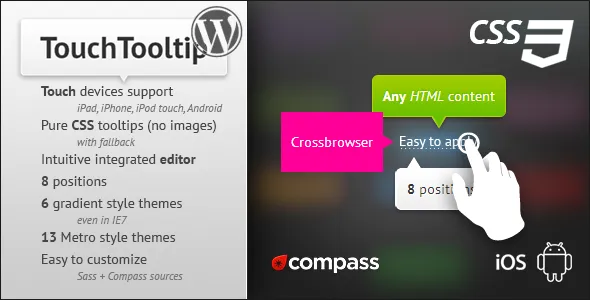
- Touch devices support: iPad, iPhone, iPod touch, Android;
- Pure CSS tooltips with fallback;
- Easy to use;
- Intuitive integrated editor (check Video Preview);
- 4 customizable sizes;
- 8 positions;
- 6 gradient style themes (even in IE7);
- 13 Metro style themes from original guide lines;
- Any HTML content with any CSS can be placed into TouchTooltip;
- Easy to customize (for example: you need change only 3 values to create new gradient style theme);
- Sass + Compass sources to customize everything;
- Extends self functionality if JavaScript is enabled;
- Lifetime support and updates;
- Highly simple step-by-step manual.
Description
Please check Screenshots to see full description and limitations.
Limitations of Visual Editor
TouchTooltip can be applied to text only. No links, no images, just plain text. It is a limitation of the WordPress editor.
But you always can switch WordPress editor to Text mode and apply the TouchTooltip by yourself. Here is the documentation how to do it.
WordPress by default doesn’t allow to put <iframe> and <object> inside your post. You can install this free plugin to avoid this restriction.
Special thanks
- Hand icon from Mobile Tuxedo
Bug tracker
Login: codecanyon
Password: codecanyon
Changelog
Version 1.2
- Updated code for usage with jQuery from 1.9;
- Tooltip’s hiding improved (issue touchtooltip-4);
- Fixed touch behavior on iOS (issue touchtooltip-5).
Version 1.1
- Major changes in structure of project;
- WordPress plugin minified and separated from sources;
- Fixed adding links to the tooltip;
-
Changed name of folder
libtoexecutable.
Version 1.01
- Left was set as the default position when horizontal position isn’t specified;
- Fixed extra space at the end of a word.
Categories
Tags
External listing. code.market does not sell this product and does not process payment for it. Pricing, payment, delivery, licensing, refunds, and support are handled by the third-party merchant on its own website. We may earn an affiliate commission from a referral. Details.
Products of the Week.
Submit🥇

STOP GUESSING WHAT TO POST
AI that learns your brand voice and builds a month of consistent, on-brand social content: carousels, posts and hooks that sound like you, not like everyone else's AI.
SaaS · 6,525 views · 59 clicksSaaS · Week 46 · 6,525 views · 59 clicks
🥈

Conversational Backlinks for Busy Founders
Place Backlink Relevant Conversation for your domain across Forums and Conversations
Website · 45,440 views · 229 clicksWebsite · Week 46 · 45,440 views · 229 clicks
🥉

upvote.club
Free Social Media Engagement that Helps Boost Your Content. Upvote Club supports 19 social networks with 100+ engagement actions in one dashboard. Add links to your posts and get free engagement from real users.
SaaS · 43,432 views · 124 clicksSaaS · Week 46 · 43,432 views · 124 clicks
#4

Substack Posting API
Onboard your Agent to Substack. Write Publish on Substack via API
SaaS · 62,368 views · 204 clicksSaaS · Week 46 · 62,368 views · 204 clicks
#5

Seenshot App
Free, Fast, MacOS Screenshot app. Make Screenshot cmd+shift+2 and send it via link
Desktop App · 31,621 views · 125 clicksDesktop App · Week 46 · 31,621 views · 125 clicks
#6

Hand-Placed Backlinks $9.99 per link. Flat rate.
Buy hand-placed forum, Q-A and directory backlinks. Flat $9.99 per link, no subscriptions — you only pay for approved listings.
Website · 7,325 views · 19 clicksWebsite · Week 46 · 7,325 views · 19 clicks
#7

Free Invoice Generator - PDF Invoices in Your Browser, No Sign-Up
A free invoice maker for freelancers and small businesses: fill in the invoice, check the live preview, and download a PDF that looks exactly like it. Any currency, tax per item, three templates, no sign-up, and nothing leaves your device.
5,945 views · 20 clicksWeek 46 · 5,945 views · 20 clicks
#8

Merge PDF Files Free - Combine PDFs in Your Browser, No Upload
A free PDF merger for office workers, students, and freelancers: combine PDFs and images into one file in the browser, reorder files and pages, pick page ranges, keep bookmarks, and open password-protected PDFs. Nothing is uploaded, no sign-up, no watermark.
5,497 views · 16 clicksWeek 46 · 5,497 views · 16 clicks