
Tidewell | Flutter Doctor Appointment App With Live Wait
Description
<!- Tidewell – CodeCanyon item description. Upload desc-images/ and replace https://tidewell.webkodingtheme.com/desc/19e74e87. No ids, no href=”#…”: CodeCanyon strips both. ->
Clinic visits that run on real time
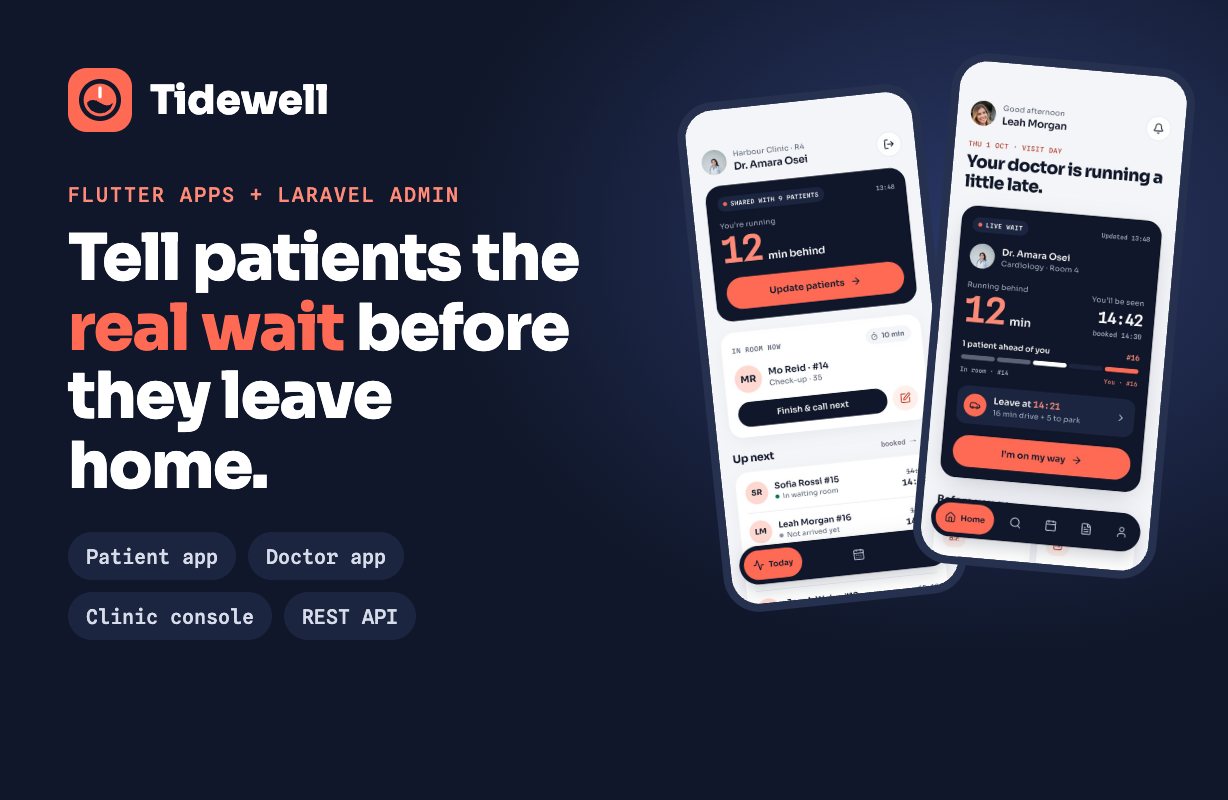
Tidewell is a doctor appointment system built around one idea: tell patients the real wait before they leave home. It ships a patient app and a doctor app (Flutter, iOS and Android, one codebase), a Laravel REST API and a clinic console (web admin panel). When a doctor runs late, one tap gives every waiting patient their new time and a new time to leave.
Demo Instructions
Live demo: tidewell.webkodingtheme.com
Clinic console: tidewell.webkodingtheme.com/admin – email: admin@tidewell.dev; password: TidewellAdmin! (read-only)
Product tour (1 min): youtu.be/1_Fwqrd7R1g
Install guide (1 min 30 s): youtu.be/FOaL89KT-L8
Try the apps: unzip, flutter run – out of the box they connect to the demo server. Patient: +44 7700 900123, code 123456. Doctor email: osei@tidewell.dev; password: TidewellDoctor!.
AI disclosure: AI tools were used in making this item. An AI coding assistant (Claude by Anthropic) helped write and review the code, the documentation and the listing graphics. The author reviewed and tested all of it and is responsible for it. The item itself has no AI-powered features and sends no data to any AI service.
The live wait
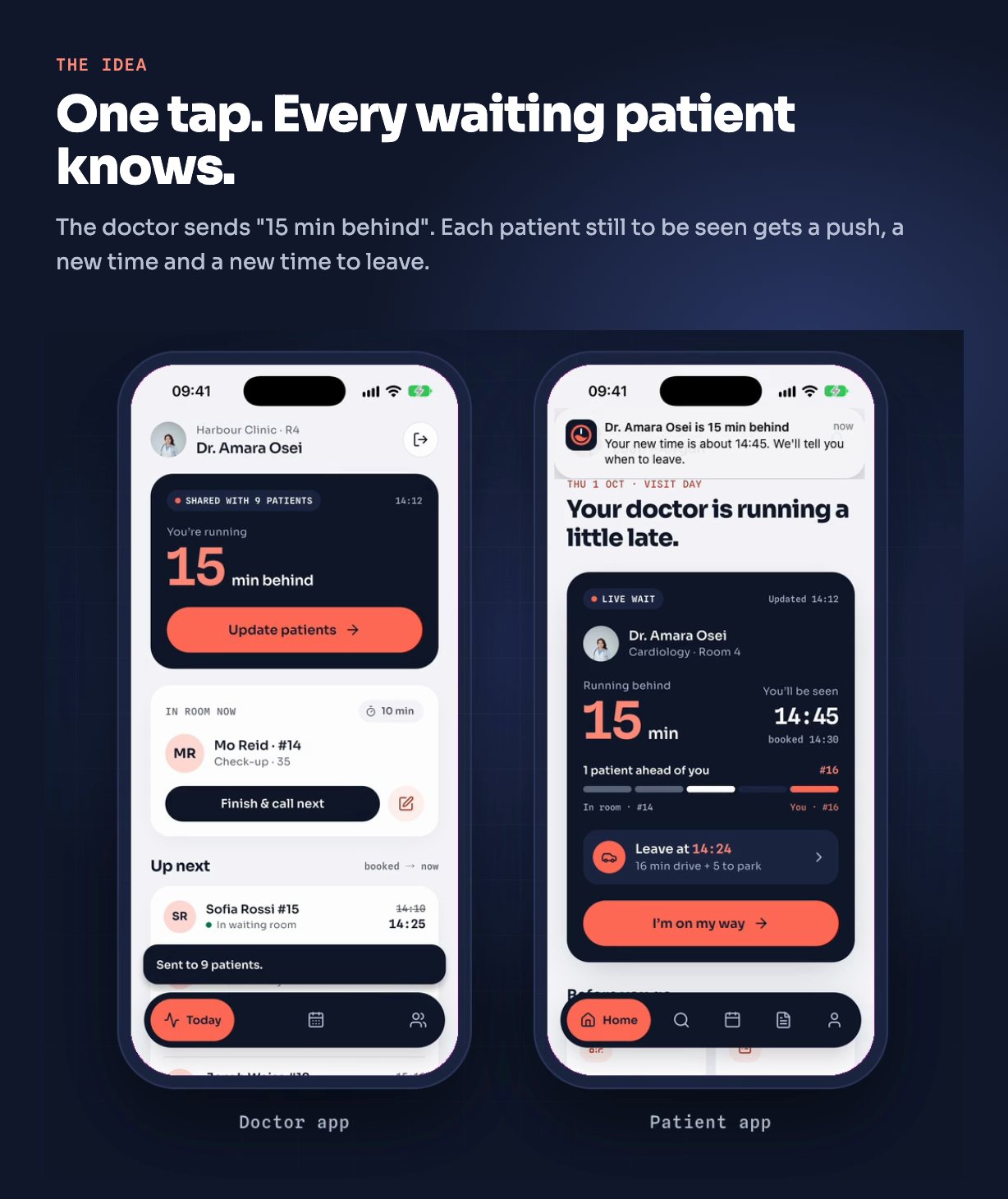
One source of truth for time – a doctor’s delay is their latest notice; every patient’s expected time is derived from it, so one notice moves the whole queue and nothing goes stale.
Delay notices – from the doctor app (“Update patients”) or the console’s live floor (“Tell patients”). Each waiting patient gets a push notification and the open app refreshes at once.
Leave-at time – the patient app works out when to set off from the live wait and the patient’s travel time, and schedules a “time to leave” reminder on the phone. A new delay moves the reminder.
Queue position – who is in the room, how many are ahead, and the booked versus expected time.
Patient app
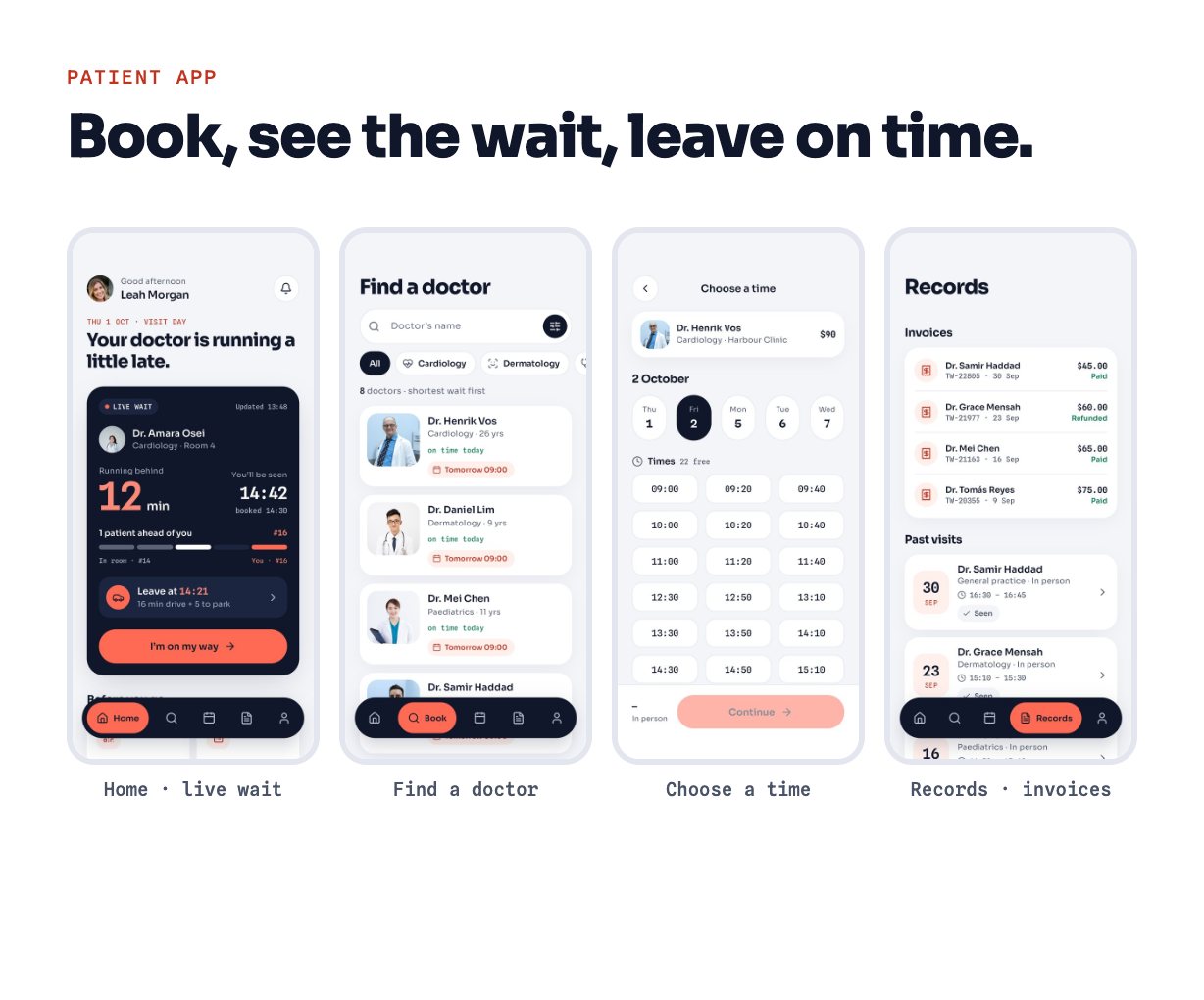
Sign in with a phone number and a six-digit code. Find a doctor by specialty and real on-time record. Book a free slot, cancel, check in at the clinic, and join video visits. Records with past visits and visit summaries, invoices with card payment (Stripe Checkout), notifications, and four colour modes including two night modes. Patients can delete their account in the app, and the app links to the clinic’s privacy policy. The sign-in token is stored in the iOS Keychain and Android Keystore (flutter_secure_storage).
Doctor app
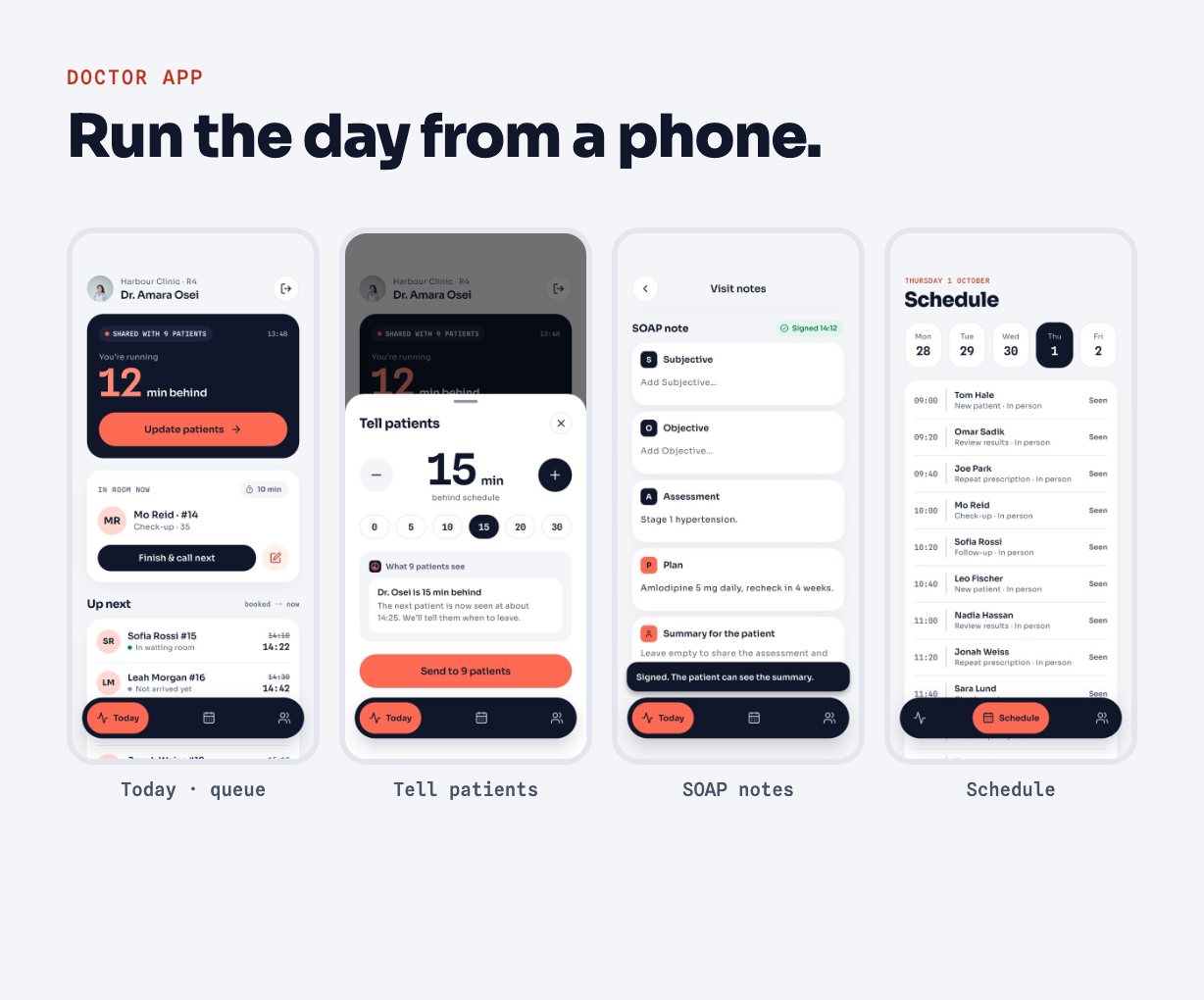
Built from the same Flutter project (a second entry point). Today’s queue with the patient in the room, send a delay to everyone still to be seen, finish and call the next patient, write SOAP visit notes and sign them (the patient sees the summary), the week’s schedule and patient charts with allergy flags. Doctors sign in with an email and password created in the console.
Clinic console and API
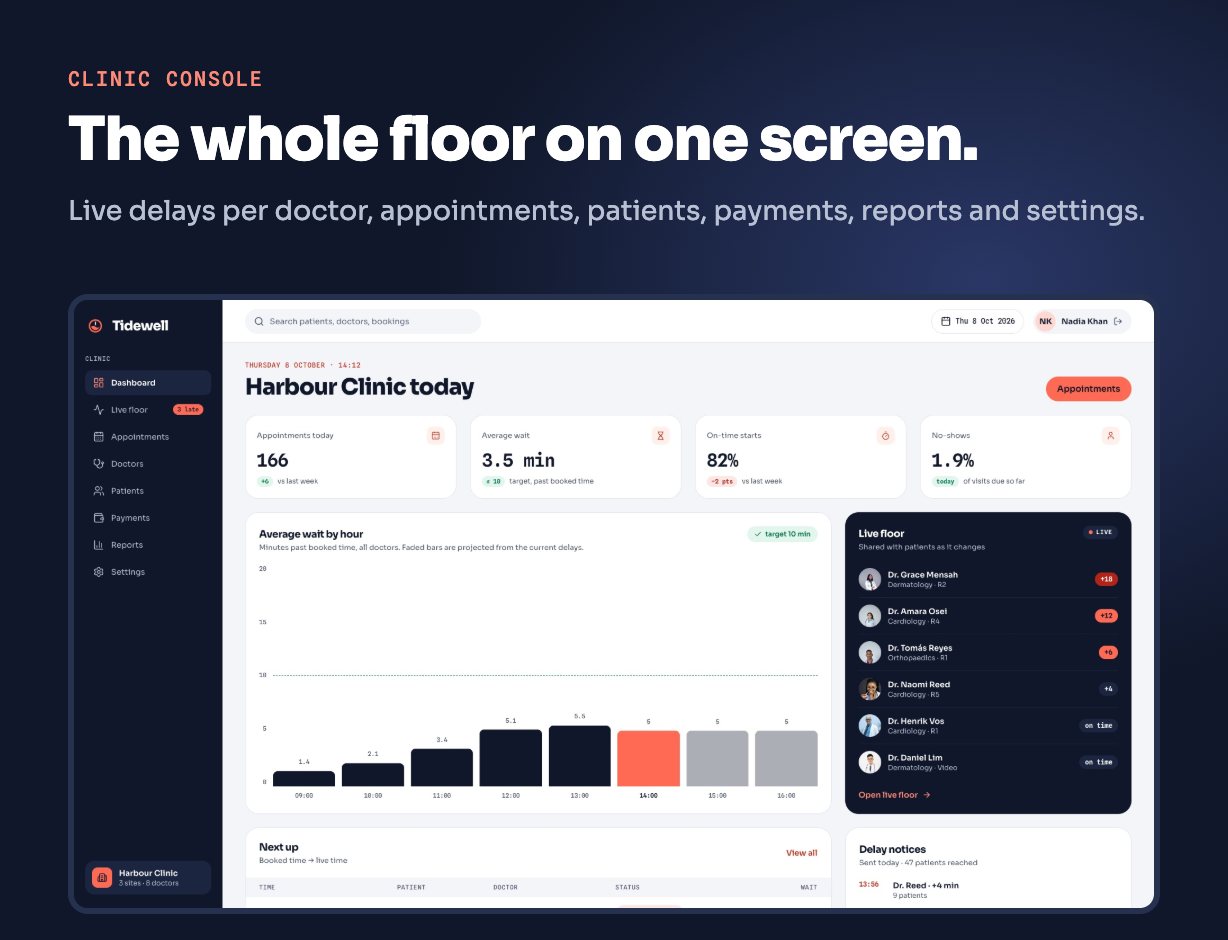
Console – dashboard with average wait against your target and on-time starts, the live floor with each doctor’s delay, an appointments board with desk booking, doctors (profile, price, visit length, working hours with breaks, doctor app sign-in), patients, payments, reports, sites with their own time zones, and specialties.
Invoices and refunds – every visit that is finished, by the doctor signing the note, tapping “Next patient” or the desk pressing “Finish visit”, gets exactly one invoice automatically (enforced by a unique index), numbered per year (INV-2026-00001) under a database lock. A second tap on Pay reopens the same Stripe Checkout session, and the webhook only settles a due invoice whose amount and currency match. Paid invoices are refunded from the console: card payments back through Stripe, desk payments recorded.
No double bookings – booking locks the doctor’s row and a unique index on the slot refuses a second booking, even when two patients tap the same time at once. A doctor the clinic switches off takes no new bookings.
Sign-in limits – code requests and wrong codes are limited per phone number as well as per IP; requesting a new code does not reset the wrong-code count.
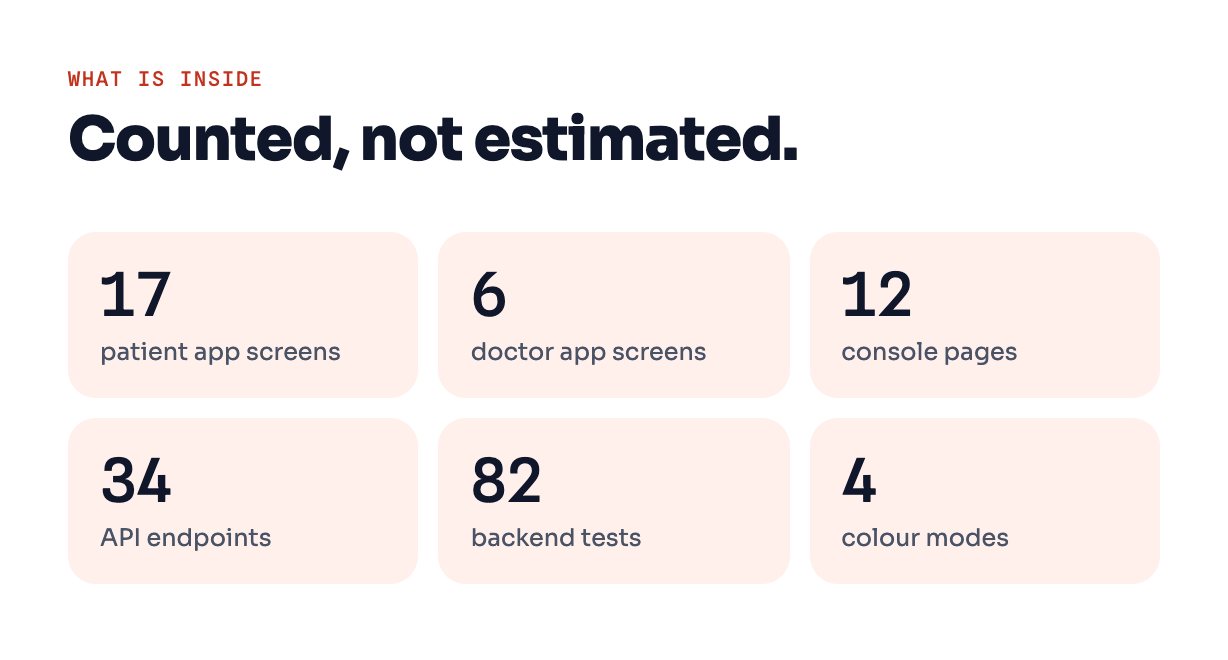
REST API – 34 documented endpoints with Laravel Sanctum tokens: phone sign-in, doctors and free slots, booking, check-in, live wait, notifications, invoices and checkout, account deletion, and the doctor endpoints.
Third-party services (optional, not included in the price)
Tidewell runs without any of these. Each is switched on in the backend’s .env with your own account. You are responsible for all usage costs of these services, including Firebase and Jitsi; each provider bills you directly:
- SMS sign-in codes – until you choose a provider, codes are written to the server log (fine for testing, not for patients). A Twilio driver is included; other providers implement one PHP interface.
- Push notifications – Firebase Cloud Messaging with your own Firebase project; iOS also needs a paid Apple Developer account and an APNs key. Without push the apps refresh the live wait every 30 seconds.
- Card payments – Stripe Checkout with a signed webhook. Without it, visits are paid at the clinic.
- Video visits – open a Jitsi Meet room in the browser or the Jitsi app; this is a meeting link, not an in-app video SDK. The free public server works for trying; use your own Jitsi server or a paid plan for real consultations.
Requirements
Apps: the latest stable Flutter SDK (3.x); Android SDK platform 36, minSdk 24; the latest Xcode on a Mac for iOS builds.
Backend: PHP 8.3 or newer; MySQL 8+ or MariaDB 10.6+ (SQLite for trying). The Laravel framework and every package are installed by Composer, so you get the current compatible releases at install time.
Install tools: Composer 2 and a current Node.js LTS (to build the console’s CSS), on the server or on your own computer.
A live server must run with APP_ENV=production and APP_DEBUG=false. Exact tested versions for each release are listed in the documentation.
What you get
Flutter source for both apps, Laravel source for the API and console with demo data and 82 tests, offline HTML documentation (install, rebrand, services, API reference, troubleshooting). The product tour and install guide videos are on YouTube (links above). Demo photos are from Pexels and are not included; the download has placeholders with the same file names. Fonts: Sora and Spline Sans Mono (SIL OFL). Icons: Lucide (ISC).
Support
Setup questions are answered through the item’s support tab.
Changelog
1.0.0 – Initial release.
| Author | WebKoding |
|---|---|
| Price | $63 |
| Sales | 1 |
| Rating | 0 (0) |
| Published | Oct 9, 2026 |
| Last Update | Oct 11, 2026 |
| Compatible Software | Flutter 3.x |
| Demo Url | https://tidewell.webkodingtheme.com/ |
| Mobile Files Included | Dart, YAML, JavaScript JSON, .kotlin, .h, .storyboard, .plist, .swift, JavaScript JS, CSS, PHP, HTML |
| Video Preview Resolution | 1920x1080 |
Categories
Tags
External listing. code.market does not sell this product and does not process payment for it. Pricing, payment, delivery, licensing, refunds, and support are handled by the third-party merchant on its own website. We may earn an affiliate commission from a referral. Details.