
The Parallaxer WP - Parallax Effects on Content
Description
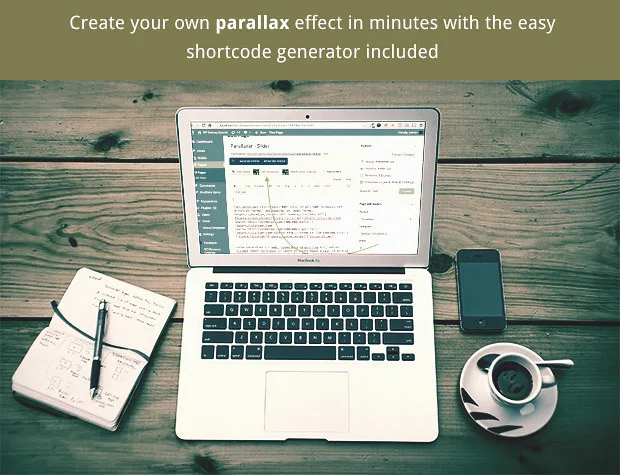
The Parallaxer PRO is the ultimate Parallax blocks builder plugin for your WordPress site. It features Shortcode Generator, Visual Composer generation and many options along the way!
Wow your visitors with DZS Parallaxer and install easy in any template, and setup any content in any size.
Live Preview – here
- iPhone / iPad optimized – this gallery has been optimized for Apple touch devices
- Android optimized – this component has been tested on Android 4.0+ Chrome
- SEO friendly – built with search engine optimization on mind from the ground up, the Testimonial Rotator uses non hidden valid html markup to build the widget
- compatible with all major browsers, including IE – compatible from IE9 to IE11+, Chrome, Safari and Firefox
- retina ready – looks great on retina devices
- shortcode generator – generate the shortcode on the fly
- visual composer integration – integrate in the most powerful page builder
- developer / SASS powered – this component’s CSS has been built on top of SASS which means SASS users will have an easy time modifying the skins. For non-SASS users it’s no problem either because CSS files ( generated by SASS ) are provided
- new: – place as background parallax

Mobile Optimized
Smooth on mobiles too because of hardware acceleration. Android 4.0+ Chrome and iOS tested to deliver super smooth experience

Any Content
Scroll any content, like sliders, html content and other complex stuff. In the left is the structure on which the Parallaxer calculates scrolling
FAQ
How does the full page work?
The full page example is a series of full size parallaxers. Realistically it will not look just like that in any theme because there are other elements to a theme like menu, so not just content. ( unless you have a theme with the menu overlaying on top like the preview page )could you give me the snippet, how you manage to display video with full width and parallax effect
Sure, you need to open the shortcode genertor. And at the bottom, turn the Use Custom Content to ON, then in the Custom Content field enter
<iframe src="//player.vimeo.com/video/22884674?title=0&byline=0&portrait=0&color=ffffff&autoplay=1" width="100%" height="100%" frameborder="0" allowfullscreen="allowfullscreen"></iframe>
This is of course embed code taken from vimeo
Can you overlay content over the videos and other section blocks?
You can overlay any content over the parallaxer. You have a WordPress Editor for typing any html content overlaying the Parallaxer.Can I use this in PHP, like in template files?
Yes, just use<?php echo do_shortcode(''); ?>
Updates
For updating, disable and delete the previous version, and install the new downloaded one. Or just unpack the zip you get from the download and overwrite the previous files in the folder from wp-content/plugins/ via FTP
UPDATE 3.20 [ 04/21/2019 ]
- Gutenberg support ( In Classic Block )
UPDATE 3.00 [ 10/22/2017 ]
- layers functionality
- some bugs
- some bugs
- some bugs
- a fatal bug
UPDATE 2.45 [ 06/09/2016 ]
- fixed the preview
- slider support
- slider example in Sample Data / Import with one click
- heading left example in Sample Data / Import with one click
- mode-onlyone
UPDATE 2.44 [ 04/30/2016 ]
- a bug with parallxer stoping before its time
- a bug in the shortcode generator not generating
- a bug when disabling easy loading and using simple-mode
- sample data import
- chrome bug showing 1 extra pixels below separators
- Visual Composer now refreshes content on change in frontend editor
- 1/2 column shortcodes
- improvements for simple-mode
- responsive options in the shortcode generator – scale responsively on mobile devices
UPDATE 2.31 [ 08/26/2015 ]
- an error in the generator
- module Features
- place as background parallax option on each post / page ( via meta options )
- autoupdater feature
- error notice in the admin
- separator feature
- multiple parallax elements inside parallax element
- buttons for inserting text over parallax effect easily
- some bugs
Other Great Plugins


What do you get?
- Parallaxer PRO WordPress plugin – get creative!
- documentation – extensive documentation on how to install & configure the plugin
- free updates – even if the value of this gallery increases with upcoming updates, you will get them for free
- free support – via my forum -> https://digitalzoomstudio.net/support/
Credits
- fontawesome
- Concert Photo
Categories
Tags
External listing. code.market does not sell this product and does not process payment for it. Pricing, payment, delivery, licensing, refunds, and support are handled by the third-party merchant on its own website. We may earn an affiliate commission from a referral. Details.
Products of the Week.
Submit🥇

STOP GUESSING WHAT TO POST
AI that learns your brand voice and builds a month of consistent, on-brand social content: carousels, posts and hooks that sound like you, not like everyone else's AI.
SaaS · 3,993 views · 35 clicksSaaS · Week 45 · 3,993 views · 35 clicks
🥈

Conversational Backlinks for Busy Founders
Place Backlink Relevant Conversation for your domain across Forums and Conversations
Website · 41,641 views · 222 clicksWebsite · Week 45 · 41,641 views · 222 clicks
🥉

upvote.club
Free Social Media Engagement that Helps Boost Your Content. Upvote Club supports 19 social networks with 100+ engagement actions in one dashboard. Add links to your posts and get free engagement from real users.
SaaS · 39,668 views · 114 clicksSaaS · Week 45 · 39,668 views · 114 clicks
#4

Substack Posting API
Onboard your Agent to Substack. Write Publish on Substack via API
SaaS · 58,696 views · 198 clicksSaaS · Week 45 · 58,696 views · 198 clicks
#5

Seenshot App
Free, Fast, MacOS Screenshot app. Make Screenshot cmd+shift+2 and send it via link
Desktop App · 28,079 views · 122 clicksDesktop App · Week 45 · 28,079 views · 122 clicks
#6

Hand-Placed Backlinks $9.99 per link. Flat rate.
Buy hand-placed forum, Q-A and directory backlinks. Flat $9.99 per link, no subscriptions — you only pay for approved listings.
Website · 3,938 views · 19 clicksWebsite · Week 45 · 3,938 views · 19 clicks
#7

Free Invoice Generator - PDF Invoices in Your Browser, No Sign-Up
A free invoice maker for freelancers and small businesses: fill in the invoice, check the live preview, and download a PDF that looks exactly like it. Any currency, tax per item, three templates, no sign-up, and nothing leaves your device.
2,615 views · 17 clicksWeek 45 · 2,615 views · 17 clicks
#8

Merge PDF Files Free - Combine PDFs in Your Browser, No Upload
A free PDF merger for office workers, students, and freelancers: combine PDFs and images into one file in the browser, reorder files and pages, pick page ranges, keep bookmarks, and open password-protected PDFs. Nothing is uploaded, no sign-up, no watermark.
2,434 views · 13 clicksWeek 45 · 2,434 views · 13 clicks