
Text to File Converter by Mubasharanoreen
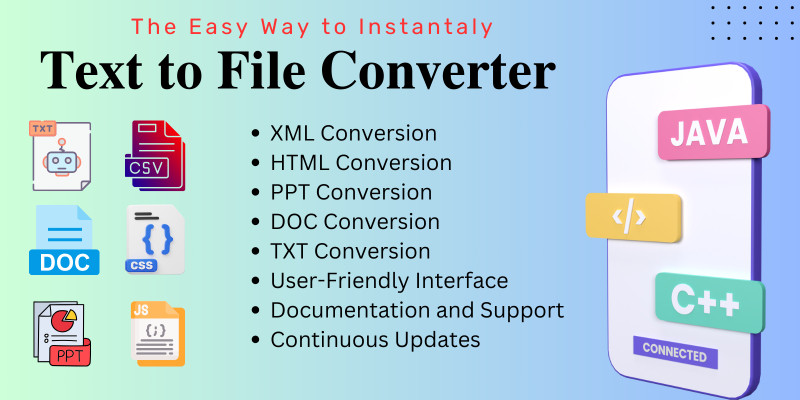
Description
Simplifying Complexities
Text exists in various forms and structures, each serving a unique purpose. However, when it comes to sharing or presenting this text, compatibility issues can arise due to differences in file formats and standards. The Text to XML, HTML, PPT, DOC, and TXT Files converter addresses this challenge by providing a seamless way to convert text into formats that are widely used and supported across different platforms and applications.
Versatile Conversion Capabilities
One of the key strengths of the Text to XML, HTML, PPT, DOC, and TXT Files converter lies in its versatility. Whether you need to create structured data in XML format, publish content on the web in HTML, prepare a presentation in PowerPoint (PPT), draft a document in Microsoft Word (DOC), or simply store text in plain text (TXT) format, this tool offers a comprehensive solution. By supporting multiple formats, it caters to a diverse range of use cases and requirements.
Enhanced Accessibility and Interoperability
In today's interconnected world, the ability to exchange and share information seamlessly is paramount. By converting text into standardized formats such as XML, HTML, PPT, DOC, and TXT, the converter enhances accessibility and interoperability, ensuring that content can be easily accessed, interpreted, and processed across different systems and platforms. Whether you're collaborating with colleagues, sharing documents with clients, or publishing content online, compatibility is key, and this tool facilitates smooth communication and interaction.
Time and Resource Efficiency
Manually converting text from one format to another can be a time-consuming and labor-intensive process, particularly when dealing with large volumes of data. The Text to XML, HTML, PPT, DOC, and TXT Files converter streamlines this process, enabling users to convert text quickly and efficiently with just a few clicks. By automating the conversion process, it saves time and resources, allowing users to focus on more value-added tasks.
Features
Key Features of the Text to XML, HTML, PPT, DOC, and TXT Files Converter:
Multi-format Support: Convert text into a variety of formats including XML, HTML, PowerPoint (PPT), Microsoft Word (DOC), and plain text (TXT), catering to diverse needs and requirements.
Effortless Conversion: Seamlessly convert text files into desired formats with a user-friendly interface and intuitive conversion process, requiring minimal effort and technical knowledge.
Customizable Settings: Adjust conversion settings to tailor output files according to specific preferences, ensuring flexibility and control over the transformation process.
Batch Processing: Convert multiple text files simultaneously, saving time and effort by streamlining bulk conversion tasks in a single operation.
Preservation of Formatting: Retain original formatting and structure of text files during conversion, maintaining consistency and integrity across different formats.
Compatibility Assurance: Ensure compatibility with various platforms and applications by converting text into widely supported formats, facilitating seamless sharing and collaboration.
Integration with Productivity Tools: Integrate with productivity suites and software applications for enhanced workflow efficiency, enabling seamless conversion directly within familiar environments.
File Management Capabilities: Organize, manage, and archive converted files efficiently with built-in file management features, simplifying document handling and storage.
Cross-platform Accessibility: Access the converter from multiple devices and operating systems, including desktop computers, laptops, tablets, and smartphones, ensuring convenience and accessibility anytime, anywhere.
Secure Data Handling: Protect sensitive information and data privacy with secure conversion processes and encryption protocols, safeguarding confidentiality and integrity of text files.
Regular Updates and Support: Receive regular updates and technical support to ensure optimal performance, compatibility, and reliability of the converter, addressing any issues or concerns promptly.
Cost-effective Solution: Benefit from a cost-effective solution for text conversion, offering a comprehensive set of features and functionalities at an affordable price point, maximizing value for users.
Requirements
cPanel, Shared web hosting
Instructions
No Skill Requires Working Very Fast and Easy installation.
Unzip the .zip file.
Follow instructions in the Documentation folder.
| Author | mubasharanoreen |
|---|---|
| Category | Scripts & Code / JavaScript / Miscellaneous |
| Price | $15 |
| Extended License | $45 |
| Likes | 2 |
| First Release | Mar 15, 2024 |
| Last Update | Mar 15, 2024 |
| Files included | .php, .css, .html, JavaScript .js |
Categories
Tags
External listing. code.market does not sell this product and does not process payment for it. Pricing, payment, delivery, licensing, refunds, and support are handled by the third-party merchant on its own website. We may earn an affiliate commission from a referral. Details.
Products of the Week.
Submit🥇

STOP GUESSING WHAT TO POST
AI that learns your brand voice and builds a month of consistent, on-brand social content: carousels, posts and hooks that sound like you, not like everyone else's AI.
SaaS · 3,972 views · 35 clicksSaaS · Week 45 · 3,972 views · 35 clicks
🥈

Conversational Backlinks for Busy Founders
Place Backlink Relevant Conversation for your domain across Forums and Conversations
Website · 41,618 views · 222 clicksWebsite · Week 45 · 41,618 views · 222 clicks
🥉

upvote.club
Free Social Media Engagement that Helps Boost Your Content. Upvote Club supports 19 social networks with 100+ engagement actions in one dashboard. Add links to your posts and get free engagement from real users.
SaaS · 39,647 views · 114 clicksSaaS · Week 45 · 39,647 views · 114 clicks
#4

Substack Posting API
Onboard your Agent to Substack. Write Publish on Substack via API
SaaS · 58,677 views · 198 clicksSaaS · Week 45 · 58,677 views · 198 clicks
#5

Seenshot App
Free, Fast, MacOS Screenshot app. Make Screenshot cmd+shift+2 and send it via link
Desktop App · 28,057 views · 122 clicksDesktop App · Week 45 · 28,057 views · 122 clicks
#6

Hand-Placed Backlinks $9.99 per link. Flat rate.
Buy hand-placed forum, Q-A and directory backlinks. Flat $9.99 per link, no subscriptions — you only pay for approved listings.
Website · 3,916 views · 19 clicksWebsite · Week 45 · 3,916 views · 19 clicks
#7

Free Invoice Generator - PDF Invoices in Your Browser, No Sign-Up
A free invoice maker for freelancers and small businesses: fill in the invoice, check the live preview, and download a PDF that looks exactly like it. Any currency, tax per item, three templates, no sign-up, and nothing leaves your device.
2,595 views · 17 clicksWeek 45 · 2,595 views · 17 clicks
#8

Merge PDF Files Free - Combine PDFs in Your Browser, No Upload
A free PDF merger for office workers, students, and freelancers: combine PDFs and images into one file in the browser, reorder files and pages, pick page ranges, keep bookmarks, and open password-protected PDFs. Nothing is uploaded, no sign-up, no watermark.
2,415 views · 13 clicksWeek 45 · 2,415 views · 13 clicks