
Teleprompter with Video Audio Scripts Recorder by MJAppsStudio
Description
App Demo
https://drive.google.com/file/...
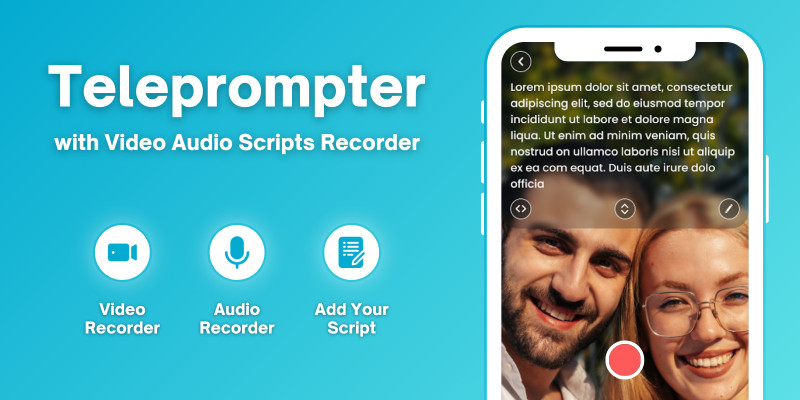
Teleprompter with Video Audio Scripts Recorder app helps you to read your script with a smart prompter and record a video clip from the front/back-facing camera at the same time. Change text scrolling speed.
You read a pre-prepared script while recording yourself using the front/back-facing camera. Simply press record and read the script as it scrolls down the screen.
Teleprompter app help to read recently prepared text on your phone screen right during the recording video with any camera application.
This app will reduce your time to record video, and make your presentation more confident and attractive.
Teleprompter with Video Audio Scripts Recorder professional teleprompter with mirroring app very useful for video bloggers, tv-presenters, live-streamers and other creatives who make speeches on camera.
Use the Video Teleprompter app to record video resumes, training sessions, business presentations, and much more. With its smooth scrolling and clear display, you'll be able to speak confidently and deliver your message with ease.
It's a video recorder app through which you can anchor like a pro. It would help you to make a proper presentation with audio, and video shots.
As the script scrolls next to the camera lens, so you look like you're talking to your audience when you are actually reading.
Features
Feature of Teleprompter with Video Audio Scripts Recorder Android:
* Read your script with a smart prompter and record a video clip from the front/back-facing camera at the same time. * Using front and rear-facing cameras record your video. * Read your script with a smart prompter and record a audio. * You can Add scripts in application or import text file into add script. * Customize your script settings. * App also provide floating smart prompter which you have to enable and use anywhere in your phone like at the time of video call meetings or on the online presentations. * You can change font size, background color and background transparency of prompter from setting. * You can also enable mirror feature from settings. * You can change text scrolling speed by using plus-minus signs. * Save audio & video without any watermark. * AdMob & Facebook ads Integrated * Android 16 support with SDK 36
Requirements
Android Studio Minimum SDK: API Level 23 (Android 6) Target SDK: API Level 36 (Android 16)
Instructions
Instructions added in documentation file.
| Author | MJAppsStudio |
|---|---|
| Category | App Templates / Android / Applications / Miscellaneous |
| Price | $25 |
| Extended License | $75 |
| Rating | 5.00 from 2 ratings |
| Reviews | 2 |
| Likes | 2 |
| First Release | Jan 26, 2024 |
| Last Update | Jan 2, 2026 |
| Files included | .apk, .db, .java, .xml |
| Operating systems | Android 9.0, Android 10.0, Android 11.0, Android 12.0 |
Tags
External listing. code.market does not sell this product and does not process payment for it. Pricing, payment, delivery, licensing, refunds, and support are handled by the third-party merchant on its own website. We may earn an affiliate commission from a referral. Details.
Products of the Week.
Submit🥇

STOP GUESSING WHAT TO POST
AI that learns your brand voice and builds a month of consistent, on-brand social content: carousels, posts and hooks that sound like you, not like everyone else's AI.
SaaS · 5,135 views · 47 clicksSaaS · Week 45 · 5,135 views · 47 clicks
🥈

Conversational Backlinks for Busy Founders
Place Backlink Relevant Conversation for your domain across Forums and Conversations
Website · 43,179 views · 226 clicksWebsite · Week 45 · 43,179 views · 226 clicks
🥉

upvote.club
Free Social Media Engagement that Helps Boost Your Content. Upvote Club supports 19 social networks with 100+ engagement actions in one dashboard. Add links to your posts and get free engagement from real users.
SaaS · 41,191 views · 122 clicksSaaS · Week 45 · 41,191 views · 122 clicks
#4

Substack Posting API
Onboard your Agent to Substack. Write Publish on Substack via API
SaaS · 60,154 views · 202 clicksSaaS · Week 45 · 60,154 views · 202 clicks
#5

Seenshot App
Free, Fast, MacOS Screenshot app. Make Screenshot cmd+shift+2 and send it via link
Desktop App · 29,513 views · 124 clicksDesktop App · Week 45 · 29,513 views · 124 clicks
#6

Hand-Placed Backlinks $9.99 per link. Flat rate.
Buy hand-placed forum, Q-A and directory backlinks. Flat $9.99 per link, no subscriptions — you only pay for approved listings.
Website · 5,281 views · 19 clicksWebsite · Week 45 · 5,281 views · 19 clicks
#7

Free Invoice Generator - PDF Invoices in Your Browser, No Sign-Up
A free invoice maker for freelancers and small businesses: fill in the invoice, check the live preview, and download a PDF that looks exactly like it. Any currency, tax per item, three templates, no sign-up, and nothing leaves your device.
3,934 views · 17 clicksWeek 45 · 3,934 views · 17 clicks
#8

Merge PDF Files Free - Combine PDFs in Your Browser, No Upload
A free PDF merger for office workers, students, and freelancers: combine PDFs and images into one file in the browser, reorder files and pages, pick page ranges, keep bookmarks, and open password-protected PDFs. Nothing is uploaded, no sign-up, no watermark.
3,630 views · 14 clicksWeek 45 · 3,630 views · 14 clicks