
Taskora | Task Manager and To-Do List App With Reminders, Insights and CSV Export - SwiftUI
Description
TaskSorter – SwiftUI Task Manager Template
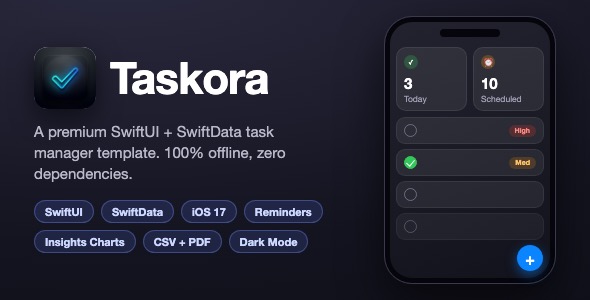
TaskSorter is a premium iOS task manager template built entirely with SwiftUI and SwiftData. It is 100% offline, has zero third-party dependencies, and is ready to reskin and ship on the App Store.
Demo Instructions
- Login / Demo credentials: TaskSorter is a fully offline app with no user accounts – there is no login screen, and no email or password is required. Email: N/A. Password: N/A.
- Open the Xcode project, select an iOS 17+ simulator, and press Cmd+R to run.
- All features work immediately: create tasks, set reminders, build custom lists, view insights, and export data.
- To try CSV import/export, see the included
CSV-Export-Guide.txtin the project root for the exact file format.
Everything the App Does
- Animated splash screen with logo animation
- 3-step onboarding flow with skip option and notification permission request
- Dashboard with live count cards: Today, Scheduled, High Priority, Completed, Inbox
- Custom lists (categories) with 10 colors, 16 icons, live preview, edit and delete via context menu
- Five system filters: Inbox, Today, Scheduled, High Priority, Completed
- Full task CRUD: create, edit, complete, delete
- Subtasks with per-item check-off progress
- Three priority levels (Low / Medium / High) with color coding
- Due dates and local reminder notifications (calendar-based triggers)
- Swipe actions: edit (leading) and delete with full swipe (trailing)
- Manual drag-and-drop reordering plus 5 sort modes (Manual, Priority, Due Date, Title, Creation Date) with ascending/descending toggle
- Live search across task titles and notes
- Insights tab: animated completion ring, completed/pending breakdown, current streak and efficiency tier, weekly completions bar chart, category progress bars
- CSV export, CSV import with validation, and formatted PDF report export
- Settings: notifications toggle, appearance mode (System / Light / Dark), share app, privacy policy, terms of use
- Haptic feedback on buttons and task completion
- Designed empty states for lists and stats
- Full dark mode support and spring animations throughout
- 100% offline – all data stored locally with SwiftData and UserDefaults
Technology
- Language: Swift 5
- UI framework: SwiftUI
- Persistence: SwiftData (Task and Category models)
- Notifications: UserNotifications (local, calendar-based)
- Export / Import: CSV (Foundation), PDF (PDFKit + UIKit)
- Minimum target: iOS 17.0
- Dependencies: None – 100% native Apple frameworks
- Architecture: MVVM (Views / ViewModels / Managers / Models / Components)
What the Buyer Gets
- Complete Xcode project source code (SwiftUI + SwiftData, no dependencies)
- 1024×1024 app icon PNG
- All screenshots shown in this description
- Step-by-step documentation (documentation.html) covering setup, bundle ID change, renaming, re-skinning with one file, category customization, notifications, and an App Store submission checklist
- Free access to future updates of this template
Development Disclosure
Portions of this template’s source code were developed with AI-assisted tools and were reviewed, tested and finalized by the author.
Please Note
This item is a source code template, not a finished consumer app. You need a Mac with Xcode 15 or newer, basic Xcode knowledge, and an Apple Developer account (only for App Store submission) to publish it. Reskinning the app name, icon, colors and categories before release is expected and is documented step by step.
| Type | iOS App |
|---|---|
| Author | mefjudevllc |
| Price | $14 |
| Sales | 0 |
| Rating | 0 (0) |
| Published | Sep 24, 2026 |
| Last Update | Sep 24, 2026 |
| Compatible Software | Other |
| Compatible With | Swift |
| Mobile Files Included | .h |
Categories
Tags
External listing. code.market does not sell this product and does not process payment for it. Pricing, payment, delivery, licensing, refunds, and support are handled by the third-party merchant on its own website. We may earn an affiliate commission from a referral. Details.