
Talkie OCR | OCR Text Scanner With Text to Speech, Translation, PDF Export and iCloud Sync - SwiftUI
Description
Talkie OCR | OCR Text Scanner With Text to Speech, Translation, PDF Export and iCloud Sync – SwiftUI
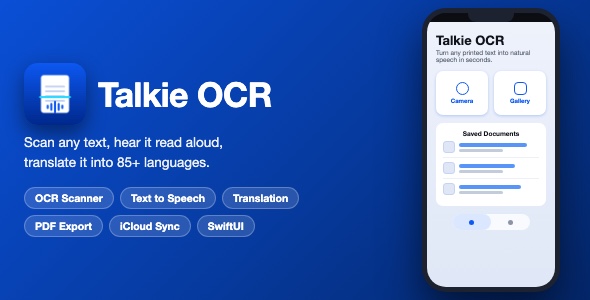
Talkie OCR is a complete, App Store ready iOS template that turns any printed text into digital text and natural speech. Scan with the camera, import from the gallery, or open PDF, TXT and RTF documents – the app recognizes the text, reads it aloud with high quality voices, translates it into more than 85 languages, and lets users save, share, print and export the result.
Demo Instructions
- No login and no demo credentials are required – just build and run with Xcode.
- Live OCR runs on the Google Cloud Vision API. Insert your own free API key in OcrApi.swift (marked with PLACEHOLDER_YOUR_GOOGLE_CLOUD_VISION_KEY) and scanning works immediately. See documentation.html, section “Configuration”, for a step by step guide.
- Text to speech, translation screen, saved documents, PDF export, AirPrint and every other screen can be tested without any key.
- In-app purchases are powered by RevenueCat. Insert your own RevenueCat public API key in iAP.swift (marked with PLACEHOLDER_YOUR_REVENUECAT_API_KEY) to enable the subscription products. The buyer is responsible for any costs associated with their own RevenueCat subscription plans and App Store Connect in-app purchases.
Everything the App Does
- Camera scanning – capture any printed page and extract its text
- Gallery import – pick an existing photo and run OCR on it
- Document import – open PDF, TXT and RTF files and extract their content
- Text to speech playback – read any scanned text aloud with Apple voices
- Playback speed control – 0.5x up to 2.0x
- Voice and pitch settings – choose the playback voice and adjust the pitch
- Multi language voices – automatic accent and locale matching for the detected language
- Auto play – optionally start playback as soon as a scan completes
- Translation – translate scans into more than 85 languages
- Edit before saving – built in text editor to correct the recognized text
- Copy to clipboard with confirmation toast
- Share via the iOS share sheet
- Save scans locally with thumbnails, dates and timestamps
- Reopen, update and delete saved documents with confirmation alerts
- Generate a PDF from any scan and preview or share it
- Save any scan as a TXT file to Files, iCloud Drive and other destinations
- Print with AirPrint
- iCloud sync of documents and usage statistics with CloudKit
- Usage statistics – scans, exports, translations and shares
- Optional in-app subscription (monthly and yearly plans) powered by RevenueCat, with an in-app credits system for AirPrint, Save File, Translate and Create PDF
- Rate the scan stars and in app feedback form
- Rate on App Store prompt and support contact form
- Settings screen – appearance (system, light, dark), voice picker, pitch slider, scanning toggles
- Full dark mode support throughout the app
- Custom glassmorphism tab bar with animated selection indicator
- Floating action button with camera, gallery and document actions
- Lottie loading animation during scanning
- Localized in 20 languages including English, Spanish, French, German, Japanese, Korean, Chinese-ready structure, Russian and more
- Permission handling with friendly alerts for camera and photo library
- Dedicated offline and API error states
Technology
- Language: Swift
- UI framework: SwiftUI with UIKit bridges
- Minimum iOS: 17.0
- OCR engine: Google Cloud Vision API (your own key)
- Translation: Google Cloud Translation API (same key)
- Text to speech: AVSpeechSynthesizer
- Subscriptions: RevenueCat SDK (SPM)
- Animations: Lottie (SPM)
- Toasts: ToastUI (SPM)
- Sync: CloudKit
- Storage: UserDefaults based document store
- Dependencies: 3 open source packages via Swift Package Manager, no CocoaPods, no Firebase
What the Buyer Gets
- Full Xcode source code of the app (Swift and SwiftUI files)
- All assets including the app icon set and color theme
- 20 localization files ready to translate or extend
- Step by step documentation.html with screenshots: project setup, bundle ID, renaming, icon, theme, API keys, App Store checklist
- Screenshot pack of every screen
- Free support for setup questions
Development Disclosure
Portions of this template’s source code were developed with AI-assisted tools. All code has been reviewed, tested and ships as a fully working Xcode project.
Please Note
Important – External Services: The OCR and translation features rely on the Google Cloud Vision API and the Google Cloud Translation API, which are external third-party services. Both offer a free monthly tier, but usage beyond that tier is billed by Google and may incur additional costs. The buyer is responsible for creating their own Google Cloud account and API key and for any fees resulting from their usage. Please review the Google Cloud pricing pages before publishing.
This item is a source code template. Xcode knowledge is required to build, customize and publish the app. An Apple Developer account is required for App Store distribution, and a free Google Cloud account for the OCR key.
| Type | iOS App |
|---|---|
| Author | mefjudevllc |
| Price | $14 |
| Sales | 0 |
| Rating | 0 (0) |
| Published | Sep 24, 2026 |
| Last Update | Sep 24, 2026 |
| Compatible Software | Other |
| Compatible With | Swift |
| Mobile Files Included | .h |
Categories
Tags
External listing. code.market does not sell this product and does not process payment for it. Pricing, payment, delivery, licensing, refunds, and support are handled by the third-party merchant on its own website. We may earn an affiliate commission from a referral. Details.