
SuperKit Web to Android app
Description
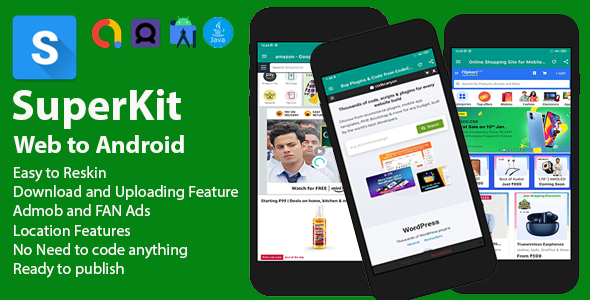
If you want to convert your website into an Android App, then Superkit Android App is the best option for this work. For this, you just have to add the link of your website in this app and it will immediately turn into an app, after which you can use it immediately or publish it in the Play Store. This app has all the features that are in an advanced browser. Such as downloading or uploading files, location, JavaScript supported and many more features.
Features of SuperKit
- Easy to use
- No coding required
- Easy to change colors
- Easy to change app icon
- Easy to change package name
- Easy to change website url
- Easy to change app name
- Easy to reskin
- Downloading and Uploading Files Feature
- Location feature
- Calling Feature if any number available in the website.

In SuperKit Web to Android app source if you have any email or contact number available in your website then this app can able to make calls or open email client if user click on them.
Update: August 11, 2023

1. Supports Latest Android SDK 34
2. Firebase Push Notification
3. OneSignal Push Notification
4. Audio and Video Feature Added
Update: February 16, 2023

1. Admob Ads Implementation
2. Minor changes in documentation
3. Latest Android support feature added
How to use SuperKit
Using SuperKit web to Android app source code is so simple and easy. You just have to add your website url in the app and it will automatically convert your website into an Android app. You can also change the app name, app icon, package name, colors, and many more things. You can also add your own ads in the app. You can also publish your app in the Play Store.

SuperKit is a advance webview app which is used to convert your website into an Android app. You can also use this app as a browser. This app has all the features that are in an advanced browser. Such as downloading or uploading files, location, JavaScript supported and many more features. You can also add your own ads in the app. You can also publish your app in the Play Store. This app is very easy to use and you don’t need to have any coding knowledge to use this app. You just have to add your website url in the app and it will automatically convert your website into an Android app. You can also change the app name, app icon, package name, colors, and many more things. You can also add your own ads in the app. You can also publish your app in the Play Store.
| Type | Android App |
|---|---|
| Author | probweb |
| Price | $29 |
| Sales | 4 |
| Rating | 0 (1) |
| Published | Jan 17, 2023 |
| Last Update | Aug 11, 2023 |
| Compatible Software | Android 12.0, Android 11.0, Android 10.0, Android 9.0 |
| Demo Url | http://probweb.com/sites/superkit.apk |
| Mobile Files Included | .apk, .java, .xml, CSS, HTML |
Categories
Tags
External listing. code.market does not sell this product and does not process payment for it. Pricing, payment, delivery, licensing, refunds, and support are handled by the third-party merchant on its own website. We may earn an affiliate commission from a referral. Details.