
Super Floating and Fly Menu - Sticky, side, one page navigator, off-canvas menu plugin for WordPress
Description






Super Floating and Fly Menu – Sticky, side, one page navigator, off-canvas menu plugin for WordPress
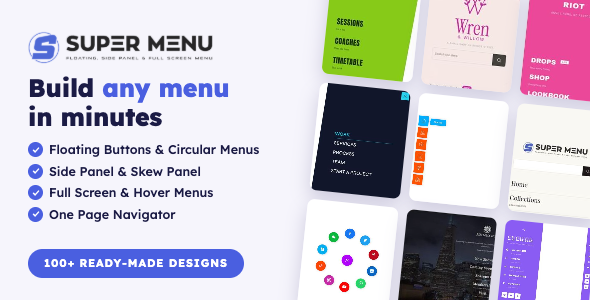
Super Floating and Fly Menu (SFFM) is a WordPress menu plugin that provides the ultimate solution to enhance the navigation functionality of your website.
It allows you to add two of the most popular and trending menus (Floating and Fly Menu) to supercharge the web navigation and make it very easy for your visitors to crawl the web content.
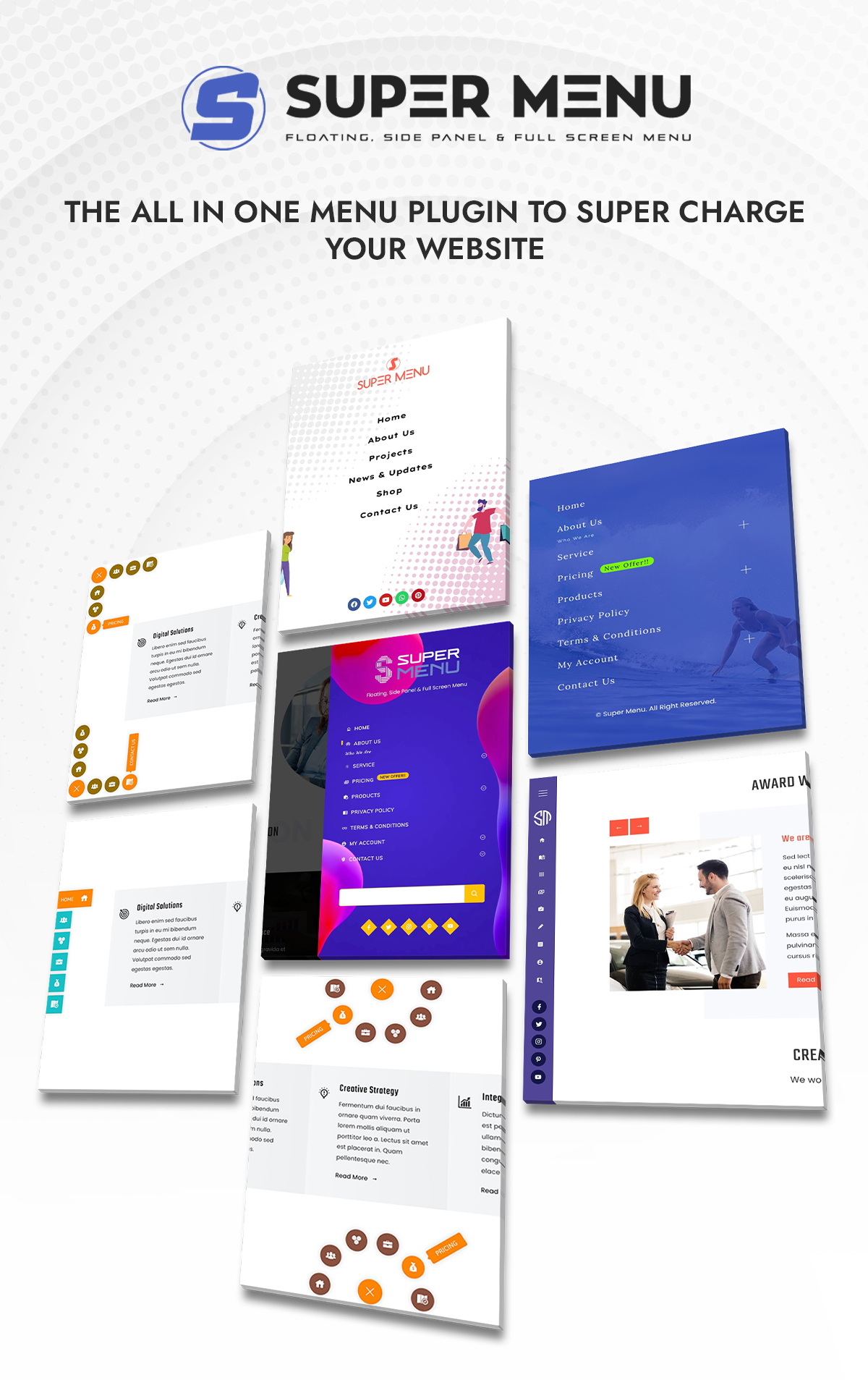
Super Floating and Fly Menu (SFFM) has out of box functionality to make use of the default WordPress menu to create your own highly standard menu. It is packed with attractive menu designs and powerful features to design astonishing navigators in less than 5 minutes.
Use Super Floating and Fly Menu Plugin for Floating Buttons
A floating menu, often referred to as a sticky menu or floating navigation, is a user interface element that remains visible and accessible as users scroll down a webpage.
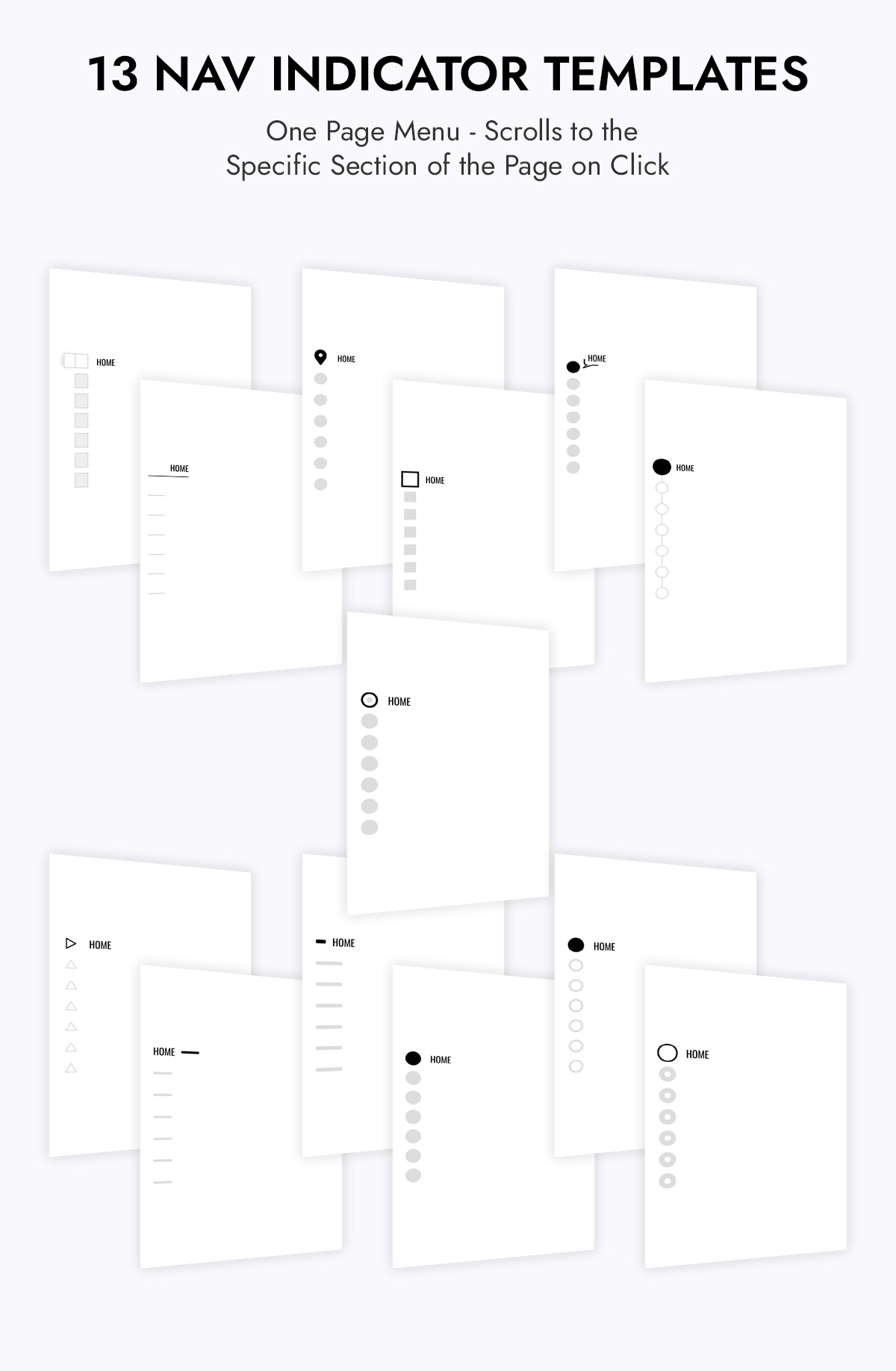
Super Floating and Fly Menu (SFFM), has a variety of options for floating menus. A floating menu is one page navigator that appears on the side of the website panel.
To enhance user engagement and streamline the website’s appearance, consider incorporating a floating menu with a hamburger icon, featuring three distinct styles: Quarter Circular, Half Circular, and Full Circular. Upon clicking the hamburger menu, only the essential menu items will be displayed, contributing to a cleaner and more user-friendly interface.
To make the menu more presentable choose from various menu designs. For convenience, you can choose from the templates and also choose to place the floating menu in the designated position. To know more features of the menu refer to the following:
Key Features of Floating Menu
10 Pre-Built Templates
The Super Floating Menu provides 10 ready-made templates for you to select from, enabling you to easily display the menu design on the front of your website.
3 Circular Menu Options – Quarter Circular, Half Circular, Full Circular
Apart from the templates mentioned above, you can choose to make the super floating menu a circular menu as well. Choose full, half, and Quarter circular menus. Further, you can make changes according to your preference.
Trigger Icon Type
When selecting circular menus, you can pick the type of trigger icon you prefer. Choose from font icons, images, or the classic hamburger icon.
5000+ Pre Designed Menu Icons
For when you choose the font icons you get to choose from 5000+ pre-designed options to match your preference.
16 Hamburger icon Types
If you select the hamburger icon for your trigger button, you can choose from 16 different styles for your button type.
Menu Animation Effects
When you opt for Circular menus, you can animate them as they appear on your website. Additionally, you can select Idle and hover animations for the trigger button, enhancing the interactive experience for your users.
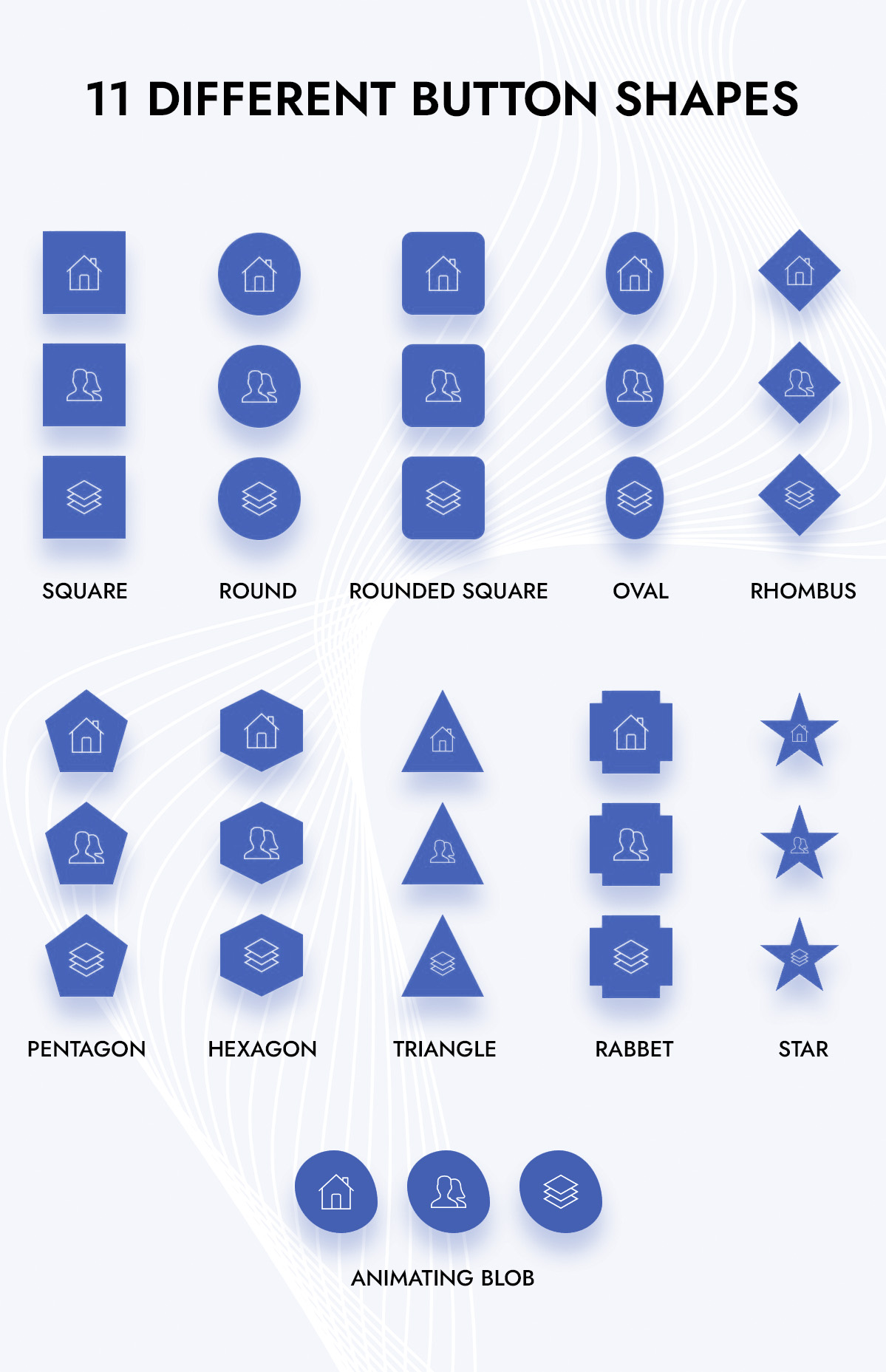
Choose From 11 Button Shapes
Choose from 11 different button shapes for the floating navigation menu. The button shapes are; Square, Round, Triangle, Rounded Square, Oval, Star, Rhombus, Pentagon, Hexagon, Rabbet, and Animating Blob.
8 Different Menu Positions
With 8 distinct menu positions available, you can strategically place your sticky menu in designated areas, ensuring that your content remains visible and easily accessible to your visitors. Further, you can choose to add the offset in pixels so that your navigation menu appears exactly where you want it to.
Selective Menu Display
Recognizing that a floating menu might not be suitable for every page, you have the flexibility to selectively display or hide the menu in various page locations. You can choose to show the menu on specific pages, hide it on others, or opt for display/hide settings across all pages.
Create Unlimited Floating Menus
Create Unlimited Floating Menus
Configure Each Menu Item/Button
You can personalize the configurations for each menu item within the Super Fly Menu. This allows you to tailor the settings of individual menu items to suit your specific needs and preferences.
Import/ Export Templates
Avoid the hassle of configuring the same settings for multiple menus over and over again. Just export the settings from one menu and effortlessly import them into another menu. Moreover, you have got templates
Other Additional Features
- Unlimited Color Variations/li>
- Advanced Typography Options
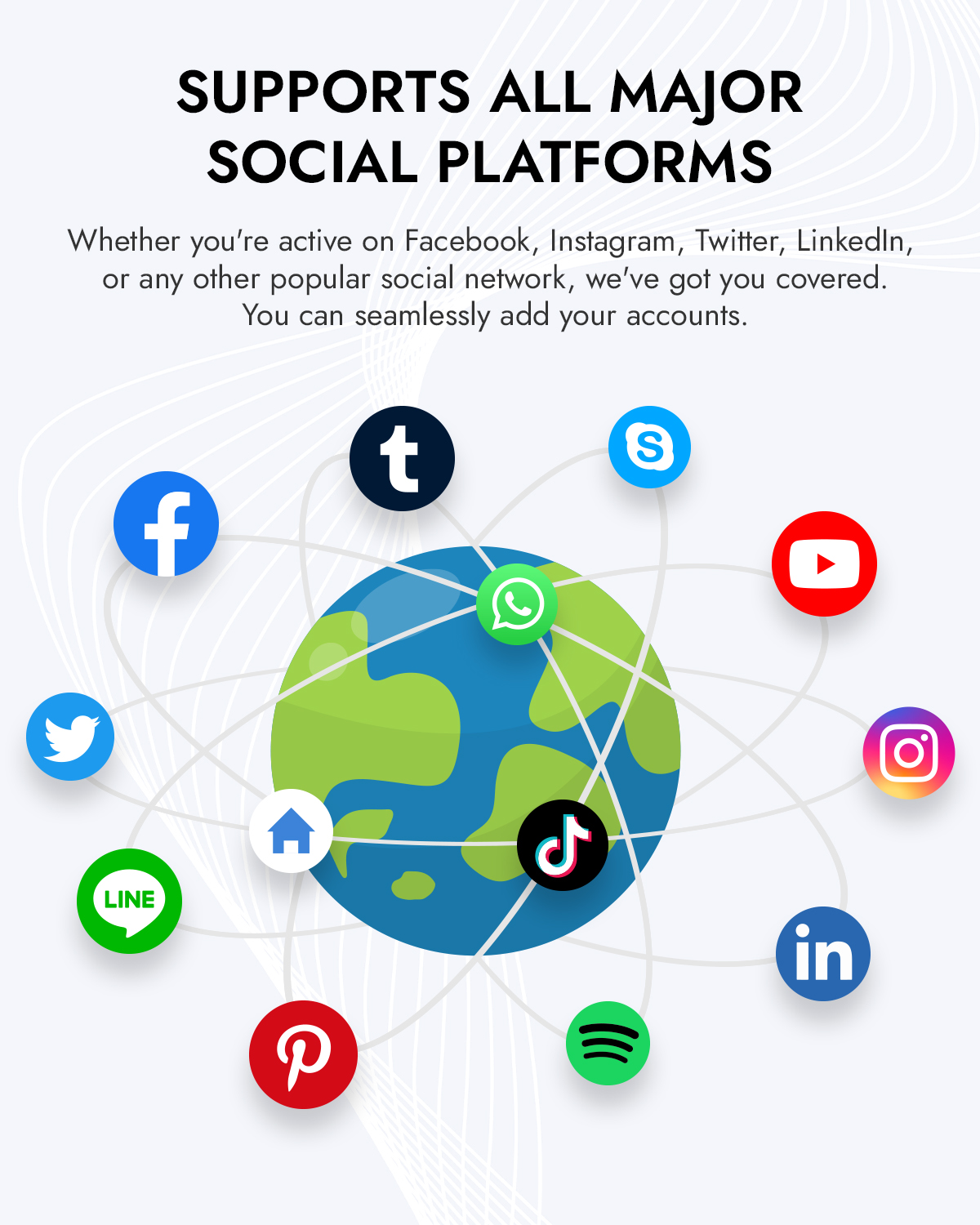
- Social Media Menu Creations
- Unlimited Color Options for Social Menus
- Selectively Display on Desktop, Tablet, Mobile
Use Super Floating and Fly Menu Plugin for FlyOut/Off Canvas Menu
The off-canvas or fly menu is a concealed navigation feature that becomes visible upon interaction with an icon. This design pattern is commonly associated with using a hamburger icon, which users can click or tap to toggle the visibility of the off-canvas menu. Activating the menu triggers a smooth fly-in animation, unveiling its contents for user engagement. The off-canvas menu efficiently conceals navigation options until needed, optimizing space and offering a seamless way for users to explore additional content without cluttering the main screen.
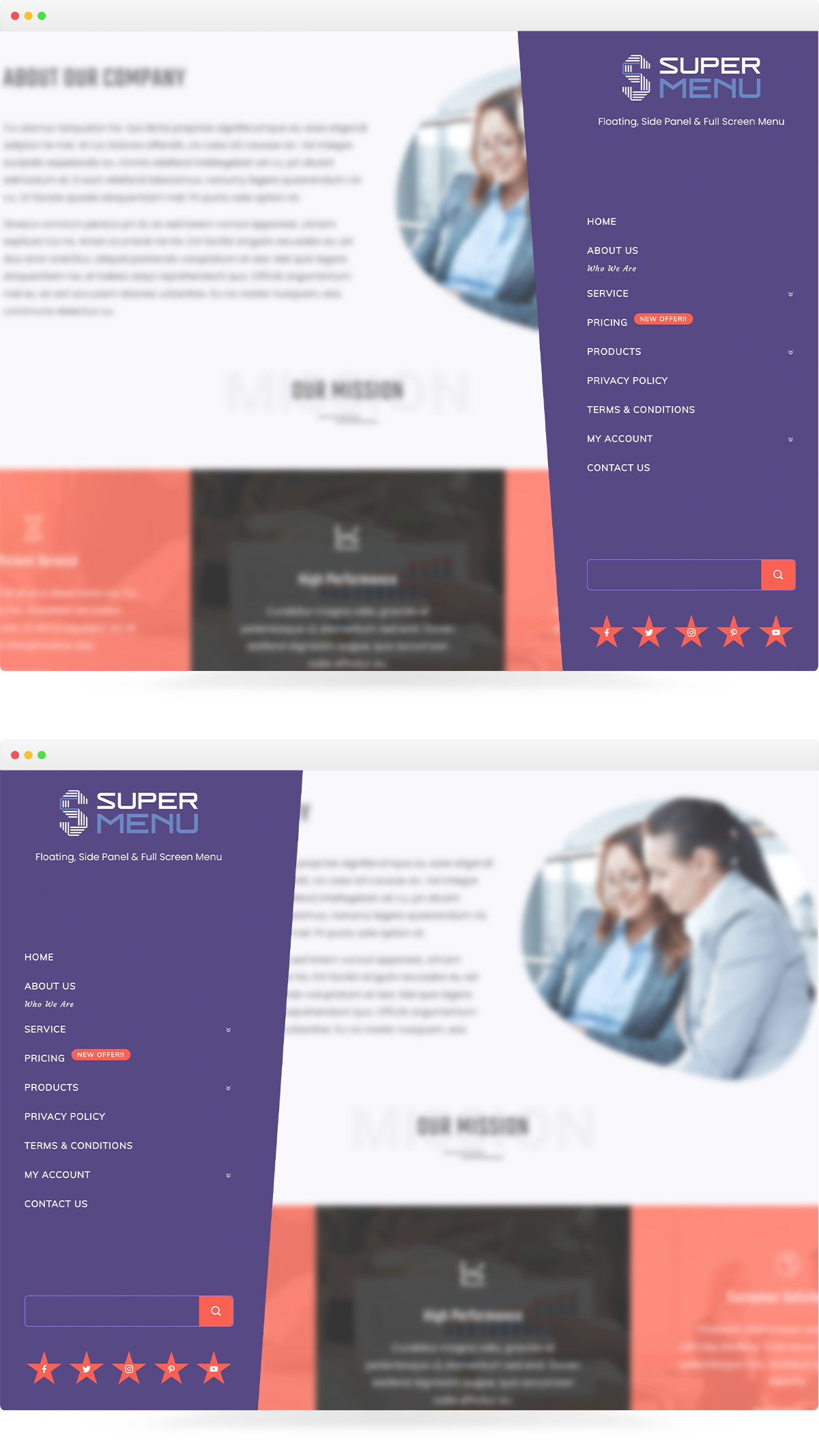
Decide on positioning the off-canvas menu by selecting either the left or right side of the screen. Additionally, opt for specific animation styles for both the hamburger icon and the menu, customizing the visual experience for users. Choices may include subtle transitions, sliding effects, or other dynamic animations that enhance the engagement and appeal of the navigation process.
Key Features of Fly Menu
4 Different Menu Types to Select From
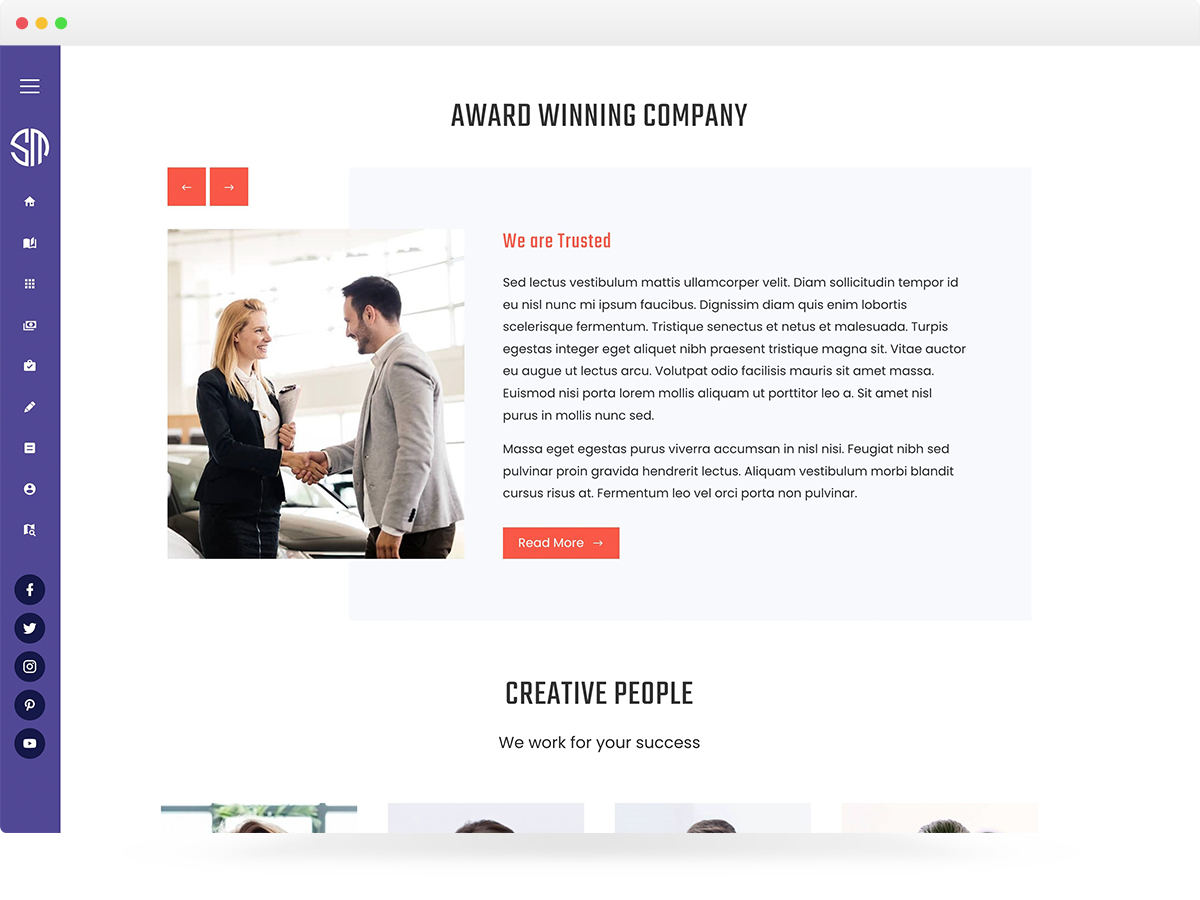
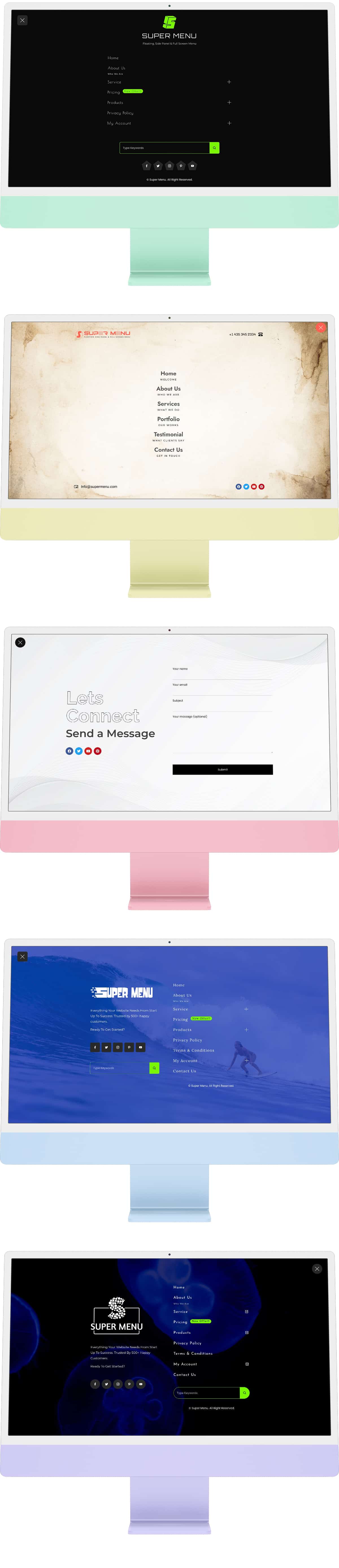
Select from 4 diverse menu types within the floating menu: Side Panel Menu, Skew Side Panel Menu, Full Screen Menu, and NavIcon Menu.
Trigger Button Types and Shapes
You can choose the trigger button from options like Font Icon, Image Icon, or the classic Hamburger icon. If you prefer not to display the trigger button, you can easily opt to hide it as well. Furthermore, you can choose from 4 different button shapes for the fly menu trigger button.
Different Hover and Idle Animation Effects
The idle animation for the trigger button boosts user interaction when it’s inactive while adding a hover effect enhances the user experience when users interact with the button.
Trigger Button Positions
You have the option to place the trigger button for user interaction in 8 different positions. Select the most suitable position to encourage user interaction effectively.
Menu Trigger Class
The menu trigger class allows you to create custom links, icons, or buttons on your website. These elements, when clicked by users, open the Menu Panel, providing easy access to navigation options or other menu-related features.
Selective Display of Menu on Pages
Understanding that a fly menu may not be ideal for every webpage, you have the freedom to decide where it appears. You can selectively display or hide the menu on different pages, showing it only where needed or keeping it hidden where unnecessary.
Custom Content
Adjust the content of your fly-out menu to match your preferences. You’re in charge of making changes to the menu content, giving you full control over its appearance and function.
Design With Elementor Page Builder
Customize the off-canvas menu easily with Elementor. You have full control to adjust it according to your preferences and make it unique, adding a special touch to your website.
Import/Export Feature
Streamline your workflow by transferring settings between menus effortlessly. Export settings from one menu and import them into another, saving time and effort. Additionally, take advantage of the available templates for added convenience.
Other Additional Features
- Create Unlimited Menus
- Custom Menu Header Image
- 5000+ Pre Designed Menu Icons
- Add Search Form in Menu Header or Footer
- Add Social Icons in Menu Header or Footer
- Advanced Settings for Menu Toggle Button
- Advanced Typography Options
- Video Menu Background
- Unlimited Color Options to Choose From
- Color Customizations for Social Icons
Compatibility:
Super Floating and Fly Menu (SFFM) is compatible with all types of WordPress themes. Just install the plugin after you have purchased it and start creating your navigation menu.
Documentation:
We have prepared an extensive and detailed documentation for our plugin – Super Floating and Fly Menu (SFFM) which comprises a step by step guideline for the installation and configuration of the plugin. To view the documentation, click Documentation
Support:
If you have any issues while using our plugin, feel free to contact us for support at support@hashthemes.com. Our support team will be more than happy to help you resolve your issue.
Chat Support:
Please visit our website HashThemes for chat support.
Please make sure that you are always using the latest version of the plugin. Please check this article to find out how to update the Envato Plugin.
| Type | WordPress Plugin |
|---|---|
| Author | hash_themes |
| Category | Wordpress / Interface Elements / Menus |
| Price | $24 |
| Sales | 792 |
| Rating | 4.81 from 48 ratings |
| Published | Feb 17, 2021 |
| Last Update | Oct 9, 2026 |
| Compatible Browsers | Firefox, Safari, Opera, Chrome, Edge |
| Compatible Software | WordPress 7.0.x, WordPress 6.9.x, WordPress 6.8.x, WordPress 6.7.x, WordPress 6.6.x, WordPress 6.5.x, WordPress 6.4.x, WordPress 6.3.x |
| Compatible With | Block Editor, Contact Form 7, Easy Digital Downloads, Elementor, Elementor Pro, Gravity Forms, Jetpack, Visual Composer, WooCommerce 10.x.x, WooCommerce 9.x.x, WooCommerce 8.x.x, WPBakery Page Builder, WPML |
| Gutenberg Optimized | Yes |
| Source Files Included | JavaScript JS, JavaScript JSON, HTML, CSS, PHP |
Categories
Tags
External listing. code.market does not sell this product and does not process payment for it. Pricing, payment, delivery, licensing, refunds, and support are handled by the third-party merchant on its own website. We may earn an affiliate commission from a referral. Details.
Products of the Week.
Submit🥇

Actionbook
It works inside the user's own browser with the accounts already signed in. The user describes the result they need, and the agent reads, clicks and types through the pages, then delivers a dashboard or report where each data links back to its source.
Other · 748 views · 10 clicksOther · Week 44 · 748 views · 10 clicks
🥈

Free social media tools for creators & solofounders
295 free tools for growing your social media: write, plan, grow on local AI models, 100% free forever, No sign-up required, No trial. Write, check and measure posts on LinkedIn, Instagram, TikTok, X, YouTube, Reddit, Product Hunt and more: a free social media scheduler for 17 networks, engagement rate calculators, character counters, best time to post, hook generators and follower growth calculators. No login anywhere, no API or credit usage.
715 views · 6 clicksWeek 44 · 715 views · 6 clicks
🥉

STOP GUESSING WHAT TO POST
AI that learns your brand voice and builds a month of consistent, on-brand social content: carousels, posts and hooks that sound like you, not like everyone else's AI.
SaaS · 1,961 views · 22 clicksSaaS · Week 44 · 1,961 views · 22 clicks
#4

Hand-Placed Backlinks $9.99 per link. Flat rate.
Buy hand-placed forum, Q-A and directory backlinks. Flat $9.99 per link, no subscriptions — you only pay for approved listings.
Website · 1,912 views · 17 clicksWebsite · Week 44 · 1,912 views · 17 clicks
#5

Conversational Backlinks for Busy Founders
Place Backlink Relevant Conversation for your domain across Forums and Conversations
39,372 views · 211 clicksWeek 44 · 39,372 views · 211 clicks
#6

Free Invoice Generator - PDF Invoices in Your Browser, No Sign-Up
A free invoice maker for freelancers and small businesses: fill in the invoice, check the live preview, and download a PDF that looks exactly like it. Any currency, tax per item, three templates, no sign-up, and nothing leaves your device.
651 views · 11 clicksWeek 44 · 651 views · 11 clicks
#7

Merge PDF Files Free - Combine PDFs in Your Browser, No Upload
A free PDF merger for office workers, students, and freelancers: combine PDFs and images into one file in the browser, reorder files and pages, pick page ranges, keep bookmarks, and open password-protected PDFs. Nothing is uploaded, no sign-up, no watermark.
597 views · 4 clicksWeek 44 · 597 views · 4 clicks