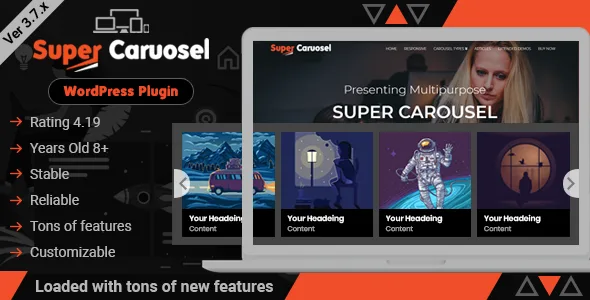
Super Carousel - Responsive Wordpress Plugin
Description
Super Carousel – WordPress Carousel Slider Plugin
Create WordPress carousel slider from Blog Post, YouTube, RSS Feeds, Team, Testimonial, Logo, Flickr Images, Recent Tweets.
Super Carousel is a multi-purpose responsive WordPress image and content carousel plugin. That has own image and content management system and also supports Post, Custom Post, Taxonomy, Custom Taxonomy, YouTube, RSS Feeds and Flickr. The inbuilt template system, filters and actions make the customization easy.
It’s even easier to put images of different height together so the width is dynamic with fixed height so that your site looks pretty.
Truly Responsive Carousel
This carousel is fully responsive having different settings for different resolutions. For example you might need to display only one image in mobile devices, two in tabs and five in desktops. All this can be managed in a simple and creative way using this carousel.
Easy to Use and Friendly Interface to Create Carousels
Convert your WordPress Media Library Images into a beautiful carousel. It makes great carousels in no time using the drag n drop interface and configurable options with few efforts of mouse click.
Post and Custom Post Carousels
Easy to create post carousels, that also supports custom posts, taxonomies and custom taxonomies, post meta.
Built With Super Gallery Responsive Lightbox
Super Carousel uses its own Super Gallery Light Box that supports Images, YouTube, Vimeo, Touch Swipe, and Pinch Zoom in a Gallery Light Box format.
Super Carousel Visual Mode
All required CSS styles are configurable using an interface in a visual mode while previewing. This includes Google Fonts, CSS3 transitions and Hover effects.
Super Carousel Expert Mode
Expert Mode gives bit more freedom and flexibility to HTML / CSS experts, which allows to use custom HTML and CSS with in the interface.
Supports WordPress Actions and Filters
We understand what developer needs, so our custom actions, filters and custom keys make the customization and integration super easy.
Super Carousel Animation Settings
Super Carousel WordPress plugin comes with configurable animation settings like animation time, easing time, easing effect etc
Super Carousel Navigation Settings
This plugin has 8 pre defined arrow navigation styles. Also supports dot navigation, touch swipe, keyboard, mouse scroll.
Supports Google Font
Gives the freedom to use Google Fonts in any text in the carousel, that extends the usabilities.
Inbuilt Template System
Anything created in the visual interface can be stored as template. That can be exported / imported or re-used with in the visual mode.
Super Widgets / Addons / Extensions
Super Carousel Responsive WordPress plugin comes with two handy widgets, those are Super Carousel Widget and Super Twitter Widget. This gives bit more flexibility increasing the usability.
What Customers Say
Please see real customer reviews below.
Updates 05-10-2022 – PHP 8 Update issue fixed 17-02-2022 – Updating Visual Composer text 16-02-2022 – Super Images drag and drop issue fixed 07-06-2021 – jQuery Easing Issue fixed, Circular carousel improved, Additional post types added to support Team and Testimonial Carousel. 24-12-2020 – No carousel found option 29-10-2020 – Filters bug fixed 26-10-2020 – Admin icons improved. 10-09-2020 – Custom responsive issue fixed. 20-07-2020 – Admin icons, lightbox icons fixed, lightbox bug fixed. 08-05-2020 – RSS feed carousel image bug fixed and YouTube, Feeds and Flickr carousel SSL bug fixed. 06-11-2019 – Post date and date format Bug fixed. 26-09-2019 – Lightbox icons improved. 19-09-2019 – Bug fixed and improvements, dynamic css removed, icons updated, lightbox image issue fixed. 19-06-2019 – Feed carousel filters added. 09-05-2019 – YouTube video bug fixed. 15-04-2019 – Bug fixed and improvements. 27-02-2019 – Content carousel issue fixed and Filters added. 22-02-2019 – Fatal Error and Warnings fixed. 03-11-2018 – Image carousel and lightbox issue fixed. 31-07-2018 – Image carousel additional title field and lightbox issue fixed. 04-07-2018 – Auto update feature and bug fixed. 10-01-2018 – HTTPS and Google Fonts issue resolved. 25-11-2017 – Auto play improved and filters added to manipulate carousel data. 02-10-2017 – Admin JS issue fixed. 27-09-2017 – Image Carousel single quote issue and merged JS issue fixed. 12-07-2017 – Content carousel order by features added and bug fixed. 25-06-2017 – Post carousel, “P” tag bug fixed and post featured image filter added. 16-06-2017 – Carousel admin revamped and added more features. The carousels need to be recreated in the new version 15-05-2017 – Content carousel bug fixed and improved. 03-12-2016 – Slide Thumbnail sizes improved. 12-09-2016 – SuperWidget bug fixed. 04-08-2016 – Twitter OAuth Fatal error issue fixed. 20-07-2016 – Lightbox a tag CSS issue fixed. 12-07-2016 – session_start and session_status issue fixed. 08-07-2016 – Bug fixed, lightbox caption added 14-06-2016 – Lightbox Caption Added 03-06-2016 – Fix height carousel bug fixed 21-04-2016 – Autoscroll bug fixed 19-04-2016 – Bug fixed, improved and Post carousel sorting feature implemented 16-04-2016 – Bug fixed, improved and Post limit added 04-02-2016 – JS and CSS request optimized 26-12-2015 – Touch swipe feature improved and custom template featured implemented 28-10-2015 – admin.js issue fixed 22-10-2015 – autoHeight bug fixed 03-09-2015 – Image size option, caption mouse over and image slide mouse over option added 16-06-2015 – prettyPhoto jQuery plugin removed 04-06-2015 – Bugs fixed and Image carousel / lightbox improved 28-01-2015 – Bugs fixed and Image carousel improved 11-12-2014 – Bugs fixed, blog and team template option added 26-11-2014 – Bugs fixed and Content carousel improved. Featured image and Permalink options added 08-10-2014 – Bugs fixed 28-07-2014 – Chrome Bug fixed 03-07-2014 – Bugs fixed and Document Updated 15-05-2014 – Bugs fixed 05-05-2014 – Bugs fixed 23-04-2014 – Continuous scroll option added 21-04-2014 – Bugs fixed and Super Twitter Widget included 18-12-2013 – Create carousel using Post Ids or Page Ids, Category, Tag And 8 new style of arrows added 18-12-2013 – Compatible with WordPress Version 3.8 12-04-2013 – Compatibility with PHP 5.2 30-04-2013 – Bugs fixed 06-05-2013 – Google Chrome Link Bugs fixed 12-05-2013 – Working in JS ‘Tabs’ now 22-07-2013 – Bug fixed
Credits Special thanks to the followings.
Categories
Tags
External listing. code.market does not sell this product and does not process payment for it. Pricing, payment, delivery, licensing, refunds, and support are handled by the third-party merchant on its own website. We may earn an affiliate commission from a referral. Details.
Products of the Week.
Submit🥇

STOP GUESSING WHAT TO POST
AI that learns your brand voice and builds a month of consistent, on-brand social content: carousels, posts and hooks that sound like you, not like everyone else's AI.
SaaS · 3,592 views · 33 clicksSaaS · Week 45 · 3,592 views · 33 clicks
🥈

Conversational Backlinks for Busy Founders
Place Backlink Relevant Conversation for your domain across Forums and Conversations
Website · 41,125 views · 222 clicksWebsite · Week 45 · 41,125 views · 222 clicks
🥉

upvote.club
Free Social Media Engagement that Helps Boost Your Content. Upvote Club supports 19 social networks with 100+ engagement actions in one dashboard. Add links to your posts and get free engagement from real users.
SaaS · 39,182 views · 113 clicksSaaS · Week 45 · 39,182 views · 113 clicks
#4

Substack Posting API
Onboard your Agent to Substack. Write Publish on Substack via API
SaaS · 58,217 views · 198 clicksSaaS · Week 45 · 58,217 views · 198 clicks
#5

Seenshot App
Free, Fast, MacOS Screenshot app. Make Screenshot cmd+shift+2 and send it via link
Desktop App · 27,609 views · 120 clicksDesktop App · Week 45 · 27,609 views · 120 clicks
#6

Hand-Placed Backlinks $9.99 per link. Flat rate.
Buy hand-placed forum, Q-A and directory backlinks. Flat $9.99 per link, no subscriptions — you only pay for approved listings.
Website · 3,491 views · 18 clicksWebsite · Week 45 · 3,491 views · 18 clicks
#7

Free Invoice Generator - PDF Invoices in Your Browser, No Sign-Up
A free invoice maker for freelancers and small businesses: fill in the invoice, check the live preview, and download a PDF that looks exactly like it. Any currency, tax per item, three templates, no sign-up, and nothing leaves your device.
2,184 views · 16 clicksWeek 45 · 2,184 views · 16 clicks
#8

Merge PDF Files Free - Combine PDFs in Your Browser, No Upload
A free PDF merger for office workers, students, and freelancers: combine PDFs and images into one file in the browser, reorder files and pages, pick page ranges, keep bookmarks, and open password-protected PDFs. Nothing is uploaded, no sign-up, no watermark.
2,024 views · 13 clicksWeek 45 · 2,024 views · 13 clicks