
Stripe Subscriptions in ASP.NET Core MVC Web Application built with C# and JavaScript
Description
Stripe Subscriptions in ASP.NET Core MVC Web Application built with C# and JavaScript
Receive fixed-price/per-seat subscriptions payments from all cards (credit, debit and prepaid) with Elements or Payment Request Button (Apple Pay, Google Pay, Microsoft Pay, and the browser Payment Request API) via Stripe.Use Stripe Subscriptions Payment Gateway in ASP.NET with integrating and customizing this application to your ASP.NET Web Application.
Stripe for ASP.NET allows you to accept subscription payments directly on your store for web and mobile web. With Stripe, customers stay on your store for card payments during subscription checkout instead of being redirected to an externally hosted checkout page, which has been proven to lead to higher conversion rates.
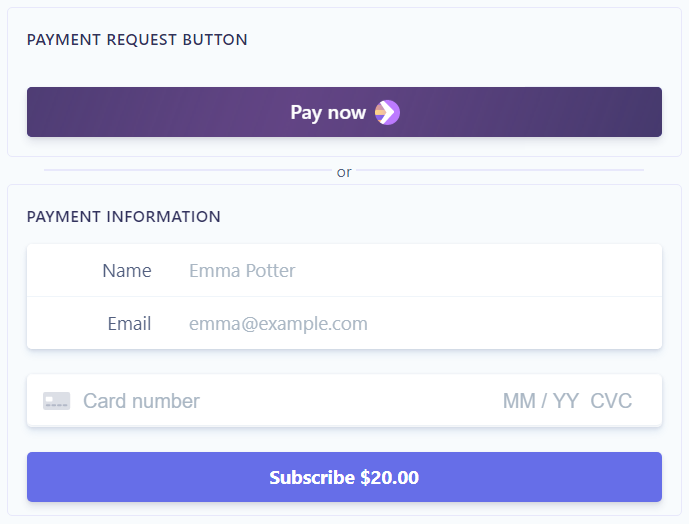
Fixed-Price Subscriptions: Charge customers a fixed amount each month. The Quantity is set to 1.
Per-Seat Subscriptions: Charge customers based on how many units of your product or service they purchase. You must set the Quantity variable to the number chosen by your customer.
The application uses the Payment Intents API for cards.
The application uses Stripe Card Element and Stripe Payment Request Button.
The application supports 3D Secure 2.
Full source code is included.
Target Framework: .NET Core – ASP.NET Core 3.1 – Language: c#
Payment Request Button
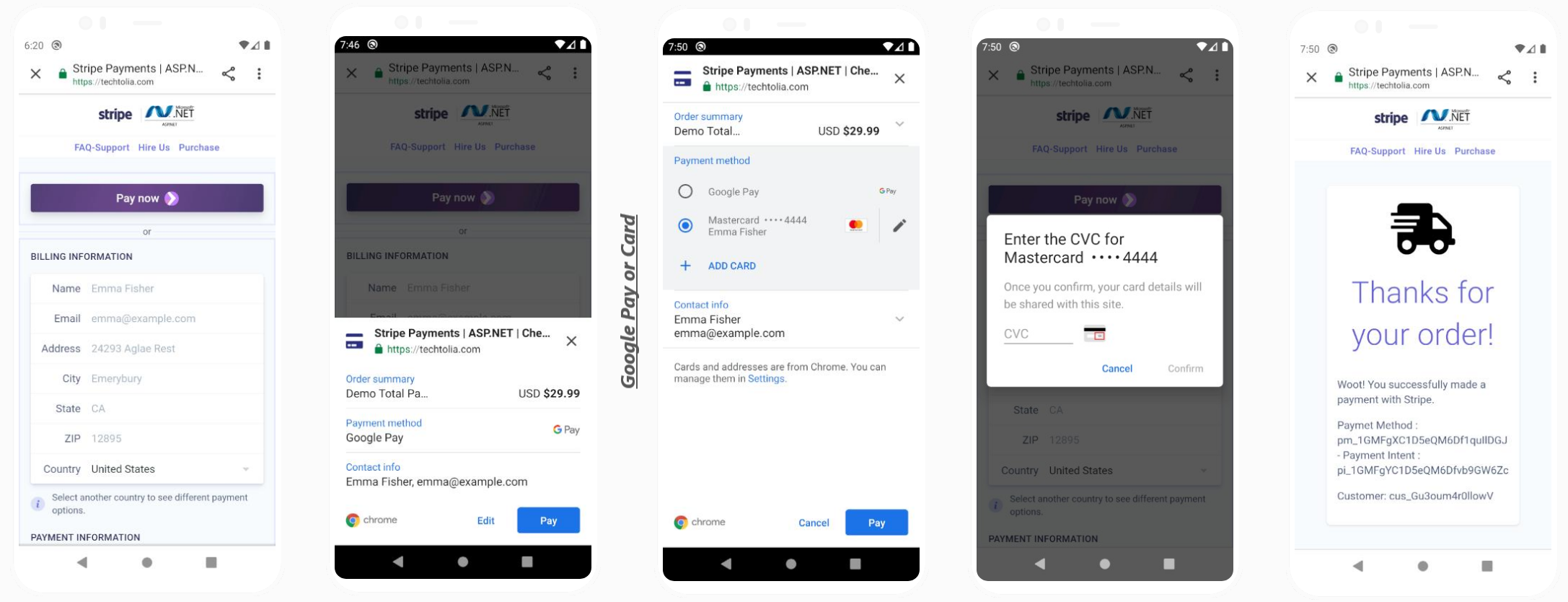
 Collect payment and address information from customers who use Apple Pay, Google Pay, Microsoft Pay, and the browser Payment Request API (Chrome, Opera, Edge, Safari).
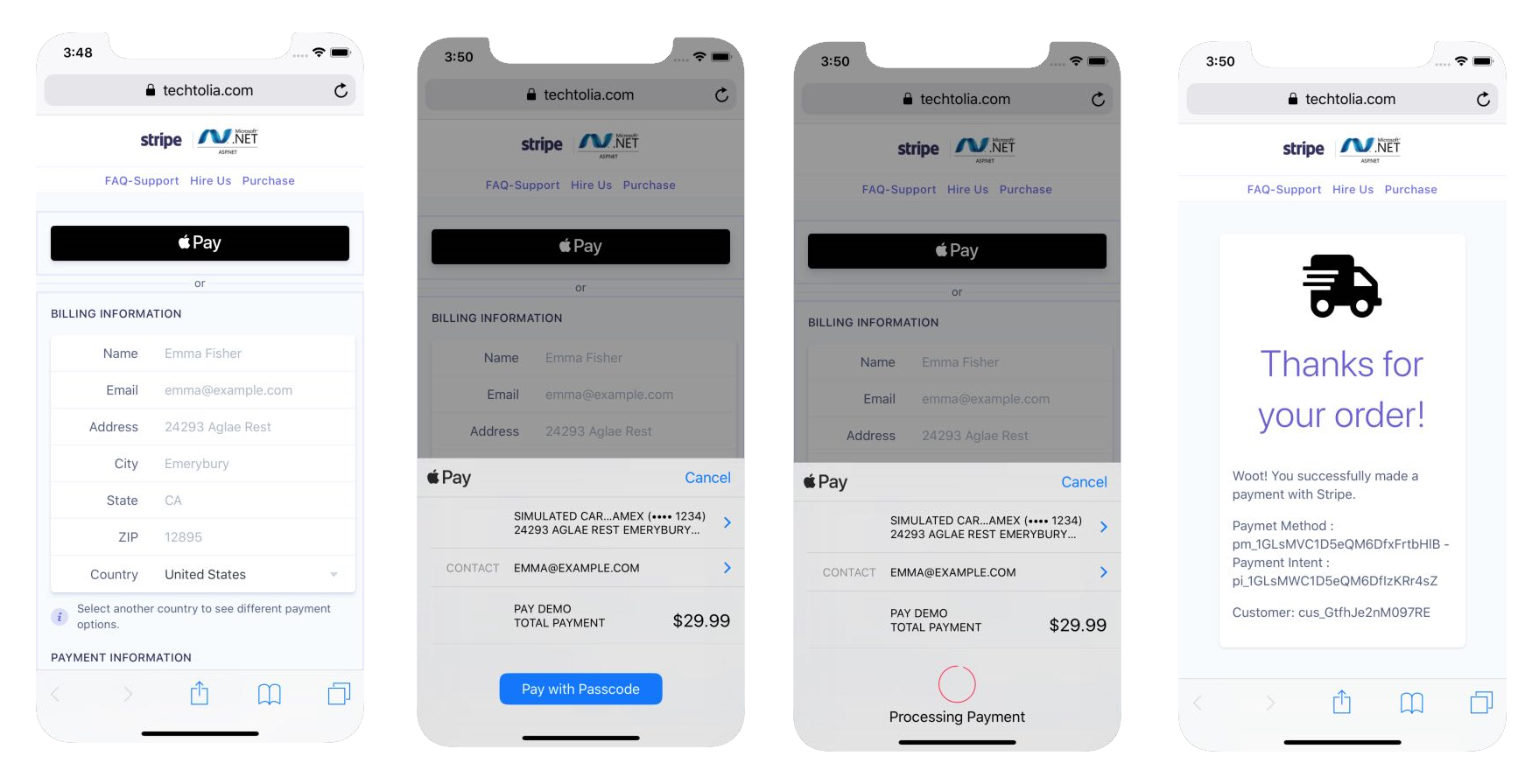
Customers see a “Pay now” button or an Apple Pay button, depending on what their device and browser combination supports. If neither option is available, they don’t see the button.
To use Apple Pay on Safari, you need to register with Apple all of your web domains that will show an Apple Pay button.
Strong Customer Authentication
Strong Customer Authentication (SCA) is a new European regulatory requirement to reduce fraud and make online payments more secure. To accept payments and meet SCA requirements, you need to build additional authentication into your checkout flow.Banks will need to start declining payments that require SCA and don’t meet these criteria. Although the regulation was introduced on 14 September 2019, we expect these requirements to be enforced by regulators over the course of 2020 and 2021.
3D Secure 2—the new version of the authentication protocol rolling out in 2019—will be the main method for authenticating online card payments and meeting the new SCA requirements. This new version introduces a better user experience that will help minimise some of the friction that authentication adds into the checkout flow.
The application supports 3D Secure 2
The Payment Intents API that uses Stripe’s SCA logic to apply the right exemption and trigger 3D Secure when necessary.
The application uses the Payment Intents API for card payments
How to model subscriptions
Products and Prices are the primary objects used to model subscriptions. Products define what you’re selling and prices define how to charge for the product. For example, if you offer photo hosting for 15 USD a month, photo hosting is your product and the 15 USD a month is your price. Or, maybe you offer physical goods like a weekly produce box for 10 USD per week. The produce box is your product and the 10 USD is your price.Products can have multiple prices so you can vary pricing by billing interval, currency, or amount. You can also use multiple prices to phase out old prices that you no longer offer.
In a fixed-price model, customers are charged the same amount every billing period. For example, a photo hosting company that offers basic and premium options might have:- One product for the basic option
- One product for the premium option
- One price for the basic option (15 USD per month)
- One price for the premium option (25 USD per month)
- One product for the basic option
- One product for the premium option
- One price for the basic option that charges the same amount per seat, regardless of the number of seats (5 USD per seat)
- One price for the premium option that includes tiers so that the price per-seat goes down the more seats that are purchased (tier one: 15 USD per seat for 1–100 seats, tier two: 10 USD for 101+ seats)
Deploy Stripe while keeping your core product team focused.
Techtolia brings experience working with Stripe’s Payments as well as expertise in Product Development, DevOps, and User Experience to quickly deploy Stripe integrations at scale.As a partner, we can increase velocity while keeping your core team focused on your product. Partnering with an outside team means that your core product team can prioritize features tied to customer value or competitive differentiation.
Stripe Atlas
Stripe Atlas is a powerful, safe, and easy-to-use platform for forming a company. By removing lengthy paperwork, legal complexity, and numerous fees, Stripe Atlas helps you launch your startup from anywhere in the world.
If you have not started Stripe Atlas yet, use our invitation link to set up your company in US with Stripe Atlas https://atlas.stripe.com/invite/8ykr8gmr
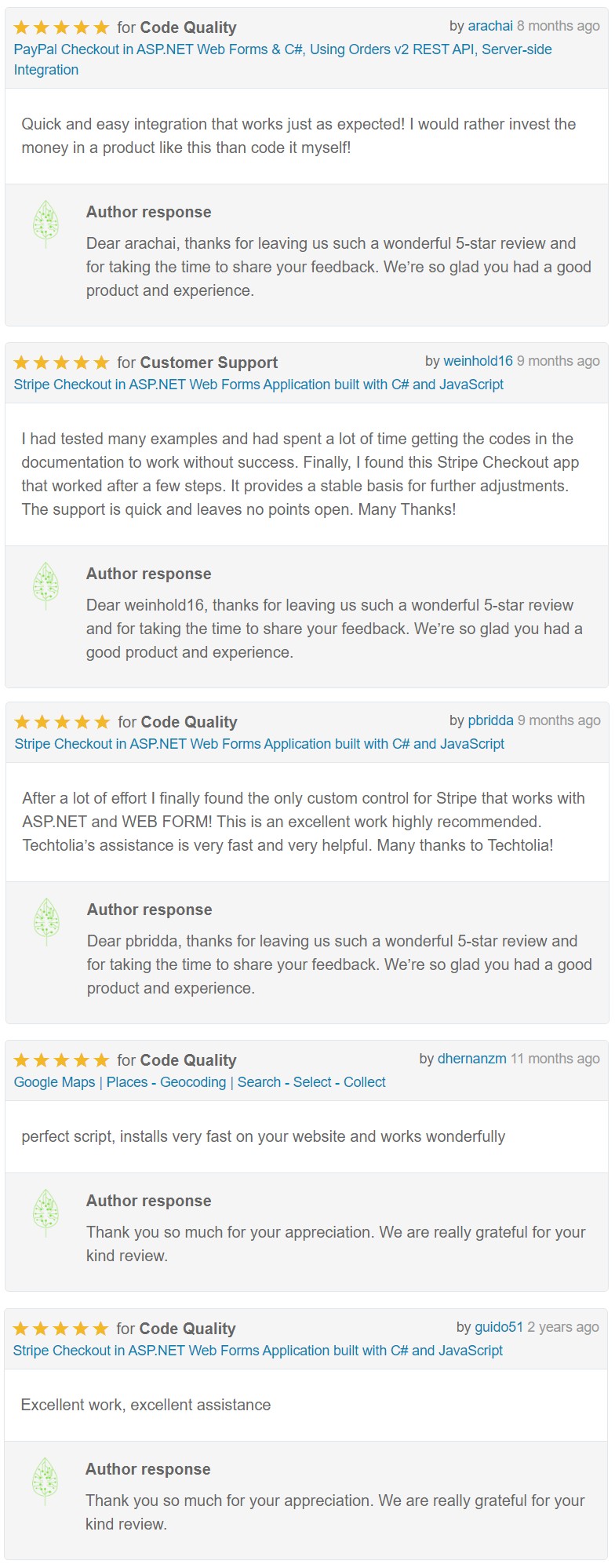
Our Reviews


| Type | .NET Script |
|---|---|
| Author | Techtolia |
| Category | Net / Shopping Carts |
| Price | $59 |
| Sales | 10 |
| Rating | 0.00 from 1 rating |
| Published | Mar 2, 2021 |
| Last Update | Mar 2, 2021 |
| Compatible Browsers | Firefox, Safari, Opera, Chrome, Edge |
| Compatible Software | Other |
| Source Files Included | C# CS, JavaScript JS, JavaScript JSON, HTML, CSS |
Categories
Tags
External listing. code.market does not sell this product and does not process payment for it. Pricing, payment, delivery, licensing, refunds, and support are handled by the third-party merchant on its own website. We may earn an affiliate commission from a referral. Details.
Products of the Week.
Submit🥇

STOP GUESSING WHAT TO POST
AI that learns your brand voice and builds a month of consistent, on-brand social content: carousels, posts and hooks that sound like you, not like everyone else's AI.
SaaS · 3,578 views · 33 clicksSaaS · Week 45 · 3,578 views · 33 clicks
🥈

Conversational Backlinks for Busy Founders
Place Backlink Relevant Conversation for your domain across Forums and Conversations
Website · 41,095 views · 222 clicksWebsite · Week 45 · 41,095 views · 222 clicks
🥉

upvote.club
Free Social Media Engagement that Helps Boost Your Content. Upvote Club supports 19 social networks with 100+ engagement actions in one dashboard. Add links to your posts and get free engagement from real users.
SaaS · 39,156 views · 113 clicksSaaS · Week 45 · 39,156 views · 113 clicks
#4

Substack Posting API
Onboard your Agent to Substack. Write Publish on Substack via API
SaaS · 58,190 views · 198 clicksSaaS · Week 45 · 58,190 views · 198 clicks
#5

Seenshot App
Free, Fast, MacOS Screenshot app. Make Screenshot cmd+shift+2 and send it via link
Desktop App · 27,581 views · 120 clicksDesktop App · Week 45 · 27,581 views · 120 clicks
#6

Hand-Placed Backlinks $9.99 per link. Flat rate.
Buy hand-placed forum, Q-A and directory backlinks. Flat $9.99 per link, no subscriptions — you only pay for approved listings.
Website · 3,466 views · 18 clicksWebsite · Week 45 · 3,466 views · 18 clicks
#7

Free Invoice Generator - PDF Invoices in Your Browser, No Sign-Up
A free invoice maker for freelancers and small businesses: fill in the invoice, check the live preview, and download a PDF that looks exactly like it. Any currency, tax per item, three templates, no sign-up, and nothing leaves your device.
2,158 views · 16 clicksWeek 45 · 2,158 views · 16 clicks
#8

Merge PDF Files Free - Combine PDFs in Your Browser, No Upload
A free PDF merger for office workers, students, and freelancers: combine PDFs and images into one file in the browser, reorder files and pages, pick page ranges, keep bookmarks, and open password-protected PDFs. Nothing is uploaded, no sign-up, no watermark.
2,000 views · 13 clicksWeek 45 · 2,000 views · 13 clicks